Skip to content
View in the app

A better way to browse. Learn more.

Demonland

A full-screen app on your home screen with push notifications, badges and more.

To install this app on iOS and iPadOS
  1. Tap the Share icon in Safari
  2. Scroll the menu and tap Add to Home Screen.
  3. Tap Add in the top-right corner.
To install this app on Android
  1. Tap the 3-dot menu (⋮) in the top-right corner of the browser.
  2. Tap Add to Home screen or Install app.
  3. Confirm by tapping Install.

NEW LOOK FORUM: Please be patient

Featured Replies

As you may well be aware we have just made a major upgrade to the forum software which was necessary.

If you are reading this post but cannot login it may be because as part of the update you now need to use you Display Name (ie: the name other posters see when you post) as your Username. Your password should remain the same. For example if you originally signed up to Demonland as YzeIsALegend82 but have since changed your Display Name a number of times and are now HoganKnowsBest82 then your new Username will be HoganKnowsBest82.

Obviously with such a big update things will look different than you are used to and things might be in different places. People dislike change but trust me this was necessary and you will get used to it in time. In the long run you will like all the new features so have a play around with the settings in particular the notification settings which can be customized. For example you can have it notify you if with a pop up if people reply to your post while you are online. Settings like this can be switched on and off as per your preference.

I will also be playing around with the look and feel of the site over the next few days as the upgrade put everything back to default (which I knew would happen). The homepage will also be back soon. I just need to work out what all the shiny new buttons do.

Also any new bugs will be ironed out too so please be patient.


Liking the shiny new emoticon Andy- - - - - - >  :pj:

Wow! Looks great on mobile app - well done ?


I really appreciate all the work you do to bring this to the mob. Great effort and keep up the good work. 

4 minutes ago, hemingway said:

I really appreciate all the work you do to bring this to the mob. Great effort and keep up the good work. 

thanks to those at demonland for doing the work to keep this site up'n'goin.  thanks all.


well played... b.o.g.

Edited by dee-luded


Thanks Guys missed the site of the past 24 hrs Looks great 

All on here apprecciate all you do A big Thanks!!!!

  • Author
Just now, jackaub said:

Thanks Guys missed the site of the past 24 hrs Looks great 

All on here apprecciate all you do A big Thanks!!!!

Yeah we like to take this site away from you guys every now and again so you will all appreciated us more and heap praise on us.


Great stuff, looks good and as always appreciate the efforts in getting it back up and running.

32 minutes ago, Curry & Beer said:

Nice work! Thanks!

Q: Do signatures no longer exist?

expect it will some time. the userprofile "settings" tab is not active yet

Looking good Andy. Notifications will be a great addition.

Great work by all concerned


Thanks to all involved in the running the site, the new site looks great.

Thanks for all of your hard work. Me and the dog have missed you

4 hours ago, Demonland said:


Obviously with such a big update things will look different than you are used to and things might be in different places. People dislike change but trust me this was necessary and you will get used to it in time. In the long run you will like all the new features so have a play around with the settings in particular the notification settings which can be customized. For example you can have it notify you if with a pop up if people reply to your post while you are online. Settings like this can be switched on and off as per your preference.

giphy.gif


Thanks for all you do, Rafiki! 

Edited by Good Times Grimes


As Hunter S. Thompson said

"It just wasn't weird enough for me..."

only posting to see how cool my avatar looks on the new site........:unsure:

If anyone is having issues of things not displaying properly as I did, just hit CTRL+F5. Fixes it right up.


Things are looking great guys! So far so good with the new upgrade.

Edited by Demon Jack

I liked the old red and blue throughout the old site. But nevertheless it looks good and thus far easy to use.

Well done.


Archived

This topic is now archived and is closed to further replies.

Featured Content

  • POSTGAME: Brisbane

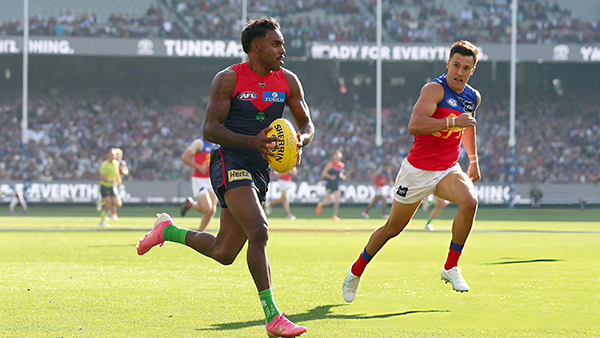
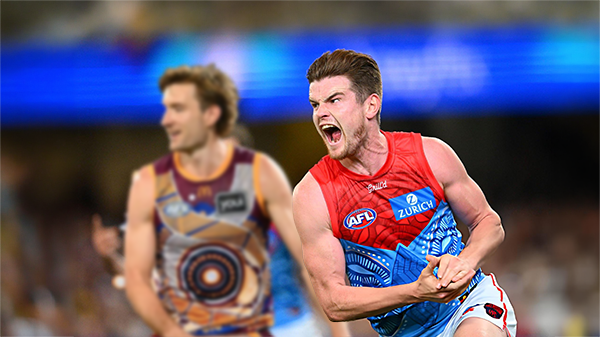
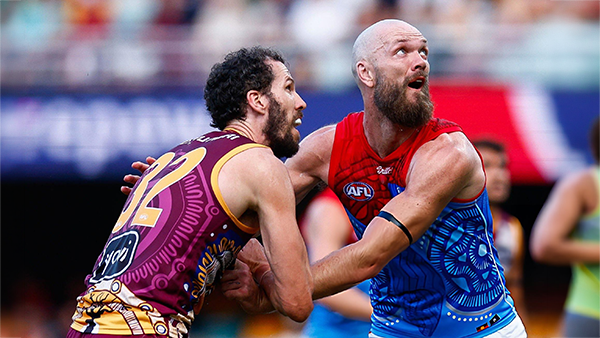
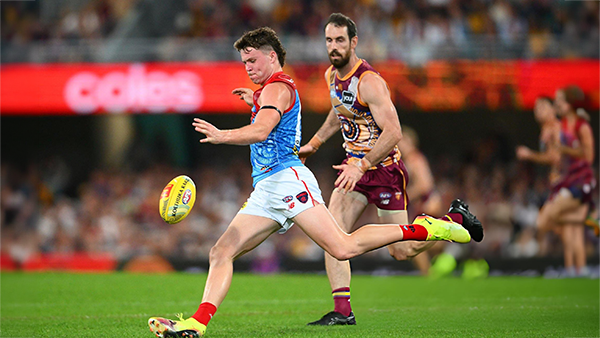
    MCG magic strikes again as the Demons unleash a devastating second-half surge to edge Brisbane in a thrilling two-point statement win. Never in doubt 🍀🔴🔵😈

      • Shocked
      • Like
    • 388 replies
  • PODCAST: Brisbane

    Andy is still traveling but the boys will still be bringing you a podcast this week so get your questions and comments in for Binman and George as they dissect the thrilling win over the Lions at the G.

    • 10 replies
  • VOTES: Brisbane

    Reigning Champion and Captain Max Gawn already has a healthly lead just 5 rounds in to the Demonland Player of the Year Award vote count. He leads from Kozzy Pickett, Jack Steele, Tom Sparrow & Jacob van Rooyen. Your votes please. 6, 5, 4, 3, 2 & 1.

      • Thanks
    • 60 replies
  • GAMEDAY: Brisbane

    It's Game Day and the Demons return to the MCG after a dismal performance in Gather Round to face the reigning dual Premiers Brisbane. What do expect to see from the Dees today?

      • Like
    • 568 replies
  • PREVIEW: Brisbane

    They really had me fooled when I picked them with great confidence to beat the Bombers at Gather Round last week. I should have recognised that nothing is more quintessentially Melbourne than defeating the undefeated early premiership favourite one week and losing to a winless cellar dweller on its way to establishing a record losing streak the next. 

    • 6 replies
  • PREGAME: Brisbane

    The Demons return to Melbourne and the hallowed turf of the MCG where they face dual reigning Premiers Brisbane on Sunday. Who comes in and who goes out?

    • 464 replies

Account

Navigation

Search

Search

Configure browser push notifications

Chrome (Android)
  1. Tap the lock icon next to the address bar.
  2. Tap Permissions → Notifications.
  3. Adjust your preference.
Chrome (Desktop)
  1. Click the padlock icon in the address bar.
  2. Select Site settings.
  3. Find Notifications and adjust your preference.