Skip to content
View in the app

A better way to browse. Learn more.

Demonland

A full-screen app on your home screen with push notifications, badges and more.

To install this app on iOS and iPadOS
  1. Tap the Share icon in Safari
  2. Scroll the menu and tap Add to Home Screen.
  3. Tap Add in the top-right corner.
To install this app on Android
  1. Tap the 3-dot menu (⋮) in the top-right corner of the browser.
  2. Tap Add to Home screen or Install app.
  3. Confirm by tapping Install.

Free AFL Live pass for Telstra customers.

Featured Replies

Hey guys, not sure if everyone knows but if you are a Telstra customer you are entitled to free AFL live pass for the season.

Type in #820# to your keypad, press call, and then follow the prompts :)

This is a no strings attached service for Telstra customers which gives us access to the Draft, Under 18 championships, NAB Rising Star, every single live game and more.

ALSO, this service is unmetered, meaning that you can watch it on the go and it doesn't go onto your data charges.

Enjoy guys!

 
  • Author
4 minutes ago, Ethan Tremblay said:

Ah excellent!
I've been at sea since the 23rd of Feb and haven't been able to keep completley up to date :)


13 minutes ago, The Sailing Demon said:


All good, probably some posters who missed the original thread and the added extra info. 


*Mobile customers.


Anyone know if this works for business customers as well? 

You can also get a refund if you've already purchased a live pass this year. Even if you purchased via google play.


Doesn't work, just wasted an hour of my life. I have been with Telstra exclusively since Telecom, have over 10 phones and multiple email accounts NBN .... they don't recognise me. At least Foxtel works, yes I have that through Teltsra too...hmmff

Ok so i am going to use it on my mobile that is on the Optus network, does that mean it is still unmetered?


4 hours ago, ManDee said:

Doesn't work, just wasted an hour of my life. I have been with Telstra exclusively since Telecom, have over 10 phones and multiple email accounts NBN .... they don't recognise me. At least Foxtel works, yes I have that through Teltsra too...hmmff

Worked for me. Got it for NAB3. Surprisingly seamless, Loaded on the daughter's iPad as well which is a bit easier on the eyes when viewing. Don't know how one can enjoy watching footy on a phone

  • Author
6 hours ago, ManDee said:

Doesn't work, just wasted an hour of my life. I have been with Telstra exclusively since Telecom, have over 10 phones and multiple email accounts NBN .... they don't recognise me. At least Foxtel works, yes I have that through Teltsra too...hmmff

Are you doing it right?
Might as well go into a Telstra store and see if they can help you.

The best thing about the live pass is the  on demand replays of all dees matches from the past couple of years. And if your an Android user and have the right cables you can watch on your TV too.

17 hours ago, The Sailing Demon said:

Hey guys, not sure if everyone knows but if you are a Telstra customer you are entitled to free AFL live pass for the season.

Type in #820# to your keypad, press call, and then follow the prompts :)

This is a no strings attached service for Telstra customers which gives us access to the Draft, Under 18 championships, NAB Rising Star, every single live game and more.

ALSO, this service is unmetered, meaning that you can watch it on the go and it doesn't go onto your data charges.

3 hours ago, Go the Biff said:

Worked for me. Got it for NAB3. Surprisingly seamless, Loaded on the daughter's iPad as well which is a bit easier on the eyes when viewing. Don't know how one can enjoy watching footy on a phone


Enjoy guys!


Bought a Google Chromecast and cast my phone screen to the TV and watch all games live using the app

Petraccattack - 1

AFL/Telstra/Foxtel - 0


Telstra... No thanks.


I've just organised to cut ties with them.  can't happen quick enough ... shocking service for mobile broadband. won't give me adsl....  shocking carp...


Can't wait to be rid of those rip off merchants.


.

2 hours ago, Petraccattack said:


Bought a Google Chromecast and cast my phone screen to the TV and watch all games live using the app

Petraccattack - 1

AFL/Telstra/Foxtel - 0

Ahh i was under the impression that this function was blocked with AFL live pass to protect Fox and 7. Are you 100% sure it works?

1 hour ago, binman said:

Ahh i was under the impression that this function was blocked with AFL live pass to protect Fox and 7. Are you 100% sure it works?


100% sure.  Watched every game on the weekend with that method.  You can cast your phone screen to TV no matter whats on your phone.

And yes it casts the live stream  in HD


If you happen to have an iphone and an apple tv, the airplay function works a treat. Been using it for the last season and a half. Can't recommend it enough!

19 hours ago, Petraccattack said:


Bought a Google Chromecast and cast my phone screen to the TV and watch all games live using the app

Petraccattack - 1

AFL/Telstra/Foxtel - 0

What's the quality like with a chromecast? I have Android tv and can screen mirror but it is pretty bad quality and a big delay between what's on my phone and what's on the tv.


4 minutes ago, Dalrot said:

What's the quality like with a chromecast? I have Android tv and can screen mirror but it is pretty bad quality and a big delay between what's on my phone and what's on the tv.

I do it as well, quality is ok depends mainly on your internets ability to maintain a strong connection. It is not HD by any means but beats watching it with a magnifying glass. There will be a delay compared to what is on the phone but the audio is cast to the tv as well so as long as you dont look at your phone while its happening it wont really matter ( oh and 1 more thing... you will want to have the phone plugged in or it will go flat been there, done that very annoying) 

I should also note I'm using the first chromecast i would assume the 2nd gen one would be better 

The whole AFL thing is weird if you ask me. Like i can view smart replay 12 hours after a match on my PC or Smart TV but cant view it from an android phone. And don't even speak to me about apple. No bloody flash :mad:

1 hour ago, Dalrot said:

What's the quality like with a chromecast? I have Android tv and can screen mirror but it is pretty bad quality and a big delay between what's on my phone and what's on the tv.


52 minutes ago, ArtificialWisdom said:

I do it as well, quality is ok depends mainly on your internets ability to maintain a strong connection. It is not HD by any means but beats watching it with a magnifying glass. There will be a delay compared to what is on the phone but the audio is cast to the tv as well so as long as you dont look at your phone while its happening it wont really matter ( oh and 1 more thing... you will want to have the phone plugged in or it will go flat been there, done that very annoying) 

I should also note I'm using the first chromecast i would assume the 2nd gen one would be better 


Im using the new Chromecast, I believe its 2.0.

The picture quality is perfect and theres zero delay when casting  screen to the TV.

 
Just now, Petraccattack said:

Im using the new Chromecast, I believe its 2.0.

The picture quality is perfect and theres zero delay when casting  screen to the TV.

I have been considering getting it. It does have 3 wifi antennae vs the old which just has 1 so could result in a stronger connection than i have had in the past which is usually the problem i have. 

But i will stress that chromecast version aside the network is always what is under the most strain doing this so an old/weak network connection will always going to stuggle. We can offer our experiences based on our networks but anyone reading may have much better or much worse connections and their results may vary. (haha that last bit sounds like an american infomercial disclaimer)

I use an appleTV to put AFL Live onto my TV.  I've discovered that sometimes it looks better on the phone than the TV and that this is because my internal wifi network is being pushed to the limit. Putting the ipad/phone near my router helps a lot.


Archived

This topic is now archived and is closed to further replies.

Featured Content

  • POSTGAME: Brisbane

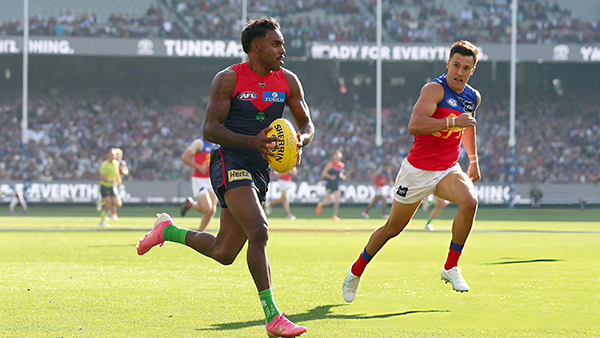
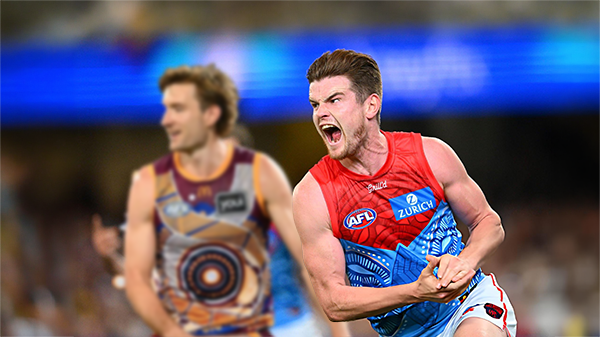
    MCG magic strikes again as the Demons unleash a devastating second-half surge to edge Brisbane in a thrilling two-point statement win. Never in doubt 🍀🔴🔵😈

      • Clap
      • Love
      • Like
    • 307 replies
  • PODCAST: Brisbane

    Andy is still traveling but the boys will still be bringing you a podcast this week so get your questions and comments in for Binman and George as they dissect the thrilling win over the Lions at the G.

      • Haha
    • 9 replies
  • VOTES: Brisbane

    Reigning Champion and Captain Max Gawn already has a healthly lead just 5 rounds in to the Demonland Player of the Year Award vote count. He leads from Kozzy Pickett, Jack Steele, Tom Sparrow & Jacob van Rooyen. Your votes please. 6, 5, 4, 3, 2 & 1.

      • Like
    • 57 replies
  • GAMEDAY: Brisbane

    It's Game Day and the Demons return to the MCG after a dismal performance in Gather Round to face the reigning dual Premiers Brisbane. What do expect to see from the Dees today?

    • 568 replies
  • PREVIEW: Brisbane

    They really had me fooled when I picked them with great confidence to beat the Bombers at Gather Round last week. I should have recognised that nothing is more quintessentially Melbourne than defeating the undefeated early premiership favourite one week and losing to a winless cellar dweller on its way to establishing a record losing streak the next. 

      • Thanks
    • 6 replies
  • PREGAME: Brisbane

    The Demons return to Melbourne and the hallowed turf of the MCG where they face dual reigning Premiers Brisbane on Sunday. Who comes in and who goes out?

    • 464 replies

Account

Navigation

Search

Search

Configure browser push notifications

Chrome (Android)
  1. Tap the lock icon next to the address bar.
  2. Tap Permissions → Notifications.
  3. Adjust your preference.
Chrome (Desktop)
  1. Click the padlock icon in the address bar.
  2. Select Site settings.
  3. Find Notifications and adjust your preference.