Skip to content
View in the app

A better way to browse. Learn more.

Demonland

A full-screen app on your home screen with push notifications, badges and more.

To install this app on iOS and iPadOS
  1. Tap the Share icon in Safari
  2. Scroll the menu and tap Add to Home Screen.
  3. Tap Add in the top-right corner.
To install this app on Android
  1. Tap the 3-dot menu (⋮) in the top-right corner of the browser.
  2. Tap Add to Home screen or Install app.
  3. Confirm by tapping Install.

The New Look Demonland

Featured Replies

On 28/03/2025 at 06:24, Queanbeyan Demon said:

Look brilliant Andy. This takes a lot of work and it's appreciated. Thank you.

couldn't agree more

couldn't agree more

couldn't agree more

the work the Landers put into this for zero, repeat zero $s, is stunning.

During the dark days of MFCSS, which has returned BTW!, Land grounds me - thought I'd get a modern-day stupid cliche in there as I have not laughed for, well, when was it we fixed up Gold Coast in the Sun (A: August last year)!


Loook appreciate all you great folk at Demonland do, but for me I already feel very very blue without loading up and seeing more DEEP Blue, its like reading Wednesday Adams school diary, Would be very happy with a lighter blue but.... if that floats Demonlanders and admins boat... so be it!

Thanks for the update but, for my old eyes, I would prefer if the thread title was larger and the name of the person smaller.

I figured out how to change the dark blue background to white so it is easier for me to read.

Is there ever a time when too much is too too much?


Looks like it has changed already. If only our on field anticipation was as good.

Update is rather 'spiffy' overall. Self-navigated some of the subtle changes to find old favourites hidden behind bushells. Desk top access appears fine. But my iPhone now keeps most annoyingly coming up this message when I attempt to go to other pages on threads or go to a new topic.

A problem repeatedly

occurred

on "https//demonland.com

/forums/forums/2-

melbourne-demons/"

Noticed flash message "Webpage Down" this AM.

Anybody else experiencing this issue? Suggestions for correcting this would be most welcome.

Cheers TC


  • Author
25 minutes ago, Tarax Club said:

Update is rather 'spiffy' overall. Self-navigated some of the subtle changes to find old favourites hidden behind bushells. Desk top access appears fine. But my iPhone now keeps most annoyingly coming up this message when I attempt to go to other pages on threads or go to a new topic.

A problem repeatedly

occurred

on "https//demonland.com

/forums/forums/2-

melbourne-demons/"

Noticed flash message "Webpage Down" this AM.

Anybody else experiencing this issue? Suggestions for correcting this would be most welcome.

Cheers TC

This URL is missing colon :

https//demonland.com/forums/forum/2-melbourne-demons/

It should be

https://demonland.com/forums/forum/2-melbourne-demons/

22 hours ago, Demonland said:

This URL is missing colon :

https//demonland.com/forums/forum/2-melbourne-demons/

It should be

https://demonland.com/forums/forum/2-melbourne-demons/

A problem repeatedly

occurred

on "https://demonland.com

/forums/forums/2-

melbourne-demons/".

Couple of omissions in that initial URL (human error). Still experiencing the same issue will try to erase the slate and try from scratch.

  • Author
16 minutes ago, Tarax Club said:

A problem repeatedly

occurred

on "https://demonland.com

/forums/forums/2-

melbourne-demons/".

Couple of omissions in that initial URL (human error). Still experiencing the same issue will try to erase the slate and try from scratch.

I have not seen that error on any of the devices I use so I guess the next step in troubleshooting for you would be to ask what device are you using when this error occurs? Computer or phone? If computer, is it Windows or Mac? If phone is it iPhone or Android or something else? I guess also the browser you are using? Also are the devices up to date with their software updates?


In the old version if you had an thread open there would be a pop-up to say there were new posts and ask if you wanted to go to the next new post.

I found it handy if I had a bunch of threads open or was writing a post to know others had arrived and to refresh the thread.

Can live without it 🙂

On 08/04/2025 at 12:04, Demonland said:

I have not seen that error on any of the devices I use so I guess the next step in troubleshooting for you would be to ask what device are you using when this error occurs? Computer or phone? If computer, is it Windows or Mac? If phone is it iPhone or Android or something else? I guess also the browser you are using? Also are the devices up to date with their software updates?

iPhone 8 could be co-incidental fault but issue never occurred prior to update. Browser is Firefox. Updates checked. Admittedly l’m a bit of a Luddite on technology matters. Thanx for your support. TC


Quick question on the new interface- I think I am a fully paid up member of D’Land but I am now getting heaps of ads fed to me. I am signed in. Is this how it should be? Thanks Andy

On 01/04/2025 at 22:51, Demonland said:

I will add that on older versions of iPhone and presumably other brands of phone with older not up to date software will let you view and read the website but if it is below a certain version it will not let you post. You click on the posting area and it just displays a white box with a circle.

As previously discussed, my ipad is older and I cannot post - that is, unless i quote another post and then i can! Found this by accident when i forgot i couldn't post. Happy, but can you explain this please Andy?

2 hours ago, Neil Crompton said:

As previously discussed, my ipad is older and I cannot post - that is, unless i quote another post and then i can! Found this by accident when i forgot i couldn't post. Happy, but can you explain this please Andy?

if my memory is not off, don't you have a choice of browser on an ipad. if so, have you tried a different browser? (you may have to download a different one first). just a thought.

1 hour ago, daisycutter said:

if my memory is not off, don't you have a choice of browser on an ipad. if so, have you tried a different browser? (you may have to download a different one first). just a thought.

Are you speaking dirty to me Daisy?

(This is an example where I have quoted your post and was able to post it on my iPad)

Edited by Neil Crompton

1 hour ago, Neil Crompton said:

Are you speaking dirty to me Daisy?

(This is an example where I have quoted your post and was able to post it on my iPad)

browser, neil, not blowser 🙃


  • Author
6 hours ago, Neil Crompton said:

As previously discussed, my ipad is older and I cannot post - that is, unless i quote another post and then i can! Found this by accident when i forgot i couldn't post. Happy, but can you explain this please Andy?

That's weird. I have no explanation and no way to test. I have made it clear that in order to use Demonland now you will need newer devices. I can't assist beyond that advice and it is out of my control. If you have found a way to post without upgrading then that is a bonus.

  • Author
6 hours ago, DeeMee said:

Quick question on the new interface- I think I am a fully paid up member of D’Land but I am now getting heaps of ads fed to me. I am signed in. Is this how it should be? Thanks Andy

The account you are using is only a regular member and hence why you are seeing the Ads. I can only guess but I will assume you have two accounts on Demonland and this current account is associated with the email address that you used to log in. The other account which might be an Annual or Life Member which removes the Ads must be associated with another email address. Can you remember what the username of the other account is? Without that I can't investigate further.

Thanks Andy

I only have one account which is an annual membership. Maybe I’ll try logging out and then back in and see how that goes.

Just signed out and signed back in using the email address - still have ads showing.

As stated I only have one account here.

Are you able to check if subscription is up to date? If so any other suggestions? Anyone else had this issue?

Many thanks

On 08/04/2025 at 13:20, Lucifers Hero said:

In the old version if you had an thread open there would be a pop-up to say there were new posts and ask if you wanted to go to the next new post.

I found it handy if I had a bunch of threads open or was writing a post to know others had arrived and to refresh the thread.

Can live without it 🙂

@Demonland

I just noticed this feature is back. Thanks!


  • Author
13 hours ago, DeeMee said:

Just signed out and signed back in using the email address - still have ads showing.

As stated I only have one account here.

Are you able to check if subscription is up to date? If so any other suggestions? Anyone else had this issue?

Many thanks

You had an Annual Subscription which incidentally expired 23 hours ago. An invoice to renew the subscription was created by the system on March 30.

Great work on the new site, and continued appreciation for running the whole thing, folks.

This isn’t specifically related to the new site, but can you offer any tips or tricks to posting a screenshot to a post? For example, I came across a genuinely interesting graph today and really wanted to share it, but every time I try to upload a photo from my gallery it’s always too large.

Was hoping the new site might have had this added capacity, but c’est is vie.

Thanks again!

 
  • Author
50 minutes ago, Mel Bourne said:

Great work on the new site, and continued appreciation for running the whole thing, folks.

This isn’t specifically related to the new site, but can you offer any tips or tricks to posting a screenshot to a post? For example, I came across a genuinely interesting graph today and really wanted to share it, but every time I try to upload a photo from my gallery it’s always too large.

Was hoping the new site might have had this added capacity, but c’est is vie.

Thanks again!

Users still have the same limitations on the size of the images they can upload.

You can use sites like imgur to upload an image and then copy the link and paste it here. https://imgur.com/

  • 9 months later...

Was an adjustment made to light mode? Only the topic and individual posts are now 'light'.

Edited by Trisul2


Join the conversation

You can post now and register later. If you have an account, sign in now to post with your account.

Guest
Unfortunately, your content contains terms that we do not allow. Please edit your content to remove the highlighted words below.
Reply to this topic...

Featured Content

  • POSTGAME: St. Kilda

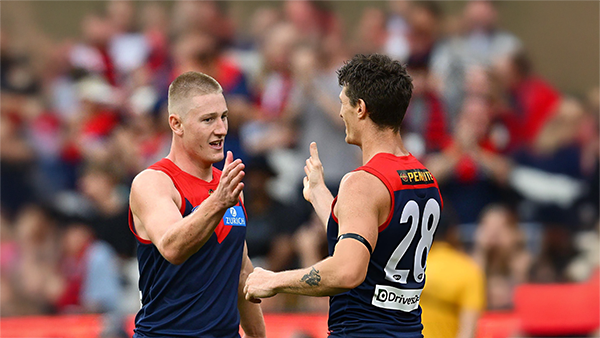
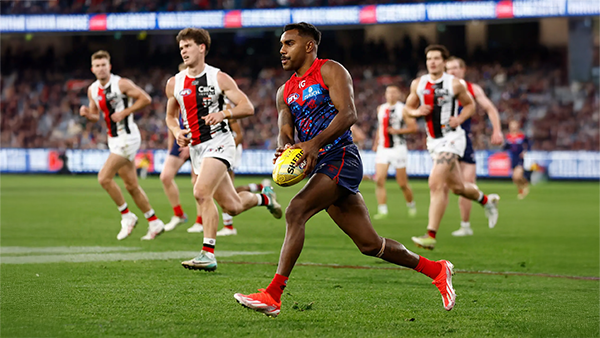
    Never in doubt!!! In Steven King’s first game at the helm of the Melbourne Football Club, the Dees outlasted Saints in a wild, momentum-swinging thriller at the MCG, running out 13-point winners.

      • Clap
      • Haha
      • Love
      • Like
    • 252 replies
  • PODCAST: St. Kilda

    The Demonland Podcast will air LIVE on Monday, 16th March @ 8:00pm. Join Binman, George & I as we dissect the Dees stunning victory over the Saints at the MCG.
    Your questions and comments are a huge part of our podcast so please post anything you want to ask or say below and we'll give you a shout out on the show.

      • Love
      • Thanks
      • Like
    • 12 replies
  • VOTES: St. Kilda

    Max Gawn is gunning for his 5th Demonland Player of the Year award after going back to back for the past two season. Your votes for the Dees thrilling win over the Saints at the MCG. 6, 5, 4, 3, 2 & 1.

      • Clap
    • 51 replies
  • GAMEDAY: St. Kilda

    It’s Game Day, and 205 days have passed since the final siren sounded at the MCG, bringing Melbourne’s 2025 season to a close and marking the end of an era. In just a few hours, a new chapter begins for the Demons. What are you most hoping to see from Melbourne today?

      • Love
      • Thanks
      • Like
    • 579 replies
  • NON-MFC: Round 01

    With Opening Round done and dusted, Round 1 sees the full AFL competition finally swing into action for 2026. Discuss all the games this week that do not involve the Dees, share your tips, and let us know which results would suit Demons best.

      • Like
    • 390 replies
  • PODCAST: 2026 Season Preview

    The boys previewed the 2026 Season sharing their early impressions of the new coach, the new players, observations from preseason training, and what they've made of the new game style. They also look ahead to the season with their predictions, the players they expect to rise, their expectations for the team, and what they see as a realistic pass mark for Melbourne in 2026.

      • Clap
      • Love
      • Like
    • 14 replies

Account

Navigation

Search

Search

Configure browser push notifications

Chrome (Android)
  1. Tap the lock icon next to the address bar.
  2. Tap Permissions → Notifications.
  3. Adjust your preference.
Chrome (Desktop)
  1. Click the padlock icon in the address bar.
  2. Select Site settings.
  3. Find Notifications and adjust your preference.