Skip to content
View in the app

A better way to browse. Learn more.

Demonland

A full-screen app on your home screen with push notifications, badges and more.

To install this app on iOS and iPadOS
  1. Tap the Share icon in Safari
  2. Scroll the menu and tap Add to Home Screen.
  3. Tap Add in the top-right corner.
To install this app on Android
  1. Tap the 3-dot menu (⋮) in the top-right corner of the browser.
  2. Tap Add to Home screen or Install app.
  3. Confirm by tapping Install.

New Forum Software Upgrade

Featured Replies

Demonland has been upgraded to the latest version of the forum software which includes a few more features and most importantly security features to keep those nasty spammers away. Bear with us whilst we attempt to get the look and feel right as the upgrade pretty much put our skins (colours etc) back to default.

Also the homepage setup has disappeared and I am working with the forum software people in restoring it. For now when you go to www.demonland.com you will be directed straight to the forum index. Hopefully the homepage will be back in a few days.

Please report any bugs you have here as I can't test everything myself.


There are about eight javascript errors mostly to do with 'ipb' being undefined.


Thank you but it doesn't help me at all if you don't let me know where and how it happened. What were you doing at the time? What did you click on? What were you trying to view? Did it happen when you first came onto the site.

I've noticed a few things...when posting. The "bold" and "italic" function buttons were non-responsive to me. I had to put in manually. The emoticons aren't there - it comes up on bottom of screen as "error on page"

I've clicked on all features including fonts and sizes, etc - they don't function at all either.

edit: all functions don't seem to be functioning except the browse buttons (for attachments) and the "options" features - they work.

Thank you but it doesn't help me at all if you don't let me know where and how it happened. What were you doing at the time? What did you click on? What were you trying to view? Did it happen when you first came onto the site.

You need to have 'Display a notification about every script error' set on.

Just by clicking reply to your message I got the following undefined messages

line 83 ipb

line 133 Loader

line 450 ipb

line 490 ipb

line 519 ipb

line 639 ipb

line 231 ipb


I like the new colours.

Yeah, there's a deeper feel about the colours,,, and the 'feel'... It's pretty cool.

Hang in there guys, no gain without pain.

 
<br />Demonland has been upgraded to the latest version of the forum software which includes a few more features and most importantly security features to keep those nasty spammers away. Bear with us whilst we attempt to get the look and feel right as the upgrade pretty much put our skins (colours etc) back to default.<br /><br />Also the homepage setup has disappeared and I am working with the forum software people in restoring it. For now when you go to www.demonland.com you will be directed straight to the forum index. Hopefully the homepage will be back in a few days. <br /><br />Please report any bugs you have here as I can't test everything myself.<br />
<br /><br /><br />

'Demonland',,, I think one thing that coulsd be better as you move with this,,,, IMO we could use some more contrast in the text for people with reading glasses.

The thread page is a little hard to distinguish.

  • Author

I've noticed a few things...when posting. The "bold" and "italic" function buttons were non-responsive to me. I had to put in manually. The emoticons aren't there - it comes up on bottom of screen as "error on page"

I've clicked on all features including fonts and sizes, etc - they don't function at all either.

edit: all functions don't seem to be functioning except the browse buttons (for attachments) and the "options" features - they work.

This should be fixed now.


Need a thumbs up button :) or a like this button

:rolleyes::blink::mad::(:P;)B):):lol:

I've also fixed the Demon emoticons.

Well done.

I'd love to be able to have the skills to do these things & to make and manipulate graphics & images into humerous things.


when working off the summary page, it is no longer keeping track of last-viewed details, taking me top of thread each time

most annoying

  • Author

when working off the summary page, it is no longer keeping track of last-viewed details, taking me top of thread each time

most annoying

I think I have just fixed that. The code for taking you to the newest post has changed in this version.

Let me know if you find anymore little things like that.

I think I have just fixed that. The code for taking you to the newest post has changed in this version.

Let me know if you find anymore little things like that.

That issue is fixed for me now

Is it possible to make the finished Print darker, at the moment it looks like a light pencil, and with any sunlight near the screen make it almost impossible to read.

Otherwise everything else seems to be very smooth

Thanks for all the work.


I was changing some of the other text to lighter and I didn't realise that it also changed the main post text. Anyway long story short i worked out how to only change the text I wanted to change.

Cool as, the eyesight aint what it used to be!!!


Thanks for all your work Demonland. The font colour looks better, on the iphone it was a little difficult but now is perfect.

This has also been fixed I believe.

Yep, all sweet; Thanks.


Archived

This topic is now archived and is closed to further replies.

Featured Content

  • REPORT: St. Kilda

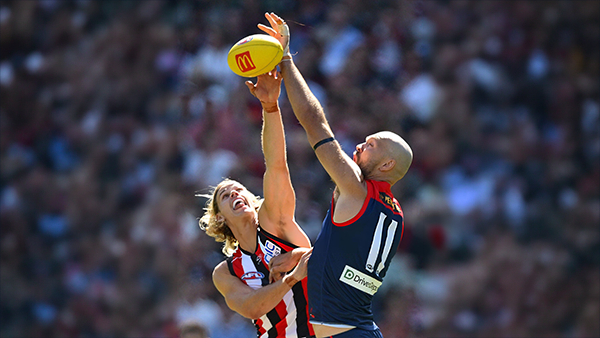
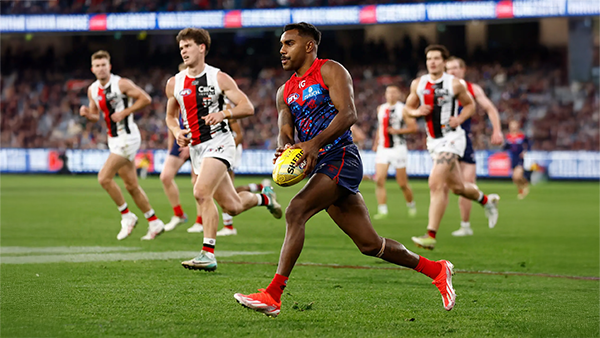
    One of the big stories of the AFL off-season was the spending spree of Melbourne’s Round 1 opponent, St Kilda. They splashed out heavily, first to retain Nasiah Wanganeen-Milera - the hero of last year’s epic come-from-behind miracle victory -turning him into a $2 million man. They then effectively took out an expensive overdraft to recruit a string of expensive players from other clubs. It was a risky investment strategy and, although it’s still early days, it certainly failed to pay off in Sunday’s season opener, with much of the glitter turning to fool’s gold.

      • Clap
      • Love
      • Thanks
      • Like
    • 2 replies
  • POSTGAME: St. Kilda

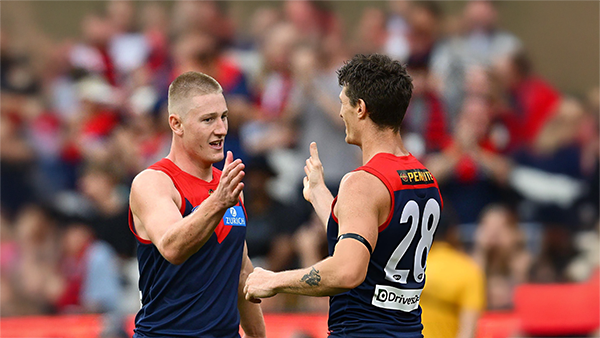
    Never in doubt!!! In Steven King’s first game at the helm of the Melbourne Football Club, the Dees outlasted Saints in a wild, momentum-swinging thriller at the MCG, running out 13-point winners.

      • Clap
      • Haha
      • Love
      • Like
    • 450 replies
  • PODCAST: St. Kilda

    The Demonland Podcast will air LIVE on Monday, 16th March @ 8:00pm. Join Binman, George & I as we dissect the Dees stunning victory over the Saints at the MCG.
    Your questions and comments are a huge part of our podcast so please post anything you want to ask or say below and we'll give you a shout out on the show.

      • Clap
      • Love
      • Thanks
      • Like
    • 30 replies
  • VOTES: St. Kilda

    Max Gawn is gunning for his 5th Demonland Player of the Year award after going back to back for the past two season. Your votes for the Dees thrilling win over the Saints at the MCG. 6, 5, 4, 3, 2 & 1.

      • Clap
    • 67 replies
  • GAMEDAY: St. Kilda

    It’s Game Day, and 205 days have passed since the final siren sounded at the MCG, bringing Melbourne’s 2025 season to a close and marking the end of an era. In just a few hours, a new chapter begins for the Demons. What are you most hoping to see from Melbourne today?

      • Love
      • Thanks
      • Like
    • 579 replies
  • NON-MFC: Round 01

    With Opening Round done and dusted, Round 1 sees the full AFL competition finally swing into action for 2026. Discuss all the games this week that do not involve the Dees, share your tips, and let us know which results would suit Demons best.

      • Like
    • 393 replies

Account

Navigation

Search

Search

Configure browser push notifications

Chrome (Android)
  1. Tap the lock icon next to the address bar.
  2. Tap Permissions → Notifications.
  3. Adjust your preference.
Chrome (Desktop)
  1. Click the padlock icon in the address bar.
  2. Select Site settings.
  3. Find Notifications and adjust your preference.