Skip to content
View in the app

A better way to browse. Learn more.

Demonland

A full-screen app on your home screen with push notifications, badges and more.

To install this app on iOS and iPadOS
  1. Tap the Share icon in Safari
  2. Scroll the menu and tap Add to Home Screen.
  3. Tap Add in the top-right corner.
To install this app on Android
  1. Tap the 3-dot menu (⋮) in the top-right corner of the browser.
  2. Tap Add to Home screen or Install app.
  3. Confirm by tapping Install.

Site Issues?

Featured Replies

Xi XI,

You are forbidden from using the name TAIWAN.

Chinese Taipei is the accepted nomenclature.

Please contact me or send Australian made milk formula for further assistance.

The problem will be rectified after the revolution.


  • Author
9 hours ago, Demonland said:

Why? What's happening?

Hi Demonland, it's not in the notifications, its in my messages.

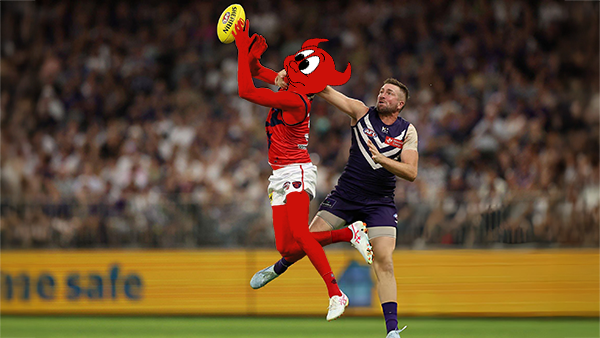
Can you check them please?  messges about selling things, and titles 'administrator' etc.  see funny picture, sounds asian???

6 hours ago, DV8 said:

Hi Demonland, it's not in the notifications, its in my messages.

Can you check them please?  messges about selling things, and titles 'administrator' etc.  see funny picture, sounds asian???

I'm unable to check your private messages as I don't have access to your account. When were these messages sent to you and by who?

 
  • Author
5 hours ago, Demonland said:

I'm unable to check your private messages as I don't have access to your account. When were these messages sent to you and by who?

ah, sorry Dl.

They are years old.  I haven't checked them for that long.  I thought they were from yesterday, & maybe some Asian was trying to send me an email to open. ( written in poor english )

Sorry for that confusion.  I am also suffering terribly from chronic sleep apnea.  That must have contributed yesterday.

4 minutes ago, DV8 said:

ah, sorry Dl.

They are years old.  I haven't checked them for that long.  I thought they were from yesterday, & maybe some Asian was trying to send me an email to open. ( written in poor english )

Sorry for that confusion.  I am also suffering terribly from chronic sleep apnea.  That must have contributed yesterday.

I remember about 8 or 9 years ago we had an issue with spam accounts PMing people but the forum software over the years has mitigated these instances occurring.

If spam accounts in the future spam the board or the PMs it is best to use the Report feature immediately so the mods can act upon it.


  • Author

can I remove those messages, without opening them?


13 minutes ago, DV8 said:

can I remove those messages, without opening them?


Yes.

Follow these steps.

Click on the Envelope Image at the Top Right Hand Corner of the Page.

A few of the latest messages will drop down.

Below that it says Go to Inbox and will navigate to the Messages page.

On the left hand side click the checkboxes of the messages you want to delete.

A little garbage can icon should appear at the bottom of the page. Once you have selected all the messages you want to erase click on the Garbage Can and they will be deleted.

  • Author
6 minutes ago, Demonland said:

Yes.

Follow these steps.

Click on the Envelope Image at the Top Right Hand Corner of the Page.

A few of the latest messages will drop down.

Below that it says Go to Inbox and will navigate to the Messages page.

On the left hand side click the checkboxes of the messages you want to delete.

A little garbage can icon should appear at the bottom of the page. Once you have selected all the messages you want to erase click on the Garbage Can and they will be deleted.

cheers Dl


Done, thankyou.

Edited by DV8

  • 2 weeks later...
 

I am trying to start a new topic.

When I try to load my 2018 rankings it only allows the first page and I have 11 pages of the stuff.

It brings them in as a file, rather than just allowing me to place words - albeit lengthy- on the topic.

Any suggestions as to way around it so that I can just copy and paste the one lot of 6000 words?


23 minutes ago, Deespicable said:

I am trying to start a new topic.

When I try to load my 2018 rankings it only allows the first page and I have 11 pages of the stuff.

It brings them in as a file, rather than just allowing me to place words - albeit lengthy- on the topic.

Any suggestions as to way around it so that I can just copy and paste the one lot of 6000 words?


There might be some limit to how much you can post at once.

@Nasher any ideas?


For some reason it didn't like my word documents, but when I copied it into pages and tried again it worked.

It did keep the attempted downloads on bottom though of topic though and I couldn't remove it - see actual topic called Deespicable's 2018 player rankings  

14 minutes ago, Deespicable said:

For some reason it didn't like my word documents, but when I copied it into pages and tried again it worked.

It did keep the attempted downloads on bottom though of topic though and I couldn't remove it - see actual topic called Deespicable's 2018 player rankings  

I've removed them for you.

  • 2 weeks later...

@Demonland is there any way to mute/permanently ignore threads?

Also, when putting posters on ignore and others reply to them, their posts still show in quotes, can this be fixed so we don't see said posters content?

TIA

11 minutes ago, SFebey said:

@Demonland is there any way to mute/permanently ignore threads?

Also, when putting posters on ignore and others reply to them, their posts still show in quotes, can this be fixed so we don't see said posters content?

TIA

I don't believe there is anything you can do about not seeing ignored posters posts in quoted posts. This is the a problem for many forums across the internet. I suggest making use of the scroll wheel on your mouse or your thumb if viewing on a mobile device.

As to permanently ignoring thread I think the only thing you can do is not click to open the thread. :)

24 minutes ago, Demonland said:

I don't believe there is anything you can do about not seeing ignored posters posts in quoted posts. This is the a problem for many forums across the internet. I suggest making use of the scroll wheel on your mouse or your thumb if viewing on a mobile device.

As to permanently ignoring thread I think the only thing you can do is not click to open the thread. :)

A good Friday laugh, thank you!

  • 2 years later...

Hi Demonland, 

I noticed that posters are no longer receiving points for a 'laugh' reaction. Is this a new thing? I only noticed because a rookie received a laugh on his post but he remained on zero. I have since received laughs myself but no points for those. Just asking. Thanks.

1 hour ago, Dame Gaga said:

Hi Demonland, 

I noticed that posters are no longer receiving points for a 'laugh' reaction. Is this a new thing? I only noticed because a rookie received a laugh on his post but he remained on zero. I have since received laughs myself but no points for those. Just asking. Thanks.

It was intentional as I realised that there was a big difference between getting a reputation point via a laugh reaction for being funny & getting that point for saying something dumb or stupid. 

16 minutes ago, Demonland said:

It was intentional as I realised that there was a big difference between getting a reputation point via a laugh reaction for being funny & getting that point for saying something dumb or stupid. 

Well damn, looks like I won't be getting any more points.


sad monty python and the holy grail GIF


2 hours ago, Demonland said:

It was intentional as I realised that there was a big difference between getting a reputation point via a laugh reaction for being funny & getting that point for saying something dumb or stupid. 

Thanks for the reply. I understand the reasons as you explained in your messages. Thanks for clearing it up. Regards.

Join the conversation

You can post now and register later. If you have an account, sign in now to post with your account.

Guest
Unfortunately, your content contains terms that we do not allow. Please edit your content to remove the highlighted words below.
Reply to this topic...

Featured Content

  • CASEY: Footscray

    The Casey Demons faced a tough first up task taking on reigning VFL premiers Footscray at Mission Whitten Oval. The Bulldogs, who unfurled their premiership flag pre-game, had 15 AFL-listed players and their top VFL talent available, setting them up for their 15th consecutive win.

      • Thanks
    • 2 replies
  • POSTGAME: Fremantle

    The Demons were fumbly, inefficient, outrun and outgunned all over the field as they went down to the Dockers by 48 points at Optus Stadium in Perth.

      • Sad
      • Like
    • 231 replies
  • PODCAST: Fremantle

    The Demonland Podcast will air LIVE on Monday, 23rd March @ 8:00pm. Join Binman, George & I as we dissect the Dees dismal loss to the Dockers in Perth.
    Your questions and comments are a huge part of our podcast so please post anything you want to ask or say below and we'll give you a shout out on the show.
    PLEASE TRY TO KEEP THE QUESTIONS/COMMENTS TO ONE SPECIFIC TOPIC/PLAYER IN ORDER TO MAKE THE PREPARATION FOR THE PODCAST EASIER.

    • 13 replies
  • VOTES: Fremantle

    Coming off Back to Back Demonland Player of the Year Award wins Captain Max Gawn is already in the lead followed by Jacob van Rooyen, Jai Culley, Kozzy Pickett & Jack Steele. Your votes please. 6, 5, 4, 3, 2 & 1.

      • Like
    • 42 replies
  • GAMEDAY: Fremantle

    It’s Game Day and the Demons have made the long trip west to take on Fremantle tonight at Optus Stadium. Can Melbourne make it two from two to start the season, and what are you hoping to see from the Dees under the lights in Perth?

      • Like
    • 547 replies
  • PREVIEW: Fremantle

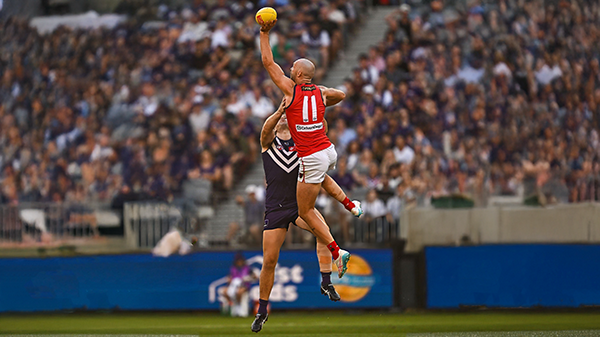
    The dominant storyline coming out of Round One for Saturday Night’s clash at Optus Stadium centres on the influence of the big men. The spotlight naturally falls on two elite ruckmen who, five years ago, shared the stage in Melbourne’s memorable premiership triumph.

      • Thanks
    • 3 replies

Account

Navigation

Search

Search

Configure browser push notifications

Chrome (Android)
  1. Tap the lock icon next to the address bar.
  2. Tap Permissions → Notifications.
  3. Adjust your preference.
Chrome (Desktop)
  1. Click the padlock icon in the address bar.
  2. Select Site settings.
  3. Find Notifications and adjust your preference.