Smokey
Members
-
Joined
-
Last visited
Everything posted by Smokey
-
What exactly do we need reassurance for?
-
Watch what the Weid does next year. His kicking action, pack crashing and contested marks are far superior to Hogans and I reckon he's gonna rip it apart in 2019. His body is ready, and the supply from the midfield will be as good as its been in decades I reckon with Kolo in the frame. Sure, he'll never be able to cover ground like Hogan did but who cares, he's a true KPF. Someone else can run the park. Top 4 regular finish and playing a GF is my pass mark (and why not, we've been upwardly trending for years now, no reason that cant or wont continue just cause we're at the pointy end now)
-
Yes please
-
Completely agree. We have struck a great balance in the force this trade period.
-
Good result. Well done Mahoney and co.
-
You’ll never find less of a watts fan than I - but lacking in talent he was not. Highly talented in fact. All came down to work rate with him, which is starting to looking the same with hogan in some ways, but hogan has already far surpassed anything we ever got out of watts.
-
"We need to stick to our guns - 2x first rounders or nothing" Not sure if anyone has said this yet so I'm throwing it out there
-
I can’t believe people actually think Tyson is in our best 22. He is depth only with a full strength list. Straight swap is fine. Ruckmen don’t grow on trees. Inside midfielders do at Melbourne however.
-
Yeah my mistake was thinking Sydney for some reason
-
It’s much closer actually. Roughly 90 mins flying time.
-
Yes that’s what the club should start doing - act like his dad and tell him he cant have a holiday after a hard years work because some people online are wondering if he’s going or staying
-
As opposed to notionally living in Perth
-
That actually doesn't make any sense whatsoever. My point is - saying things along the lines of "who cares if Tmac goes down and we don't have Hogan, we'll win the game out of the middle" is ludacris. Football is not that simple.
-
Yeah well they won the flag. If the game is won out of the midfeild, as you say, then why didn't we win the flag? We are the best out of the middle after all ..
-
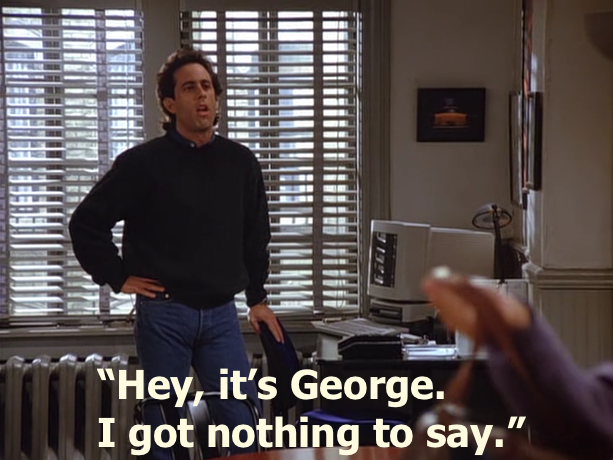
Seinfeld predicted this thread many years ago
-
My bad, didn’t mean to upset the King Arthur style round table that’s going on in here. Serious hat back on.
-
You can call me Rex Hunt
-
A trusted inside source has told me something very interesting, but I can't share it nor can I share who the source is. I can confirm that information surrounding Jesse will be made available some time in between now and 2019. Trust me.
-
I was referring to where we had Tyson on a wing later in the season. Original post poorly worded.
-
Not that bizarre if you've been exposed to STMJ's posts for long enough
-
Based on your online persona you are probably the last person on earth I'd enjoy having a beer with but you are 100% right here. I'll be keen to see Salem play whatever Tyson's role was/is after he is replaced on HB by some incoming bodies during the trade period.
-
Given the recent track record of both teams football departments, I reckon we're better at identifying talent. If they say no and we say yes, that's more than enough for me.
-
If GC FD doesn’t rate him and ours do, I know who I trust. This is the same list management that based an entire list off GAJ and has been a below average team it’s entire existence.
-
All this tax talk has me thinking. To any people here proficient in tax: Could a player set up a company, have their salary paid to the company - and then pay themselves a modest wage over a period of time to save on tax? In theory that person could buy assets under the company too, like houses and cars etc. Hello 30%?
-
I wouldn't be mad at that whatsoever. We aren't that much better off as a team with Hogan in. And he has some annoying traits that I would've expected to see him get on top of (stupid run up for set shots, whinging to umpires etc). May on the other hand will make us better immediately and may be a key for our shot at the flag next year. Fascinating stuff.