Demonland
Primary Administrators
-
Joined
-
Last visited
Everything posted by Demonland
-
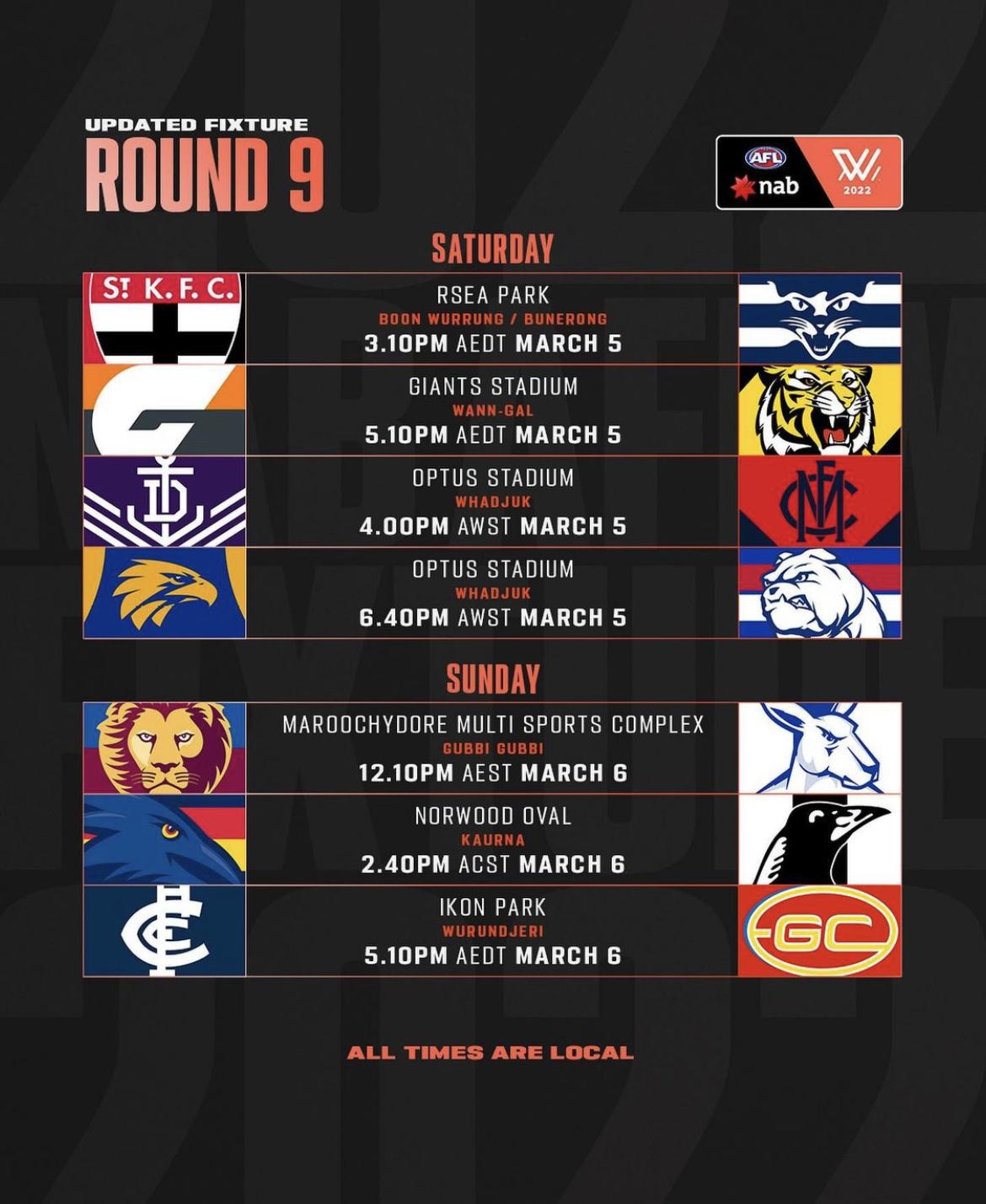
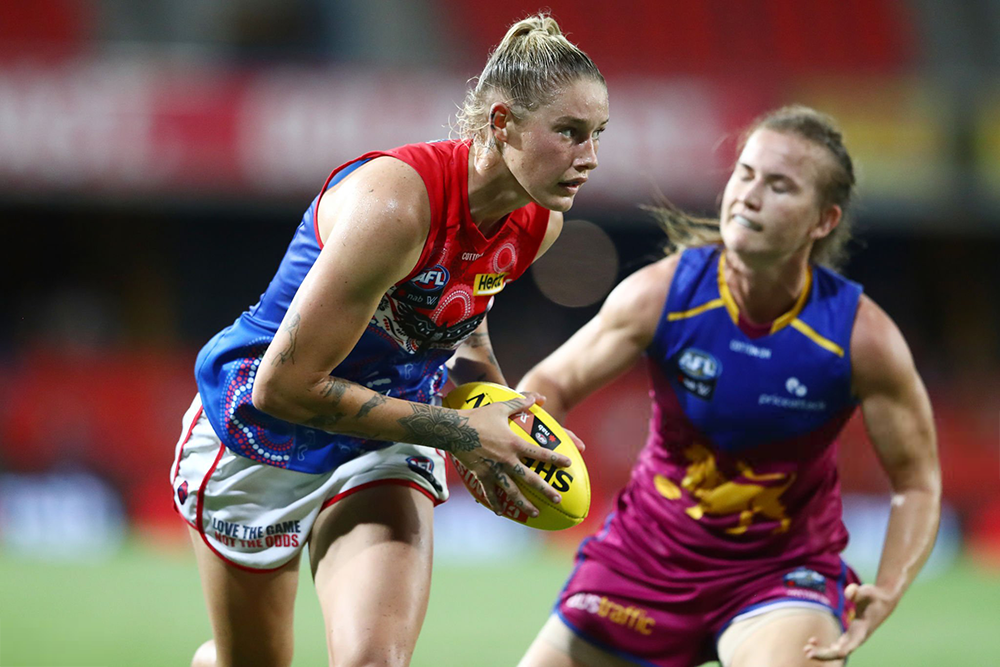
It was a potentially season-defining Monday night match-up for both teams, with the “beaten no-one” FIFO Dees taking on the reigning premiers who were on a five-game winning streak but playing their third game in nine days. Colvin, Caris and Brown were replaced by Lampard and debutants Gillard and Purcell, while Brisbane continued to feel the absence of defensive stalwart Lutkins and forward powerhouse Davidson. Could the Dees celebrate ruck royalty L. Pearce’s 40th game with victory? FIRST QUARTER Looking schmick in our stunning indigenous guernsey, it was a good start for Gillard with a mark as her first involvement in the big time. Unfortunately, soon after, Lampard’s handball to an under-pressure Paxman caused the ball to spill, with O’Dwyer finding space on McNamara to open the scoringwith a goal in the first two minutes of play. Brisbane was playing at break-neck speed, clearly eager to blow us out of the water. Their forward pressure was stellar, and our players were a step behind in gaining first use. All attempts to exit D50 were rushed and easily cut off, while fumbling further up the ground allowed Brisbane to regain possession and slice through wide spaces in their forward line. After Lions’ ruck Hickie took yet another uncontested mark on the 50-metre line, she sent the ball straight back for eight inside-50s to zip. Lampard was having a nightmare as the designated kick-in player, with two attempts intercepted and then the next deemed an insufficient distance. Eventually, the Dees managed to get the ball to the edge of the centre square, with Harris and Parry getting involved to force a contest. McNamara calmly spotted up Harris who’d circled back, and she found West in a mile of space. The attack came to nothing, but a repeat inside-50 followed, with Harris again the target, a harbinger of things to come. Her kick fell just short, but we’d clawed back some stability. All was not calm though, as Parry, having won a free kick out of the ruck, yelled as she kicked in the hope of drawing a leading target forward, a repeated scene throughout that game. Though we’d done nothing on the scoreboard, a nine-point deficit at the first change was as fortunate as Hore dropping the dewy ball, having her opponent step over the mark in response, and winning a 50-metre penalty! SECOND QUARTER Another quick goal, this time to Conway, undid some hard work, with Brisbane capitalising on the classy touch of Hodder. At the next bounce, Hanks and Paxman worked overtime to contain the tackle busting Svarc. However, a free kick that remains a mystery to me (and to Goldie!) allowed Bodey to take the advantage and stroll into goal, and the game was disappearing rapidly. A centre clearance through good ground level work by L. Pearce gave some brief respite but a slip-and-fumble fest between the arcs soon ensued as the dew set in. Some better transition through the middle soon followed, but the next link in the chain was elusive; it was essentially Harris or bust. A Lions poster then another misskept the game’s faint heartbeat alive, while Fitzsimon and West both cracked in, trying to make something happen. Twenty-three points in arrears and staring down a scoreless half with two minutes remaining, Daisy (having moved to the backline) had the task of setting things in motion from deep in defence. With the luxury of an undefended mark, Daisy switched the ball to Harris, who quickly swung around and hoofed it to a two-on-one on the wing, from which Goldie linked up to West. Instead of running towards goal or simply bombing it, she changed angles, bought some time, avoided an all-or-nothing precision kick and put the ball to Bannan’s advantage. The speedster dashed into scoring range and snagged a drought-breaking major. Victory still felt an unlikely prospect, but the door was ajar, with Brisbane’s lead cut to seventeen at the main break. THIRD QUARTER Finally, a good start to a quarter, with Hanks hitting up Harris who fired a bullet of a pass to West. Perhaps hearing me urging her to look at her options, West did just that, although unfortunately selected Hore in a den of Lions. She did her best to step around several, but the post had other ideas. Regardless, the Dees looked super lively around the ball, with West flicking some zippy handpasses and Paxman going in hard then running equally as hard to link up. She delivered to the goal square where Bannan took a leaf out of the Harris contested marking playbook and clunked a beauty. The response was swift, however, as Brisbane again took advantage of a poor handball from Paxman, with Birch and Gillard caught out as Wardlaw expertly worked them over to release Farquharson into an open goal. Time to close up shop and start thinking about the midnight plane to Melbourne? No way! After Bannan attempted an unsuccessful dribbler, L. Pearce’s positioning for the resultant kick-in allowed her to set up Harris, who marked and goaled. Birch denied a Lions foray forward, then Harris became the target again, bringing the ball to ground before cleverly working back towards goal to receive after Purcell and McNamara combined to win the scrap. A rushed behind was a letdown from the promising build up, but the Dees had the wall up for the kick-in, with Gillard making a strong contest before going long and high, to – yep – Harris. West was in prime crumbing position, and with no time to second-guess, she jammed it on the boot for her first goal in AFLW. Contested possessions were 30 to 18 in Melbourne’s favour in the third, and at the siren, Brisbane’s lead had been chipped away to the narrowest of margins. FOURTH QUARTER With the possibility that Brisbane might fade on everyone’s mind, our forwards strived to lock the ball forward early. L. Pearce pounced at the boundary throw-in, dispensing with her opponent and getting the ball to the goal square where Harris was waiting. She kicked what turned out to be the match-winner, but there was a long hard slog to endure first. Soon after, a fumble from Daisy opened the door for Bodey to stream forward and miss by an inch, though the Lions disagreed. They were somewhat compensated when we gifted them a 50-metre penalty due to Goldie not hearing the umpire’s call, focused instead on instructions from the bench and perhaps a little stunned from a heavy knock. Yet the Lions weren’t able to execute to save the victory, plus gave away some tired free kicks and turnovers. Harris missed a chance to add to the lead with eight minutes remaining, the only real blemish on her performance. The Dees hung on valiantly, with multiple dicey moments countered by great tackling efforts from Heath and Hanks, some desperate stuff on the last line by Gillard and Birch, and Purcell sticking out her first AFLW game in almost a year. A neat chain from the backline involving nine mostly short kicks and marks was pivotal in chewing up a solid minute. The nerve-wracking dying stages mirrored the Dees-Lions encounter in Round 9 last year with the same free kick (holding the ball), against the same player (Magee), in roughly the same position (40ish metres out on an angle), to the same recipient (Bodey), for the same result (a Dees win). The only difference was the margin, three points this time rather than two; that’s progress. In terms of the shot after the siren, I like to think the collective effort to get the giant debutant in Gillard on the mark made all the difference. STATS & STAND-OUTS The team stats evened out in this game of two halves, with disposals level at 234 each. Brisbane had the ascendency in tackles (66-38) and tackles in forward 50 (14-2), while Melbourne was supreme in contested marks (13-2) and marks inside 50 (9-2). Brisbane had 39 inside 50s to 26, but the Dees were more accurate. The Dees’ disposal leaders were Paxman (23), Hanks (16), D. Pearce, Mithen and McNamara (15), while Bates (22), O’Dwyer (18), Dawes (17) and Bodey (15) were prominent for the Lions. Shout-out to Goldie’s nine disposals at 100% efficiency deep in the third quarter. Mithen and Hanks topped the tackle count along with the Lions’ C. Svarc (7 apiece), though Brisbane’s dominated the tackling overall (66 to Melbourne’s 38). I said Bannan looked ready to burst last week and here she did, though in a different position. Harris’s impact was immense, not only in equalling the AFLW contested marking record, but in converting her chances and working hard when the ball hit the deck. McNamara found space to notch up 7 marks and while Paxy made some errors, she did an absolute tonne of work for 413 metres gained. Daisy steadied the defence structurally and spiritually – try not to walk taller when Daisy’s suddenly next to you. Her 15 disposals comprised 14 kicks, and on re-watch I counted six off the backline that found a target or safety, an area in which we had struggled in the first term. Aerial dominance, straight kicking (shock, horror!), a bit of luck and some good old scrapping did the job. Credit to Brisbane’s effort in an unenviable situation; they‘re the team I’d most love to steal some players from – Hodder and C. Svarc for a start. Questions still linger as we look ahead. How can we get better control of games early? Can we mix up our lead-up options as attention builds on Harris? Should we freshen Zanker up in the ruck or forward? Do we keep Daisy back, in a reversal of the 2021 mid-season switch? MELBOURNE 0.0.0 1.0.6 4.4.28 5.5.35 BRISBANE LIONS 1.3.9 3.5.23 4.5.29 4.8.32 GOALS MELBOURNE Bannan Harris 2 West BRISBANE LIONS Bodey Conway Farquharson O'Dwyer BEST MELBOURNE Harris Hanks Bannan McNamara D Pearce BRISBANE LIONS Bates Bodey O'Dwyer C Svarc Dawes INJURIES MELBOURNE Nil BRISBANE LIONS Nil REPORTS MELBOURNE Nil BRISBANE LIONS Nil CROWD TBC at Metricon Stadium NEXT ROUND An in-form North Melbourne at Casey Fields, Saturday 7.10PM THE LAST WORD Our 23-point comeback was the biggest in AFLW so far, but the challenges just keep coming.
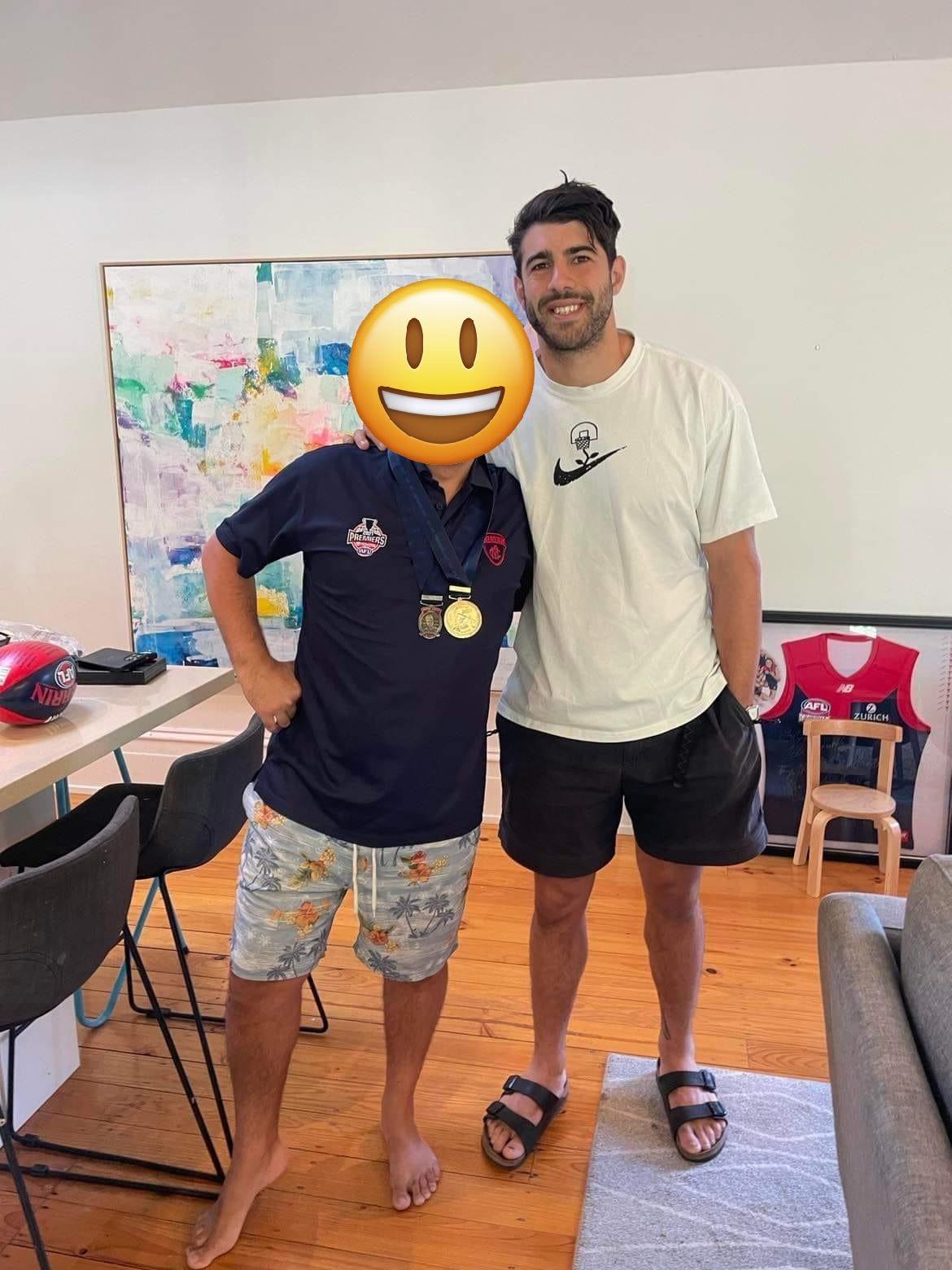
 Podcast mentioned that Oskar Baker is out of the wingers club as he is being played off half back.2022 AFL Pre-Season Scratch Match Melbourne v North Melbourne Date: Thursday 24 February Time: 11:00am (AEDT) Venue: Casey Fields 2022 AAMI Community Series Carlton v Melbourne Date: Thursday 3 March Time: 7:20pm (AEDT) Venue: Marvel StadiumWhilst true in the sense that having a reserves comp where each team has a second team that plays your opposition before the main game would solve this issue it is very cost prohibitive and that is the reason we have affiliate teams and the VFL absorbed the VFA.I’m pretty sure he had both last year. He has a premiership tattoo on his other ankle (not pictured) that would be new. EDIT: The mountain is new ie: after the Grand Final https://www.perthnow.com.au/sport/afl/melbourne-premiership-captain-max-gawn-gets-tattoo-as-demons-hit-pause-on-perth-flag-celebrations-ng-b882020210z.ampThe travel (for most) and the fence/distance is a huge deterrent. I’m usually good for at least two pre season Training sessions but both those factors have kept me away. The lockout and the MCG sized ground and better surface are the reasons we’re training there.I saw advertising where St. Kilda were offering 2 for 1 Memberships. I hope that only counts as 1.Someone posted this photo from this morning to our facebook page. Trac sans any strapping on the knee.
 Waylon is mentioned as a nephew of the Motlops. 15-year-old Waylon Davey kicks three goals alongside Eddie Betts in Palmerston winFull Interview
Account
Navigation
Search
Configure browser push notifications
Chrome (Android)
- Tap the lock icon next to the address bar.
- Tap Permissions → Notifications.
- Adjust your preference.
Chrome (Desktop)
- Click the padlock icon in the address bar.
- Select Site settings.
- Find Notifications and adjust your preference.
Safari (iOS 16.4+)
- Ensure the site is installed via Add to Home Screen.
- Open Settings App → Notifications.
- Find your app name and adjust your preference.
Safari (macOS)
- Go to Safari → Preferences.
- Click the Websites tab.
- Select Notifications in the sidebar.
- Find this website and adjust your preference.
Edge (Android)
- Tap the lock icon next to the address bar.
- Tap Permissions.
- Find Notifications and adjust your preference.
Edge (Desktop)
- Click the padlock icon in the address bar.
- Click Permissions for this site.
- Find Notifications and adjust your preference.
Firefox (Android)
- Go to Settings → Site permissions.
- Tap Notifications.
- Find this site in the list and adjust your preference.
Firefox (Desktop)
- Open Firefox Settings.
- Search for Notifications.
- Find this site in the list and adjust your preference.