





Demonland
Primary Administrators
-
Joined
-
Last visited
Everything posted by Demonland
-
Best differentials 1 - Brisbane (+48) 2 - St Kilda (+42) 3 - Fremantle (+37) 4 - Carlton (+26) 5 - Collingwood (+26) Worst differentials 1 - North Melbourne (-40) 2 - Richmond (-35) 3 - Port Adelaide (-33) 4 - Adelaide (-23) 5 - Hawthorn (-21) Most frees for 1 - Carlton (284) 2 - Brisbane (279) 3 - Adelaide (276) 4 - Collingwood (275) 5 - St Kilda (274) Least frees for 1 - GWS (206) 2 - Hawthorn (228) 3 - Richmond (228) 4 - Essendon (231) 5 - North Melbourne (240) Most frees against 1 - Port Adelaide (305) 2 - Adelaide (299) 3 - North Melbourne (280) 4 - Sydney (277) 5 - West Coast & Geelong (266) Least frees against 1 - GWS (214) 2 - Essendon (223) 3 - Brisbane (231) 4 - St Kilda (232) 5 - Fremantle (236) The Round 15 Free Kick LadderVOTES PLAYER (CLUB) 10 Gary Rohan (GEEL) 6 Tom Stewart (GEEL) 5 Christian Petracca (MELB) 5 Brad Close (GEEL) 3 Jack Viney (MELB) 1 Jake Lever (MELB) LEADERBOARD VOTES PLAYER CLUB 76 Zak Butters PORT 72 Nick Daicos COLL 67 Christian Petracca MELB 62 Tim Taranto RICH 56 Jordan Dawson ADEL 53 Marcus Bontempelli WB 53 Lachie Neale BL 52 Noah Anderson GCFC 52 Toby Greene GWS 52 Zach Merrett ESS 52 Jack Sinclair STK 48 Connor Rozee PORT 47 Jordan De Goey COLL 46 Caleb Serong FRE 45 Matt Rowell GCFC 43 Chad Warner SYD 40 Clayton Oliver MELB 38 Callum Wilkie STK 37 Rory Laird ADEL 37 Darcy Moore COLLWelcome back Ben BrownI've never seen a melbourne based team be blessed with not getting frees against them than Collingwood.Forget 186. We need 190 to fall.The Demons and the Cats met once more at GMHBA Stadium 24 hours after their AFL counterparts saw Melbourne meekly capitulate in the final quarter. This time, the VFL version of the story was a vastly different one. The Casey Demons have been going through a rough trot as of late but this time they took control and established themselves after an early arm wrestle and had the opposition by the scruff of the neck at half time. Josh Schache kicked the opening goal and the Cats responded to briefly hold the lead before three quick goals to Ben Brown, Mitch White and Bailey Laurie had them a handy 19 points in front at the first break. The second term was a repeat of the first — four goals to one in favour of the visitors with Jake Melksham coming to the fore with two majors. Ben Brown was having a good game, marking strongly and picking up plenty of possession around the ground and up forward. Adam Tomlinson had a point to make to the senior match committee and made it well, dominating possession. James Harmes and Jake Bowey, likewise. With a 40 point lead at the main break and a number of players putting their hands up for a trip to the country’s red centre next week, a funny thing happened. The team must have decided to do an impersonation of the AFL Demons from the final quarter of the night before. They released the pressure valve, made the same mistakes, fumbled and were uncertain but to their good fortune, the VFL Cats failed to emulate their senior counterpart’s accuracy in kicking for goal. Two goals for a term in which they dominated and kept the reigning premiers to a single point wasn’t enough to steal the momentum away. A couple of goals in the early stages of the last by Jake Melksham was all it took to snuff out the opposition and the skipper scored his second to restore the Demons 40 point ascendancy at the end. The Casey victory was the result of the return of hard nosed footy and the fundamentals of playing to the conditions. Harmes and Jimmy Munro led the way. Tomlinson made his point. Bowey and Daniel Turner was impressive and Taj Woewodin had his moments. Next week’s challenge is a vital match up at Casey Fields against close competitors, the GWS Giants who sit in eight place, a game behind the Demons with a game in hand. CASEY DEMONS 4.4.28 8.8.56 8.9.57 11.14.80 GEELONG VFL 1.3.9 2.4.16 4.9.33 5.10.40 GOALS CASEY DEMONS Melksham 4 Brown Schache White 2 Laurie GEELONG VFL Byrne 2 Dempsey Neale Quick BEST CASEY DEMONS Harmes Melksham Tomlinson Bowey D Turner Munro GEELONG VFL Dempsey Knevitt Clohesy Van De Heuvel Herbert Parfitt Statistics Jed Adams 7 kicks 1 handballs 8 disposals 4 marks 1 tackle 31 dream team points Jake Bowey 21 kicks 6 handballs 27 disposals 12 marks 5 tackles 126 dream team points Ben Brown 2 goals 1 behind 16 kicks 2 handballs 18 disposals 9 marks 1 tackle 1 hit out 95 dream team points Luke Dunstan 11 kicks 10 handballs 21 disposals 7 marks 1 tackles 72 dream team points George Grey 9 kicks 6 handballs 15 disposals 4 marks 3 tackles 60 dream team points James Harmes 16 kicks 11 handballs 27 disposals 9 marks 10 tackles 135 dream team points Blake Howes 8 kicks 11 handballs 19 disposals 6 marks 3 tackles 76 dream team points Matt Jefferson 1 behind 5 kicks 4 handballs 9 disposals 2 marks 31 dream team points Bailey Laurie 1 goal 2 behinds 10 kicks 10 handballs 20 disposals 3 marks 3 tackles 77 dream team points Jake Melksham 4 goals 1 behinds 10 kicks 4 handballs 14 disposals 6 marks 3 tackles 95 dream team points Andy Moniz-Wakefield 5 kicks 11 handballs 16 disposals 4 marks 1 tackle 50 dream team points Ned Moodie 3 kicks 3 handballs 6 disposals 2 marks 2 tackles 21 dream team points James Munro 12 kicks 11 handballs 23 disposals 5 marks 7 tackles 95 dream team points Josh Schache 2 goals 2 behinds 9 kicks 6 handballs 15 disposals 5 marks 1 tackle 11 hit outs 81 dream team points Oliver Sestan 3 kicks 4 handballs 7 disposals 2 marks 20 dream team points Deaykin Smith 6 kicks 6 handballs 12 disposals 8 marks 49 dream team points Charlie Spargo 1 behind 11 kicks 9 handballs 20 disposals 7 marks 2 tackles 73 dream team points Roan Steele 8 kicks 5 handballs 13 disposals 4 marks 7 tackles 77 dream team points Adam Tomlinson 25 kicks 2 handballs 27 disposals 9 marks 2 tackles 114 dream team points Daniel Turner 18 kicks 2 handballs 20 disposals 14 marks 2 tackles 109 dream team points Will Verrall 1 kick 5 handballs 6 disposals 1 mark 5 tackles 23 hit outs 59 dream team points Mitch White 2 goals 2 behinds 9 kicks 5 handballs 14 disposals 4 marks 6 tackles 87 dream team points Taj Woewodin 11 kicks 10 handballs 21 disposals 3 marks 3 tackles 74 dream team points
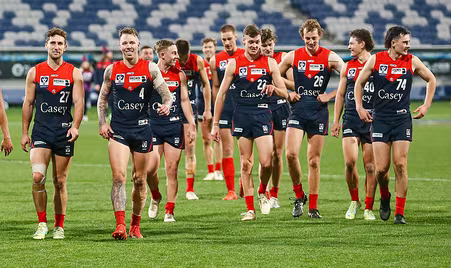 If it wasn't deemed a dangerous tackle then why wasn't it a free kick to us in front of goal?Remember the days when we simply couldn’t miss … MELBOURNE 4.0.24 6.2.38 16.4.100 19.6.120 GWS GIANTS 0.5.5 3.6.24 5.8.38 7.11.53 THE TEAMS MELBOURNE B: J.Hunt 29 S.May 1 H.Petty 35 HB: T.Rivers 24 J.Lever 8 J.Harmes 4 C: E.Langdon 15 C.Petracca 5 J.Viney 7 HF: A.Brayshaw 10 S.Weideman 26 A.Neal-Bullen 30 F: K.Pickett 36 L.Jackson 6 B.Fritsch 31 Foll: M.Gawn 11 C.Oliver 13 T. Sparrow 32 I/C: C.Spargo 9 J.Bowey 17 J.Jordon 23 T.McDonald 25 Sub: T.Bedford 12 Emerg: L.Dunstan 27 K.Chandler 37 J.Smith 44 In: H.Petty Out: A.Tomlinson GREATER WESTERN SYDNEY GIANTS B: L.Keeffe 25 S.Taylor 15 X.O’Halloran 33 HB: L.Whitfield 6 N.Haynes 19 H.Perryman 36 C: A.Kennedy 40 C.Ward 8 L.Ash 7 HF: T.Taranto 14 H.Himmelberg 27 S.Coniglio 3 F: B. Hill 37 J.Hogan 23 M.de Boer 24 Foll: M.Flynn 30 J.Kelly 22 T.Green 12 I/C: J.Stein 42 T.Bruhn 5 C.Idun 39 F.Callaghan 17 Sub: 10 J.Riccardi Emerg: 26 J.Wehr 10 L.Aleer 21 K.Briggs 32 In F.Callaghan M.Flynn N.Haynes Out I.Cumming (H & S Protocols) J.Peatling (omitted) B.Preuss (suspended)89. JACK VINEY MELBOURNE, 29 $600,000-$700,000 Viney – who re-signed until the end of 2025 in 2020 – appears to be a cut-price superstar, given he has won the Frank “Checker” Hughes Award for best-afield on Anzac Day eve and the trophy for best-afield on King’s Birthday. 86. ANGUS BRAYSHAW MELBOURNE, 27 $600,000-$700,000 There was speculation Brayshaw could lob at Essendon or even Fremantle last year, but perhaps the jack-of-all-trades was simply never leaving. Brayshaw – who cut out the wrong ear holes in his helmet before the Port Adelaide game in round 10 – has carved out a cracking career since he joined as compensation for the Demons losing James Frawley to Hawthorn. 82. JAKE LEVER MELBOURNE, 27 $600,000-$700,000 David King once potted the Demons for investing so much cash behind the ball in Lever and May, arguing that in soccer, strikers were more valuable for a reason. But the approximate $1.5 million the Demons invest annually in these two intercepting wizards is worth every cent. 81. STEVEN MAY MELBOURNE, 31 $600,000-$700,000 The mighty Melbourne full-back who played in the 2021 premiership with a badly torn hamstring has been the defensive rock of coach Simon Goodwin’s team. May’s battles with Lance Franklin have been must-watch and he still has two years on his contract to run. Slight form dip in 2023 but still a super stopper at that price. 42. MAX GAWN MELBOURNE, 31 $700,000-$800,000 The Demons skipper who gave the green light to “Operation Get Grundy” shored up his football future with a long-term contract that still has two full seasons to run (ends 2025). By the time the 2026 season starts Gawn will be 34 and it wouldn’t surprise if that is the ruckman’s last contract. 20. BRODIE GRUNDY MELBOURNE, 29 $800,000-$900,000 Grundy’s salary of $900,000 – or perhaps even a touch more – in year one at Melbourne is costing Collingwood roughly $250,000, which is the contribution from his old club that errantly signed him to a monster deal. Grundy was pushed out of the Pies but it was nothing personal and he remains close with several of his old teammates. Can Grundy become this decade’s Luke Ball and win a premiership against the club that didn’t want him? In Ball’s case it was playing for the Pies in a grand final win against St Kilda. 7. CHRISTIAN PETRACCA MELBOURNE, 27 $950,000-$1,050,000 Oliver’s sidekick is the other seven-figure Demon. With Oliver signed until 2030 and Petracca until 2029, the Demons have locked in the AFL’s best midfield for the decade. 6. CLAYTON OLIVER MELBOURNE, 25 $950,000-$1,050,000 Oliver’s seven-year $7 million deal – signed in 2022 – starts next season. But it’s understood he is already a million-dollar Demon. The four-time best and fairest winner is on track to become one of the club’s most decorated players of the past 50 years.We’ve slipped down a spot.HARD NOSES by KC from Casey The Demons and the Cats met once more at GMHBA Stadium 24 hours after their AFL counterparts saw Melbourne meekly capitulate in the final quarter. This time, the VFL version of the story was a vastly different one. The Casey Demons have been going through a rough trot as of late but this time they took control and established themselves after an early arm wrestle and had the opposition by the scruff of the neck at half time. Josh Schache kicked the opening goal and the Cats responded to briefly hold the lead before three quick goals to Ben Brown, Mitch White and Bailey Laurie had them a handy 19 points in front at the first break. The second term was a repeat of the first — four goals to one in favour of the visitors with Jake Melksham coming to the fore with two majors. Ben Brown was having a good game, marking strongly and picking up plenty of possession around the ground and up forward. Adam Tomlinson had a point to make to the senior match committee and made it well, dominating possession. James Harmes and Jake Bowey, likewise. With a 40 point lead at the main break and a number of players putting their hands up for a trip to the country’s red centre next week, a funny thing happened. The team must have decided to do an impersonation of the AFL Demons from the final quarter of the night before. They released the pressure valve, made the same mistakes, fumbled and were uncertain but to their good fortune, the VFL Cats failed to emulate their senior counterpart’s accuracy in kicking for goal. Two goals for a term in which they dominated and kept the reigning premiers to a single point wasn’t enough to steal the momentum away. A couple of goals in the early stages of the last by Jake Melksham was all it took to snuff out the opposition and the skipper scored his second to restore the Demons 40 point ascendancy at the end. The Casey victory was the result of the return of hard nosed footy and the fundamentals of playing to the conditions. Harmes and Jimmy Munro led the way. Tomlinson made his point. Bowey and Daniel Turner was impressive and Taj Woewodin had his moments. Next week’s challenge is a vital match up at Casey Fields against close competitors, the GWS Giants who sit in eight place, a game behind the Demons with a game in hand. CASEY DEMONS 4.4.28 8.8.56 8.9.57 11.14.80 GEELONG VFL 1.3.9 2.4.16 4.9.33 5.10.40 GOALS CASEY DEMONS Melksham 4 Brown Schache White 2 Laurie GEELONG VFL Byrne 2 Dempsey Neale Quick BEST CASEY DEMONS Harmes Melksham Tomlinson Bowey D Turner Munro GEELONG VFL Dempsey Knevitt Clohesy Van De Heuvel Herbert Parfitt Statistics Jed Adams 7 kicks 1 handballs 8 disposals 4 marks 1 tackle 31 dream team points Jake Bowey 21 kicks 6 handballs 27 disposals 12 marks 5 tackles 126 dream team points Ben Brown 2 goals 1 behind 16 kicks 2 handballs 18 disposals 9 marks 1 tackle 1 hit out 95 dream team points Luke Dunstan 11 kicks 10 handballs 21 disposals 7 marks 1 tackles 72 dream team points George Grey 9 kicks 6 handballs 15 disposals 4 marks 3 tackles 60 dream team points James Harmes 16 kicks 11 handballs 27 disposals 9 marks 10 tackles 135 dream team points Blake Howes 8 kicks 11 handballs 19 disposals 6 marks 3 tackles 76 dream team points Matt Jefferson 1 behind 5 kicks 4 handballs 9 disposals 2 marks 31 dream team points Bailey Laurie 1 goal 2 behinds 10 kicks 10 handballs 20 disposals 3 marks 3 tackles 77 dream team points Jake Melksham 4 goals 1 behinds 10 kicks 4 handballs 14 disposals 6 marks 3 tackles 95 dream team points Andy Moniz-Wakefield 5 kicks 11 handballs 16 disposals 4 marks 1 tackle 50 dream team points Ned Moodie 3 kicks 3 handballs 6 disposals 2 marks 2 tackles 21 dream team points James Munro 12 kicks 11 handballs 23 disposals 5 marks 7 tackles 95 dream team points Josh Schache 2 goals 2 behinds 9 kicks 6 handballs 15 disposals 5 marks 1 tackle 11 hit outs 81 dream team points Oliver Sestan 3 kicks 4 handballs 7 disposals 2 marks 20 dream team points Deaykin Smith 6 kicks 6 handballs 12 disposals 8 marks 49 dream team points Charlie Spargo 1 behind 11 kicks 9 handballs 20 disposals 7 marks 2 tackles 73 dream team points Roan Steele 8 kicks 5 handballs 13 disposals 4 marks 7 tackles 77 dream team points Adam Tomlinson 25 kicks 2 handballs 27 disposals 9 marks 2 tackles 114 dream team points Daniel Turner 18 kicks 2 handballs 20 disposals 14 marks 2 tackles 109 dream team points Will Verrall 1 kick 5 handballs 6 disposals 1 mark 5 tackles 23 hit outs 59 dream team points Mitch White 2 goals 2 behinds 9 kicks 5 handballs 14 disposals 4 marks 6 tackles 87 dream team points Taj Woewodin 11 kicks 10 handballs 21 disposals 3 marks 3 tackles 74 dream team pointsWith every week that goes by, Tracc’s hold on the lead strengthens - 159. Christian Petracca 127. Clayton Oliver 85. Jack Viney 53. Max Gawn 50. Trent Rivers 47. Jake Lever 43. Angus Brayshaw 40. Brodie Grundy 35. Steven May 34. Lachie Hunter Christian Salem 19. Jake Bowey Bayley Fritsch 18. Ed Langdon Kysaiah Pickett 15. Judd McVee Tom Sparrow 11. Kade Chandler 9. Ben Brown 8. Charlie Spargo 6. Jacob van Rooyen 5. Tom McDonald Alex Neal-Bullen 4. Michael Hibberd 3. James Jordon Adam Tomlinson 1. Harry PettyThe players thought that one night in Mordor (Geelong) before the game would be bad enough, but it turned into two dark nights with the Cats giving the Demons a lesson in the final quarter to run out 15-point winners. And while the coach makes much about “learnings”, surely it is time for the side to “learn” how to play wet weather football? Three defeats in wet conditions so far this year. You can add the Brisbane game on a humid, slippery night to make it four. In such conditions, the game style must change. Kick the ball off the ground, just kick the ball. In this game the Demons had 158 handballs - 53 more than Geelong. That is NOT wet weather football. And while conditions in the last quarter were not belting rain, as in the others, the ground remained wet. Three of those six Geelong final quarter goals started from kicks off the ground further upfield. If the Cats weren’t soccering the ball, they were kicking long and deep. In slippery conditions it creates chaos and opportunities, which certainly happened on a further three occasions. Melbourne led by seven points into the last quarter, but following another ANB howler, the momentum changed with Geelong kicking three goals in the next three minutes. Game over as the Mordor darkness descended. But that wasn’t the only obvious failing. After standing Darcy Moore last game and denying him opportunity, Joel Smith simply lost Stewart this week and allowed five intercepts in the final critical quarter. It finally (but by then, far too late) led to Petty being taken from the backline in the dying moments of the game to provide some aerial contest. Other forwards hadn’t learnt the wet weather football mantra of playing in front. So, Henry, Bews and Stewart had an easy job which was made even easier with the lack of crumbing from the Melbourne small forwards. Contested possessions? Despite winning the numbers game for the match, it was -10 in the final quarter. Rucks? Despite winning the hit outs stat, neither Grundy nor Gawn provided any around the ground input to any real effect. Max took his solitary mark for the game with less than a minute to play! Which further compounded the problems in the forward line with only eight for the night while Geelong managed 50% more! Can we just give up on “resting” rucks in front of goal? Max has kicked 7 in 11 games and Brodie 9 in 14 games. It is just embarrassing watching both trying to run to deny the opposition backs head downfield….they are meant to be resting not running. There was little to commend from this game. Just remember Geelong were without Dangerfield and Guthrie in the middle, while they lost Cameron early in the game. That should have given the Demons a huge advantage. So, what are the “learnings” from this game? Mordor is still a horrible place to spend the night. Worse if it is two. Wet weather doesn’t seem to worry Cats. No need to acclimatise for Kitty Litter Park … it is only 21 metres above sea level. We need El Nino to be running hot in September to avoid rain ruining our chances. MELBOURNE 2.1.13 4.8.32 6.11.47 8.15.63 GEELONG 3.4.22 4.7.31 5.10.40 11.12.78 GOALS MELBOURNE Fritsch Pickett J Smith 2 Petracca van Rooyen GEELONG Rohan 3 Bruhn 2 Blicavs Duncan Z Guthrie Hawkins Henry Stengle BEST MELBOURNE Petracca Viney Salem Lever Rivers Hunter GEELONG Stewart Close Bruhn Rohan Duncan Atkins INJURIES MELBOURNE Nil GEELONG Jeremy Cameron (concussion) REPORTS MELBOURNE Nil GEELONG Nil SUBSTITUTIONS MELBOURNE Charlie Spargo (replaced Jordon in the third quarter) GEELONG Jack Bowes (replaced Cameron in the first quarter) UMPIRES Nick Foot Daniel Johanson Brett Rosebury Nathan Williamson CROWD 19,617 at Kitty Litter Park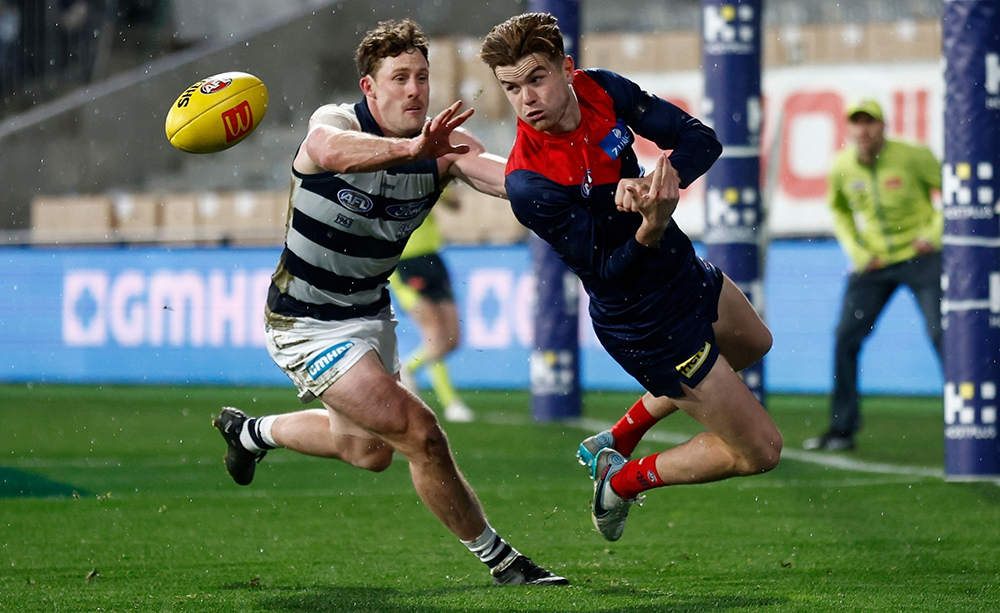






Account
Navigation
Search
Configure browser push notifications
Chrome (Android)
- Tap the lock icon next to the address bar.
- Tap Permissions → Notifications.
- Adjust your preference.
Chrome (Desktop)
- Click the padlock icon in the address bar.
- Select Site settings.
- Find Notifications and adjust your preference.
Safari (iOS 16.4+)
- Ensure the site is installed via Add to Home Screen.
- Open Settings App → Notifications.
- Find your app name and adjust your preference.
Safari (macOS)
- Go to Safari → Preferences.
- Click the Websites tab.
- Select Notifications in the sidebar.
- Find this website and adjust your preference.
Edge (Android)
- Tap the lock icon next to the address bar.
- Tap Permissions.
- Find Notifications and adjust your preference.
Edge (Desktop)
- Click the padlock icon in the address bar.
- Click Permissions for this site.
- Find Notifications and adjust your preference.
Firefox (Android)
- Go to Settings → Site permissions.
- Tap Notifications.
- Find this site in the list and adjust your preference.
Firefox (Desktop)
- Open Firefox Settings.
- Search for Notifications.
- Find this site in the list and adjust your preference.