Demonland
Primary Administrators
-
Joined
-
Last visited
Everything posted by Demonland
-
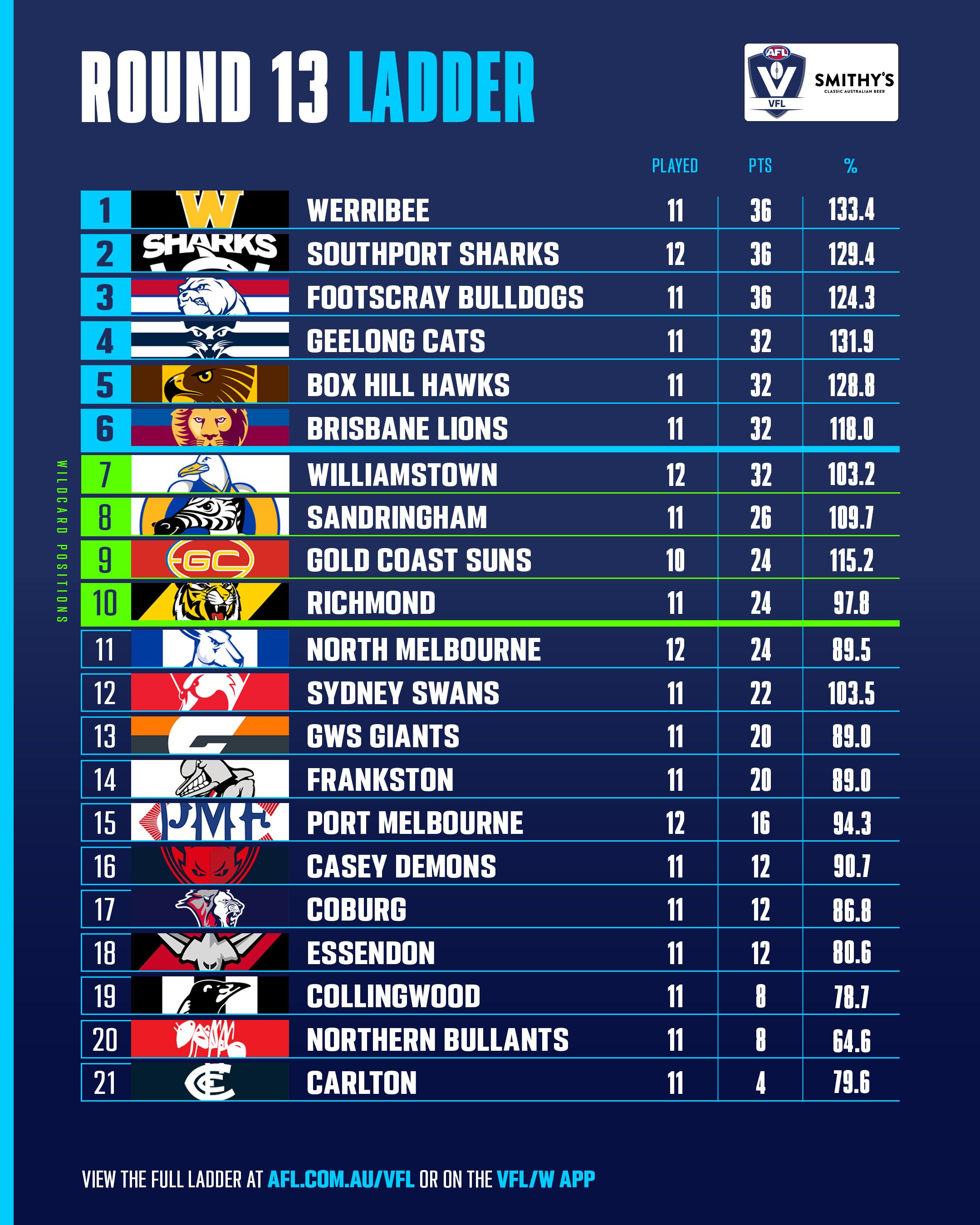
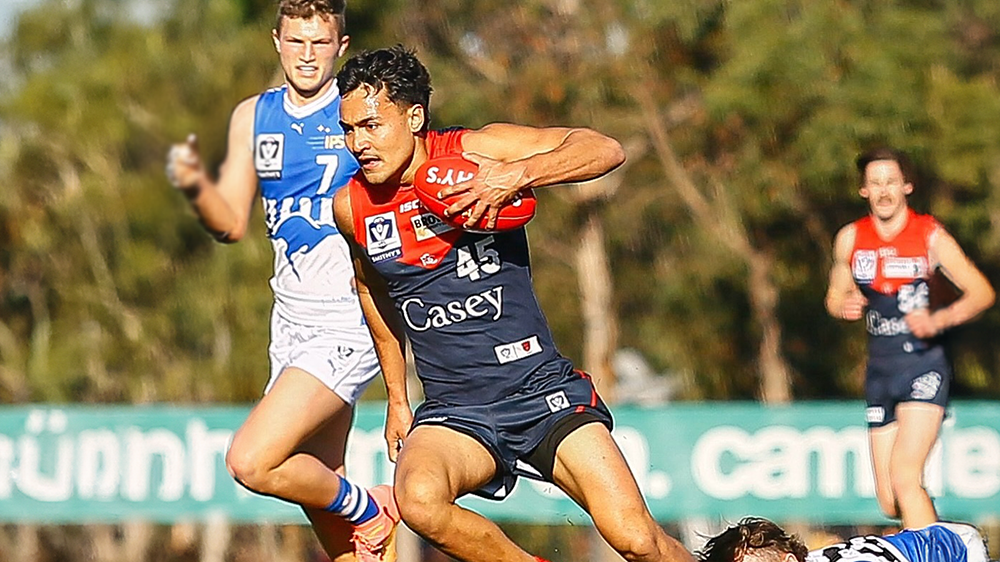
Full InterviewGuess when we play Freo.Casey’s season continued to drift into helplessness on Sunday when they lost another home game by a narrow margin, this time six points, in their Round 13 clash with North Melbourne’s VFL combination. The game was in stunning contrast to their last meeting at the same venue when Casey won the VFL Wildcard Match by 101 points. Back then, their standout players were Brodie Grundy and James Jordon who are starring in the AFL with ladder leaders, the Sydney Swans (it turned out to be their last game in the red and blue). Tom McDonald was in fine fettle as was Jimmy Munro who was closing in on retirement. When the tables were turned on Sunday, there were very few constants for the Casey Demons. One was Mitch White, still the skipper, the workhorse with 27 disposals and a well-earned goal: the man who pushed himself to his fullest capacity but who sadly missed his partner-in-crime Munro. The other was former NGA draftee Andy Moniz-Wakefield who kicked four goals in that game but has since been moved down back with the odd run through the middle where he has been dominating but mysteriously, he rarely gets a mention for AFL honours. He did it again this time with his 35 disposals, four marks and three tackles, giving the team every opportunity to score a win. His time must come soon. One improver from that final is forward Matt Jefferson, a youngster whose body was tiring at the end of a long season and who managed a few behinds in the Wildcard Match. This time around, he slotted through four goals, showed up more around the ground and took eight marks. I wouldn’t rush him into the fray at AFL just yet but he’s pushing forward with every week. Will Verrall is much in the same category but also very much a work in progress as an aspiring ruckman. He finished this game concussed. Watch out for both in 2025 with extra weight and another preseason under their belts. North Melbourne had only six AFL listers on that fateful day last year but this time around, the Kangaroos were far better prepared. Apart from the fact that they had greater AFL representation, they were far more rounded on Sunday. And they had two of the first four 2023 AFL draft selections in their ranks and a couple more first rounders to boot. Along with a handy Deakyn Smith who was at Casey last year. The game was close in the first half with the lead changing hands but the Kangaroos gained the momentum in the third term. Casey made a few serious lunges in the final quarter but North was able to hold on strongly and deserved the victory. One of their aces was Dylan Stephens who was subbed on late in the third term at the MCG on Saturday night and picked up 14 possessions in his team’s late revival. He returned to play VFL on Sunday, collected 24 touches and played a key role in ensuring that his team would prevail and prevent a Casey victory. With Melbourne in the running for an AFL finals berth, its substitute was not considered for a similar role at Casey Fields even though he had minimal time on the ground on Saturday night. Kynan Brown must be a certainty to play in Brisbane this week. We can also expect Melbourne will bring a couple of carry over players up north with them so who knows whether the VFL side will be a fullest possible when the team takes on the stand alone Northern Bullants at Genis Street Oval, Preston on Saturday afternoon? It probably doesn’t matter because the finals are now out of reach, as are the Wildcard Matches. CASEY DEMONS 2.5.17 5.8.38 8.8.56 11.11.77 NORTH MELBOURNE VFL 3.5.23 8.6.54 10.10.70 12.11.83 GOALS CASEY DEMONS Jefferson 4 Fullarton Kentfield King Laurie McAdam Szybkowski White NORTH MELBOURNE VFL Hansen Jr 4 Maley Sellers 2 Free Hardeman Harvey Payne BEST MELBOURNE White Moniz-Wakefield Edwards Jefferson Billings Laurie NORTH MELBOURNE VFL Lazzaro Stephenson McKercher Hardeman Stephens Hansen Jr Statistics Jed Adams 5 kicks 5 disposals 2 marks 1 tackle 21 dream team points Jack Billings 13 kicks 8 handballs 21 disposals 3 marks 1 tackle 69 dream team points Tyler Edwards 13 kicks 6 handballs 19 disposals 3 marks 5 tackles 82 dream team points Tom Freeman 11 kicks 3 handballs 14 disposals 5 marks 2 tackles 65 dream team points Tom Fullarton 1 goal 1 behind 5 kicks 6 handballs 11 disposals 3 marks 8 hitouts 48 dream team points Max Gregory 7 kicks 3 handballs 10 disposals 5 marks 3 tackles 55 dream team points Matt Jefferson 4 goals 9 kicks 1 handball 10 disposals 8 marks 1 tackle 81 dream team points Luker Kentfield 1 goal 2 kicks 1 handballs 3 disposals 1 mark 1 tackles 21 dream team points Eddie King 1 goal 3 kicks 3 handballs 6 disposals 2 marks 1 tackle 31 dream team points Bailey Laurie 1 goal 11 kicks 8 handballs 19 disposals 2 marks 5 tackles 67 dream team points Shane McAdam 1 goal 1 behind 4 kicks 4 handballs 8 disposals 2 marks 2 tackles 35 dream team points Andy Moniz-Wakefield 1 behind 22 kicks 13 handballs 35 disposals 4 marks 3 tackles 115 dream team points Ned Moodie 3 kicks 6 handballs 9 disposals 2 tackles 31 dream team points Charlie Peters 5 kicks 7 handballs 12 disposals 1 mark 3 tackles 38 dream team points Josh Schache 1 behind 3 kicks 1 handballs 4 disposals 1 mark 1 tackle 20 dream team points Ollie Sestan 1 kick 5 handballs 6 disposals 4 tackles 29 dream team points Roan Steele 9 kicks 3 handballs 12 disposals 5 marks 4 tackles 61 dream team points Mitch Szybkowski 1 goal 4 kicks 10 handballs 14 disposals 2 marks 2 tackles 53 dream team points Ryan Valentine 4 kicks 1 handball 5 disposals 2 marks 17 dream team points Will Verrall 7 kicks 6 handballs 13 disposals 3 marks 16 hitouts 49 dream team points Mitch White 1 goal 2 behinds 19 kicks 8 handballs 27 disposals 4 marks 9 tackles 131 dream team points Kai Windsor 1 behind 3 kicks 4 handballs 7 disposals 3 marks 27 dream team points Taj Woewodin 2 kicks 5 handballs 7 disposals 1 mark 2 tackles 22 dream team points
 Forget the fact that the final margin was only 22 points. This was a complete mauling all over the ground (except possibly in the ruck) and especially at the contest where Brisbane dominated virtually from the opening bounce. Melbourne only gave a yelp after the game was done and dusted. MELBOURNE 2.0.12 2.4.16 3.7.25 8.12.60 BRISBANE LIONS 4.2.26 7.4.46 10.8.68 12.10.82 THE TEAMS MELBOURNE B T. Rivers, S. May, T. McDonald HB B. Howes, J. Lever, J. McVee C E. Langdon, C. Petracca, A. Neal-Bullen HF J. Billings, H. Petty, K. Tholstrop F J. van Rooyen, B. Fritsch, T. Sparrow FOLL M. Gawn J. Viney, C. Oliver. I/C B. Brown, K. Chandler, C. Salem, C. Windsor SUB T. Woewodin EMG B. Laurie, J. Schache, A. Tomlinson BRISBANE LIONS B B. Starcevich, J. Payne, R. Lester HB D. Wilmot, H. Andrews, D. Gardiner C J. Fletcher, Z. Bailey, J. Berry HF C. Cameron, E. Hipwood, H. McCluggage F C. Rayner, J. Daniher, D. Zorko FOLL O. Mclnerney, J. Dunkley, L. Neale I/C C. Ah Chee, N. Answerth, K. Lohmann, L. McCarthy SUB J. Tunstill EMG D. Fort, J. Lyons, L. MorrisWILDCARDS by KC from Casey Casey’s season continued to drift into helplessness on Sunday when they lost another home game by a narrow margin, this time six points, in their Round 13 clash with North Melbourne’s VFL combination. The game was in stunning contrast to their last meeting at the same venue when Casey won the VFL Wildcard Match by 101 points. Back then, their standout players were Brodie Grundy and James Jordon who are starring in the AFL with ladder leaders, the Sydney Swans (it turned out to be their last game in the red and blue). Tom McDonald was in fine fettle as was Jimmy Munro who was closing in on retirement. When the tables were turned on Sunday, there were very few constants for the Casey Demons. One was Mitch White, still the skipper, the workhorse with 27 disposals and a well-earned goal: the man who pushed himself to his fullest capacity but who sadly missed his partner-in-crime Munro. The other was former NGA draftee Andy Moniz-Wakefield who kicked four goals in that game but has since been moved down back with the odd run through the middle where he has been dominating but mysteriously, he rarely gets a mention for AFL honours. He did it again this time with his 35 disposals, four marks and three tackles, giving the team every opportunity to score a win. His time must come soon. One improver from that final is forward Matt Jefferson, a youngster whose body was tiring at the end of a long season and who managed a few behinds in the Wildcard Match. This time around, he slotted through four goals, showed up more around the ground and took eight marks. I wouldn’t rush him into the fray at AFL just yet but he’s pushing forward with every week. Will Verrall is much in the same category but also very much a work in progress as an aspiring ruckman. He finished this game concussed. Watch out for both in 2025 with extra weight and another preseason under their belts. North Melbourne had only six AFL listers on that fateful day last year but this time around, the Kangaroos were far better prepared. Apart from the fact that they had greater AFL representation, they were far more rounded on Sunday. And they had two of the first four 2023 AFL draft selections in their ranks and a couple more first rounders to boot. Along with a handy Deakyn Smith who was at Casey last year. The game was close in the first half with the lead changing hands but the Kangaroos gained the momentum in the third term. Casey made a few serious lunges in the final quarter but North was able to hold on strongly and deserved the victory. One of their aces was Dylan Stephens who was subbed on late in the third term at the MCG on Saturday night and picked up 14 possessions in his team’s late revival. He returned to play VFL on Sunday, collected 24 touches and played a key role in ensuring that his team would prevail and prevent a Casey victory. With Melbourne in the running for an AFL finals berth, its substitute was not considered for a similar role at Casey Fields even though he had minimal time on the ground on Saturday night. Kynan Brown must be a certainty to play in Brisbane this week. We can also expect Melbourne will bring a couple of carry over players up north with them so who knows whether the VFL side will be a fullest possible when the team takes on the stand alone Northern Bullants at Genis Street Oval, Preston on Saturday afternoon? It probably doesn’t matter because the finals are now out of reach, as are the Wildcard Matches. CASEY DEMONS 2.5.17 5.8.38 8.8.56 11.11.77 NORTH MELBOURNE VFL 3.5.23 8.6.54 10.10.70 12.11.83 GOALS CASEY DEMONS Jefferson 4 Fullarton Kentfield King Laurie McAdam Szybkowski White NORTH MELBOURNE VFL Hansen Jr 4 Maley Sellers 2 Free Hardeman Harvey Payne BEST MELBOURNE White Moniz-Wakefield Edwards Jefferson Billings Laurie NORTH MELBOURNE VFL Lazzaro Stephenson McKercher Hardeman Stephens Hansen Jr Statistics Jed Adams 5 kicks 5 disposals 2 marks 1 tackle 21 dream team points Jack Billings 13 kicks 8 handballs 21 disposals 3 marks 1 tackle 69 dream team points Tyler Edwards 13 kicks 6 handballs 19 disposals 3 marks 5 tackles 82 dream team points Tom Freeman 11 kicks 3 handballs 14 disposals 5 marks 2 tackles 65 dream team points Tom Fullarton 1 goal 1 behind 5 kicks 6 handballs 11 disposals 3 marks 8 hitouts 48 dream team points Max Gregory 7 kicks 3 handballs 10 disposals 5 marks 3 tackles 55 dream team points Matt Jefferson 4 goals 9 kicks 1 handball 10 disposals 8 marks 1 tackle 81 dream team points Luker Kentfield 1 goal 2 kicks 1 handballs 3 disposals 1 mark 1 tackles 21 dream team points Eddie King 1 goal 3 kicks 3 handballs 6 disposals 2 marks 1 tackle 31 dream team points Bailey Laurie 1 goal 11 kicks 8 handballs 19 disposals 2 marks 5 tackles 67 dream team points Shane McAdam 1 goal 1 behind 4 kicks 4 handballs 8 disposals 2 marks 2 tackles 35 dream team points Andy Moniz-Wakefield 1 behind 22 kicks 13 handballs 35 disposals 4 marks 3 tackles 115 dream team points Ned Moodie 3 kicks 6 handballs 9 disposals 2 tackles 31 dream team points Charlie Peters 5 kicks 7 handballs 12 disposals 1 mark 3 tackles 38 dream team points Josh Schache 1 behind 3 kicks 1 handballs 4 disposals 1 mark 1 tackle 20 dream team points Ollie Sestan 1 kick 5 handballs 6 disposals 4 tackles 29 dream team points Roan Steele 9 kicks 3 handballs 12 disposals 5 marks 4 tackles 61 dream team points Mitch Szybkowski 1 goal 4 kicks 10 handballs 14 disposals 2 marks 2 tackles 53 dream team points Ryan Valentine 4 kicks 1 handball 5 disposals 2 marks 17 dream team points Will Verrall 7 kicks 6 handballs 13 disposals 3 marks 16 hitouts 49 dream team points Mitch White 1 goal 2 behinds 19 kicks 8 handballs 27 disposals 4 marks 9 tackles 131 dream team points Kai Windsor 1 behind 3 kicks 4 handballs 7 disposals 3 marks 27 dream team points Taj Woewodin 2 kicks 5 handballs 7 disposals 1 mark 2 tackles 22 dream team pointsLEADERBOARD AFTER ROUND 15 158. Max Gawn 97. Christian Petracca 83. Steven May 80. Alex Neal-Bullen 66. Jack Viney 44. Christian Salem 42. Trent Rivers 40. Jake Lever 36. Clayton Oliver 33. Kysaiah Pickett 31. Bayley Fritsch 29. Tom McDonald 27. Judd McVee 24. Ed Langdon 17. Tom Sparrow 14. Kade Chandler 11. Blake Howes Daniel Turner 10. Jack Billings 9. Adam Tomlinson 8. Caleb Windsor 7. Jacob van Rooyen 2. Harry Petty 1. Jake BoweyI will add that if you want to get rid of the Advertisements on Demonland you can take out a Demonland Subscription and you will be helping out with covering the costs of running this website. You can get an Ad Blocker but users that do have reported that they cannot see Twitter cards and some images that are posted within threads. If you do use an Ad Blocker could you please consider turning it off in the settings for Demonland.It is impossible to vet the ads that appear on this website but I do have the ability to block ads such as these but only if it is brought to my attention. If you see an Ad that you think is inappropriate then please take a screenshot or send me the wording in the Ad via PM (PLEASE DON'T POST IT OR START A THREAD ABOUT IT) and I can block it like I have now done for this Ad. What is inappropriate? Anything that cannot be viewed from a cubicle in an open planned office.With Melbourne’s season hanging on a thread, Saturday night’s game against North Melbourne unfolded like a scene in a hospital emergency department. The patient presented to the ward in a bad way. Doctors and nurses pumped life-saving medication into his body and, in the ensuing half hour, he responded with blood returning to his cheeks as he stirred back to life. After a slight relapse, the nurses pumped further medication into the bloodstream and the prognosis started looking good as the next hour ticked by. The patient even sat up momentarily. Suddenly, without warning, the vital signs displayed on his bedside screen went haywire and the patient was again in peril. It took all of the skills of the experienced ER ward surgeons, helped by a team of young interns, to step in and save the day. At last report, the patient was resting in a stable condition but still on life support. There’s a long way to go but he’s hanging on … for the time being. Speaking of hospitals, welcome to Melbourne’s 2024 campaign in the post superstar phase. But it’s not just the fact that Christian Petracca‘s internal injuries will keep him out of the game for at least the rest of this home and away season that are keeping coach Simon Goodwin up at night. Leaving aside the usual media swarm and the naysayers who smell blood when a team’s going through hard times, Goody’s facing attack from all sides in the football world and not just about the unenviable task of mending the midfield in his star player’s absence and the fact that another of his superstars in Clayton Oliver is in a career slump. There’s the potential problem of overworking his skipper and champion ruckman who battles on with little support, the occasional defensive lapses and then, there’s the long-running matter of connection when going into attack which refuses to be resolved and rears its head with too many goalless (and scoreless) quarters and with most of the forwards also in a form slump. Add to this, the fact that a quiet rebuild is going on in the background. Of the teams competing in Round 15, Melbourne fielded the most players aged 22 and under with ten, compared to North Melbourne’s eight. Geelong had only four players in this category; Brisbane, Carlton, Essendon, Sydney and West Coast had five. It’s great to see so many young faces in the team working manfully but having plenty of youth and inexperience in the group also poses challenges in the heat of a tight battle. Granted that you can’t fix all of the issues surrounding a major form slump overnight, there are still some positive vibes out of all of this. The impending return of Jake Lever who is so important in the defensive structure, will help. Steven May kept Nick Larkey goalless in a peerless defensive performance and the return of his partner in crime in defence is timely in light of the do or die contest coming up on Friday night in Brizvegas. Despite the fact that North’s up and coming midfield won the clearance battles, Goodwin’s first effort on the work in progress in this area produced some promising signs. Jack Viney was an absolute beast as he worked hard under the skipper’s gaze and while Oliver was shut out under the close watch of Will Phillips. Into the breach came Trent Rivers who had plenty of time and a reasonable return lining up in centre bounces. Tom Sparrow had some good moments as well and second gamer Koltyn Tholstrup was promising at half-forward. It will be a while before he can be considered in the same light as Petracca but there were some really great signs. And how about that great lifesaving cameo run down by Kynan Brown that virtually ensured the win for his team? Despite the continuing relative dysfunction of the forward line, there was some signs of a pulse with Disco Turner kicking a couple and Harry Petty taking six marks and scoring a goal. Some more consistency and a return to goal scoring form from the likes of Bailey Fritsch, Kozzie Pickett and Kade Chandler are hopefully just around the corner. Indeed, a return to form of the likes of Oliver, Fritsch and co on the big stage up north next week is exactly what the doctor ordered. MELBOURNE 5.2.32 6.4.40 11.4.70 11.4.70 NORTH MELBOURNE 1.2.8 3.7.25 5.7.37 10.7.67 GOALS MELBOURNE Turner 2 Chandler Gawn McDonald Petty Pickett Rivers Sparrow van Rooyen NORTH MELBOURNE Zurhaar 4 Ford Sheezel 2 Davies-Uniacke Simpkin BEST MELBOURNE Viney May Rivers Gawn Sparrow Neal-Bullen NORTH MELBOURNE Davies-Uniacke Wardlaw Sheezel Zurhaar Phillips Simpkin INJURIES MELBOURNE Christian Salem (knee) NORTH MELBOURNE Nil REPORTS MELBOURNE Nil NORTH MELBOURNE Nil SUBSTITUTIONS MELBOURNE Kynan Brown (replaced Christian Salem in the fourth quarter) NORTH MELBOURNE Dylan Stephens (replaced Toby Pink in the third quarter) UMPIRES Donlon Haussen Heffernan Wallace CROWD 28,774 at The MCG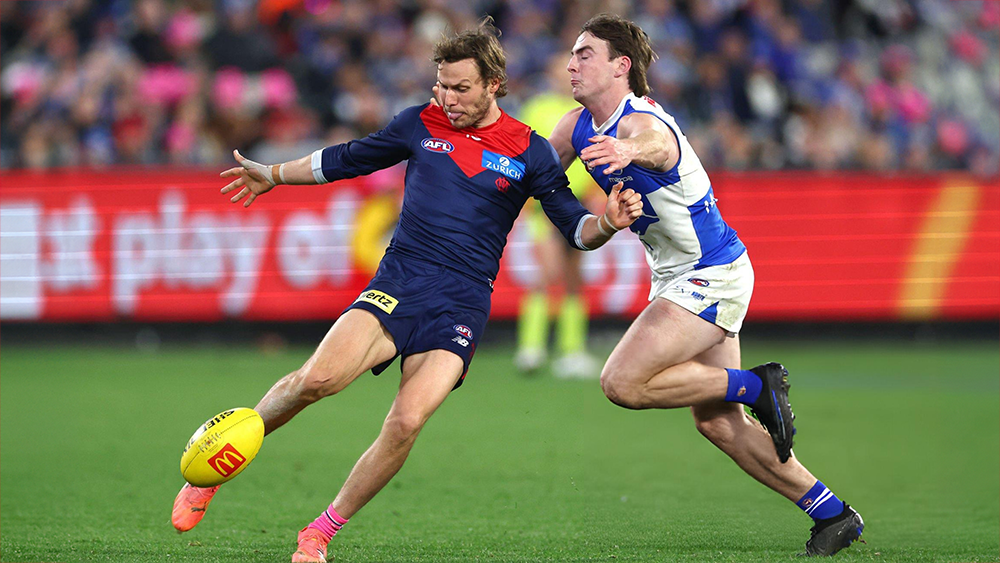
Account
Navigation
Search
Configure browser push notifications
Chrome (Android)
- Tap the lock icon next to the address bar.
- Tap Permissions → Notifications.
- Adjust your preference.
Chrome (Desktop)
- Click the padlock icon in the address bar.
- Select Site settings.
- Find Notifications and adjust your preference.
Safari (iOS 16.4+)
- Ensure the site is installed via Add to Home Screen.
- Open Settings App → Notifications.
- Find your app name and adjust your preference.
Safari (macOS)
- Go to Safari → Preferences.
- Click the Websites tab.
- Select Notifications in the sidebar.
- Find this website and adjust your preference.
Edge (Android)
- Tap the lock icon next to the address bar.
- Tap Permissions.
- Find Notifications and adjust your preference.
Edge (Desktop)
- Click the padlock icon in the address bar.
- Click Permissions for this site.
- Find Notifications and adjust your preference.
Firefox (Android)
- Go to Settings → Site permissions.
- Tap Notifications.
- Find this site in the list and adjust your preference.
Firefox (Desktop)
- Open Firefox Settings.
- Search for Notifications.
- Find this site in the list and adjust your preference.