Demonland
Primary Administrators
-
Joined
-
Last visited
Everything posted by Demonland
-
A little more than a month has elapsed since a small crowd of 6,109 attended TIO Traeger Park, Alice Springs to witness a horroble Melbourne performance in which two its better players were Max Gawn and Christian Petracca. Those two won't be on display this Sunday afternoon when the teams meet again at Optus Stadium. MELBOURNE 2.3.15 3.3.21 5.4.34 7.7.49 FREMANTLE 5.2.32 11.5.71 18.7.115 22.9.141 The team was - MELBOURNE B J. Bowey, S. May, T. Rivers HB C Salem, A. Tomlinson, T. McDonald C E. Langdon C. Oliver, C. Windsor HF S. McAdam, B. Fritsch, K. Chandler F K. Pickett, H. Petty A. Neal-Bullen FOLL M. Gawn, J. Viney, C. Petracca I/C L. Hunter, J. McVee, T. Sparrow, D. Turner, T. Woewodin EMG J. Billings, B.Brown, B. Laurie IN D. Turner OUT J. van Rooyen (adductor) FREMANTLE B H. Chapman, A. Pearce, J. Draper HB J. Aish, L. Ryan, J. Clark C J. Sharp, A. Brayshaw, H. Young HF J. O'Meara, S. Switkowski, M. Frederick F J. Treacy, J. Amiss, L. Jackson FOLL S. Darcy, C. Serong, N. Fyfe I/C B. Banfield, S. Sturt, C. Wagner, B. Walker, M. Walters EMG T. Emmett, N. Erasmus, M. Johnson IN M. Frederick, S. Sturt OUT T. Emmett (omitted), M. Johnson (managed)
-
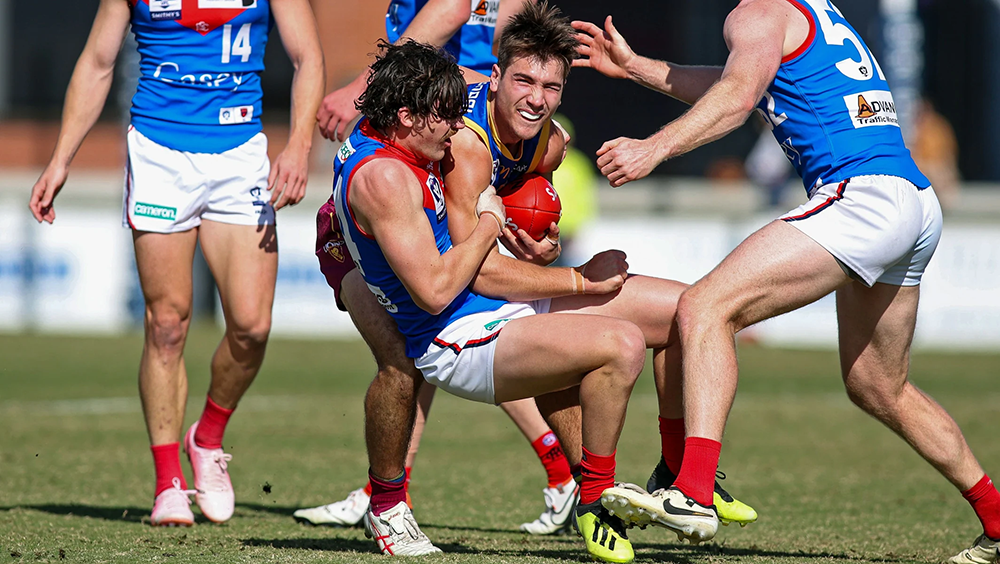
EARLY BIRDS by KC from Casey Wet, slippery conditions and threatening rainfalls greeted the VFL Bombers at the end of their long journey southeast of the big city on Sunday. The threatening weather combined with the fact that neither side had realistic prospects of advancing to action in September, meant that spectators gathered at a cold Casey Fields weren’t expecting a classic exhibition of football. Nor did they get one. Instead they were presented with a dour struggle that never reached great heights. It was a game dominated by the home team that had its engines revved up early while the visitors stalled, spluttered and stuttered from the start. The result was that the early bird Casey Demons had a dominant opening quarter and held a lead of 27 points at the first break against a goalless Bomber outfit. This was enough to allow them to stave off an Essendon comeback in the final term and to finish with the game’s last three goals so that in the end, it was a relatively comfortable 22-point victory on the day which the club set aside for the very worthy breast cancer awareness campaign. In between, it was a game that resembled an old fashioned tug of war with the Bombers taking up the attack and the Demons responding with a change of momentum and neither side being able to put its imprint of the second and third quarter. The game highlighted Essendon’s surplus of tall timber and ruck talent with 203cm Nick Bryan who has been in dominant form at VFL level without getting much of a run in the AFL, amassing 53 hit outs in a team total of 69 (against 19) but losing the contest at ground level to Tom Fullarton who managed 20 disposals and six clearances and a goal but won only 4 hit outs while Bryan got only eight touches. The other Casey ruckman in Will Verrall’s tally of 13 hit outs was also overshadowed by the Bomber big man. Also at ground level, both sides had players who accumulated the football but the most effective on the day was Bailey Laurie whose game in the midfield grew throughout the day. He kicked goals when they were needed, amassed 29 disposals and seven clearances but his eight tackles were a highlight and earned him the best on the ground. Jack Billings’ haul for the day was almost as impressive. He also got his hands on the ball 29 times, executed six tackles and kicked two important goals to secure the match near the end. The goals came not long after he was caught on the wrong foot and kicked out of bounds on the full so it was a case of all’s well that ends well. Ollie Sestan worked hard in the shadows of the more experienced midfielders and showed his strength. Although he managed only 13 disposals, his six clearances and four tackles were more than handy for the Casey team effort. Ben Brown was in excellent marking form and presented well as he roamed the forward area. His haul might have only been a single goal but his presence was important. In defence, Blake Howes, Adam Tomlinson and Marty Hore all stood out in the tough conditions. Taj Woewodin who was the substitute for Melbourne on Saturday night, played a half after young key forward Matt Jefferson was ruled out with illness. Lachie Hunter also had limited time on the ground. Although it’s understood that the VFL is a training ground for “parent” AFL clubs, it makes it difficult for those who coach and manage VFL teams who also strive for success on the field. This makes it difficult to judge their success but we can be mindful that a number of players who played in the red and blue at the MCG on Saturday night have spent time with Casey over the last couple of seasons. VFL listers in Tyler Edwards, Roan Steele and Charlie Peters (two goals) were solid throughout while youngster teenager Noah Yze, although not prolific on debut, highlighted some emerging talent and participated in a nice piece of play that resulted in one of Billings’ goals. This all makes for an interesting game ahead next Saturday afternoon at Kinetic Stadium in the local derby against Frankston which will no doubt be keen to retain its current hold on tenth place and a finals berth for the first time in several years. Casey won its first game for the season at that venue against a wondering Port Melbourne team when ETU Stadium was unavailable. CASEY DEMONS 4.4.28 7.5.47 10.11.71 13.12.90 ESSENDON VFL 0.1.1 4.4.28 7.6.48 10.8.68 GOALS CASEY DEMONS Billings Laurie Peters 2 B Brown Edwards Fullarton Hunter McAdam Sestan Verrall ESSENDON VFL J Davey Menzie 3 A Davey Jedwab Toma Visentini BEST CASEY DEMONS Laurie Billings Hore Howes B Brown Sestan ESSENDON VFL Toma Hobbs O'Neill Hayes Roberts Tsatas Statistics Jed Adams 3 kicks 4 handballs 7 disposals 2 marks 3 tackles 32 dream team points Jack Billings 2 goals 1 behind 19 kicks 10 handballs 29 disposals 9 marks 2 tackles 126 dream team points Ben Brown 1 goal 1 behind 11 kicks 2 handballs 13 disposals 7 marks 1 hitout 65 dream team points Kynan Brown 6 kicks 7 handballs 13 disposals 2 marks 2 tackles 46 dream team points Tyler Edwards 1 goal 8 kicks 4 handballs 12 disposals 4 marks 6 tackles 74 dream team points Tom Fullarton 1 goal 1 behinds 13 kicks 7 handballs 20 disposals 2 marks 1 tackle 4 hitouts 79 dream team points Max Gregory 1 kick 4 handballs 5 disposals 1 mark 14 dream team points Marty Hore 11 kicks 1 handball 12 disposals 7 marks 4 tackles 73 dream team points Blake Howes 15 kicks 9 handballs 24 disposals 9 marks 2 tackles 98 dream team points Lachie Hunter 1 goal 5 kicks 1 handball 6 disposals 3 marks 32 dream team points Luker Kentfield 5 kicks 5 disposals 4 marks 1 tackle 29 dream team points Bailey Laurie 2 goals 1 behind 23 kicks 6 handballs 29 disposals 5 marks 8 tackles 139 dream team points Shane McAdam 1 goal 9 kicks 5 handballs 14 disposals 4 marks 2 tackles 60 dream team points Charlie Peters 2 goals 1 behind 5 kicks 5 handballs 10 disposals 2 marks 3 tackles 51 dream team points Josh Schache 4 kicks 2 handballs 6 disposals 3 marks 2 tackles 33 dream team points Ollie Sestan 1 goal 2 behinds 10 kicks 3 handballs 13 disposals 1 marks 4 tackles 64 dream team points Roan Steele 9 kicks 6 handballs 15 disposals 3 marks 2 tackles 56 dream team points Adam Tomlinson 16 kicks 7 handballs 23 disposals 6 marks 82 dream team points Wil Verrall 1 goal 5 kicks 3 handballs 8 disposals 4 marks 13 hitouts 52 dream team points Mitch White 10 kicks 3 handballs 13 disposals 2 marks 3 tackles 63 dream team points Kai Windsor 1 behind 7 kicks 5 handballs 12 disposals 2 marks 2 tackles 40 dream team points Taj Woewodin 7 kicks 2 handballs 9 disposals 2 marks 4 tackles 37 dream team points Noah Yze 4 kicks 1 handballs 5 disposals 2 marks 3 tackles 1 hitout 30 dream team points
-
-
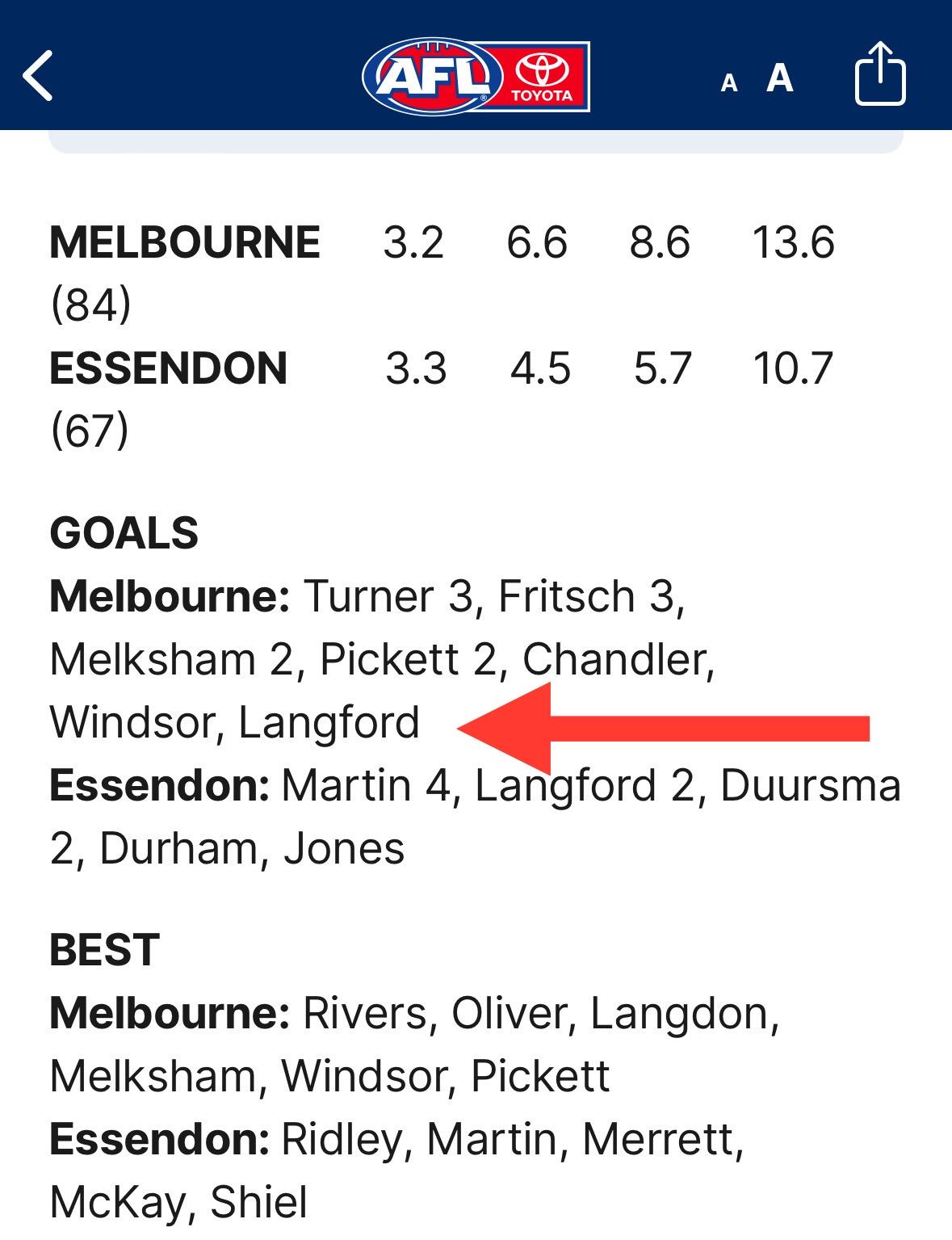
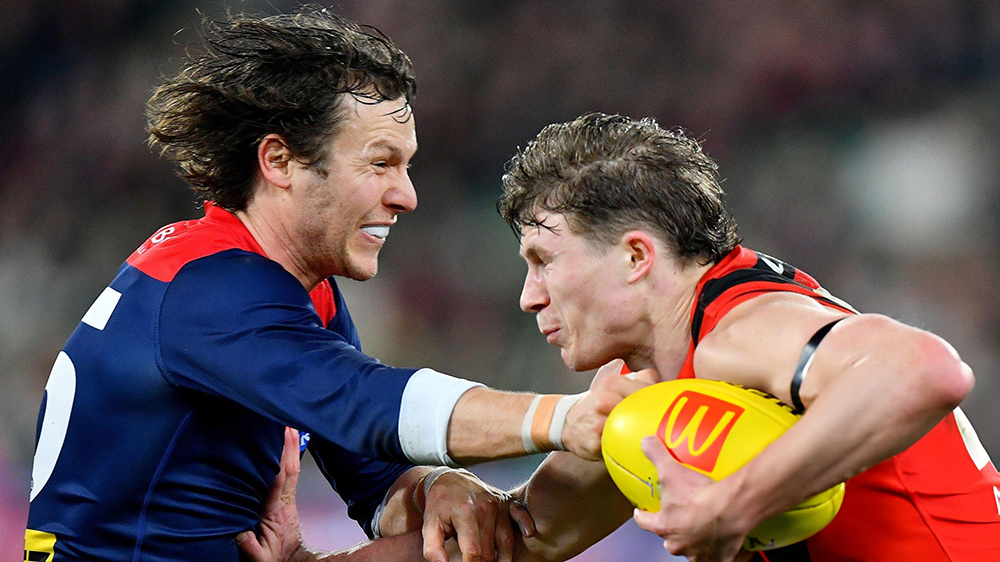
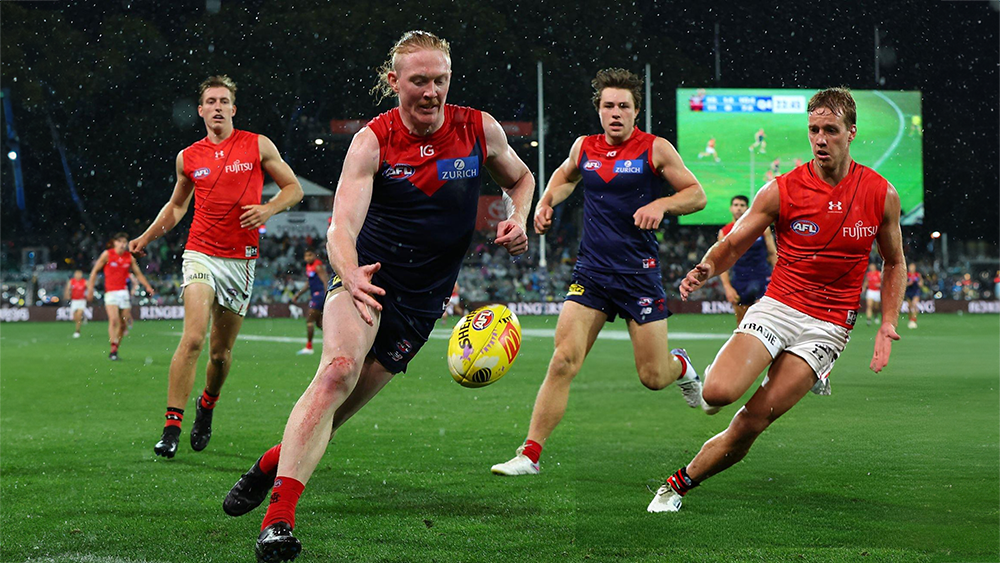
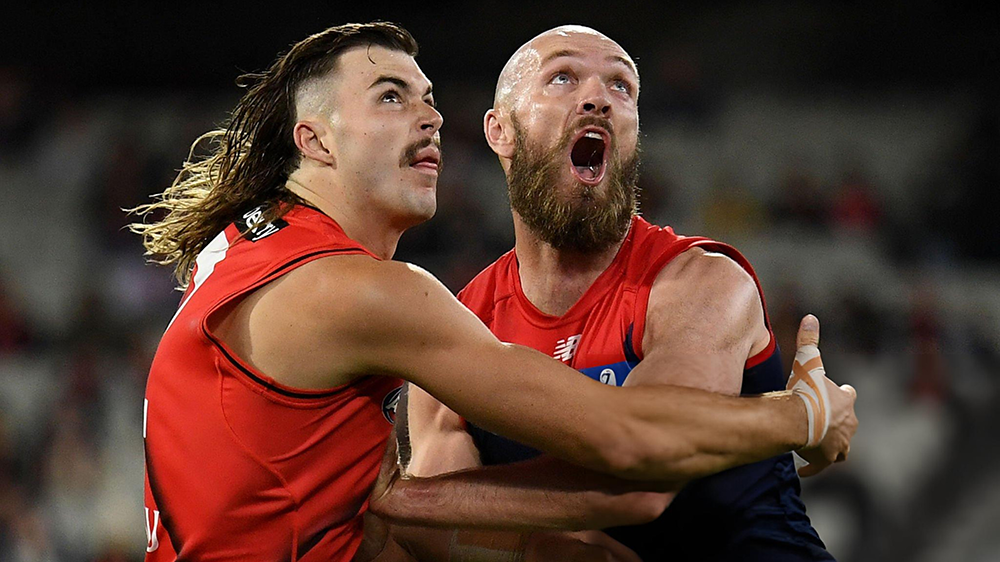
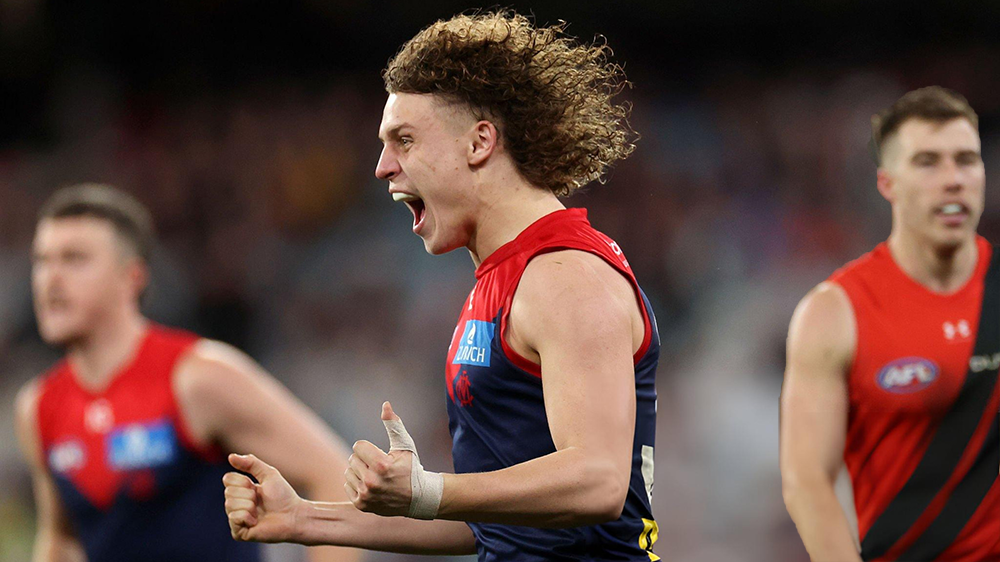
Who said the football gods and scoreboard attendants at the MCG don’t have a sense of humour? The gods spent a whole week teasing Demon and Bomber fans alike about Saturday night’s game. About how the entire match would be dominated by the hulking, brooding figures of 205cm Sam Draper and his 2IC Peter Wright lapping it up in the absence of Melbourne skipper and the club's No.1, No 2, No 3 and No 4 ruckman Max Gawn in the wake of that ankle injury. They painted pictures of Simon Goodwin nervously sending a bevy of undersized makeshift ruckmen out into a gunfight with a defective Swiss Army knife. The end result in this scenario would be painful for the ailing Demons already without another superstar in Christian Petracca and with Clayton Oliver well down on form while the Bombers’ own newfound midfield gods were propelling them into the stratosphere of a potential top two finish. For Demon fans, the script provided for more doom and gloom in an already derailed season that spelled an end to its mini “dynasty” of one flag, the hopes of seeing more premiership success on their beloved home of football at any time soon. But the gods were about to have their laugh by moving the goalposts somewhat. The MCG scoreboard attendants were in on the joke. They put it up there on the big screens for all to see in the form of Australian band when they played the 1983 hit of legendary Antipodean rock band Dragon, simply titled “Rain”. It was already coming down in buckets before the game started and Bayley Fritsch managed to allay some early fears when he spun around for the first goal but it didn’t take long for Draper to stamp his dominance in the ruck. This soon became panic stations when Melbourne’s defensive structures fell down and Essendon began to pick free targets at will to kick three goals in quick succession. The doomsday script was seemingly on track. It took two goals late in the term to all but even things out at the first break … and then the gods and Goodwin had their laugh. The heavens opened again. It teemed down and the Demons teamed up, playing good old fashioned contested football with acting skipper Jack Viney, Trent Rivers (who was already having a good game), Clayton Oliver (coming out of his shell) and Alex Neal-Bullen going in heads down, bum up winning the clearances and rattling opponents while Harry Petty and Jacob van Rooyen nullified the Bombers’ height advantage to the point where Brad Scott was forced to dispense with Two Metre Peter altogether in the third term as he was becoming a liability. You can’t underestimate the value provided by van Rooyen in the heat of the battle. Nor the work rate of Ed Langdon (31 disposals and a goal) and Caleb Windsor who was not as prolific as his team mate on the other wing but he was so polished. Then there was Kozzy Pickett in his 100th game who shone out in the difficult conditions with some sublime passages of brilliance which put the fear of god whenever he was thereabouts. Melbourne kept its two to three goal buffer throughout the third term, adding marginally to its lead and then went on a scoring spree in the first half of the last quarter when it jumped out to a 41-point lead on the back of some goal kicking accuracy and heroics from Jake Melksham, Fritsch and Turner. Whether it was the six-day break, the younger bodies or a surge of umpiring decisions that went against them, it’s hard to tell but once again they leaked goals at the end, losing valuable percentage in what will remain a tough race to make the final eight. Until that late Bomber surge, the Melbourne defence was virtually impenetrable with its key players Steven May, Jake Lever and Tom McDonald holding sway and Judd McVee acting ever so coolly as the smiling assassin of the Bombers attack. In the end, the big figure was Melbourne’s +12 advantage in clearances and not the -16 deficit in hit outs. It remains a mystery as to how the final margin was so close but even this was probably the result of some Demons up in the heavens having a laugh. MELBOURNE 3.2.20 6.6.43 8.6.54 13.6.84 ESSENDON 3.3.21 4.5.29 5.7.37 10.7.67 GOALS MELBOURNE Fritsch Turner 3 Melksham Pickett 2 Chandler Langdon Windsor ESSENDON Martin 4 Duursma Langford 2 Durham Jones BEST MELBOURNE Rivers Oliver Langdon Melksham Windsor Pickett ESSENDON Ridley Martin Merrett McKay Shiel INJURIES MELBOURNE Nil ESSENDON Nil REPORTS MELBOURNE Nil ESSENDON Nil SUBSTITUTIONS MELBOURNE Taj Woewodin (replaced Andy Moniz-Wakefield in the fourth quarter) ESSENDON Nick Hind (replaced Peter Wright in the third quarter) UMPIRES Nick Foot Andrew Stephens Nathan Williamson Cameron Dore CROWD 52,866 at The MCG
-
-
-
-
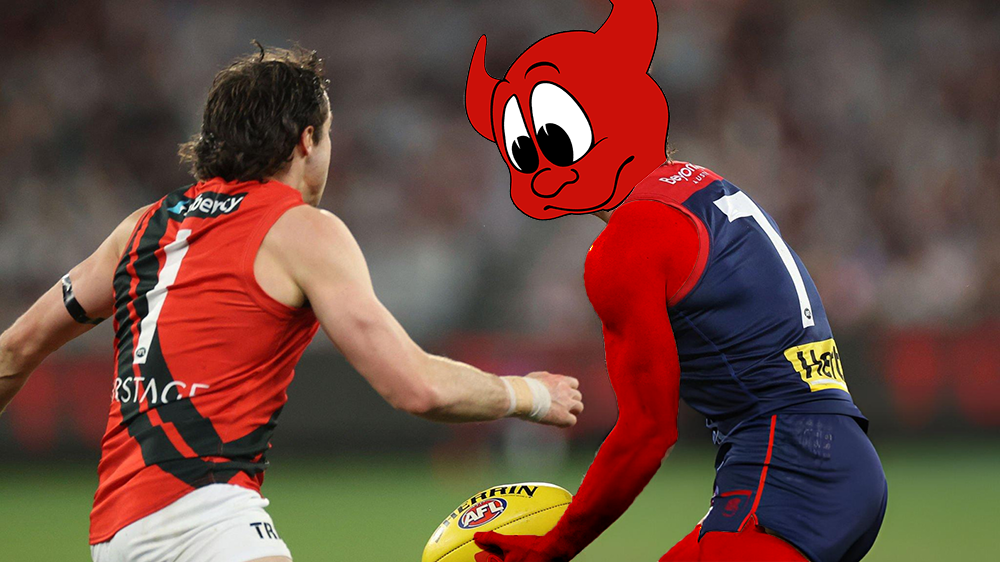
The Demonland Podcast will not be LIVE again this week. Binman will do his regular stats files segment for the game against the Bombers and will also preview the upcoming match against the Dockers. He will not be taking any questions. I will post the show here once I receive Binman's stats files. You can also find it wherever you get your podcasts from. We will return in our regular format once I return after the Dockers match.
-
-
-
Who are you tipping this week and what are the best results for the Demons?
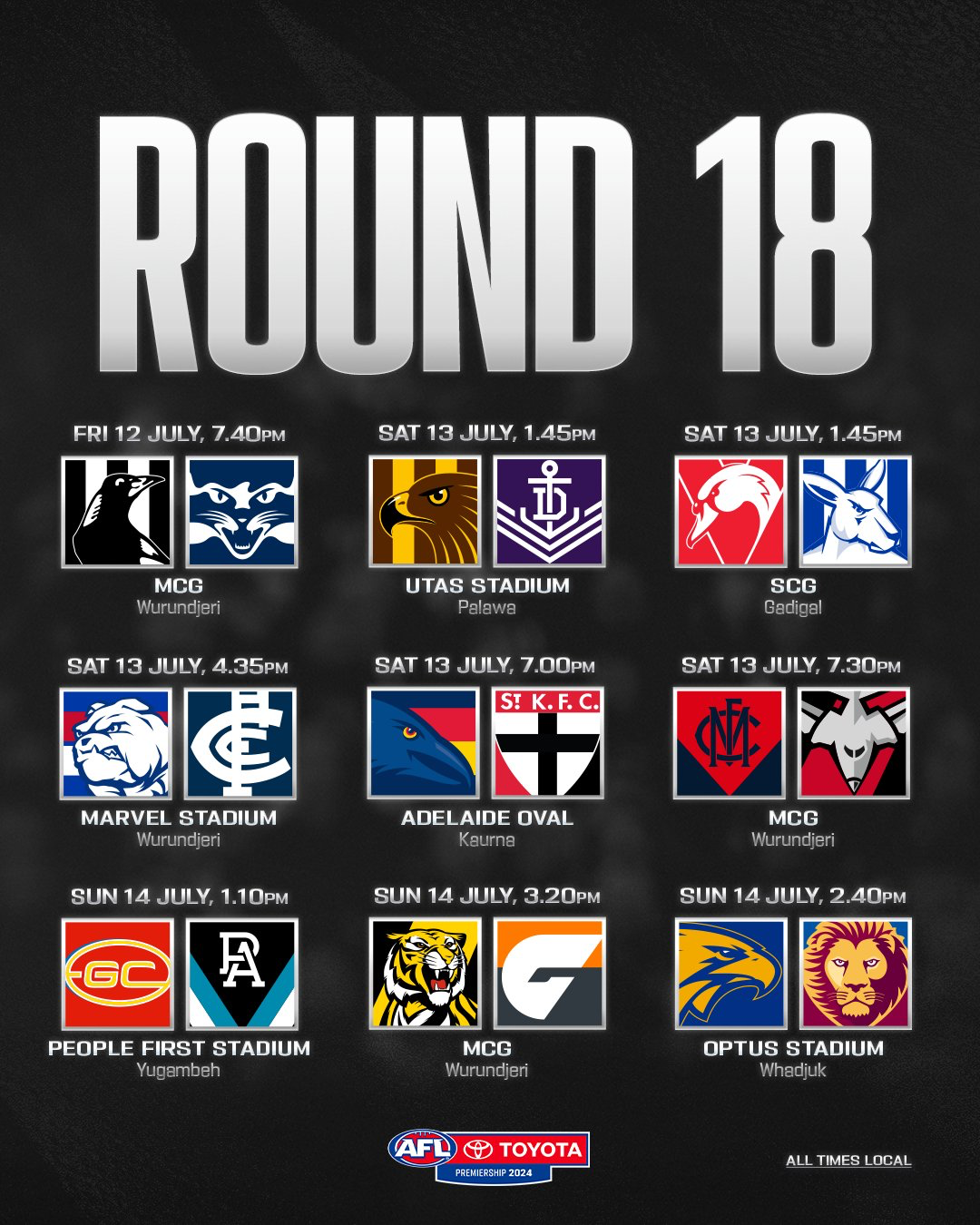
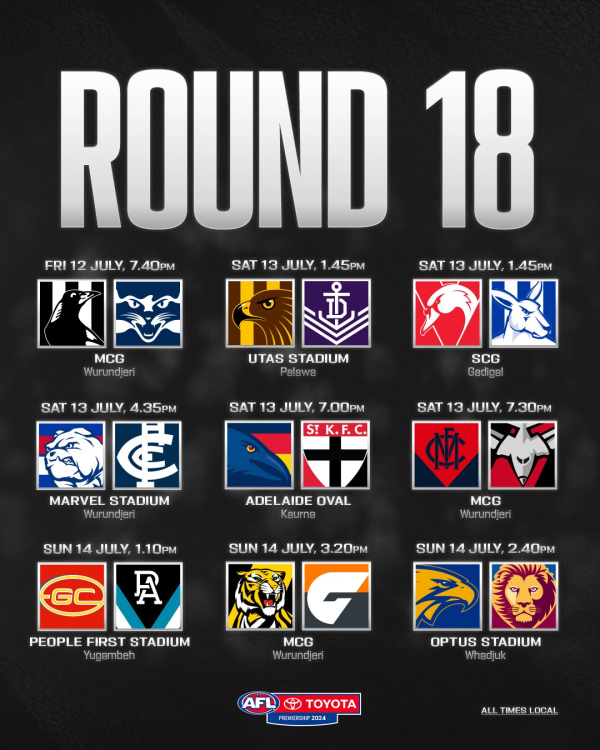 The crack in the captain’s ankle might be very small but the repercussions of the injury are enormous. The aftershock of the news that Max Gawn will sit on the sidelines for the next two or three weeks has provided Melbourne coach Simon Goodwin with a giant headache, not unlike the one he faced after the Kings Birthday when another Demon superstar Christian Petracca suffered his season-ending injury. That headache is magnified by the fact that Goodwin is facing a month of tough encounters against other finals contenders at a time when his team’s fate hangs in the balance. First cab off the rank is Essendon which few would have predicted would be sitting inside the top four at this stage in proceedings after such an abysmal end to its 2023 campaign. This year, the Bombers’ favourable draw and some narrow wins against lowly sides have them in the top four with a percentage below 100. However, with a number of players in career best form, they present problems for Goodwin and his team. Notable among them is Bomber skipper, Zach Merrett who has been the catalyst for the Bomber revival, but he hasn’t been alone among a playing list that spells danger for the Demons. Their defence has tightened up and is stronger with the return of Ridley who joins Ben McKay in career-best form. They have a bevy of players like Jye Caldwell, Nic Martin, Sam Durham, Jake Stringer and Dylan Shiel who are standing up to be counted. Last week Merrett and Caldwell each notched up 30 disposals to throttle Collingwood's premiership midfield. Their influence must be curtailed. Then there are their talls like ruckman Sam Draper who has managed to avoid a direct confrontation with Gawny for the second time in as many years. Two Metre Peter will also stretch the Demons’ defence. Which brings us back to Melbourne’s giant ruck headache, exacerbated when the club agreed to part company with Brodie Grundy at the end of last year. The club chose Brisbane’s 200cm Tom Fullarton to replace the former Magpie, but he is designated on the club’s website as a “key forward” and hasn’t played an AFL game since the 2022 semi final against Melbourne when he managed just four hit outs. As the club’s General Manager of AFL Football Performance Alan Richardson said during the week: "While Max is the calibre of player that can't be replaced easily, it provides an exciting opportunity for others to come in and play their role in our side." It remains to be seen what rabbit the Demon selectors pull out of their hat but that has been the story of their season so far. Just as the loss through the premature retirement of Angus Brayshaw, the well documented off-season problems of Clayton Oliver and the seemingly never-ending investigation into Joel Smith have all caused grief, the club has soldiered on without complaint. The coach moves players around like chess pieces, changes tactics and strategies, and all the while he manages to keep the club’s finals prospects alive as it moves deeper into the season. Each turn of an unfriendly card presents a challenge that must be confronted. The mother of invention has caused a major upheaval at Melbourne during 2024. The previously rock solid midfield foundation stone of Petracca, Oliver, Viney and Brayshaw has been split. That midfield no longer dominates the clearances at the feet of Gawn as it did in the past when it overwhelmed the opposition with offensive momentum smashing the inside fifty count. We now have something different; the excitement of new, young faces and names making their mark over all parts of the ground, a mix that might not make them immediate flag contenders but they’re always a chance to win on any given day. Trent Rivers in the middle is one example of change, Jacob van Rooyen up forward and pinch hitting in the ruck another and Judd McVee down back a third … and then there’s Caleb Windsor and there’s more. As some might despair the absence for a few weeks of a six time All Australian heading for a seventh, one or more of the personnel within the team are expected to step up and help repay Gawn for his outstanding contribution as captain over 100 games. The three aspects of his absence that demand attention are leadership, ruck craft and marking, especially down back where Gawn would drop in to intercept when the key defenders needed a chop out. Suffice to say on the leadership score, there’s captain Jack Viney standing at the ready with Steven May, Jake Lever and a rejuvenated Tom McDonald down back and how timely is Jake Melksham’s return to the forward line after his ACL injury to add experience in the air, on the ground and around the goals? The merchants of gloom and doom have short memories. Last year, when the teams met in Adelaide, the Bombers were rank outsiders but they approached the game with ferocity and intent against a complacent opponent and they surprised with a win. The Demons have upped their intensity over recent weeks and that mix of youthful enthusiasm together with their list of experienced big game players can be infectious and promote winning momentum. I think it will be just enough to surprise the Bombers by a small margin, say four points. This would honour the current wearer of the club’s #11 guernsey in a game to support the Reach Foundation co-founded by its previous owner, the late, great Jim Stynes. THE GAME Melbourne v Essendon at the MCG Saturday 13 July 2024 at 7.30pm HEAD TO HEAD Overall Melbourne 86 wins Essendon 131 wins 2 draws At the MCG Melbourne 48 wins Essendon 67 wins 1 draw The last five meetings Melbourne 3 wins Essendon 2 wins The Coaches Goodwin 0 wins Scott 1 win THE LAST TIME THEY MET Essendon 15.14.104 defeated Melbourne 11.11.77 at the Adelaide Oval Round 6, 2023 In a shock result, Essendon dominated the Melbourne on a wet Adelaide day in the inaugural Gather Round. The Bombers’ big men took advantage of Max Gawn’s absence in a game where things were not helped by the absence defence of Jake Lever and the late withdrawal of Ben Brown in attack. They maintained the pressure all day and it was quite an achievement to exceed 100 points in the wet and woolly conditions. THE TEAMS MELBOURNE B T. McDonald, S. May, J. McVee HB T. Rivers, J. Lever, J. Bowey C E. Langdon, C. Oliver, A. Neal-Bullen HF K. Pickett, J. van Rooyen, T. Sparrow F K. Chandler, B. Fritsch, J. Melksham FOLL H. Petty, J. Viney, C. Salem I/C A. Moniz-Wakefield, K. Tholstrup, D. Turner, C. Windsor SUB T. Woewodin EMG T. Fullarton, B. Laurie, A. Tomlinson IN H. Petty OUT M. Gawn (ankle) ESSENDON B J. Ridley, B. McKay, D. Heppell HB N. Martin, M. Redman, A. McGrath C X. Duursma, S. Durham, A. Perkins HF M. Guelfi, H. Jones, N. Caddy F J. Stringer, P. Wright, K. Langford FOLL S. Draper, J. Caldwell, Z. Merrett I/C N. Cox, J. Gresham, J. Kelly, D. Shiel SUB N. Hind EMG T. Goldstein, J. Laverde, W. Setterfield IN D. Heppell OUT J. Laverde (omitted) Injury List: Round 18 Ben Brown — knee / test Harrison Petty — hamstring / test Max Gawn — ankle / 2 - 3 weeks Charlie Spargo — Achilles / TBC Christian Petracca — ribs, spleen, appendix / indefinite
 It wasn’t quite a trainwreck although at times, it sure looked like one, so I’ll settle for “derailment”. The trip to Brighton Homes Arena in Springfield outside the back of Brisbane might not exactly be the same place where Homer Simpson’s family resides but, if you listened closely to the utterances of the Casey Demons fans both at the ground or watching via livestream, you could hear lots of groaning and plenty of expressions of “D'oh!” reverberating in the background, particularly after quarter time. The Demons started the game brightly. They were aided by a swirly breeze and had two early goals on the board through the agency of Josh Schache and emerging young forward Matt Jefferson who is starting to look as if he belongs on the forward line after a long apprenticeship. The Lions mounted a countercharge but the Demons were equal to the task with Shane McAdam and Schache looking dangerous, albeit erratic in front of goals. A ten point lead at the first break was looking like a good reward for effort until the strength, ability, the greater experience and AFL list numbers of the northerners came to the fore early in the second term and it was all over. The combination of Fort and Smith in the ruck and the on ball skills of Lyons, Robertson and Dunkley were overwhelming as the home side relentlessly pushed forward time and again off the weight of clearances. The Brisbane backmen defended strongly, their forwards played in front and marked everything. The only mystery was the fact that they weren’t further in front. After an early second half resurgence, it was business as usual and the Demons trailed by eight goals at three quarter time and thanks to some rare individual efforts, they somehow managed to narrow the margin slightly by the end of the game. Casey had far too few players who stood up all day. Defenders Marty Hore (24 disposals, 10 marks) and Blake Howes Howes (22 touches, seven marks) worked hard to stem the flow but had very little assistance. Forwards Matt Jefferson and Shane McAdam presented well and did their bit with three goals each while Josh Schache scored two goals but also blemished his record with four behinds including a couple that were very forgettable. Jack Billings worked hard to get into the game but otherwise, most of the younger crop of Demons looked tired and failed to produce the goods. The young ruckmen were well beaten both at stoppages and around the ground. Apart from Mitch White who gave his all as he always does, Roan Steele and Tom Freeman, the VFL-listed players had minimal impact on the game. Casey are back home against Essendon, another struggling side, next Sunday. The Demons will need to lift their game as the Bombers won their game this round and are showing improvement of late with internal competition for finals places intensifies. CASEY DEMONS 5.5.35 6.5.41 7.9.51 11.11.77 BRISBANE LIONS 4.1.25 10.5.65 15.9.99 18.15.123 GOALS CASEY DEMONS Jefferson McAdam 3 Schache 2 Billings Farris-White White BRISBANE LIONS Smith 3 Craven Derksen Dunkley Lyons Ryan 2 Greenaway McPherson Manly Robertson Sharp BEST CASEY DEMONS Hore Jefferson McAdam Howes White Billings BRISBANE LIONS Robertson Lyons Smith Prior Dunkley Fort Statistics Jed Adams 2 kicks 3 handballs 5 disposals 1 tackle 16 dream team points Jack Billings 1 goal 14 kicks 5 handballs 19 disposals 7 marks 5 tackles 84 dream team points Kynan Brown 3 kicks 3 handballs 6 disposals 5 tackles 35 dream team points Tyler Edwards 9 kicks 5 handballs 14 disposals 4 marks 1 tackle 51 dream team points Kyah Faris-White 1 goals 1 behind 3 kicks 3 disposals 2 marks 1 tackle 11 hitouts 29 dream team points Tom Freeman 10 kicks 7 handballs 17 disposals 4 marks 2 tackles 64 dream team points Max Gregory 4 kicks 8 handballs 12 disposals 3 marks 5 tackles 57 dream team points Marty Hore 22 kicks 2 handballs 24 disposals 9 marks 2 tackles 106 dream team points Blake Howes 13 kicks 9 handballs 22 disposals 7 marks 78 dream team points Lachie Hunter 13 kicks 3 handballs 16 disposals 9 marks 1 tackle 76 dream team points Matt Jefferson 3 goals 1 behind 7 kicks 3 handballs 10 disposals 7 marks 2 tackles 76 dream team points Luker Kentfield 4 kicks 2 handballs 6 disposals 3 marks 25 dream team points Eddie King 2 kicks 3 handballs 5 disposals 1 mark 2 tackles 23 dream team points Bailey Laurie 8 kicks 2 handballs 10 disposals 1 mark 1 tackle 32 dream team points Shane McAdam 3 goals 1 behind 9 kicks 2 handballs 11 disposals 6 marks 7 tackles 97 dream team points Ned Moodie 1 behind 9 kicks 6 handballs 15 disposals 3 marks 1 tackle 53 dream team points Harvey Neocleous 1 behind 10 kicks 5 handballs 15 disposals 3 marks 2 tackles 60 dream team points Josh Schache 2 goals 4 behinds 12 kicks 4 handballs 16 disposals 12 marks 96 dream team points Ollie Sestan 3 kicks 6 handballs 9 disposals 1 mark 4 tackles 1 hitout 41 dream team points Roan Steele 11 kicks 6 handballs 17 disposals 3 marks 4 tackles 69 dream team points Mitch Szybkowski 3 kicks 4 handballs 7 disposals 1 mark 3 tackles 32 dream team points Will Verrall 6 kicks 1 handball 7 disposals 3 tackles 26 hitouts 56 dream team points Mitch White 1 goal 13 kicks 6 handballs 19 disposals 2 marks 1 tackle 65 dream team points
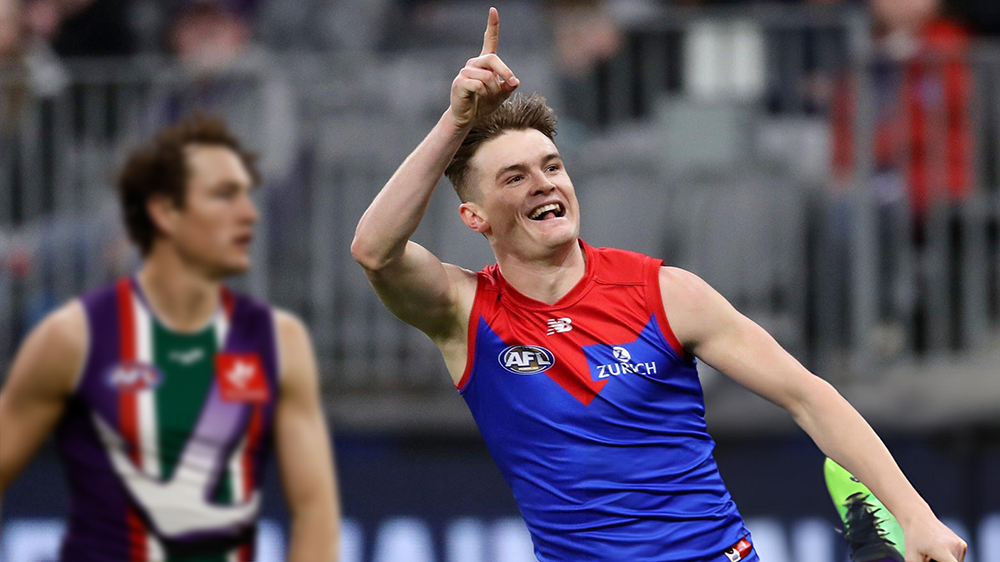
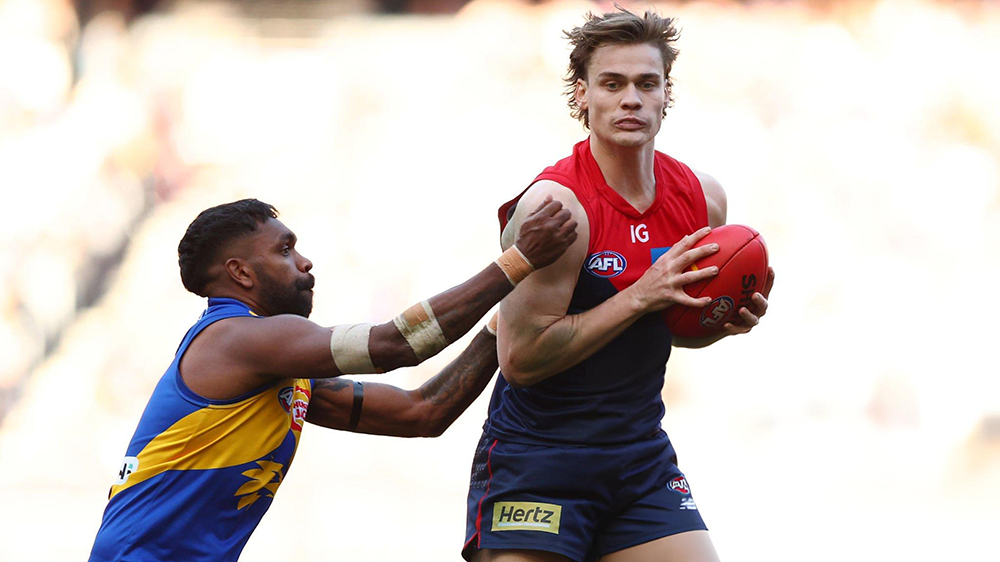
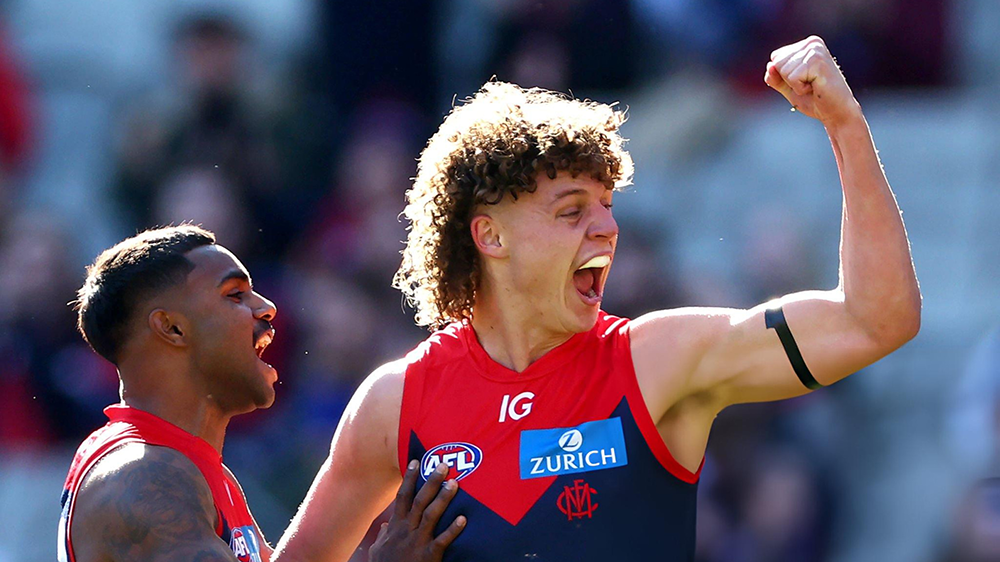
 Things have changed in the more than ten years since the West Coast Eagles decimated Melbourne by 93 points on the MCG early in the 2014 season. The two sides had not met at the home of football in the interim until yesterday when Melbourne won by a comfortable 54 points to remain in contention for this year’s finals series. Back in those days, the Demons were in the midst of their Great Depression but they have since tasted premiership glory and experienced a long enough period among the top echelons of the AFL that their fans became spoiled. A few weeks ago however, all that changed and for the first time since the early days of the Covid epidemic, we were all challenged by the prospect of the team being pushed off the top shelf and relegated to a place among the also rans. A win against a team that is well down the ladder, out of form and traveling across the continent is no big deal. The Eagles are young but the Demons are younger. The visiting team looked jaded at times and played as if they might have checked out on the season already. However, the way in which the win was achieved provides scope for optimism for Demon fans because this was a Melbourne team so different to the one that has spoiled its fans in recent years. The overriding theme is youth and the scene was set early in the opening five minutes when fourth gamer Koltyn Tholstrup scored his AFL goal before repeating the dose a minute later. His enthusiasm over the rest of the game was infectious and while it’s early in his career, he’s living in the moment. It might be a long way from here to the Christian Petracca stratosphere but it’s a space worth watching. Enter the multitasker Jacob van Rooyen who played two separate roles to perfection. He was particularly dangerous in front of the big sticks in the first half with his strong marking and four goals. He missed a couple of easy ones in the second half but he could be excused because he was also engaged in playing second ruck to Max Gawn, a role that was expanded in the final quarter when the skipper was subbed off with what was explained as a right ankle niggle. Daniel “Disco” Turner added to the pressure up forward and kicked a nice goal as well as playing a role in the transition of the ball forward. Meanwhile, 22-year-old Trent Rivers who is approaching his 100th AFL game was relishing his long awaited elevation from defence into the midfield. In a best on ground performance, the long-kicking Rivers managed to accumulate a career high (and game high) 29 disposals along with seven clearances and nine score involvements. Rivers told the media after the game: “Goody (Simon Goodwin) threw me in there for a little bit last year, but to be (in there) full-time, I’m loving it.” “I was nagging at him a little bit, but I’m grateful that he’s given (me) the opportunity, and hopefully (I can) repay him for the favour.” With Petracca out for the year, Jack Viney playing well and applying the pressure whilst not prolific in gathering the football and Clayton Oliver being heavily tagged, Rivers was a standout but he had a couple of rivals around the middle stratas of the MCG in Ed Langdon and another first year wonder in Caleb Windsor. The former returned to his best form for a while but the latter had some stellar patches with his 25 touches and a lovely goal. Then there was Kozzie Pickett who finally took that hanger but failed to convert with the ensuing kick but, along with Alex Neal-Bullen, they certainly kept the Eagle defence on its toes. And speaking of defence and youngsters, Judd McVee and Andy Moniz-Wakefield each applied themselves to the task. The infusion of youth has seen a team with more run and more confidence to take the game on – something that was lacking during the recent midseason slump. Of course, it wasn’t all youth that did the damage. Max Gawn was strong in the ruck and around the ground until injured and Christian Salem’s return was most welcome. The Melbourne defence works much better now that Jake Lever has been reunited with Steven May and Tom McDonald, the only survivor from the 2014 debacle playing in the same position at centre half back ten years after, was relishing the fact that he’s fit, injury free and playing like a youngster once again. It was also good to see Bayley Fritsch getting among the goals again and on an emotional level, Jake Melksham’s two goals on return from his ACL injury was a real fillip for the team. The real test for the new young Demons is coming over the next month and a half. Every game from hereon is against a contender and the greater bulk of them must be won, starting with Essendon on Saturday night at the MCG. MELBOURNE 7.3.45 11.5.71 14.9.93 17.10.112 WEST COAST EAGLES 1.2.8 3.4.22 6.8.44 8.10.58 GOALS MELBOURNE van Rooyen 4 Fritsch 3 Melksham Pickett Tholstrup Gawn Langdon Turner Windsor WEST COAST EAGLES Allen 4 Waterman 2 Darling Ryan BEST MELBOURNE Rivers Windsor van Rooyen Langdon Pickett Viney WEST COAST EAGLES Yeo Kelly Allen Hutchinson B Williams INJURIES MELBOURNE Gawn (ankle) Pickett (finger) WEST COAST EAGLES Allen (ankle) REPORTS MELBOURNE Nil WEST COAST EAGLES Nil SUBSTITUTIONS MELBOURNE Taj Woewodin (replaced Max Gawn in the fourth quarter) WEST COAST EAGLES Jack Williams (replaced Tyler Brockman at three-quarter time) UMPIRES Robert O'Gorman Simon Meredith Andrew Adair Nick Jankovskis CROWD 32,000 at The MCG
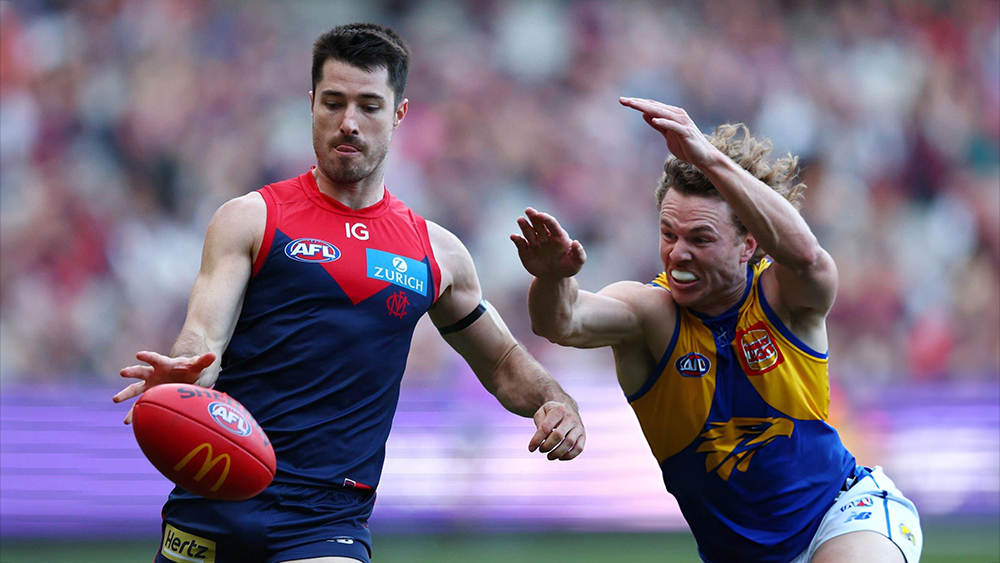 It was a Gather Round horror show for the Demons who struggled in the rain at Adelaide Oval without Max Gawn in the ruck and light on for forward strength. MELBOURNE 4.2.26 7.5.47 7.7.49 11.11.77 ESSENDON 5.4.34 9.10.64 12.13.85 15.14.104 THE TEAMS MELBOURNE B A. Tomlinson S. May J. McVee HB J. Bowey T. McDonald H. Petty C A. Brayshaw C. Oliver L. Hunter HF K. Chandler B. Fritsch A. Neal-Bullen F C. Spargo J. Melksham K. Pickett FOLL B. Grundy J. Viney C. Petracca I/C E. Langdon T. Rivers T. Sparrow J. van Rooyen SUB J. Jordon EMG B. Laurie D Turner IN J. Melksham A. Tomlinson OUT M. Hibberd (Achilles) J. Lever (ankle) ESSENDON B M. Redman B. Zerk-Thatcher J. Ridley HB J. Kelly J. Laverde A. McGrath C D. Heppell Z. Merrett S. Durham HF J. Menzie H. Jones D. Parish F A. Perkins J. Stringer N. Martin FOLL S. Draper J. Caldwell D. Shiel I/C K. Langford A. Phillips W. Setterfield W. Snelling SUB N. Hind EMG B. Hobbs M. D'Ambrosio P. Voss IN N. Hind W. Snelling OUT A. Davey Jnr (Managed) S. Weideman (Concussion)The Demonland Podcast will not be LIVE on this week. Binman will do his regular stats files segment and will preview the upcoming Essendon match but will not be taking any questions this week. I will post the show here once I receive Binman's stats files. You can also find it wherever you get your podcasts from. We will return in our regular format once I return after the Dockers match.
 He’s fallen under the radar but according to this article - PREVIEW | 2024 AFL U18s: Allies vs. Vic Country - he’s likely to line up in the forward pocket for the Allies this morning. I believe the game’s being streamed on the afl.com.au site.