Skip to content
View in the app

A better way to browse. Learn more.

Demonland

A full-screen app on your home screen with push notifications, badges and more.

To install this app on iOS and iPadOS
  1. Tap the Share icon in Safari
  2. Scroll the menu and tap Add to Home Screen.
  3. Tap Add in the top-right corner.
To install this app on Android
  1. Tap the 3-dot menu (⋮) in the top-right corner of the browser.
  2. Tap Add to Home screen or Install app.
  3. Confirm by tapping Install.

Server Move and Server Errors & Fatal Errors

Featured Replies

I can no longer load a new Avatar or check the Likes posts under my profile.

Edited by TheBigFrog


I can no longer load a new Avatar or check the Likes posts under my profile.

+1 :(


I've passed these issues onto Nasher and I'm sure he will get a chance to look into it sometime soon. He has worked all week on getting this site working on the new server. There are a few little bugs to iron out and they will be in due time but give the guy a few days to spend with his wife and family. Afterall he is doing this for free.

Sorry to say I got another one today, happens when I click on the "Forum footy has a problem" thread.

Warning: mysql_query(): Unable to save result set in /home/nasher/public_html/forums/ips_kernel/classDbMysqlClient.php on line 189

Sorry Nasher. Unfortunately, I'm getting the above message when I click onto the Draft / Trade Rumours thread.


Sorry Nasher. Unfortunately, I'm getting the above message when I click onto the Draft / Trade Rumours thread.

It's only affecting page 110 (http://demonland.com/forums/index.php?/topic/34425-the-tradedraft-rumour-mill/page-110) for some reason

If you click this link http://demonland.com/forums/index.php?/topic/34425-the-tradedraft-rumour-mill/page-111 it will take you to page 111.

i hope that helps until Nasher can figure out why that is happening.

It's only affecting page 110 (http://demonland.com/forums/index.php?/topic/34425-the-tradedraft-rumour-mill/page-110) for some reason

If you click this link http://demonland.com/forums/index.php?/topic/34425-the-tradedraft-rumour-mill/page-111 it will take you to page 111.

i hope that helps until Nasher can figure out why that is happening.

Great. Many thanks!

I will pass that along to Nasher and see if he can work his magic.

Thanks guys I can now load a new Avatar.

Still unable to load likes but no rush to solve that one.


I've passed these issues onto Nasher and I'm sure he will get a chance to look into it sometime soon. He has worked all week on getting this site working on the new server. There are a few little bugs to iron out and they will be in due time but give the guy a few days to spend with his wife and family. Afterall he is doing this for free.

How dare someone who is working "for free" ignore his responsibilities to we users under the petty guise/excuse of being with his family? Probably a recycler too.


I'm not sure it is anything that Nasher did as the thing we need to install on the server hasn't been done yet but I'm glad that it's work for you.

Oh well I have changed my Avatar twice today.

  • Author

Yes, sorry all, life getting in the way. Current to-do list as it stands, in priority order:

1. Find and correct root cause of the occasional database errors that are popping up (the rumours thread page 110 and the two crashes on Thursday night - I suspect were all related)

2. Install the package on the server that is obstructing particular avatars and attachments

3. Look in to the likes thing. Don't even know where to start with this one.

These are all teething problems that should be quite addressable. Otherwise the new site seems to fly, even when busy.

Yes, sorry all, life getting in the way. Current to-do list as it stands, in priority order:

1. Find and correct root cause of the occasional database errors that are popping up (the rumours thread page 110 and the two crashes on Thursday night - I suspect were all related)

2. Install the package on the server that is obstructing particular avatars and attachments

3. Look in to the likes thing. Don't even know where to start with this one.

These are all teething problems that should be quite addressable. Otherwise the new site seems to fly, even when busy.

Things are alot better thanks to your efforts.

Main thing is we can post again.

Happy Birthday and I hope you are spend sometime with the family.

Yes, sorry all, life getting in the way. Current to-do list as it stands, in priority order:

1. Find and correct root cause of the occasional database errors that are popping up (the rumours thread page 110 and the two crashes on Thursday night - I suspect were all related)

2. Install the package on the server that is obstructing particular avatars and attachments

3. Look in to the likes thing. Don't even know where to start with this one.

These are all teething problems that should be quite addressable. Otherwise the new site seems to fly, even when busy.

I might do a technical support ticket to invision to see if they can point us in the right direction re: the likes.

What's the exact problem?


Not end of world or really that important but still seem unable to upload a new avatar...oh well

Not end of world or really that important but still seem unable to upload a new avatar...oh well

It appears not to work for me but once I load a thread the new Avatar is there.

It appears not to work for me but once I load a thread the new Avatar is there.

This issue has not been solved yet. There is something Nasher needs to load onto the server and he will get to that when time permits. Loading of new avatars may or may not work for some people. Eventually this issue will be solved.

This issue has not been solved yet. There is something Nasher needs to load onto the server and he will get to that when time permits. Loading of new avatars may or may not work for some people. Eventually this issue will be solved.

thats fine :)

thanks to all...smashing job chaps !!

just curious is it a 'permissions" issue with the avatars?


Archived

This topic is now archived and is closed to further replies.

Featured Content

  • NON-MFC: Round 03

    Round 3 of the 2026 AFL Premiership Season kicks off on tonight. Follow along and discuss all the big games not involving the Dees. Who are you tipping this week and what are the best results for the Demons?

    • 144 replies
  • PREVIEW: Carlton

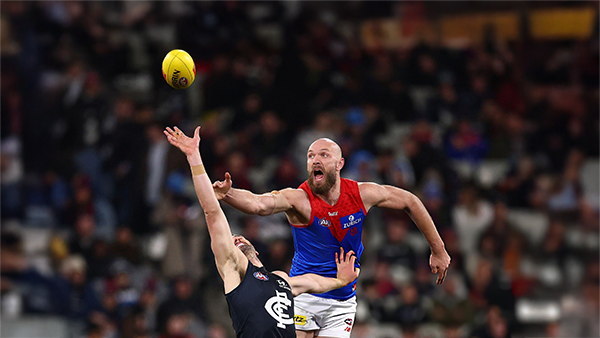
    Recent meetings between Melbourne and Carlton have developed a striking and somewhat familiar narrative, underscored by a series of closely contested encounters ultimately decided by narrow margins. The Blues have won out on each of the past four occasions:- 

      • Thanks
    • 2 replies
  • PREGAME: Carlton

    The Demons return to the MCG next week and will be looking to atone for a dismal performance in Perth as they take on the under the pump Blues. Who comes in and who goes out for our Round 3 match against the Carlton?

      • Like
    • 425 replies
  • REPORT: Fremantle

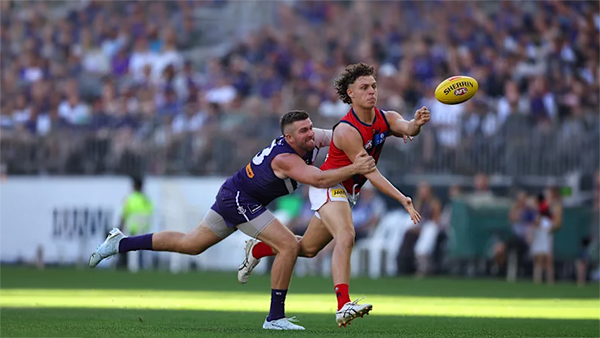
    Melbourne’s early surge of optimism came crashing back to reality in its clash with Fremantle at Optus Stadium on Saturday night. Just six days after unveiling its fun-filled, attack-minded style against the Saints, the Demons were met by a Dockers outfit determined to shut it down with a blend of speed, pressure, and physicality.

    • 0 replies
  • CASEY: Footscray

    The Casey Demons faced a tough first up task taking on reigning VFL premiers Footscray at Mission Whitten Oval. The Bulldogs, who unfurled their premiership flag pre-game, had 15 AFL-listed players and their top VFL talent available, setting them up for their 15th consecutive win.

      • Like
    • 5 replies
  • POSTGAME: Fremantle

    The Demons were fumbly, inefficient, outrun and outgunned all over the field as they went down to the Dockers by 48 points at Optus Stadium in Perth.

      • Haha
      • Like
    • 312 replies

Account

Navigation

Search

Search

Configure browser push notifications

Chrome (Android)
  1. Tap the lock icon next to the address bar.
  2. Tap Permissions → Notifications.
  3. Adjust your preference.
Chrome (Desktop)
  1. Click the padlock icon in the address bar.
  2. Select Site settings.
  3. Find Notifications and adjust your preference.