





Demonland
Primary Administrators
-
Joined
-
Last visited
Everything posted by Demonland
-
I should add his forward line rankings 1. Richmond 2. GWS 3. Brisbane 4. Collingwood 5. Geelong 6. West Coast 7. Western Bulldogs 8. Essendon 9. Hawthorn 10. North Melbourne 11. Sydney 12. Carlton 13. Port Adelaide 14. Melbourne 15. Fremantle 16. St. Kilda 17. Adelaide 18. Gold Coast
-
14. MELBOURNE THE TOP-LINERS Christian Petracca (22, 81), Tom McDonald (15, 71), Jake Melksham (12, 66), Alex Neal-Bullen (14, 61), Sam Weideman (11, 59), Jayden Hunt (21, 58), Corey Wagner (11, 57) THE TOP-UPS Jay Lockhart (12, 52), Harrison Petty (10, 53), Charlie Spargo (8, 43), Mitch Hannan (6, 41), Tom Sparrow (2, 48), Kade Chandler (1, 57), Toby Bedford (0, 0), Aaron Vandenberg (0, 0) Goddard says: The Demons are still crying out for a key forward, which I think Weideman will be but it has taken a bit longer than we expected. I don’t think he will be an A-Grader, but a lot of the pressure right now falls onto him. McDonald is a better player when he had Weideman and former teammate Jesse Hogan in the team. He needs someone else to step up and take the pressure off him as being the main key position target. The Demons were the second-lowest scoring team in the competition last season so there is certainly room for improvement.
-
Why is May in "rehab"? Is it because as a senior player he isn't meant to be in "full" training yet or is there some other issue?
-
You better do some homework in the off-season.Dunkley has a nice set of guns.Cancel 2020 ... The Sky has Fallen.
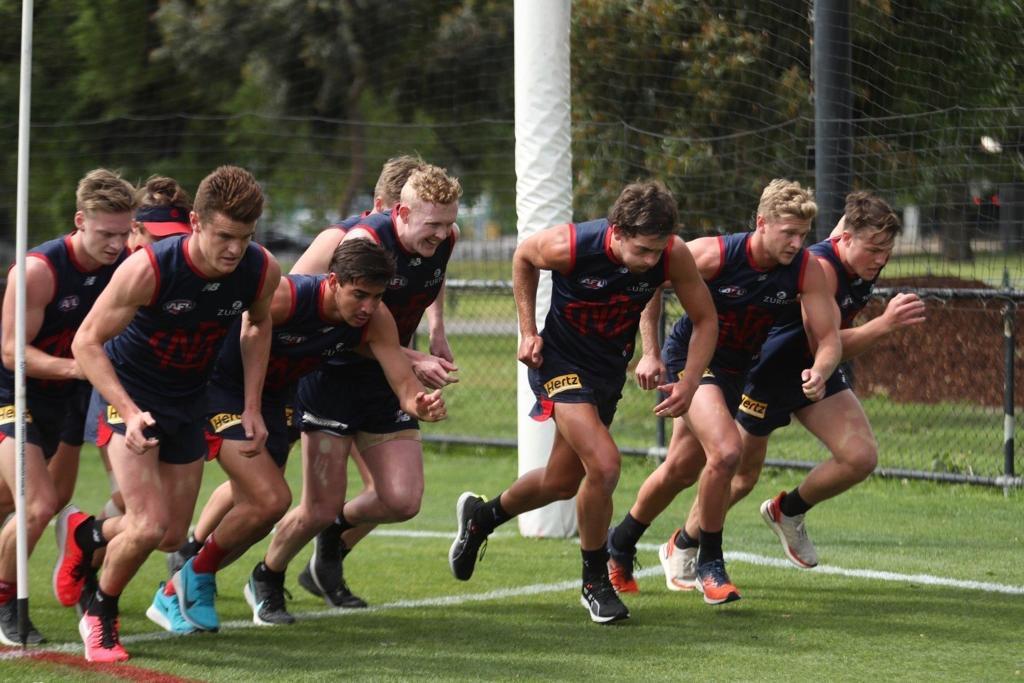
 Check out his Instagram. He's been visiting tracks and gyms in the US.If anyone is heading down to training today we'd love to hear a report. Upcoming AFL training sessions Date: Monday 11 November Start time: 10.30am Location: Gosch's Paddock Pre-season training will resume in early November 2019 *Please note: Training times and locations are subject to change at late notice. Please check this page on the morning of each session to confirm the time and date. Players may be available to sign any items at the conclusion of their training session. Signing will be dependent on individual training schedules and not all players may be available. Getting to Gosch's Paddock Public transport Gosch's Paddock is located a short walk from Richmond train station. Jolimont station is also located a 10 minute walk away. Tram route 70 also stops near the ground at AAMI Park (stop 7D). Tram route 48 and 75 are also located in the vicinity near Jolimont Station. Bus 246 (Latrobe Uni - Elsternwick Station) travels down Punt Road, stops at the corner of Olympic Blvd. From here patrons can walk to Gosch's Paddock. Read more about public transport here. Parking info Non-event car parking is available opposite AAMI Park at the National Tennis Centre. See more info here.You already follow the Dees. You should be used to it by now.?♂️Must remind @Nasher to install that sarcasm filter.A couple of Dees were doing unofficial training sessions during October at Caulfield Park. Maxy, Melk and Hibbo among them. Instagram accounts of players overseas show them working hard too. I have no doubt all will come back in good nick.Seems there was training today. Any reports from our intrepid trackerwatchers?And four other clubs too. Fined by AFL for failing to update their players’ whereabouts in the off-season for drug testing.BACK IN STYLE by Whispering Jack From the moment when the Elton John character in the movie “Rocketman” burst into its opening scene dressed as a flamboyant demon on his way to an addiction rehabilitation session, the game was on. Here was yet another film about a person gifted with a meteoric rise to stardom finding coke, booze and a hedonistic lifestyle that led directly to a destructive crash into the abyss. Ultimately, these stories end in total disaster (“A Star is Born”, “Bohemian Rhapsody”, “Judy”) but this one resulted in happiness, albeit after a longish haul to salvation. These days, the man we now know as Sir Elton Hercules John is most definitely back in style. A similar scenario presents itself to the football world today with the acceptance by former Gold Coast and Fremantle player Harley Bennell of Melbourne’s invitation to train with the club later this month with a view to his drafting as a pre-season supplemental selection in March. The question is whether Harley can achieve the same phoenix-like rise to redemption as the one enjoyed by the hero in Rocketman? The Demons’ General Manager of Football Operations Josh Mahoney welcomed Bennell telling the media that he “has been through some well-documented challenges throughout his career and we are happy to offer him an opportunity for a fresh start.” That’s a bit of understatement but there’s no place for sugar-coating the West Australian’s problematic football past. Bennell moved seamlessly from the junior ranks into the system at Peel Thunder Football Club where he quickly rose to play several games for the senior team in the WAFL at 16 years of age in 2008 and two years later, he took out the Larke Medal as best player in the AFL Under 18 Championships. Bennell was then selected at number two by the Gold Coast Football Club in the 2010 AFL National Draft. He duly made his AFL debut in the Suns’ inaugural AFL match against Carlton at the Gabba but the first signs appeared of the troubling times to come when he was dropped for a week for disciplinary reasons after his second game. Bennell was dropped again two weeks after his return and he spent several weeks playing in the reserves before his selection for a mid season clash in his home town against the Eagles. Bennell then skipped a compulsory training session by staying in Perth longer than permitted and he was again dropped from the team. The Suns’ leadership group held his return back for a week but after that, it was all plain sailing - he moved in with team mate Karmichael Hunt and did not miss another game to end the 2011 season finishing with 14 goals from as many games. There were no second year blues for Bennell in 2012 as he played in all 22 games, kicked 25 goals and finished second in the club's best and fairest behind Gary Ablett Junior. The world was at the feet of the 185 cm, 74 kg youngster, not yet turned 20 by the end of the season, who had amassed an astonishing 521 disposals in just his second year of AFL. The following season opened well as Bennell was named man of the match in his representative debut for the Indigenous All-Stars in a preseason game against Richmond. However, despite some bursts of sheer brilliance, he was unable to return to the stellar form of his second year. Surely, there was something wrong with the potential star who managed to play just 15 games in each of the following three seasons? The answer to the question became clear as Bennell’s final season at the Suns unfolded and his descent into self-destruction became complete. In May 2015, he was dropped from the team for drinking alcohol after a game despite the team agreeing to avoid alcohol for the week. In July, two newspapers published photographs of Bennell appearing to use illicit drugs in a Tasmanian hotel room in 2013. This came a matter of days after a statement was leaked to the press of his former teammate and housemate, Karmichael Hunt to the police detailing Hunt’s cocaine use with unnamed Gold Coast players. The Suns ran out of patience with Bennell after he was served with a public nuisance notice after an alleged argument with a bouncer outside the Surfers Paradise. The club’s executive Andrew Travis announced on 7 September that Bennell would be traded and a month later, he became a Docker. Bennell’s time at Fremantle was punctuated by ongoing soft tissue injuries with his calf that severely impeded his running ability and limited him to just two games that netted 14 kicks, 5 handballs and three goals with the Dockers. Bennell tried hard to stay out of trouble but according to a 2018 news report, he gave evidence to a court on behalf of two bikie friends that a young father they brutally bashed in a brawl outside a Subiaco nightclub had threatened to shoot Bennell (who was not charged in relation to the incident). There were a number of comeback attempts but they were all to little avail and, during 2019 he had two calf muscle operations. Though he parted company with the Dockers at the end of the season, he remained determined to revive his career. Enter the Melbourne Football Club, going through its own fall from grace after a forgettable season. Like the 27-year-old Harley Bennell, they lost it for a while and both are seeking redemption. Will they make the perfect fit?





Account
Navigation
Search
Configure browser push notifications
Chrome (Android)
- Tap the lock icon next to the address bar.
- Tap Permissions → Notifications.
- Adjust your preference.
Chrome (Desktop)
- Click the padlock icon in the address bar.
- Select Site settings.
- Find Notifications and adjust your preference.
Safari (iOS 16.4+)
- Ensure the site is installed via Add to Home Screen.
- Open Settings App → Notifications.
- Find your app name and adjust your preference.
Safari (macOS)
- Go to Safari → Preferences.
- Click the Websites tab.
- Select Notifications in the sidebar.
- Find this website and adjust your preference.
Edge (Android)
- Tap the lock icon next to the address bar.
- Tap Permissions.
- Find Notifications and adjust your preference.
Edge (Desktop)
- Click the padlock icon in the address bar.
- Click Permissions for this site.
- Find Notifications and adjust your preference.
Firefox (Android)
- Go to Settings → Site permissions.
- Tap Notifications.
- Find this site in the list and adjust your preference.
Firefox (Desktop)
- Open Firefox Settings.
- Search for Notifications.
- Find this site in the list and adjust your preference.