The Demons take to the skies again this weekend for their penultimate scheduled interstate trip of the 2023 football season. Hopefully, they will not only make the finals but also, that they will play their remaining games after that on the MCG — more about this in the weeks to come.
The venue this week is Blundstone Arena, Hobart and the opposition is North Melbourne. Neither should really hold out much fear for a team that’s bound for a top four, possibly top two finish, but a professional team in an elite competition is expected to be just that - professional and respectful in the way they approach the game.
Until very recently, the Kangaroos were consistently meting out volumes of on-field punishment upon their whipping boy, the Melbourne Football Club. For more than a decade from 2007 until early 2018, they held a winning record over the Demons in 17 consecutive contests including some real spankings. The did it because their team had more talent.
Today, we expect nothing other than reciprocal treatment against an inexperienced North Melbourne which has been running on enthusiasm and youthful exuberance lately. They even forced a few finals contenders in the Swans, Bombers and Saints into close contests but last week, they hit the wall against West Coast at Optus Stadium. Admittedly, they fought their way back in the final term and came close to stealing victory but they were coming from a long way back which is unfamiliar territory when talking about a contest involving the Weagles.
I doubt the return to head coaching duties of Alastair Clarkson will be enough to turn the tide for a team that is looking to offload some of its older players with an eye to the future.
The reality is that youthful enthusiasm will be no match against a team that’s bound for the dizzy heights of the top end of the AFL ladder. Melbourne has for some time been considered among the competition’s leaders in terms of midfield depth and defensive power but last week against Richmond, its forward line was deadly in producing three players who between them kicked 14 goals straight without a blemish.
And while I’m not expecting that accuracy to be repeated very soon, I do anticipate that the good folk of Hobart will be treated to a stellar exhibition of top level football from the talented and determined Demons notwithstanding the weather forecast that’s presently suggesting a 40% chance of rain.
When the teams last met, the dominant players on the ground were Christian Petracca, Clayton Oliver and Bayley Fritsch (4 goals) and while two out of that trio are currently missing through injury, in their absence and in the absence of one or two other regulars, coach Simon Goodwin has subtly rejigged his lineup and allowed the vacancies to be filled by some emerging talent who are developing their craft to the advantage of the group. It’s that depth of talent at Melbourne that’s now coming to the fore at exactly the right time of the year and waiting to trap North Melbourne in its home away from home on the Apple Isle.
I’m tipping the Demons to win by 50 points.
THE GAME
Melbourne v North Melbourne on Sunday 6 August 2023 at Blundstone Arena Hobart at 1.10pm
HEAD TO HEAD
Overall North Melbourne 82 wins Melbourne 88 wins 1 draw
At Blundstone Arena North Melbourne 3 wins Melbourne 1 win
Last five times North Melbourne 0 wins Melbourne 5 wins
The coaches Clarkson 0 wins Goodwin 1 win
THE LAST TIME THEY MET
Melbourne 22.7.139 defeated North Melbourne 7.7.49 at the MCG, Round 7, 2023
The hapless Kangaroos were shell shocked by the heat of the Demons opening blitz. Alastair Clarkson was completely powerless to prevent the Demon tsunami which did not let up until the game’s dying moments.
THE TEAMS
NORTH MELBOURNE
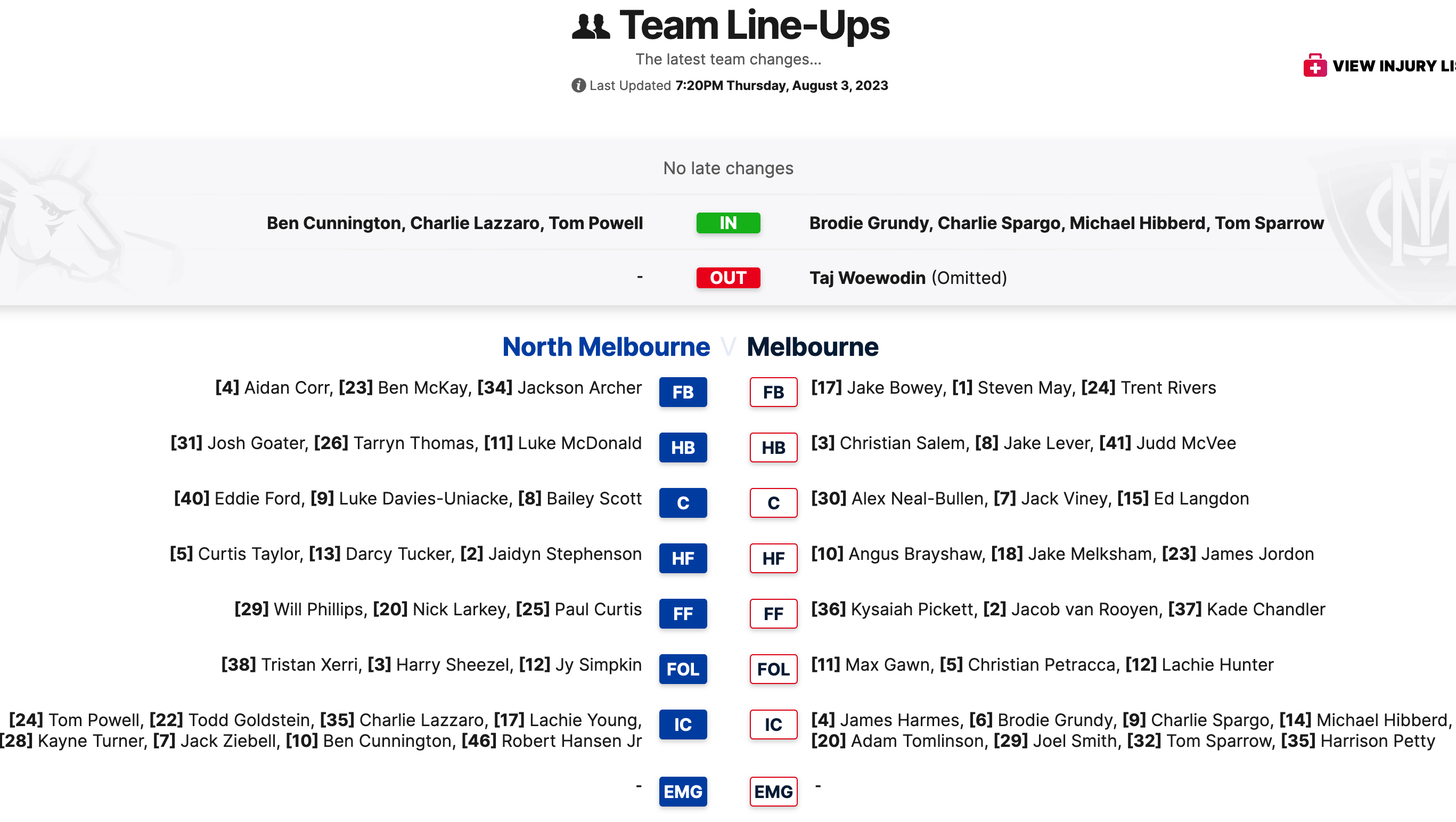
B A. Corr B. McKay J. Archer
HB J. Goater T. Thomas L. McDonald
C E. Ford L. Davies-Uniacke B. Scott
HF C. Taylor D. Tucker J. Stephenson
F W. Phillips N. Larkey P. Curtis
FOL T. Xerri, H. Sheezel, J. Simpkin
I/C T. Goldstein R. Hansen Jr K. Turner J. Ziebell SUB C. Lazzaro EMG B. Cunnington T. Powell L.Young
IN C. Lazzaro
OUT L. Young (omitted)
MELBOURNE
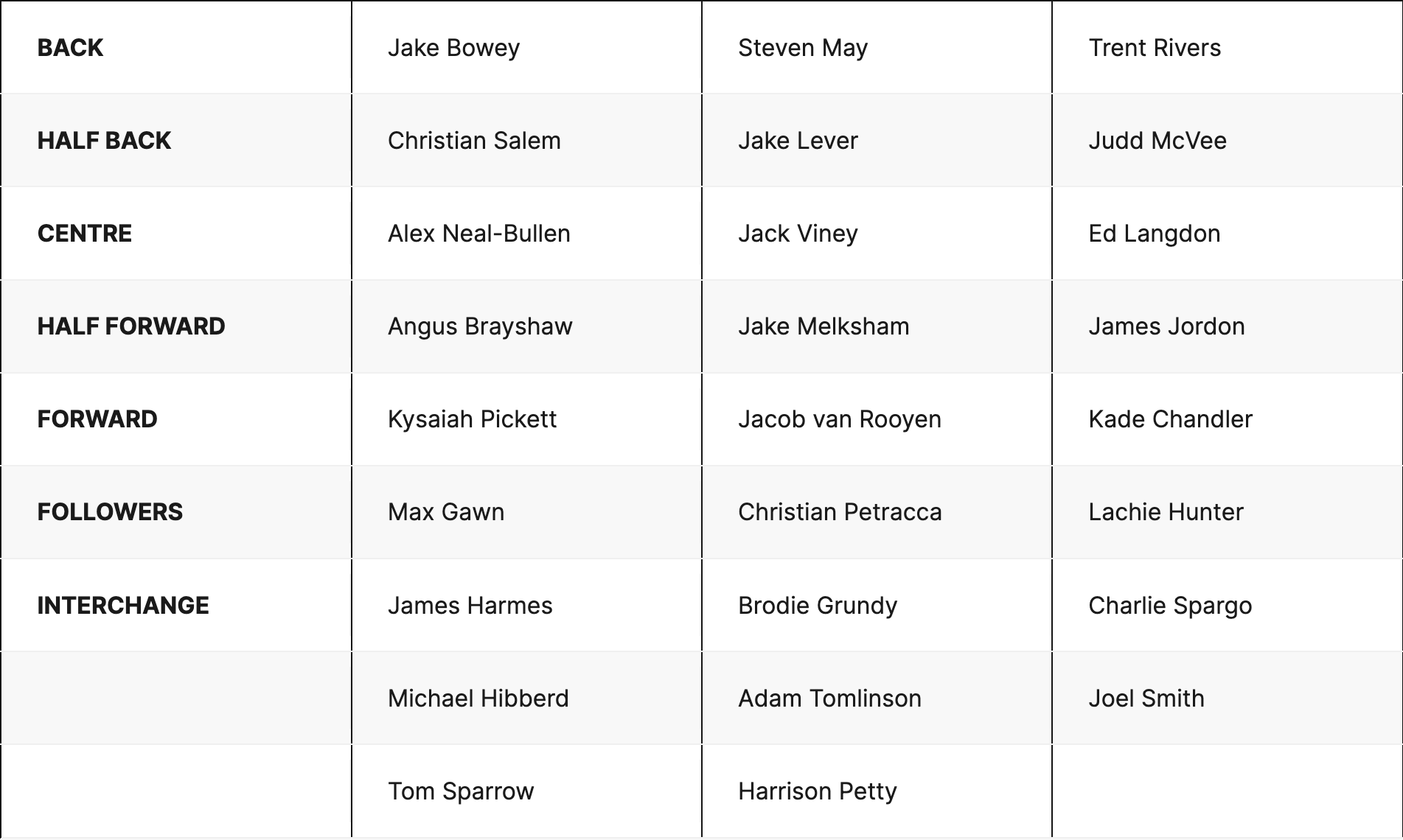
B J. Bowey S. May T. Rivers
HB C. Salem J. Lever J. McVee
C A. Neal-Bullen J. Viney E. Langdon
HF A. Brayshaw J. Melksham J. Jordon
F K. Pickett J. van Rooyen K. Chandler
FOLL M. Gawn C. Petracca L. Hunter
I/C J. Harmes H. Petty J. Smith T. Sparrow SUB M. Hibberd EMG B. Grundy C. Spargo A. Tomlinson
IN M. Hibberd T. Sparrow
OUT A. Tomlinson (omitted) T. Woewodin (omitted)
Injury List: Round 21
Tom Sparrow - Calf | Test
Clayton Oliver - Hamstring | 1 - 2 Weeks
Tom McDonald - Ankle | 1 - 2 Weeks
Kye Turner - Groin | 1 - 2 Weeks
Bayley Fritsch - Foot | 3 - 4 Weeks
Daniel Turner - Hand | 3 - 4 Weeks
Blake Howes - Hand | Season
Oliver Sestan - Elbow | Season