





Demonland
Primary Administrators
-
Joined
-
Last visited
Everything posted by Demonland
-
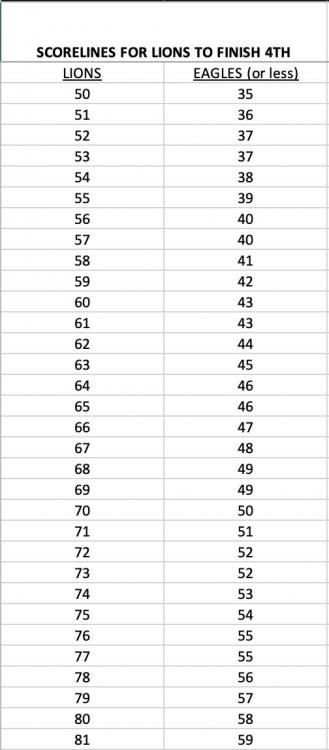
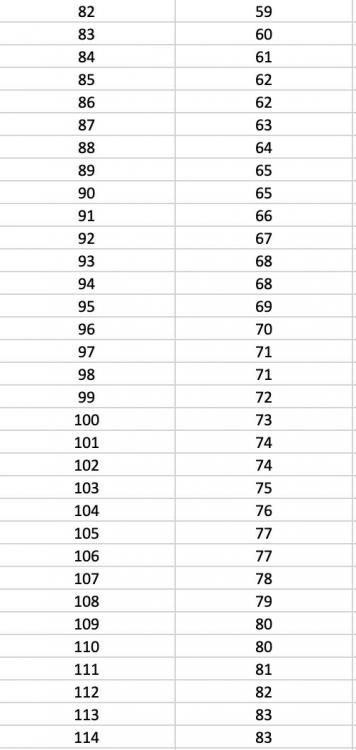
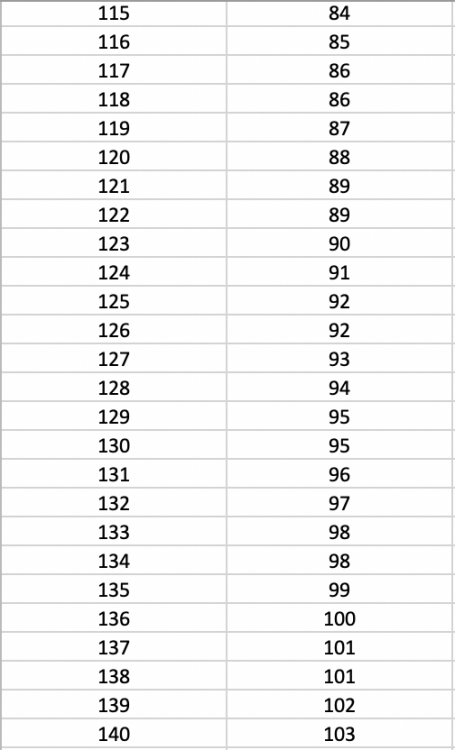
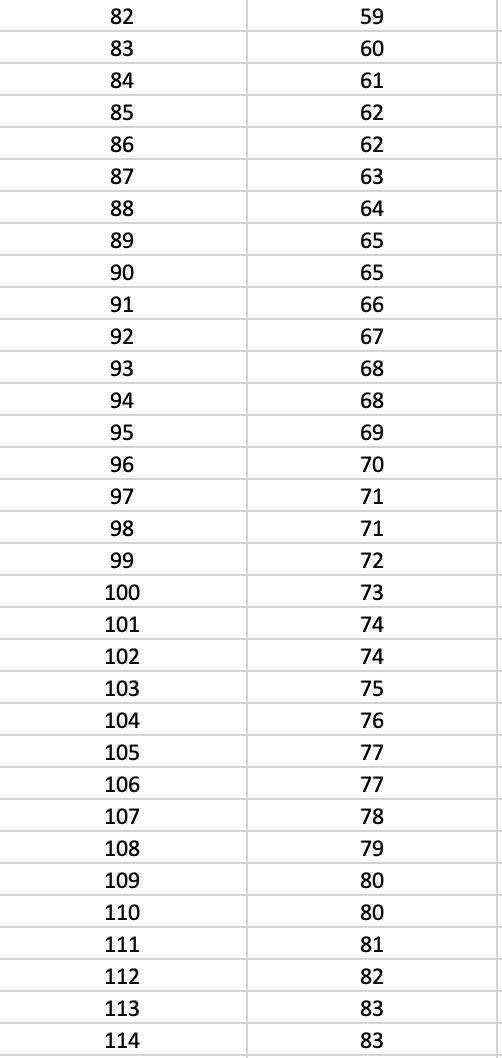
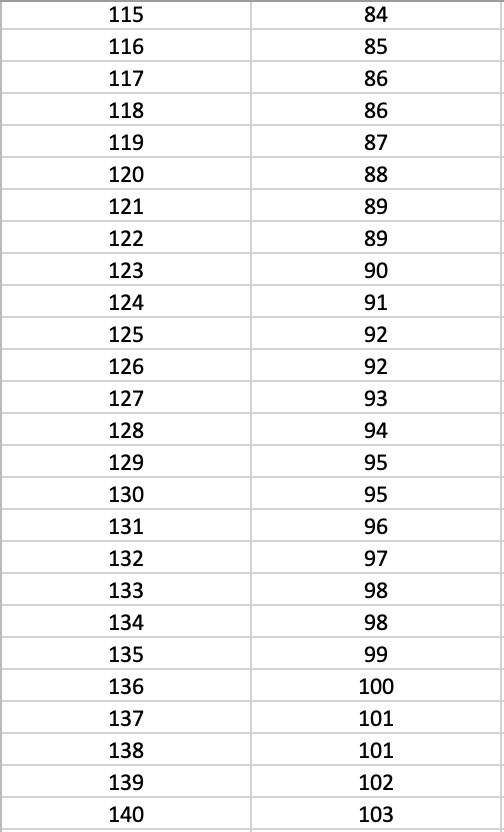
Who comes in and who goes out for our home final against the Lions?What more can you say?Your votes please 6, 5, 4, 3, 2, 1 …Max having a shocker on tonightHow is that a dangerous tackleGetting an smashed in the middleThis is getting messyTMac very flat tonight5 frees to 1 this quarterWTF Sparrow. Kick over the man on the mark FFSA better spreadsheet of the Brisbane scores to make top 4.If we win tomorrow we will play either Bulldogs or Brisbane. Here are the shorelines for Brisbane to finish 4th.
 Can you imagine playing a home grand final against Port in Adelaide. FMD.Bulldogs look very very average.I’m much more worried about playing Port than the Bulldogs.Port are playing a lot better than the dogs at the moment. They just can’t score a goal.






Account
Navigation
Search
Configure browser push notifications
Chrome (Android)
- Tap the lock icon next to the address bar.
- Tap Permissions → Notifications.
- Adjust your preference.
Chrome (Desktop)
- Click the padlock icon in the address bar.
- Select Site settings.
- Find Notifications and adjust your preference.
Safari (iOS 16.4+)
- Ensure the site is installed via Add to Home Screen.
- Open Settings App → Notifications.
- Find your app name and adjust your preference.
Safari (macOS)
- Go to Safari → Preferences.
- Click the Websites tab.
- Select Notifications in the sidebar.
- Find this website and adjust your preference.
Edge (Android)
- Tap the lock icon next to the address bar.
- Tap Permissions.
- Find Notifications and adjust your preference.
Edge (Desktop)
- Click the padlock icon in the address bar.
- Click Permissions for this site.
- Find Notifications and adjust your preference.
Firefox (Android)
- Go to Settings → Site permissions.
- Tap Notifications.
- Find this site in the list and adjust your preference.
Firefox (Desktop)
- Open Firefox Settings.
- Search for Notifications.
- Find this site in the list and adjust your preference.