Demonland
Primary Administrators
-
Joined
-
Last visited
Everything posted by Demonland
-
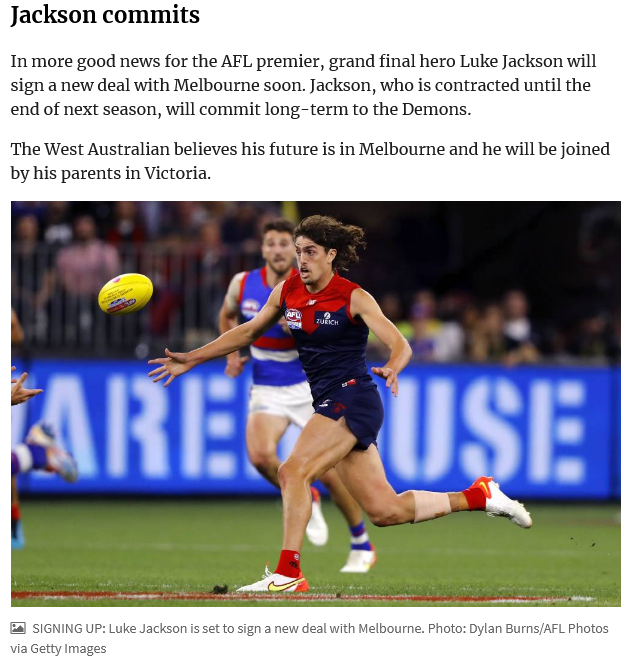
 The screenshot above mentions The West Australian but I was not able to find anything in any article from the The West Australian reporting about Jackson being on the verge of committing long term or being joined by his parents. If the joined by his parents part is true then that is huge.
 -
I believe it's still just the Canberra Times reportage from October 11th filtering through to social media and people reading it as gospel. Not saying it's not true but nothing has been confirmed nor has there been any other whispers except from that CT article screenshotted below.
-
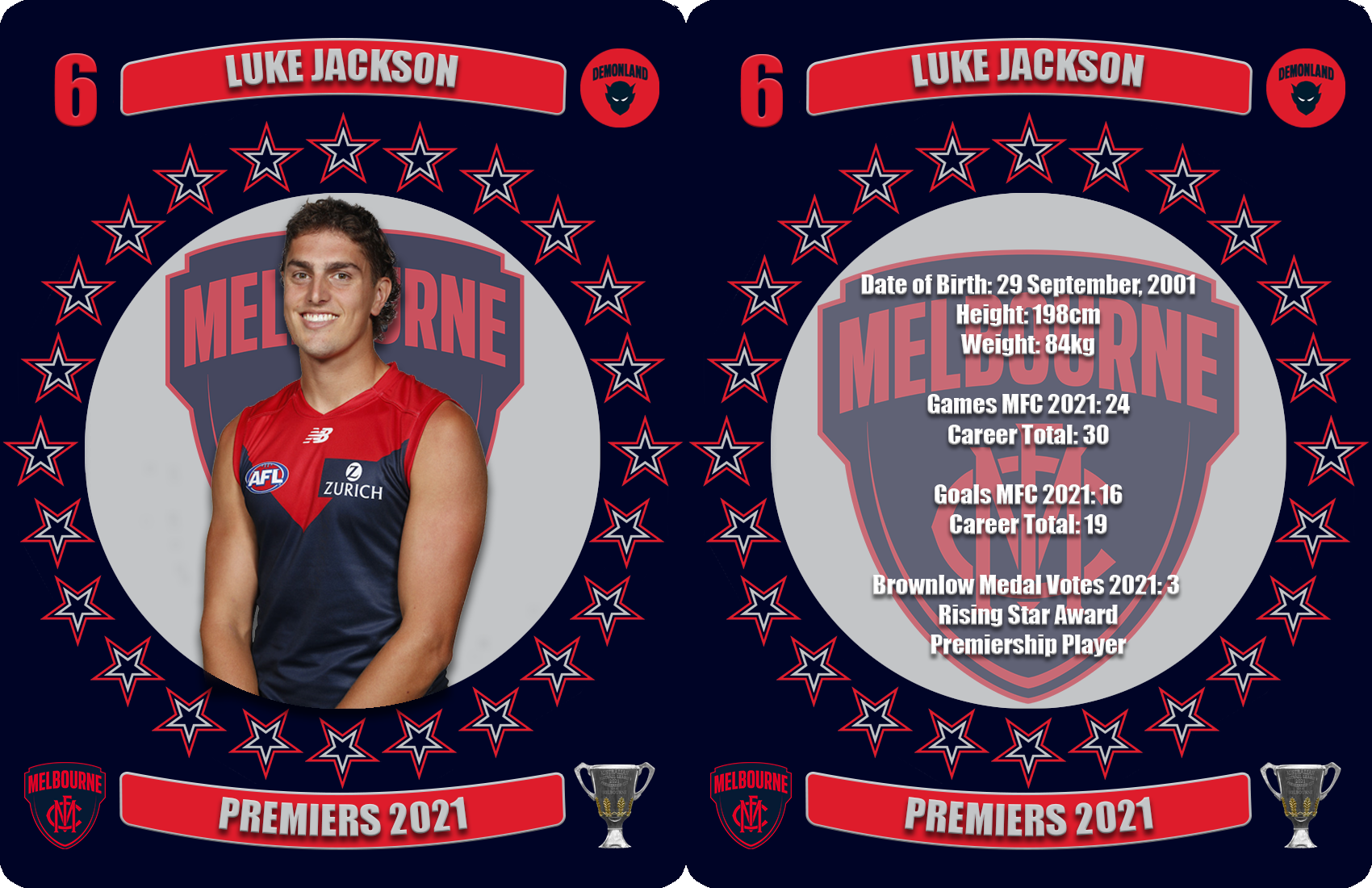
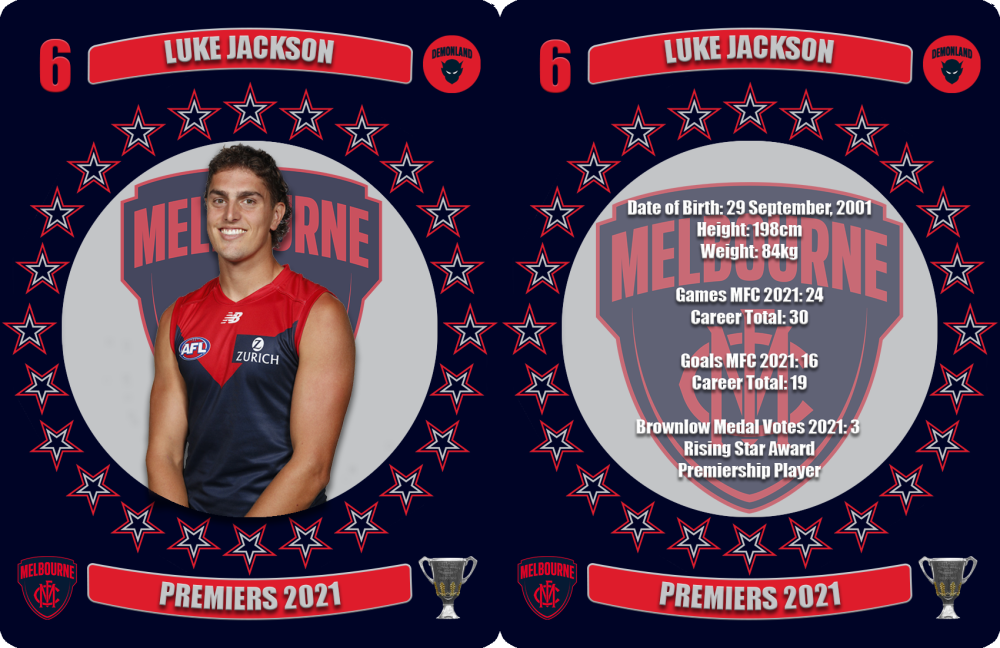
Jackson’s rate of development throughout 2021 was exponential. As he’s matured, he’s become a very hard player to match up on whether playing in ruck or up forward and his performance in the grand final, in particular during the third quarter surge, was inspirational. Date of Birth: 29 September, 2001 Height: 198cm Weight: 84kg Games MFC 2021: 24 Career Total: 30 Goals MFC 2021: 16 Career Total: 19 Brownlow Medal Votes 2021: 3 Rising Star Award Premiership Player
 MUCH ADO ABOUT NOT MUCH The 2021 Free Agency and Trade Periods were billed by Fox Footy as promising a “period like no other and that certainly proved correct but not for the reasons that Network spin suggested when promoting its daily program of news from the trade desk. The truth is that the football public has endured an uneventful and forgettable fortnight unless you perhaps, happen to be a Carlton or a Hawthorn fan. The Blues managed to pick up the biggest name of the trade period in the Dockers’ Adam Cerra and the ever-reliable George Hewett to boost their midfield along with Bulldog defender Lewis Young. They haven’t been left with much of a draft hand but the trades have left new coach Michael Voss plenty to work with in his quest to revive the talented but dysfunctional Carlton list that disappointed in 2021. Sam Mitchell has ended up with some egg on his face after Jeff Kennett’s warning to members that they should buckle up for an eventful ride in the final week of trading. The end result was effectively the departure of Jon Ceglar for a younger ruckman in Max Lynch who was unwanted by the Pies. The club’s credibility was completely “Jeffed” and Mitchell’s honeymoon period was over without a ball being bounced. Talk about anti-climactic! The other new AFL senior coach for 2022 in Craig McRae managed to bring in a couple of fringe players from elsewhere and the Pies did secure a string of draft picks to ensure the painless acquisition of Nick Daicos who is ranked equal with Jason Horne-Francis for the number one draft spot in November. Their fans should be reasonably happy in the aftermath of a tumultuous year that saw their team fall from finals grace to near bottom of the ladder and will be hoping to emulate the Demons’ rise from 2019 to 2021. The trade period rolled along uneventfully. The promised ruck merry-go-round eventuated as expected with the exception of Tristan Xerri’s failed exit attempt from the Kangaroos to the Saints. Bobby Hill was unable to escape the clutches of the GWS Giants who demonstrated that their previous experiences in the art of the deal with the Bombers’ Adrian Dodoro were holding them in good stead. Like the Hawks, Hill had left his move for far too late. So we come to the reigning premiers. The Demons picked up an unrestricted free agent Luke Dunstan who polled by far the most Brownlow Medal votes in 2021 of all traded players. Dunstan cost them nothing. They also managed a pick swap with the Western Bulldogs that moved them back into the first round of the draft and secured all required members of their playing list. None of their near rivals managed anything to suggest they were closing in on the league leaders in terms of list strength. There’s plenty of water to flow under the bridge before the clubs begin their preparations for next year but it’s fair to say that, unlike the 2021 finals, this year’s free agency and trade period saw no earthquakes to upset the football landscape. Done Deals 1. Essendon signed unrestricted free agent Jake Kelly (Adelaide Crows) on Friday, October 1. Based on the player’s age and the contract offer, the AFL advised the Adelaide Crows the club would be eligible for a round three compensation selection, which would be number 44 on the current provisional draft selection order. 2. The Gold Coast Suns signed unrestricted free agent Mabior Chol (Richmond) on Friday, October 1. Based on the player’s age and the contract offer, the AFL advised Richmond the club would be eligible for an end of round two compensation selection, which would be number 38 on the current provisional draft selection order. 3. Carlton made an offer to restricted free agent George Hewett (Sydney) on Friday, October 1. The Sydney Swans elected not to match the offer the following day and Hewett is able to join Carlton immediately. Based on the player’s age and the contract offer, the AFL advised the Sydney Swans the club would be eligible for an end of round two compensation selection, which would be number 39 on the current provisional draft selection order. 4. Collingwood trade their future round two selection, future round three selection and future round four selection to the Gold Coast Suns for their round two (22), round three (46), round three (58), round five (79) and future round four selection. 5. Collingwood trade their round three selection (41) to Geelong for Nathan Kreuger and their round three selection (55). 6. Port Adelaide trade their future third-round pick to the Giants for Jeremy Finlayson. 7. Melbourne signed unrestricted free agent Luke Dunstan (St Kilda) on Wednesday October 6. 8. In a four-way trade, Melbourne trade their round three selection (45) to the Western Bulldogs for their first-round pick (17), St Kilda trade their round three selection (49) to Melbourne. The Adelaide Crows trade their round two selection (37) to Melbourne for a second-round pick (33) and a future first-rounder. The Adelaide Crows trade their round four selections (62, 66) and a future round four selection to St Kilda. The Adelaide Crows trade their round two selection (23) and round three selection (44) to the Western Bulldogs for a fourth-round pick (75). 9. Collingwood trade their round two selection (22) to Fremantle for their round two selection (27) and a future third-round pick. 10. Fremantle trade a future second-round pick and future fourth-round pick to Gold Coast for Will Brodie, a second-round pick (19) and two picks from round four (61, 69). 11. Fremantle trade Adam Cerra to Carlton for pick six and a future third-round pick. 12. Tim O’Brien (Hawthorn) joins the Western Bulldogs as an unrestricted free agent. 13. In a three-way trade, the Western Bulldogs traded Lewis Young to Carlton. Carlton traded Sam Petrevski-Seton to the West Coast Eagles. The West Coast Eagles traded their round three selection (52) to the Western Bulldogs. 14. Robbie Tarrant and a future second-round pick from North Melbourne and a third-round selection (currently No. 40 overall) at this year’s draft will go to Richmond. Callum Coleman-Jones, two third-round selections (currently No. 42 and No. 47 overall) and Richmond’s future fourth-round selection will go to North Melbourne. 15. The Western Bulldogs trade Patrick Lipinsky to Collingwood for a third-round pick (43). 16. Adelaide receives Sydney’s Jordan Dawson in return for a future first-round selection (tied to Melbourne). 17. Brisbane Lions receive Darcy Fort and a third-round pick (currently No. 41). Geelong receives a third-round pick (currently No.50). 18. Jonathon Ceglar and a future fourth-round selection go to Geelong in exchange for a future round three selection (tied to Brisbane). 19. Fremantle receives Geelong’s Jordan Clark and a future fourth-round selection for their second-round pick (currently No.22) and a future third-round selection (tied to Carlton). 20. Peter Ladhams and a first-round pick (currently No. 16) has been traded from Port Adelaide to the Sydney Swans for a first-round pick (currently No. 12) and a future third-round pick.
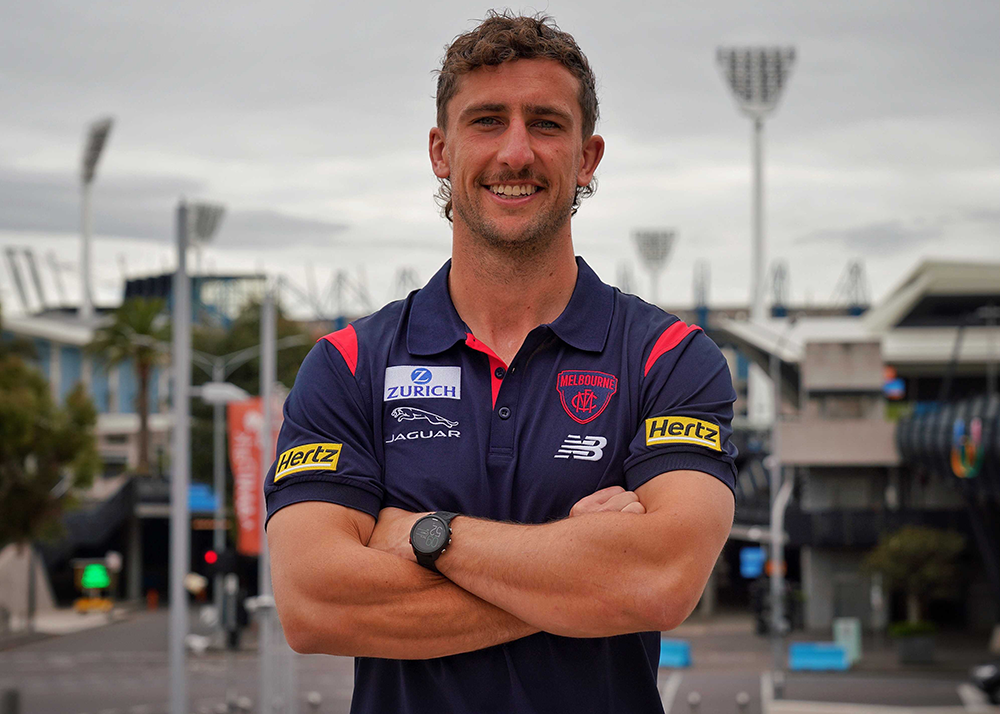 Another interesting stats in regards to the finals and our opponents. Our winning margins against Brisbane (33), Geelong (83) & Western Bulldogs (74) were their biggest losing margins for the 2021 season. We didn't get to play Port in the Finals but their loss to the Bulldogs in the Preliminary final (71 points) was their biggest loss of the season. Therefore by aggregate of their loss to the Bulldogs and our margin against the Bulldogs means we beat them by 145 points because Math ...
@binman Perhaps we can turn this into a side podcast. 2021 THE GREATEST SEASON THAT EVER WAS
It was another dominant season from Petracca who signed a new 7 year deal which should see him as a one club player for the Melbourne Football Club. He finished equal 9th in the Brownlow Medal count and his 39 possession game in the grand final assured him of a clean sweep in the voting for the Norm Smith Medal. Superb. Date of Birth: 4 January, 1996 Height: 186cm Weight: 97kg Games MFC 2021: 25 Career Total: 127 Goals MFC 2021: 29 Career Total: 123 Brownlow Medal Votes 2021: 23 (equal ninth) All Australian Norm Smith Medal Premiership Player
Another interesting stats in regards to the finals and our opponents. Our winning margins against Brisbane (33), Geelong (83) & Western Bulldogs (74) were their biggest losing margins for the 2021 season. We didn't get to play Port in the Finals but their loss to the Bulldogs in the Preliminary final (71 points) was their biggest loss of the season. Therefore by aggregate of their loss to the Bulldogs and our margin against the Bulldogs means we beat them by 145 points because Math ...
@binman Perhaps we can turn this into a side podcast. 2021 THE GREATEST SEASON THAT EVER WAS
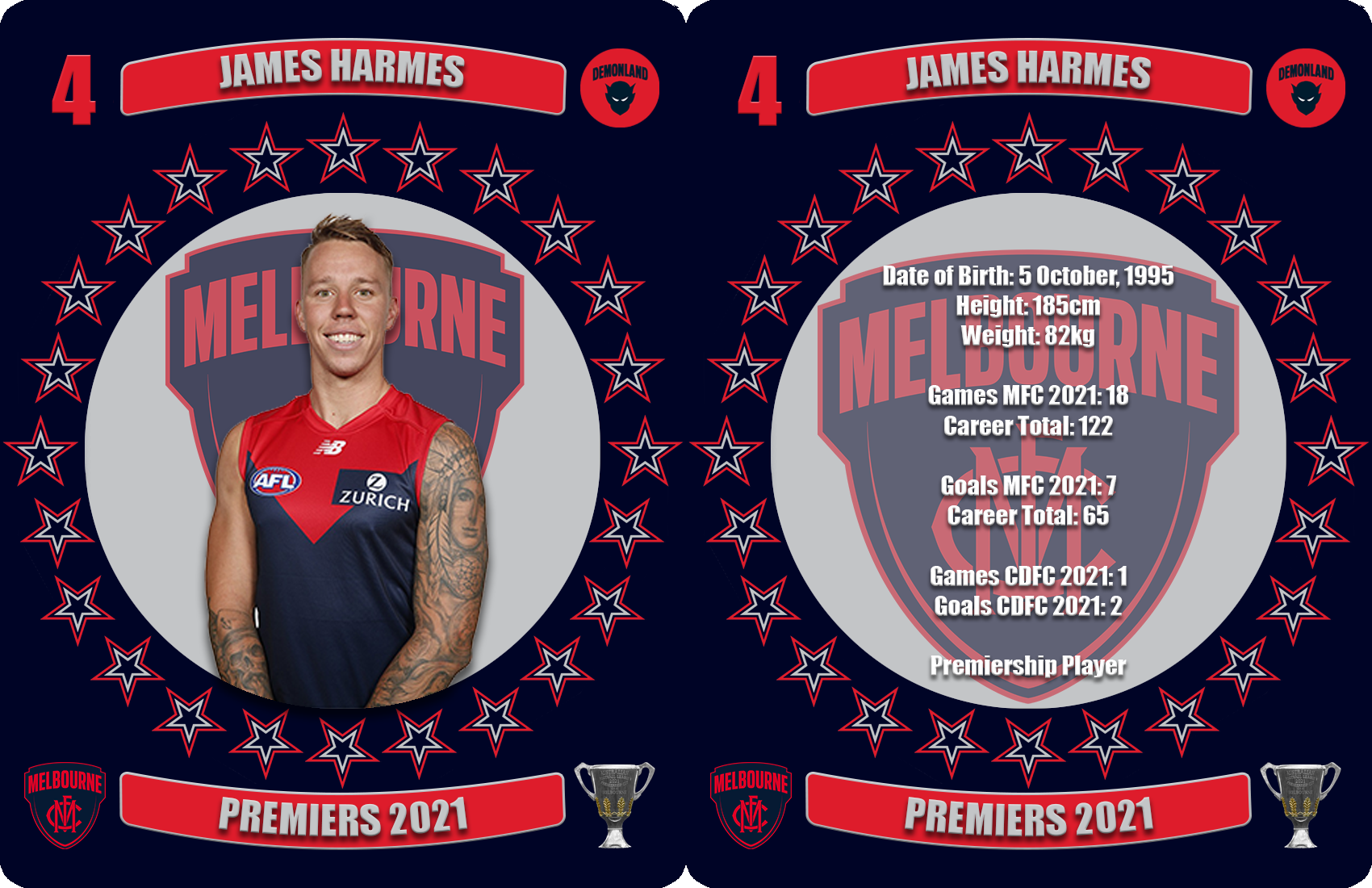
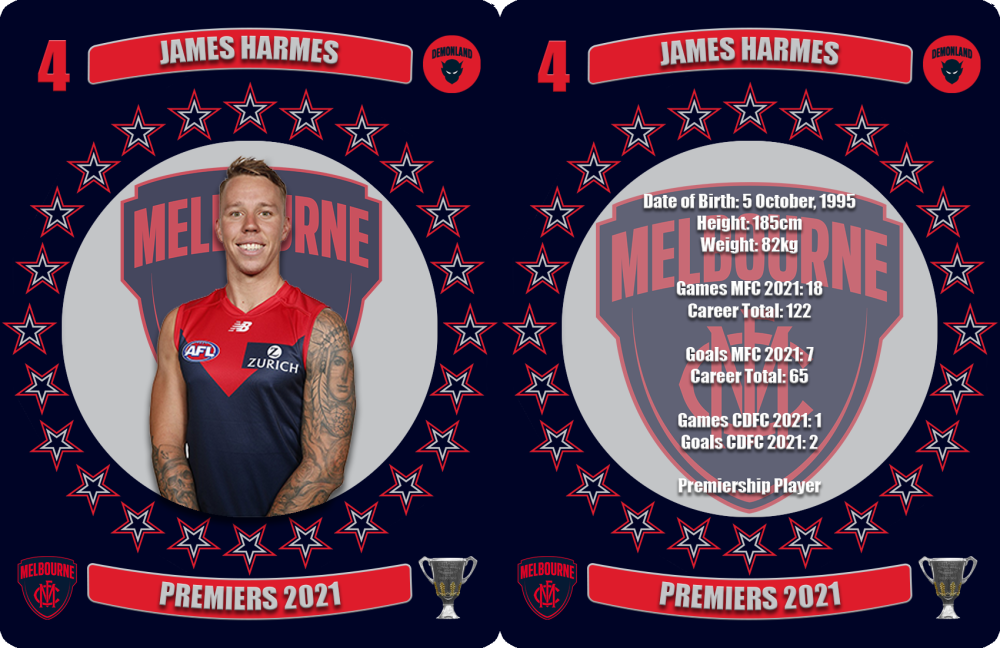
It was another dominant season from Petracca who signed a new 7 year deal which should see him as a one club player for the Melbourne Football Club. He finished equal 9th in the Brownlow Medal count and his 39 possession game in the grand final assured him of a clean sweep in the voting for the Norm Smith Medal. Superb. Date of Birth: 4 January, 1996 Height: 186cm Weight: 97kg Games MFC 2021: 25 Career Total: 127 Goals MFC 2021: 29 Career Total: 123 Brownlow Medal Votes 2021: 23 (equal ninth) All Australian Norm Smith Medal Premiership Player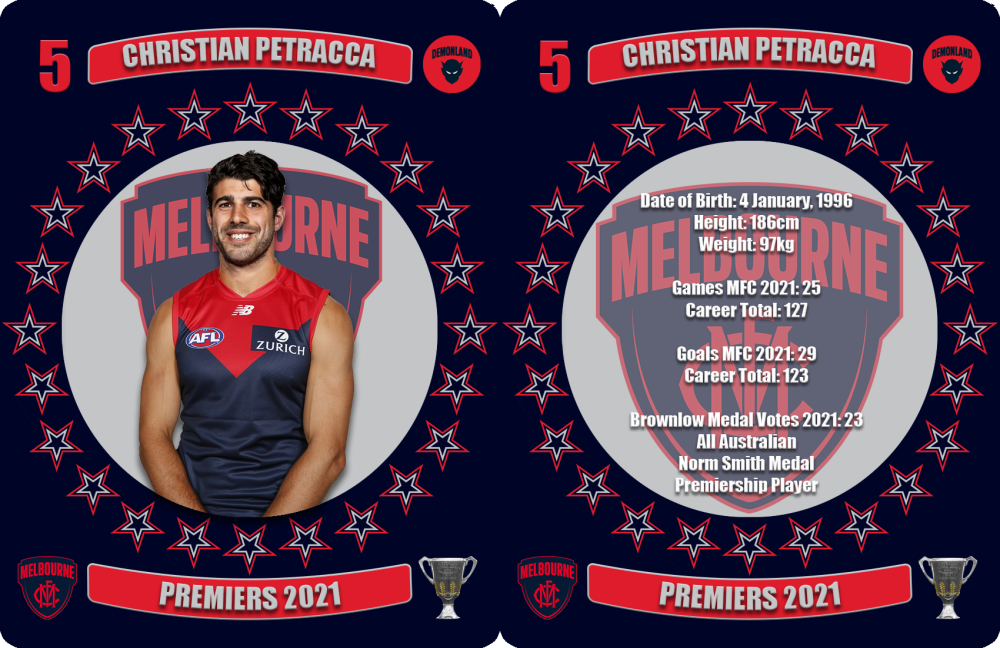 Coach Simon Goodwin abandoned the experiment of using Harmes as a defender and the move onto the ball and up forward saw a reinvigorated Harmes in 2021. Date of Birth: 5 October, 1995 Height: 185cm Weight: 82kg Games MFC 2021: 18 Career Total: 122 Goals MFC 2021: 7 Career Total: 65 Games CDFC 2021: 1 Goals CDFC 2021: 2 Premiership Player
 A visual display of someone conceived immediately following your clubs last Grand Final victory.
The rebounding half back had his best season yet and capped it all off with an outstanding grand final in which he picked up 27 disposals at an exceptional accuracy rate of 96% including a goal when he drifted forward late in the rampage that destroyed the Bulldogs. Date of Birth: 15 July, 1995 Height: 183cm Weight: 84kg Games MFC 2021: 24 Career Total: 130 Goals MFC 2021: 3 Career Total: 24 Brownlow Medal Votes 2021: 1 Premiership Player
A visual display of someone conceived immediately following your clubs last Grand Final victory.
The rebounding half back had his best season yet and capped it all off with an outstanding grand final in which he picked up 27 disposals at an exceptional accuracy rate of 96% including a goal when he drifted forward late in the rampage that destroyed the Bulldogs. Date of Birth: 15 July, 1995 Height: 183cm Weight: 84kg Games MFC 2021: 24 Career Total: 130 Goals MFC 2021: 3 Career Total: 24 Brownlow Medal Votes 2021: 1 Premiership Player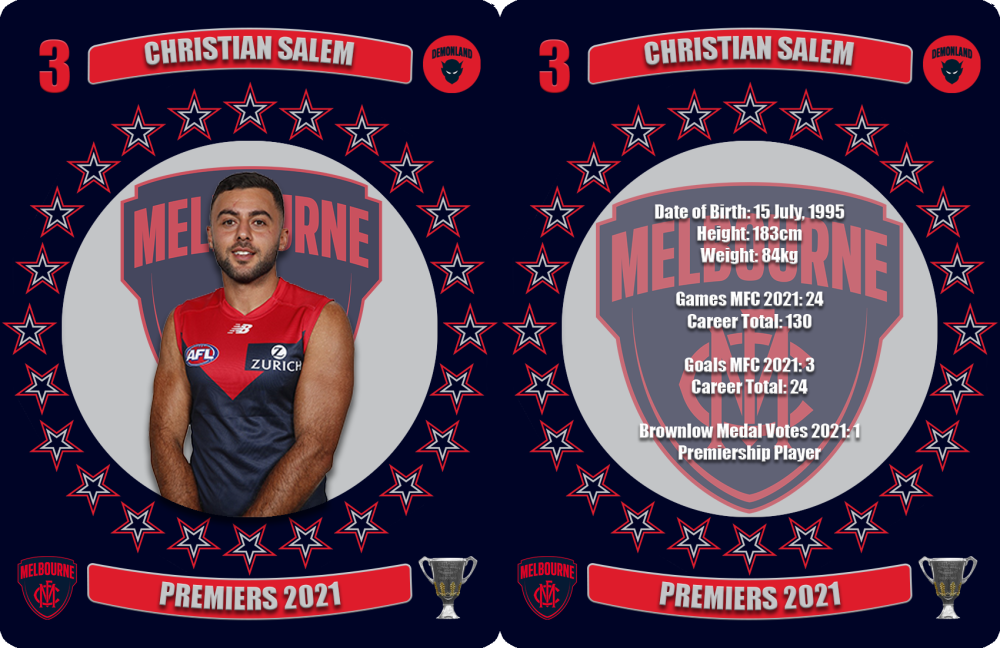 Thought this deserved it's own thread.
Account
Navigation
Search
Configure browser push notifications
Chrome (Android)
- Tap the lock icon next to the address bar.
- Tap Permissions → Notifications.
- Adjust your preference.
Chrome (Desktop)
- Click the padlock icon in the address bar.
- Select Site settings.
- Find Notifications and adjust your preference.
Safari (iOS 16.4+)
- Ensure the site is installed via Add to Home Screen.
- Open Settings App → Notifications.
- Find your app name and adjust your preference.
Safari (macOS)
- Go to Safari → Preferences.
- Click the Websites tab.
- Select Notifications in the sidebar.
- Find this website and adjust your preference.
Edge (Android)
- Tap the lock icon next to the address bar.
- Tap Permissions.
- Find Notifications and adjust your preference.
Edge (Desktop)
- Click the padlock icon in the address bar.
- Click Permissions for this site.
- Find Notifications and adjust your preference.
Firefox (Android)
- Go to Settings → Site permissions.
- Tap Notifications.
- Find this site in the list and adjust your preference.
Firefox (Desktop)
- Open Firefox Settings.
- Search for Notifications.
- Find this site in the list and adjust your preference.