





John Demonic
Members
-
Joined
-
At least he'd get his teammates involved in the play, with those multi's he'd have on them snagging goals
-
The two words "Sam McClure" probably should be added to the [Censored] Filter
-
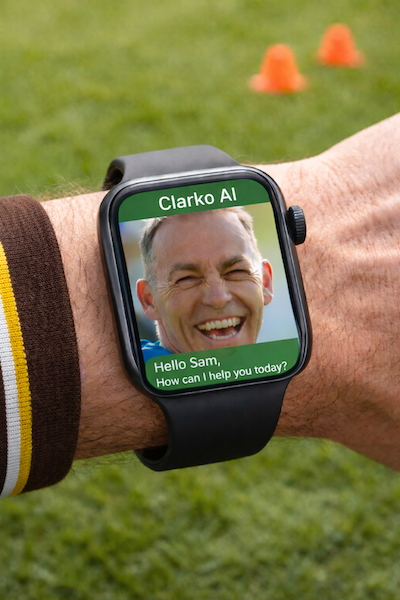
Might've been one of the elective units in the Diploma of Sport & Recreation at Gordon TAFE Geelong?@Hawny for GawnyHe's having a Breakout DecadeI've run out of cash after re-mortgaging my house on a Clarko sacking before round 11How appropriate..I've got the popcorn and the tissues readyGiven a penchant for munching on stadium grass pregame, I'll hazard a guess that the Brownlow Medalist stuck his finger somewhere he should have?Add Bailey Humphrey into that class tooIs AI using real time information for this? If I publish a blog article on the Dees being excited about going into 2026 with Bailey Humphrey, will it then spit out that information to others using the AI that are asking about the Dees in 2026?Maybe he is just lonely and wants his old buddy Al around in the form of a chatbot to bounce ideas off?




Account
Navigation
Search
Configure browser push notifications
Chrome (Android)
- Tap the lock icon next to the address bar.
- Tap Permissions → Notifications.
- Adjust your preference.
Chrome (Desktop)
- Click the padlock icon in the address bar.
- Select Site settings.
- Find Notifications and adjust your preference.
Safari (iOS 16.4+)
- Ensure the site is installed via Add to Home Screen.
- Open Settings App → Notifications.
- Find your app name and adjust your preference.
Safari (macOS)
- Go to Safari → Preferences.
- Click the Websites tab.
- Select Notifications in the sidebar.
- Find this website and adjust your preference.
Edge (Android)
- Tap the lock icon next to the address bar.
- Tap Permissions.
- Find Notifications and adjust your preference.
Edge (Desktop)
- Click the padlock icon in the address bar.
- Click Permissions for this site.
- Find Notifications and adjust your preference.
Firefox (Android)
- Go to Settings → Site permissions.
- Tap Notifications.
- Find this site in the list and adjust your preference.
Firefox (Desktop)
- Open Firefox Settings.
- Search for Notifications.
- Find this site in the list and adjust your preference.