Demonland
Primary Administrators
-
Joined
-
Last visited
Everything posted by Demonland
-
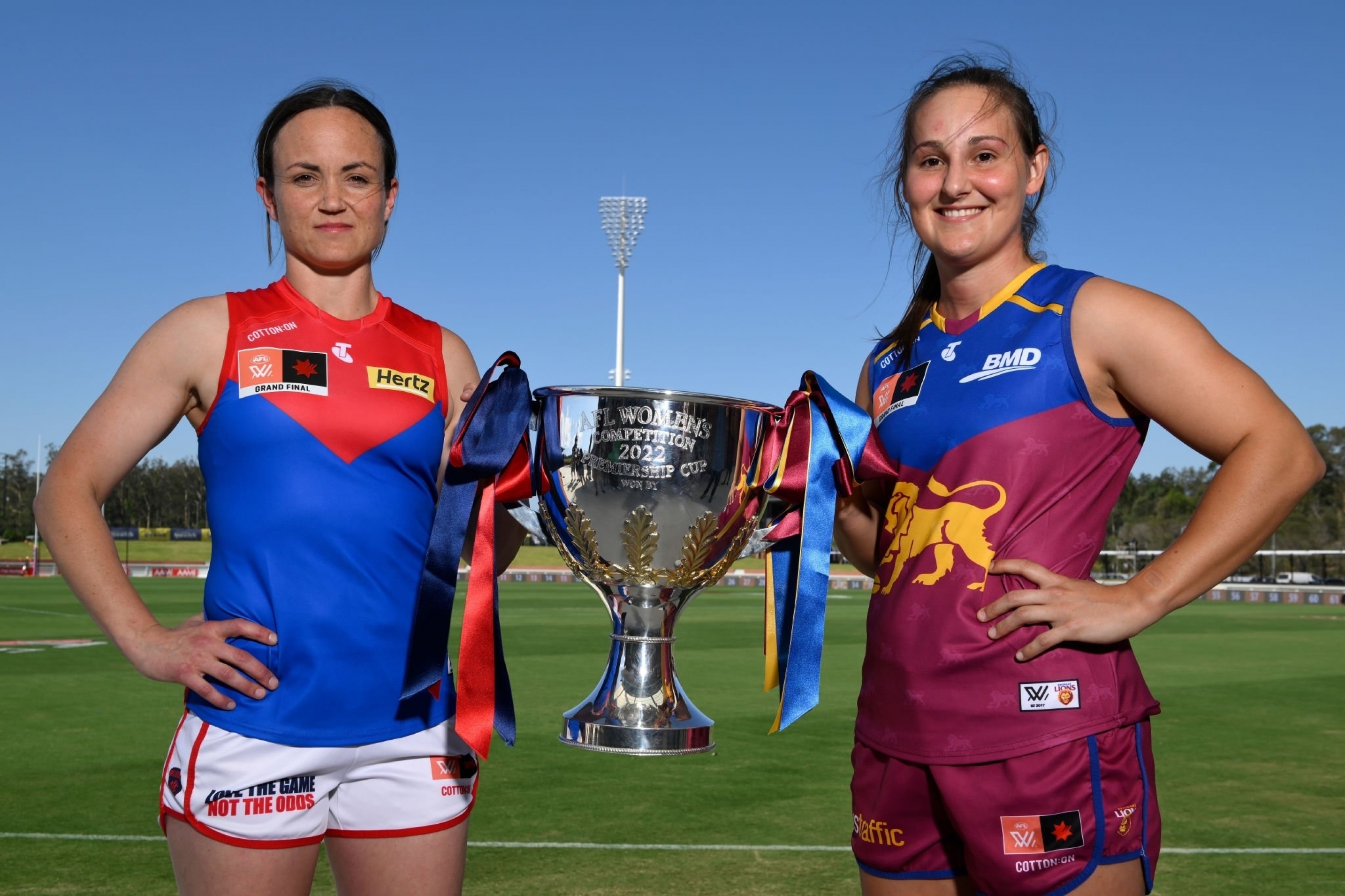
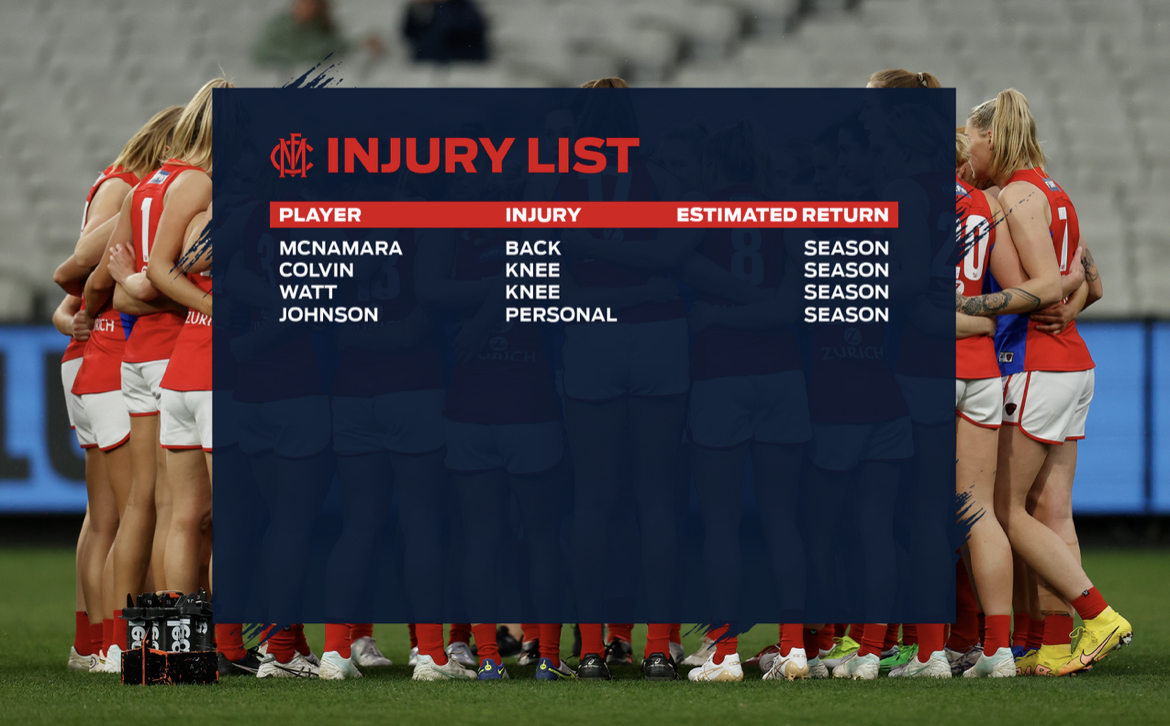
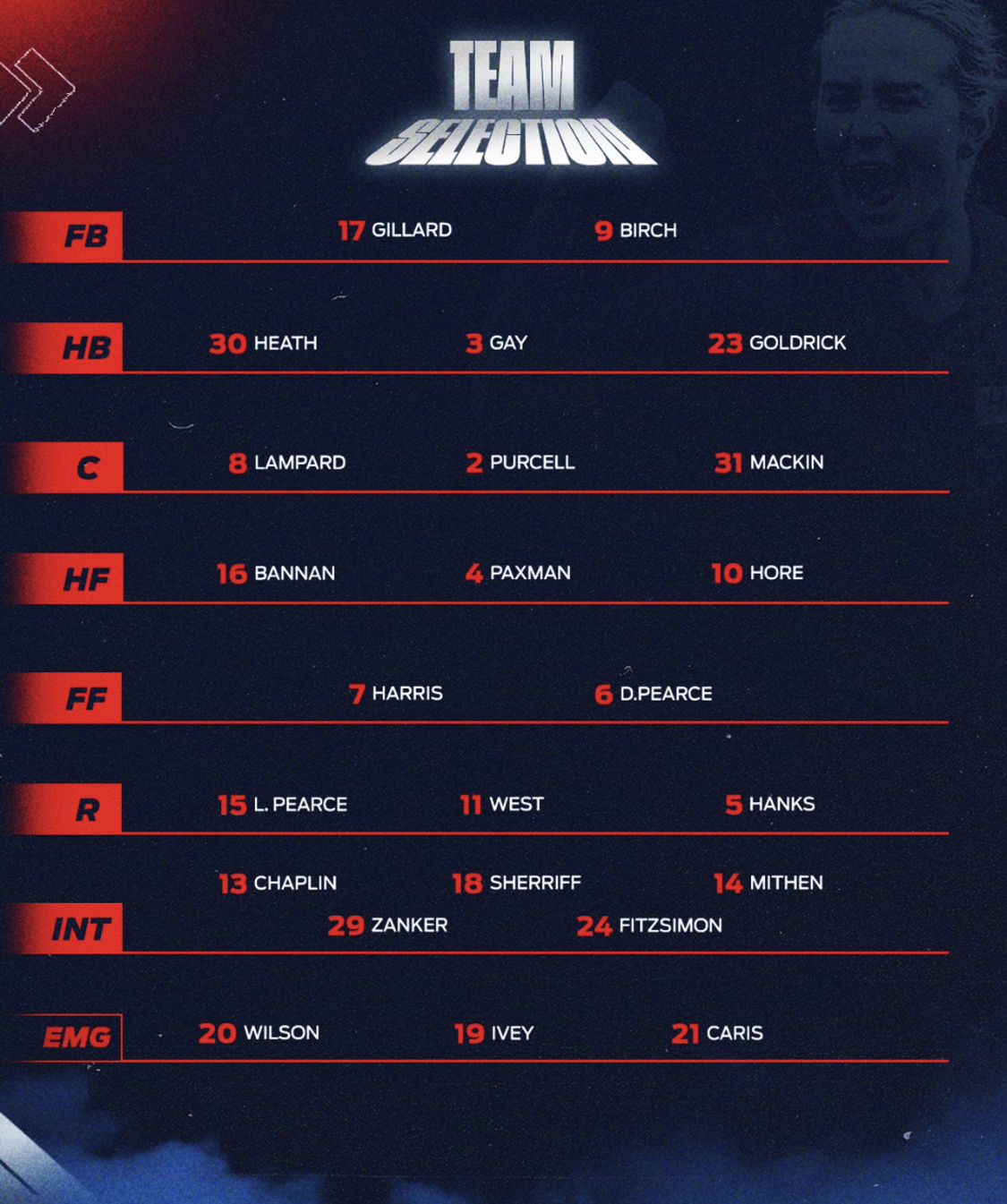
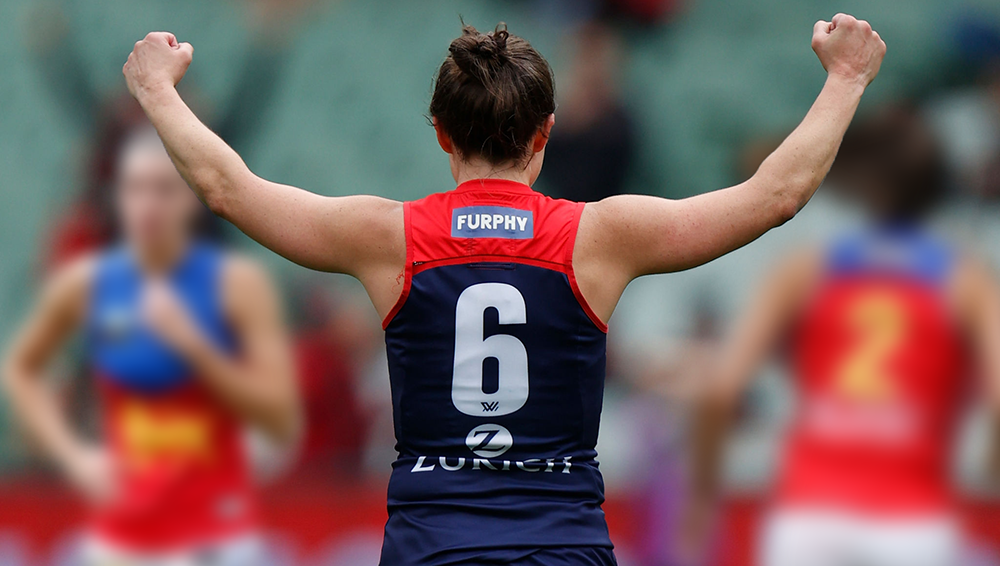
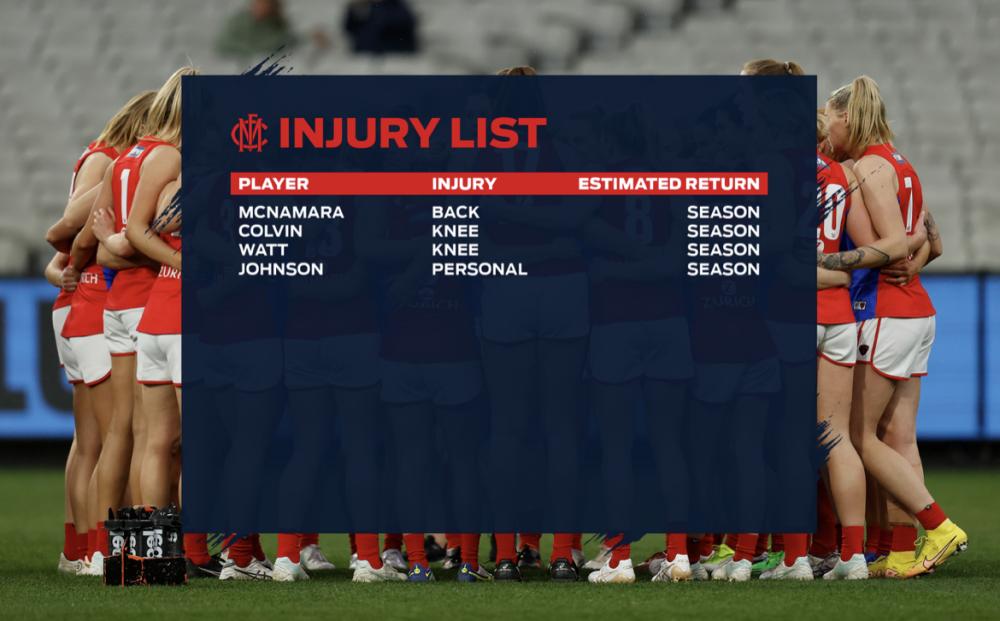
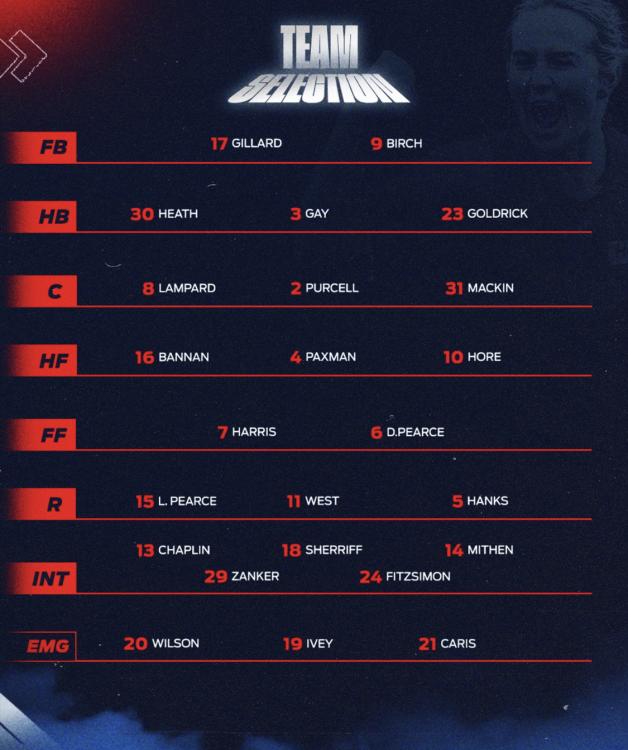
The Stinear/Pearce partnership has evolved over the 7 AFLW seasons and they have built a team with talented, committed footballers who play for each other and execute a highly entertaining brand of footy. On Sunday can a premiership be added to this legacy? This may well be the last time we see Daisy in the mighty red and blue as she contemplates her start date for a coaching role ‘Down at Kardinia Park’. Last week’s sensational sealer in the Prelim showed everybody that Daisy could surely play on if she chooses but let’s focus on Sunday. Melbourne, the Season 6 runners-up in April, has earned itself a shot at grand final redemption, to be played at the newly completed Ipswich training ground built by flag favourites, the Brisbane Lions. Weatherzone forecasts game time temperatures to be circa 34-35°, with a slight chance of rain, humidity of 55%, and 18-20km/h winds. So much for moving the season from the hot months. Our girls will hold a training session on the new turf on Saturday to help get acclimatised to the ground. It will be the stadium’s inaugural footy match so not there’s not likely to be much of a home ground advantage for Brisbane. Can’t wait! Following last season’s grand final loss to Adelaide, Mick Stinear and his coaching team assessed what went wrong and implemented and rehearsed a revamped gameplan during the off-season. In Round 1 Melbourne convincingly reversed the Grand Final result to win by 18 points and then knocked off Adelaide a second time comfortably by 21 points in the Qualifying Final. On the flip side, they beat Brisbane in the last season’s Preliminary Final, and the Lions were also super keen on redemption. They did their homework and won well in Round 4. So pleased with themselves that they lost the next week in an upset to Richmond, their only loss for the season (so far 😊). Brisbane had 4 players named in the 2022 NAB AFLW All-Australian Team. Defenders Bre Koenen (their skipper) and Nat Grider plus dangerous forwards Jesse Wardlaw and Greta Bodey. Ally Anderson won the AFLW’s Best and Fairest but was curiously overlooked for AA selection. Wardlaw, Grider, small forward Courtney Hodder and ruck Tahlia Hickie made the Under 22 AA team. For Melbourne, one of its midfield stars Liv Purcell finished 5th in the B & F and was selected in the AA Team along with vice-captain Kate Hore. On to the game. Melbourne’s defence is the stingiest in the competition with an average of 18.9 points scored against it. Brisbane has the most potent forward line averaging 52.5 points. Jesse Wardlaw is the AFLW leading goalkicker, with a record 22 goals for the year, and has kicked a goal in every game. They have dangerous smalls in Hodder, Ruby Svarc and Great Bodey and other marking options in Dakota Davidson and Taylor Smith. Libby Birch and Tahlia Gillard have been strongly intercepting all year and supported by a whole team defensive strategy which is working. The key backs have lots of help from Goldrick, Heath, Gay, Lampard, and Chaplin. That adage of defence wins premierships comes to mind. Brisbane has a great midfield group in Emily Bates, Anderson, Cathy Svarc, Conway and O’Dwyer. It will be a terrific challenge for the Demon warriors Hanks, West, Purcell, Mithen, Paxman and Mackin. They have been the best contested ball team this year with which shows one of their key strengths. The ruck combo of Lauren Pearce, Harris and Eden Zanker is sure to be a focus for Brisbane coaches. But it’s the forward group that has a point of difference. Harris, when she rests forward, Hore, Daisy, Bannan, and Zanker provide a range of difficult matchups, but Brisbane’s defensive unit is one of the best too. Meggs watched the girls train at Gosch’s Paddock last night. Some of the foot passing by the girls was most impressive. Tayla Harris looked in mint condition so she’s right to go. Bannan too moved without concern for her ankle while Gay and Sherriff appeared to be on light duties. Expect the team to be named as unchanged. Brisbane boasts a full-strength list. Farquharson a chance for a recall possibly at the expense of Bella Smith. Melbourne’s all-time winning percentage stands at 74.6% versus Brisbane’s 67.7%. Brisbane has played in 9 finals (4 wins) while Melbourne has played 7 (5 wins). The best two teams of Season 7 go head-to-head in the Queensland heat on Sunday afternoon with both teams having won 11 games and lost only 1 so far. Meggs predicts that #demonspirit will flourish on Sunday and that skipper Daisy Pearce will lead the beloved Demons to victory and hold the Season 7 Premiership Cup aloft when the final siren sounds at Springfield. Hoping for a 4-quarter effort, accurate goalkicking and lots of #deearmy cheering on the telly! Melbourne by 2 points THE GAME Melbourne v Brisbane Lions at Brighton Homes Arena, Springfield on Sunday 27 November 2022 at 1:40pm local time (2:40pm Melbourne time). HEAD TO HEAD Overall Melbourne 5 wins Brisbane 2 win At Springfield: Melbourne 0 wins Brisbane 0 wins The Coaches Stinear 5 wins Starcevich 2 wins MEDIA The game will be broadcast on the Seven Network, Fox Footy (channel 504) and Kayo Sports as well as live streamed on womens.afl and the AFLW official app. THE LAST TIME THEY MET Naarm (Melbourne) 4.3 (26) was defeated by the Brisbane Lions 6.6 (42) at Casey Fields, 18 September 2022 The only loss for the season was the Round 4 clash against Brisbane. Brisbane had lost their previous five games against the Dees. It was a crazy weather that day. Hail, lightning, thunder, and lots of rain making the ground slippery. Eerily the game started in the eye of the tornado with no wind for the whole match. Naarm, missing Tayla Harris to suspension and the injured Sinead Goldrick, started well and led by 4 points at three quarter time. However, Brisbane’s relentless pressure stymied the Demons’ handball and run game and they went harder for longer, eventually wearing them down in the final quarter with 3 excellent goals via their dangerous runners, Conway, Hodder, and Ruby Svarc. It was Lily Mithen’s 50th game and she played well while Kate Hore kicked 2 goals. Mackin debuted promisingly and looked like she belonged out there. The win propelled Brisbane to outright flag favouritism. GOALS Naarm K Hore 2 Hanks Zanker Brisbane Lions Wardlaw 2 Conway Farquharson Hodder R Svarc BEST Naarm Hanks Mithen L Pearce Gay Brisbane Lions Anderson C Svarc Grider Conway THE TEAM As in all of the previous finals in this campaign, the team is unchanged.
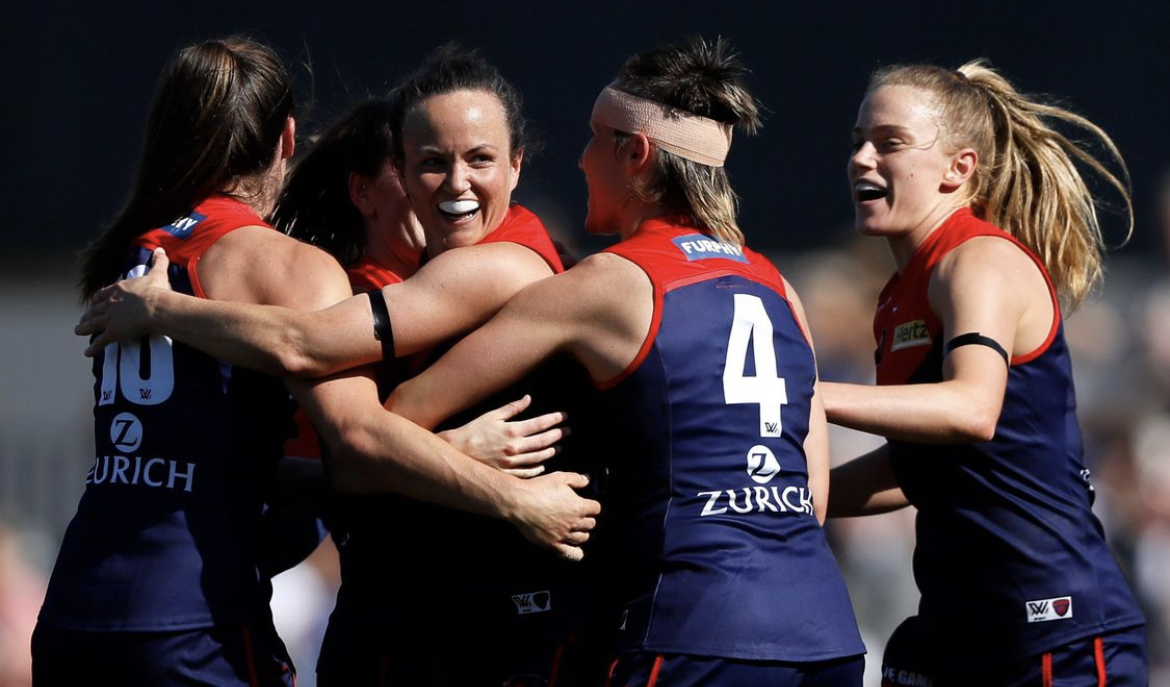
 Don't forget to support the girls too.Bulldogs poised to sign Baker The Western Bulldogs are poised to sign speedy Melbourne wingman Oskar Baker via the pre-season supplemental selection period. The 24-year-old played 15 games with Melbourne after making his debut in 2019 but could not get a look-in at the Demons, with Ed Langdon, James Jordon and Angus Brayshaw all playing on the wing.On a blustery Saturday afternoon when the conditions affected marking skills and the ball bounced unpredictably, the Mighty Dees stuck fat against a determined Kangaroos outfit to break away with two final quarter goals to none to win AFLW Preliminary Final 2 by 17 points — an all-time high winning margin between these two teams. From the outset it was a fiercely fought contest with Melbourne unable to find the ball in space. North really amped up their one-percenters and tackling pressure and played an extra player behind the ball, making it difficult for Melbourne to score. With the Dees up by 5 points at the main break, the Kangaroos came out and dominated the third quarter holding Melbourne scoreless. The ball spent 82% of the time the Roos’ forward half but they could only muster two points. Bella Eddey had their best opportunity, but her reverse torpedo missed to the right. It was only 3 points the difference at ¾ time. Melbourne came out in the last with its own increased level of determination and soon increased the lead to 10 points. Then, with less than three minutes to go, skipper Daisy Pearce secured her team’s second straight grand final appearance by kicking a stunning long-range bomb to rapturous applause. For North, its best player was skipper Emma Kearney with 10 strong intercepts and 17 disposals. Tyla Hanks helped limit the usual impact of star player Jazzy Garner. Hanksy herself had 12 tackles to go with 20 disposals and her usual outstanding creative playmaking. Riddell, Bruton and Bresnehen were busy for the Roos while Paxman and Mithen were terrific for the Dees. As a result, Melbourne will play the Brisbane Lions at ‘Brighton Homes Arena’, a newly constructed home ground for the AFLW in Springfield, a suburb of Ipswich, located southwest of Brisbane. Meggs was seated near the Demons’ race and really enjoyed the audible support coming from the non-playing Demons and family friends. Q1 A flying start by the Kangaroos ended with a Gavalas kick off the ground to the goal square where Randall took advantage of a Tahlia Gillard fumble to turn around and goal. We all took a deep breath, hoping it wasn’t a repeat of last week’s slow start against Adelaide. Hanksy and Paxy were where the action was, creating good ball movement. Paxman hit up Fitzy who worked in front of her opponent and cleverly marked the ball low. She went back and kicks dead straight. Excellent skills, has our number 24. On the other side of the ground to where we were sitting, a 50-metre penalty was given to Mithen. We asked around for an explanation, but no matter. She too kicked it dead straight. Loves a finals goal does Lily. Tayla Harris hurt her shoulder in a ruck contest late in the term that saw Melbourne 2.0.12 lead North 1.0.6 at the first break. Q2 Kearney was having a great game for North while Ferguson and Wright were working well defensively. Libby Birch’s greatest asset is her ability to read the play and take intercept marks. It looked to Meggs as if she had lost a bit of confidence on the day with the swirly wind but on watching the replay, it appears she suffered from tonsilitis during the week. A couple of unnecessary frees were given away by the Dees key defenders. Emma King kicked truly for North’s second goal — their last of the match. Some fine fluid corridor footy from the Dees saw a couple of set shot opportunities emerge with Mackin getting involved again and Goldie playing on as always. Casey Sherriff marked, went back and kicked it dead straight for the Dees’ third goal (and her first for the season) which made it three times where the goal umpie did not have to move. Late in the quarter Meggs saw Bannan landing awkwardly and looking proppy, perhaps an ankle roll. At half time Melbourne 3.1.22 led North 2.2.14 Q3 A furiously tight contest continued in the swirly conditions. It was tense. Incredibly North had 18 forward entries to Melbourne’s two for the quarter but they could muster only two points. North had been dogged all day and were winning the contest but the Demons’ all-team defence was stoic and held up incredibly well. At this stage, Zanker, sharing ruck duties with Loz Pearce and Harris, was forward but looking sore. Gillard was impressive since being shown up early by Randall. We were later surprised to see she misses out on being named in the best players. The third was a scoreless quarter for the Dees and it was a 3-point game. Melbourne 3.1.22 to North 2.4.16 Q4 Crowd support seemed evenly split and getting vocal with everyone hoping we could lift our teams. The Dees came out firing in the last and the Melbourne supporters could feel the anticipation. The ball was kicked to a one on one with Daisy outsmarting Sarah Wright out the back and then running on into an open goal. The Melbourne faithful got excited, but inexplicably Daisy kicked out on the full. Everyone around us sat down, flummoxed. Daisy looked rueful. Later, Mithen, who was still in everything, kicked it high to full forward. Kate Hore playing in front of her opponent, anticipated well, marked and then goaled. The Dees supporters went wild, it was the first goal of the last. Some slight easing of the collective Demons’ blood pressure. Then something unanticipated happened right in front of us which was difficult to describe. Did her preceding miskick galvanise her to execute such a marvellous piece of play? With the game still in the balance, Daisy snatched a loose ball, shrugged off Ash Riddell, ran away, and slammed it on to her boot from 40 metres out. It sailed through post high. Around us we could see the direction of the ball mid-air, so we jumped up and cheered with unabashed delight as it sailed through. Daisy had driven it home. Magic stuff, game over! We’re in the Season 7 Grand Final and a date with destiny. Melbourne 5.3.33 to North 2.4.16. Melbourne Coach Mick Stinear said it was hard work, but he was proud of the effort. North is a hard team to play against and conditions were swirly which made it difficult. They were not able to get the game going which was a credit to North’s pressure. It was far from perfect but that’s finals footy. Excited to enjoy the week ahead. Stinear said he couldn’t see Tayla Harris missing next week. North Melbourne coach Darren Crocker said his team had a crack. He sees a trend in games against Melbourne where the Dees get a run on and make the most of their opportunities whereas North have tended to rush theirs. MELBOURNE 2.0.12 3.1.19 3.1.19 5.3.33 NORTH MELBOURNE 1.0.6 2.2.14 2.4.16 2.14.16 GOALS MELBOURNE Fitzsimon Hore Mithen D Pearce Sherriff NORTH MELBOURNE E King Randall BEST MELBOURNE Paxman Mithen Hanks Heath D Pearce Birch NORTH MELBOURNE Kearney Garner Riddell Wright Bruton Rennie INJURIES MELBOURNE T Harris (left shoulder) NORTH MELBOURNE Nil REPORTS MELBOURNE Nil NORTH MELBOURNE Nil CROWD 5,592 at Ikon Park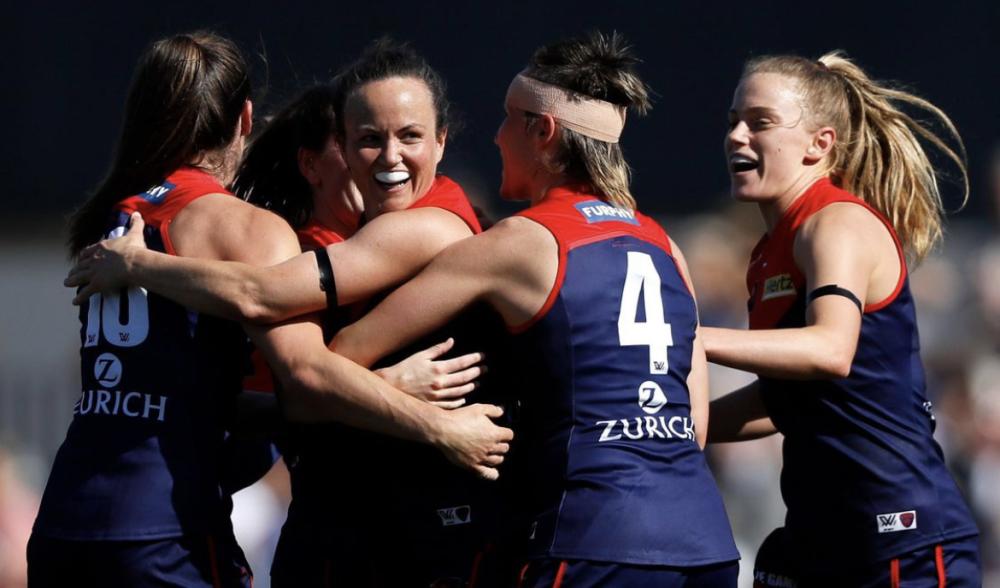
Account
Navigation
Search
Configure browser push notifications
Chrome (Android)
- Tap the lock icon next to the address bar.
- Tap Permissions → Notifications.
- Adjust your preference.
Chrome (Desktop)
- Click the padlock icon in the address bar.
- Select Site settings.
- Find Notifications and adjust your preference.
Safari (iOS 16.4+)
- Ensure the site is installed via Add to Home Screen.
- Open Settings App → Notifications.
- Find your app name and adjust your preference.
Safari (macOS)
- Go to Safari → Preferences.
- Click the Websites tab.
- Select Notifications in the sidebar.
- Find this website and adjust your preference.
Edge (Android)
- Tap the lock icon next to the address bar.
- Tap Permissions.
- Find Notifications and adjust your preference.
Edge (Desktop)
- Click the padlock icon in the address bar.
- Click Permissions for this site.
- Find Notifications and adjust your preference.
Firefox (Android)
- Go to Settings → Site permissions.
- Tap Notifications.
- Find this site in the list and adjust your preference.
Firefox (Desktop)
- Open Firefox Settings.
- Search for Notifications.
- Find this site in the list and adjust your preference.