Skip to content
View in the app

A better way to browse. Learn more.

Demonland

A full-screen app on your home screen with push notifications, badges and more.

To install this app on iOS and iPadOS
  1. Tap the Share icon in Safari
  2. Scroll the menu and tap Add to Home Screen.
  3. Tap Add in the top-right corner.
To install this app on Android
  1. Tap the 3-dot menu (⋮) in the top-right corner of the browser.
  2. Tap Add to Home screen or Install app.
  3. Confirm by tapping Install.

Quoting multiple posts and some acronyms

Featured Replies

Hi,

I just discovered this Forum Help for the first time. Amazing!!!

How do I include multiple quotes from different posts in a thread in my reply:

eg

You're a [censored]

[endquote: user1]

You are too.

[endquote: user2]

I've tried to hit the quote button on both posts but only one ever gets copied in. I do believe my contributions to this site would add so much more value to my already existing fabulous input if this problem was sorted.

Also, I don't understand some acronyms; namely:

NQR: not quite right (?)

meh: not used so often here but is all over the place on chat sites. I have no idea what this means!!!!

Thanks for any help you can provide on the above and apologies if this has already been asked before.

 
Hi,

I just discovered this Forum Help for the first time. Amazing!!!

How do I include multiple quotes from different posts in a thread in my reply:

I've tried to hit the quote button on both posts but only one ever gets copied in. I do believe my contributions to this site would add so much more value to my already existing fabulous input if this problem was sorted.

Also, I don't understand some acronyms; namely:

NQR: not quite right (?)

meh: not used so often here but is all over the place on chat sites. I have no idea what this means!!!!

Thanks for any help you can provide on the above and apologies if this has already been asked before.

Geeks like Nasher ( B) ) with have a more technical answer but to do it you need to open two windows within your internet browser the Demonland and reply to one thread and cut and paste that quote into the second screen where you reply to another thread. Its clunky but works.

NQR is correct. meh is an expression of disregard where you indignant turn your nose up and say sarcastically "yeah right".

meh is an expression of disregard where you indignant turn your nose up and say sarcastically "yeah right".

I think it's more ambivalent - 'meh' can express disdain, but more often it's indifference.


Thanks for the feedback.

  • 4 weeks later...

just dont ask anyone how to pronounce 'pwn'...

  • 2 weeks later...

Actually there's a much easier way to quote two posts. Each post has a 'quote' button on it. When you click it it turns red. Click that button for all the posts you want to quote, then scroll to the bottom or top of the screen and click 'Add reply'. If you do this right each post will be in your reply.

  • 3 weeks later...
Actually there's a much easier way to quote two posts. Each post has a 'quote' button on it. When you click it it turns red. Click that button for all the posts you want to quote, then scroll to the bottom or top of the screen and click 'Add reply'. If you do this right each post will be in your reply.

And here's me, dropping it all into a Word file first then copying it back into my forum reply...

titan uranus... you have all the rings.

  • 2 months later...
  • 3 years later...
 
<!--quoteo(post=169475:date=Jul 31 2008, 04:49 PM:name=titan_uranus)--><div class='quotetop'>QUOTE(titan_uranus @ Jul 31 2008, 04:49 PM) </div><div class='quotemain'><!--quotec-->Actually there's a much easier way to quote two posts. Each post has a 'quote' button on it. When you click it it turns red. Click that button for all the posts you want to quote, then scroll to the bottom or top of the screen and click 'Add reply'. If you do this right each post will be in your reply.<!--QuoteEnd--></div><!--QuoteEEnd-->

And here's me, dropping it all into a Word file first then copying it back into my forum reply...

titan uranus... you have all the rings.

Archived

This topic is now archived and is closed to further replies.

Featured Content

  • REPORT: Richmond

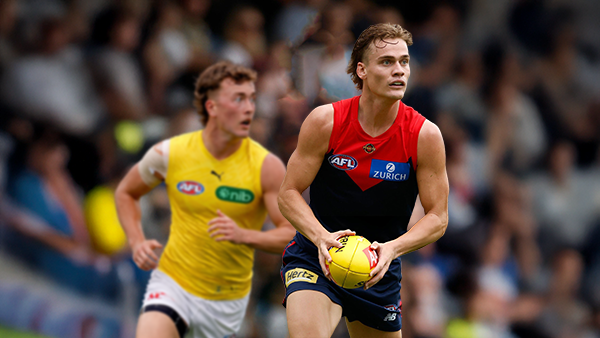
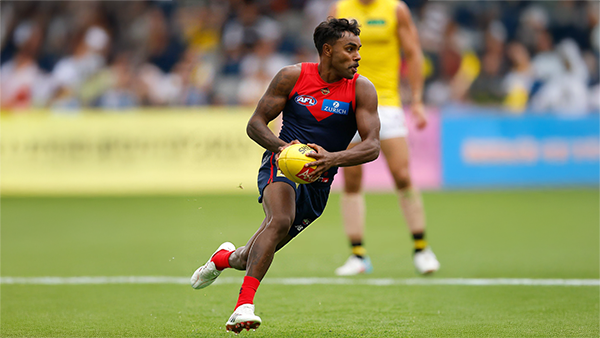
    Mars is not usually a place known for lighting strikes but on Friday evening it happened twice in the vicinity of the stadium in Ballarat that carries the name and is a half completed building site with limited capacity for spectators.

      • Love
      • Thanks
    • 1 reply
  • POSTGAME: Richmond

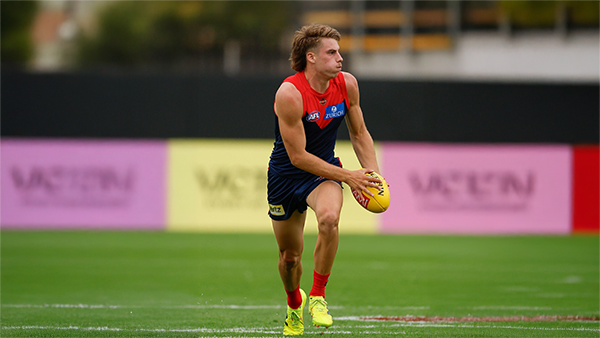
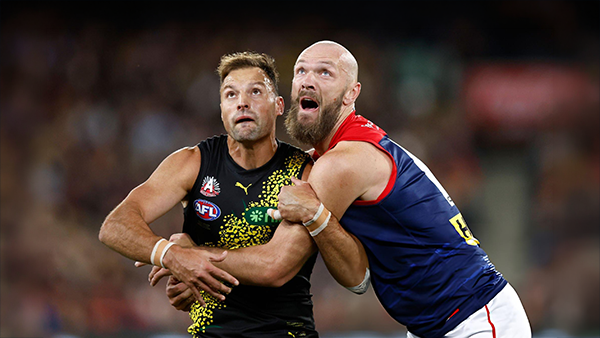
    The Dees ran another clinic for the second week in a row as they easily accounted for the Tigers in the lightning interrupted shortened match at Mars Stadium in Ballarat.

      • Clap
      • Thanks
      • Like
    • 90 replies
  • VOTES: Richmond

    Kozzy Pickett was the man of the match last week and has a vote lead over backup ruck Max Heath who didn't play this week and 5 votes over former Saint Jack Steele. Who gets the votes in this weeks shortened match win over the Tigers? Your votes please. 6, 5, 4, 3, 2 & 1.

      • Like
    • 14 replies
  • GAMEDAY: Richmond

    It's Game Day and the 2026 AFL Premiership season is almost upon us as the Demons take to the field for their final practice match before the first ball is kicked in anger in 16 days time. What are you expecting to see from the Dees today as they take on the Tigers at Mars Stadium in Ballarat?

      • Clap
      • Haha
      • Thanks
      • Like
    • 337 replies
  • NON-MFC: 2026 Practice Matches

    It's the second week of the 2026 AFL Community Series Practice Matches with games taking place all over the country. Discuss all the games not involving the Demons with the start of the AFL Premiership Season only one week away.

      • Thanks
      • Like
    • 76 replies
  • PREGAME: Richmond

    The Demons hit the road for their last practice hit out before the start of the 2026 AFL Premiership season when they take on the Tigers at Mars Stadium in Ballarat.

      • Thanks
    • 146 replies

Account

Navigation

Search

Search

Configure browser push notifications

Chrome (Android)
  1. Tap the lock icon next to the address bar.
  2. Tap Permissions → Notifications.
  3. Adjust your preference.
Chrome (Desktop)
  1. Click the padlock icon in the address bar.
  2. Select Site settings.
  3. Find Notifications and adjust your preference.