





Demonland
Primary Administrators
-
Joined
-
Last visited
Everything posted by Demonland
-
It was in Round 9 last year and the Weagles were in the midst of some sort of crisis which could still be affecting them. Tom McDonald booted four goals in what turned out to be one of his last games for 2022. MELBOURNE 6.5.41 7.9.51 9.12.66 16.16.112 WEST COAST EAGLES 1.0.6 1.3.9 3.4.22 5.8.38 GOALS MELBOURNE McDonald 4 Fritsch Pickett 3 Brown Petracca 2 Neal-Bullen, Spargo WEST COAST EAGLES Cripps Darling McGovern Waterman Williams BEST MELBOURNE Petracca Pickett Oliver Jackson McDonald Viney WEST COAST EAGLES Kelly West McGovern Barrass Redden THE TEAMS WEST COAST EAGLES B: J.Rotham 35 T.Barrass 37 J.Nelson 30 HB: J.Jones 31 J.McGovern 20 A.Witherden 23 C: G.Clark 39 T.Kelly 11 L.Duggan 14 HF: J.Cripps 15 J.Darling 27 S.Petrevski-Seton 10 F: C.Jamieson 40 H.Dixon 41 L.Ryan 1 Foll: B.Williams 32 C.West 11 J.Redden 8 I/C: H.Edwards 42 L.Foley 29 J.Waterman 2 I.Winder 22 Sub: P.Naish 28 Emerg: T.Blechynden 58 S.Fisher 29 In: G.Clark H.Dixon J.Nelson B.Williams A.Witherden Out: J.Florenca (omitted) A.Gaff (calf) S.Hurn (quad) J.Kennedy (knee soreness) D.Mountford (omitted) MELBOURNE B: J.Bowey 17 H.Petty 35 J. Hunt 29 HB: J.Lever 8 S.May 1 T.Rivers 24 C: A.Brayshaw 10 C.Petracca 5 E.Langdon 15 HF: C.Spargo 9 T.McDonald 25 J.Viney 7 F: B.Fritsch 31 B.Brown 50 T.Sparrow 32 Foll: M.Gawn 11 C.Oliver 13 A.Neal-Bullen 30 I/C: J.Harmes 4 J.Jordon 23 L.Jackson 6 K.Pickett 36 Sub: K.Chandler 37 Emerg: M.Brown 38 J.Melksham 18 A.Tomlinson 20 In: K.Chandler Out: T. Bedford (omitted)
-
-
Let’s not forget the loss to the Essendon Top Up team during the Drug Saga.
-
I thought JVR was from Claremont?
-
PERFECT by KC from Casey The conditions were perfect as the reigning VFL premiers played host to the Sydney Swans under sunny skies at Casey Fields and the Demons continued their perfect start to the season with a comprehensive 41-point victory on Sunday. On a day when the winds eluded the vicinity of the ground, Casey were quick out of the blocks with the opening two goals of the game but Sydney fought back and were more than competitive for most of the opening term. They kicked three quick goals to take a seven point lead as time on ticked by before a couple of late goals gave the home team a six point lead at the break. From then on however, it was a dominant Casey which took complete control of proceedings. They were untroubled as they squeezed the life out of the visitors who were allowed just two late goals in junk time after a barren hour of goalless toil. It was a satisfying victory for new Casey coach Taylor Whitford because his team this week was a far cry from the experienced combination that his predecessor took the club to a premiership in 2022. With veteran skipper Mitch White still out with injury and the number of AFL listed players available down to eleven, expectations before the start were tempered. Only four of the Melbourne aligned players had any AFL experience. One of the four, Bailey Laurie, has only one AFL game under his belt and he was out of this game in the second half. The pleasing side of the equation was the outstanding efforts of the team’s youth. Newly recruited forwards Matt Jefferson (4 goals) and Oliver Sestan (2) were impressive with their ability to score goals themselves as well as assist others while utility Blake Howes had his biggest afternoon yet, playing all over the ground amassing 33 disposals and taking 16 marks. Andy Moniz-Wakefield and Deakyn Smith continue to impress and rookie defender Kye Turner had some promising moments. The young brigade was not limited to the AFL youngsters. The likes of Max Gregory, Miles Shepherd and Tom Sheridan (two goals on debut) contributed to the overall effort. Casey was well served by its experienced players. Adam Tomlinson (33 disposals 13 marks) was rock solid in defence while Tom McDonald (20 touches, 11 marks and 2 goals) did his chances of a quick return to the AFL no harm and Luke Dunstan was also prolific in the middle. He was capably assisted by evergreen Jimmy Munro who was his hard tackling mean self. George Grey was busy all day and Matt Buntine was solid in defence. The Demons remain undefeated at this early stage of the season and play host to Frankston in the local derby next Sunday afternoon. Here’s hoping for another perfect afternoon. CASEY DEMONS 4.2.26 8.3.51 10.5.65 13.10.88 SYDNEY SWANS 3.2.20 4.6.30 4.9.33 6.11.47 GOALS CASEY DEMONS Jefferson 4 McDonald Sestan Sheridan 2 Grey Laurie Munro SYDNEY SWANS Haley 3 Francis McLean Magor BEST CASEY DEMONS Tomlinson Howes Munro McDonald Grey Dunstan SYDNEY SWANS Collis Sheldrick Shipley Warner Rankin Bartholemaues Statistics Jed Adams 6 kicks 2 handballs 8 disposals 1 tackle 23 dream team points Ryan Baldi kicks handballs disposals marks tackles dream team points Jack Bell 5 kicks 3 handballs 8 disposals 4 marks 2 tackles 22 hit outs 64 dream team points Matt Buntine 1 behind 11 kicks 5 handballs 16 disposals 7 marks 4 tackles 84 dream team points Paddy Cross 3 kicks 3 handballs 6 disposals 3 marks 25 dream team points Luke Dunstan 16 kicks 14 handballs 30 disposals 5 marks 85 dream team points Max Gregory 6 kicks 5 handballs 11 disposals 5 marks 43 dream team points George Grey 1 goal 1 behind 14 kicks 7 handballs 21 disposals 3 marks 4 tackles 90 dream team points Blake Howes 17 kicks 16 handballs 33 disposals 16 marks 1 tackle 135 dream team points Matt Jefferson 4 goals 7 kicks 3 handballs 10 disposals 5 marks 1 tackle 68 dream team points Bailey Laurie 1 goals 4 kicks 4 handballs 8 disposals 1 mark 3 tackles 39 dream team points Tom McDonald 2 goals 2 behinds 12 kicks 8 handballs 20 disposals 11 marks 1 hit out 94 dream team points Tom McRae 8 kicks 5 handballs 13 disposals 2 marks 1 tackle 39 dream team points Andy Moniz-Wakefield 1 behind 8 kicks 8 handballs 16 disposals 5 marks 3 tackles 69 dream team points James Munro 1 goal 1 behind 12 kicks 14 handballs 26 disposals 5 marks 8 tackles 104 dream team points Oliver Sestan 2 goals 7 kicks 1 handball 8 disposals 2 marks 2 tackles 46 dream team points Miles Shepherd 12 kicks 5 handballs 17 disposals 8 marks 1 tackle 74 dream team points Tom Sheridan 2 goals 5 kicks 1 handball 6 disposals 4 marks 1 tackle 45 dream team points Deaykin Smith 11 kicks 6 handballs 17 disposals 8 marks 1 tackle 70 dream team points Roan Steele 11 kicks 2 handballs 13 disposals 5 marks 2 tackles 60 dream team points Adam Tomlinson 27 kicks 6 handballs 33 disposals 13 marks 3 tackles 142 dream team points Kye Turner 10 kicks 2 handballs 12 disposals 4 marks 1 tackle 50 dream team points Ryan Valentine 2 kicks 3 handballs 5 disposals 1 marks 7 hit outs 18 dream team points
-
Geelong was last on the bottom of the ladder in Round 2 2015. Previous to that it was Round 3 2004.The Demonland Podcast will air LIVE on Monday 3rd April @ 8:30pm. Join George, Binman and I as we analyse the massive win over the Swans at the MCG. You questions and comments are a huge part of our podcast so please post anything you want to ask or say below and we'll give you a shout out on the show. If you would like to leave us a voicemail please call 03 9016 3666 and don't worry no body answers so you don't have to talk to a human. Listen & Chat LIVE: https://demonland.com/podcast Call: 03 9016 3666 Skype: Demonland31
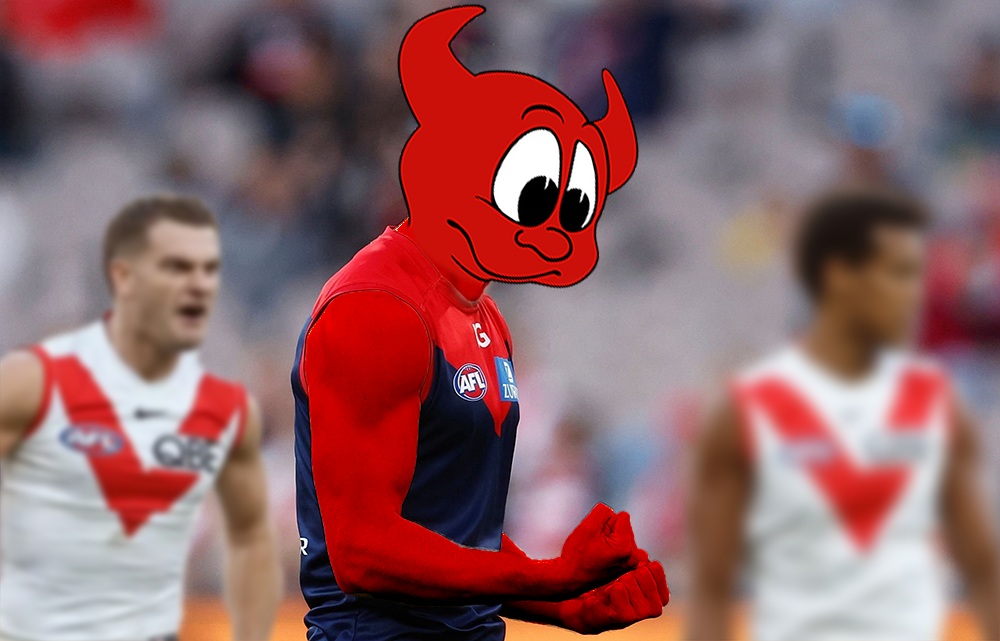 Gold Coast are the type of team that will get an early lead but have it chipped away all day only to be crushed in the last quarter.You can screen share from the AFL app to a smart TV.KEV MARTIN'S TRAINING REPORT Wandered down to Gosh’s to watch the captains run, the rehabbers were out on the ground. Schache, Woewodin, Kossie (not injured), two Casey players (1, 28) and White (Casey) doing individual work. The MFC squad then came out as one. Melksham and TMac in the squad. The vibe was low-key. It didn't help that it was cold, and the ground was wet, they didn't really start chirping until well into the drills. Seemed like they're a bit off with timing and the handling the ball. They were happy and relaxed. The morning consisted of about 5 to 6 drills. They worked on ball movement from off halfback, and off the wing, with delivery into the leading forwards. Interestingly, they had Petty forward for a few entries. Near the end, the centre mids were practising slowly for the centre stoppages. Grundy patting down to, Oliver, Tracc, Viney, Sparrow and JJ. The rest kicking goals (Petty included) or taking high marks (particularly JVR). Choco was also helping refine JVR's set goal kicking. May looked fine in drills, no strapping, but did have a slight limp when walking. At the end, he did a full 30-meter sprint and had a talk to 4 support staff (physio and trainers). After the MFC squad left, the Casey team came out. Laurie and Tomlinson were with them, I didn't see Dunstan. Go Dees.









Account
Navigation
Search
Configure browser push notifications
Chrome (Android)
- Tap the lock icon next to the address bar.
- Tap Permissions → Notifications.
- Adjust your preference.
Chrome (Desktop)
- Click the padlock icon in the address bar.
- Select Site settings.
- Find Notifications and adjust your preference.
Safari (iOS 16.4+)
- Ensure the site is installed via Add to Home Screen.
- Open Settings App → Notifications.
- Find your app name and adjust your preference.
Safari (macOS)
- Go to Safari → Preferences.
- Click the Websites tab.
- Select Notifications in the sidebar.
- Find this website and adjust your preference.
Edge (Android)
- Tap the lock icon next to the address bar.
- Tap Permissions.
- Find Notifications and adjust your preference.
Edge (Desktop)
- Click the padlock icon in the address bar.
- Click Permissions for this site.
- Find Notifications and adjust your preference.
Firefox (Android)
- Go to Settings → Site permissions.
- Tap Notifications.
- Find this site in the list and adjust your preference.
Firefox (Desktop)
- Open Firefox Settings.
- Search for Notifications.
- Find this site in the list and adjust your preference.