Skip to content
View in the app

A better way to browse. Learn more.

Demonland

A full-screen app on your home screen with push notifications, badges and more.

To install this app on iOS and iPadOS
  1. Tap the Share icon in Safari
  2. Scroll the menu and tap Add to Home Screen.
  3. Tap Add in the top-right corner.
To install this app on Android
  1. Tap the 3-dot menu (⋮) in the top-right corner of the browser.
  2. Tap Add to Home screen or Install app.
  3. Confirm by tapping Install.

Pro vision on AFL website?

Featured Replies

Hi demonalders, 

I heard the demonland podcast members  mention the AFL pro vision which is available on the AFL website for free, doeS anyone know where I go or how I access this vision on the website as I can’t find it? I would like to look at some vision of the players from last night


For me, I click on stats in the top bar and then click AFL StatsPro. I think that’s what Binman is referring too. I’ve also not been able to find ProVision - perhaps that was an earlier name for this tool?

8 minutes ago, Nairobi_Demon said:

For me, I click on stats in the top bar and then click AFL StatsPro. I think that’s what Binman is referring too. I’ve also not been able to find ProVision - perhaps that was an earlier name for this tool?

That's what I use as well. AFL STATS PRO200014539_ScreenShot2021-05-09at5_58_49pm.thumb.png.3755e1a7540420abaf0278c44760a40e.png

 
1 hour ago, Nairobi_Demon said:

Perhaps Binman is having a Sparrow-Swallow moment ?

He most definitely did. Although in his defence it did used to be called ProVision (I think). It is now called AFL Stats Pro.

https://www.afl.com.au/stats/stats-pro

I will make a mental note to mention this on the next podcast to clear it up as another person emailed me to ask the same thing.


Join the conversation

You can post now and register later. If you have an account, sign in now to post with your account.

Guest
Unfortunately, your content contains terms that we do not allow. Please edit your content to remove the highlighted words below.
Reply to this topic...

Featured Content

  • GAMEDAY: Carlton

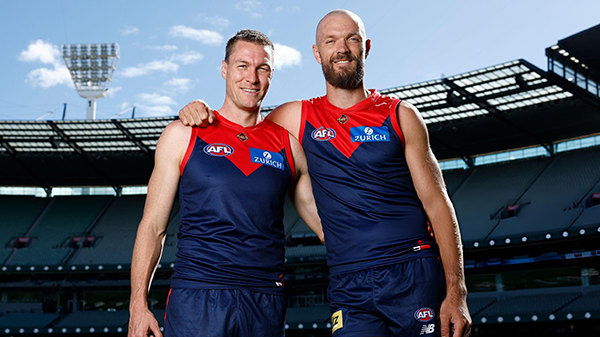
    It’s Game Day and the Demons are back at the MCG for a big occasion, celebrating the 250-game milestones of Premiership pair Max Gawn and Tom McDonald, while rookie Paddy Cross gets his first taste of AFL football against the Blues. What are you hoping to see from the Dees today?

      • Like
    • 2 replies
  • NON-MFC: Round 03

    Round 3 of the 2026 AFL Premiership Season kicks off on tonight. Follow along and discuss all the big games not involving the Dees. Who are you tipping this week and what are the best results for the Demons?

    • 310 replies
  • PREVIEW: Carlton

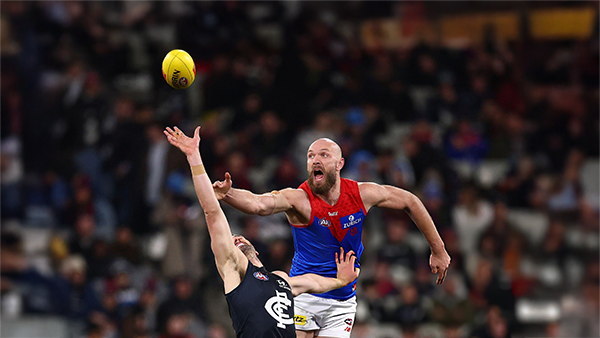
    Recent meetings between Melbourne and Carlton have developed a striking and somewhat familiar narrative, underscored by a series of closely contested encounters ultimately decided by narrow margins. The Blues have won out on each of the past four occasions:- 

      • Thanks
      • Like
    • 2 replies
  • PREGAME: Carlton

    The Demons return to the MCG next week and will be looking to atone for a dismal performance in Perth as they take on the under the pump Blues. Who comes in and who goes out for our Round 3 match against the Carlton?

      • Shocked
      • Like
    • 480 replies
  • REPORT: Fremantle

    Melbourne’s early surge of optimism came crashing back to reality in its clash with Fremantle at Optus Stadium on Saturday night. Just six days after unveiling its fun-filled, attack-minded style against the Saints, the Demons were met by a Dockers outfit determined to shut it down with a blend of speed, pressure, and physicality.

    • 0 replies
  • CASEY: Footscray

    The Casey Demons faced a tough first up task taking on reigning VFL premiers Footscray at Mission Whitten Oval. The Bulldogs, who unfurled their premiership flag pre-game, had 15 AFL-listed players and their top VFL talent available, setting them up for their 15th consecutive win.

      • Sad
    • 5 replies

Account

Navigation

Search

Search

Configure browser push notifications

Chrome (Android)
  1. Tap the lock icon next to the address bar.
  2. Tap Permissions → Notifications.
  3. Adjust your preference.
Chrome (Desktop)
  1. Click the padlock icon in the address bar.
  2. Select Site settings.
  3. Find Notifications and adjust your preference.