Demonland
Primary Administrators
-
Joined
-
Last visited
Everything posted by Demonland
-
And we have a new leader ... 87. Christian Petracca 84. Max Gawn 81. Jack Viney 65. Clayton Oliver 62. Steven May 36. Jake Lever 34. Michael Hibberd 21. Ed Langdon 15. Jay Lockhart 13. Oscar McDonald 12. Angus Brayshaw 7. James Harmes 6. Mitch Hannan Jake Melksham Kysaiah Pickett Trent Rivers Christian Salem 5. Adam Tomlinson 4. Tom McDonald Luke Jackson 3. Jayden Hunt Sam Weideman
-
The Dees will take on the Bulldogs in Round 13 on Saturday 22nd August @ 1:45pm @ Metricon Stadium. 7 Day break from the Round 12 Collingwood game.
-
THE TORRENS THUMPING - LEAVING THE DEMONS BEHIND That headline might lead a reader to think that Melbourne had lost badly in Adelaide but no! It was actually the MFC which left it’s demons from the previous week behind as it applied the blowtorch to the Crows in the final quarter of their match at the Adelaide Oval and went on their merry way to record a 51 point win before their biggest crowd of the year (even if they were mainly hostile). Much had been made in the media about the comments of Chairman Glen Bartlett and Coach Simon Goodwin following the team’s disastrous performance against that other team from South Australia, Port Adelaide. However, coming up against a side that had lost their first nine games in a row this season, made nine changes for the game and was sitting stone motherless last on the ladder, this result was exactly what was needed. A loss was obviously out of the question but the team had to do more than just get over the line - it had to be a thumping but, for a good part of the game, it was looking as if it was going to be anything but. Barely a goal separated the two sides at ¼ and ½ time, while the final change saw the Demons leading by a mere two goals. And that was when the thumping started. Six successive centre clearances, courtesy of Jack Viney, Angus Brayshaw, Clayton Oliver and Christian Petracca saw the ball heading into the forward line again and again. There was little the Adelaide defence could do as the Demons forwards made the most of the opportunities and, for a change, they even kicked straight and true. The final quarter score of seven goals three behinds was emphatic, and showed what this side is capable of doing. The mids were the ones who turned the game, and kept the side in the game when the going was tougher. Clayton Oliver completely dominated around stoppages, with 34 disposals and backing it up with 6 tackles. Importantly, he changed the way he played from previously, using his leg speed and mixing up both kicking and handball. Ably assisted by Jack Viney, who right from the first bounce showed to everyone that he was serious about the game and the result. 22 touches and 8 clearances for the game, was on the back of a first quarter blitz from him. Angus Brayshaw could have been heading for oblivion after his first half, but what a change in the second! Finally, put into the middle, he showed his wares and simply took over where others had left off. Seventeen touches for the game, after having only two to half time, was a complete turnaround and a not so subtle way to send a message to the coach about where he needs to be played. Down back, the defenders simply destroyed the Adelaide forwards. Steven May was a rock and held a cumbersome Taylor Walker to only five touches for the game, and nothing to show on the scoreboard. Importantly, he was the general who marshalled the troops and came to the defence of them when Adelaide tried to bully his team-mates. This left Jake Lever to do his thing spoiling the incoming attacks, while between May and Lever they intercepted the opposition ball 15 times. A further flow-on effect was that Christian Salem was able to get the ball into his hands, and use his lethal kicking leg to best effect. Twenty-six touches off the half-back line provided the team with attacking moves, while Michael Hibberd, Jay Lockhart and even Nathan Jones provided that final desperation at the contest when needed. Up forward it was a much satisfying outcome. 13 goals 10 behinds was a better accuracy rate than we have been accustomed to for most of this year in front of goal, and the straight kicking kept destroying any momentum that Adelaide built during the game. Luke Jackson was magnificent, particularly when he relieved Max in the ruck, as his basketball background and athleticism enables him to keep his feet and recover quickly in the contested situation. He was rewarded with a couple of goals of his own, and the Demon fans have much to look forward to from him in the future. Two successive games in Adelaide - one down and one to go. The team should know what is required against North, who have plenty of their own problems. But once again a convincing win is needed; another thumping on the banks of the Torrens is what the fans want to see to put the side back in contention for the finals. It is the only way to exorcise those past Demons! MELBOURNE 3.2.20 5.4.34 6.7.43 13.10.88 ADELAIDE 2.4.16 4.5.29 4.7.31 5.7.31 GOALS Melbourne Weideman 3 Fritsch Jackson Melksham Viney 2 Bennell Oliver Adelaide Seedsman 2 Crocker Fogarty Himmelberg BEST Melbourne Oliver Viney May Petracca Salem Lever Adelaide M Crouch Brown Keays Laird Seedsman INJURIES Melbourne vandenBerg (eye socket) Adelaide Smith replaced in selected side by Crocker, Hamill (concussion) REPORTS Melbourne Alex Neal-Bullen for careless conduct, severe impact and high contact on Will Hamill Adelaide Nil UMPIRES Donlon, Gavine, Rebeschini CROWD 12,022 at Adelaide Oval
-
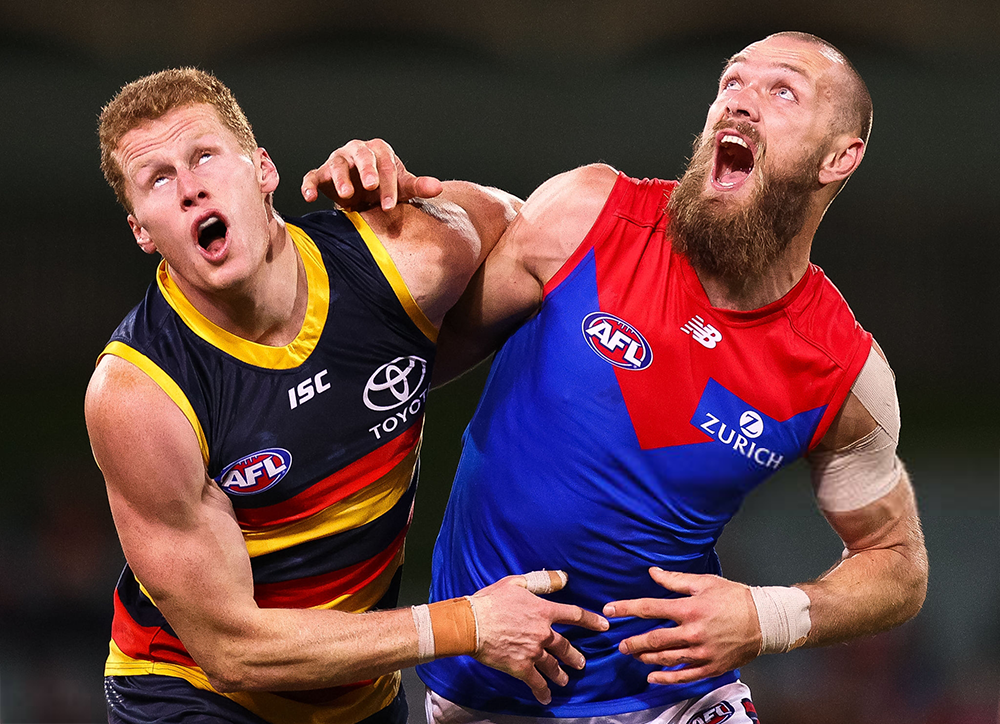
Goodwin revealed the club has approached the AFL about how the way Gawn is umpired, expressing concern about him being held up when attempting to get to a contest, especially when carrying a shoulder injury into the game. “It was an unbelievable performance,” Goodwin told reporters post-game. “To get up for this game, he was sore so it was unbelievable leadership to get himself up for the game in a really important match. “Max gets a lot of attention, we continually speak to the various powers at be about the attention and he gets clearly targeted just getting to a stoppage. “Hopefully we’ll start to get some protection (for him) at some stage.” Lyon said he will be keeping a keen eye on how Gawn is officiated for the remainder of the season, saying it was up to the umpires to ensure all players weren’t impeded while contesting the ball. “(Goodwin) is saying you’ve got to have the right to at least get to a contest,” Lyon said on SEN Breakfast. “Certainly last night Adelaide went out of their way to make it difficult and little Ned McHenry was leading the charge there and that must be happening more than what we saw last night. “I don’t mind the physicality of players and sometimes you target a player but as a ruckman you’ve got to at least get to a contest.
-
Gawn managed when we've got Goldstein and then Grundy. He should have been managed this week.