





Demonland
Primary Administrators
-
Joined
-
Last visited
Everything posted by Demonland
-
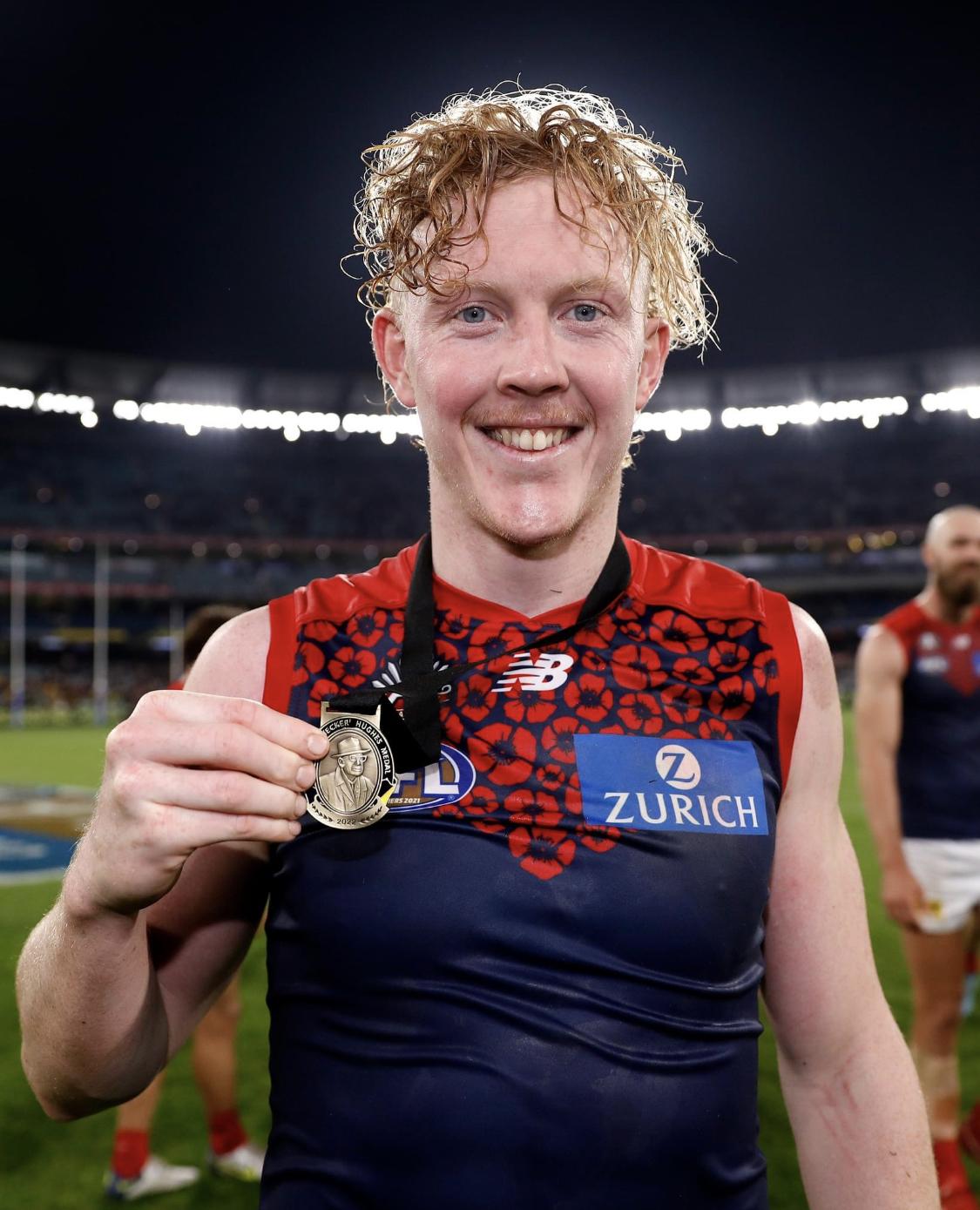
I saw a projection of 10-12 weeks somewhere.I would love this kind of accuracy.We'll be LIVE in 10 minutes. Listen & Chat LIVE: https://demonland.com/podcast Call: 03 9016 3666 Skype: Demonland31Join @george_on_the_outer, @binman & I on the Demonland Podcast tonight LIVE @ 8:30pm for breakdown of the Round 6 match against Richmond. Listen & Chat LIVE: https://demonland.com/podcast Call: 03 9016 3666 Skype: Demonland31Actually was 12 games for 11 votes. My Saints mates were smarting about his disposal but I thought he was quite measured and thoughtful with his 18 possessions at 83% disposal efficiency.Clarrie’s 40+ game captured everyone’s imagination. He goes to the top of the tree! 62. Clayton Oliver 49. Christian Petracca 43. Steven May 42. Max Gawn 31. Ed Langdon 21. Jake Bowey Angus Brayshaw 19. Luke Jackson 18. James Harmes 10. Ben Brown James Jordon Jack Viney 9. Alex Neal-Bullen 6. Sam Weideman 5. Jayden Hunt Harry Petty Charlie Spargo 4. Tom Sparrow 3. Kysaiah Pickett Joel Smith 2. Bayley Fritsch
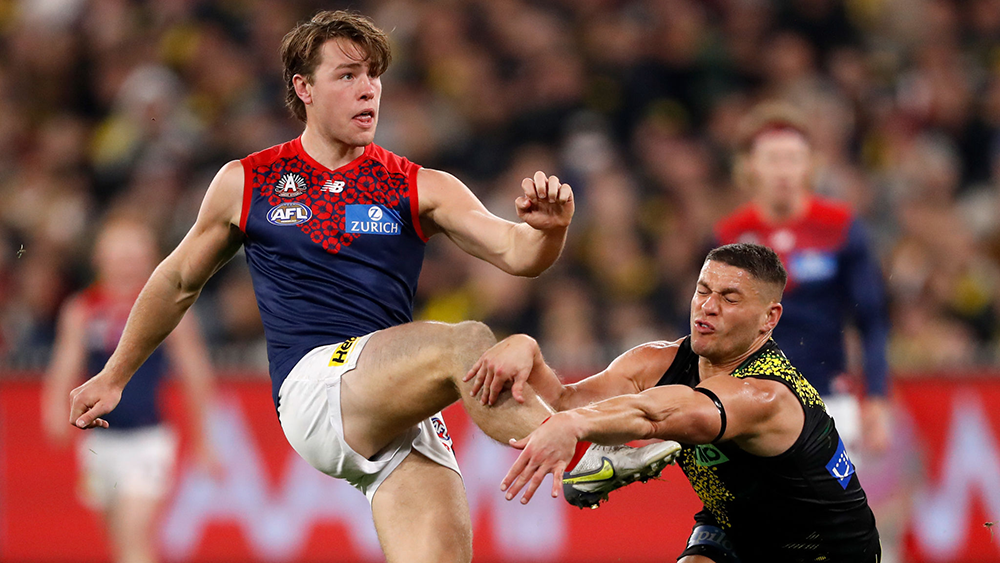
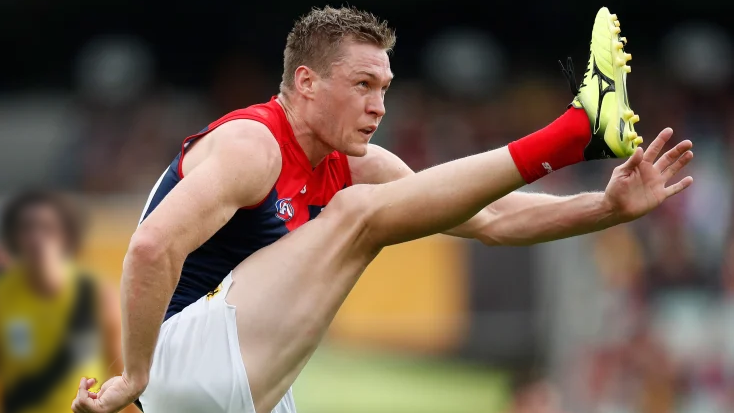
 Normally when one side outpoints the other, it is because of an emphatic victory. Against Richmond in the annual ANZAC Eve Blockbuster, the win by Melbourne was anything but emphatic, as they managed to miss the “big sticks” an incredible 22 times! The groans from around the ground as the Demons failed to put the Tigers away, eventually turned into ironic cheers for each successive point on the scoreboard. However, this irony from the fans was only possible because Melbourne had complete control of the game across the whole ground. They just couldn’t deliver the coup de grace on the scoreboard. The evening was spectacular, as it is every year with the lights dimmed for the solemn ANZAC memorial. Surely the players from Melbourne would have been impressed by the experience of playing in front of 70,000 at the G on this night. If it was this good, imagine what a GF experience will be like in front of their own fans. Something to look forward to? Unfortunately, what the game had in pre-match spectacle, it lacked in on-field performance. Richmond are a mere shell of the team which won 3 out of 4 Premierships, and are facing further decline as they try to hold it all together with old stagers in Riewoldt, Cotchin and Edwards. Only 7 touches to Edwards and with no Dusty, Grimes or Houli from the glory days, they are absolutely no chance to challenge again in 2022, as many thought in the pre-season. The Demons were just as ruthlessly overpowering as they were in their own GF appearance from last year, except on the scoreboard. The defensive unit once again held the opposition to below sixty points, with May, Bowey and Petty just racking up the intercepts when the ball came down their end. Nine each to May and Bowey with Petty chiming in for 8. No Lever? It didn’t matter, as the others just filled in with his absence. Jayden Hunt probably played his best game for the side this season in his 100th game, and importantly played defensively, not his attacking mode. He used his speed to shut down his opponent and let others do the ball movement upfield. In the middle, Petracca had a quiet game … but only because it was measured against an incredible performance from Clayton Oliver who was judged best afield on the night. Petracca’s mere 25 touches with 7 contested possessions was simply eclipsed when Oliver turned on the jets to produce 41 touches and an astounding 22 contested posssessions! Tom Sparrow is establishing himself as the third rock in the centre square as the coaches give him more time in the engine room. Twenty-four disposals in the hardest section of the ground, and still just 21 years of age. Then the side has a couple of reliable backups in Harmes and Dunstan and let’s not forget that Jack Viney is due to return next week. As noted last week, opposition sides should be very, very afraid. But the whole night was summed up by the enigma of the forward line. Sam Weideman received another chance, and despite three goals, they all came from fortuitous circumstances, not his own efforts. A solitary uncontested mark for the whole game is not what should be coming from a forward in his seventh year at the club. He will probably be given another chance to show if he has a future, but we keep revisiting this hope without an emphatic answer. Finally, in the third quarter Bayley Fritsch showed the side that someone up forward could kick straight and started a 5 goal streak that put the game beyond any doubt. Was it Christian Salem’s boots that he wore this week, and if so, the rest of the side needs to be issued with whatever Salo has sitting in the back of his locker. Hopes of a better game from therein for the fans however, was dashed as both teams could only manage a solitary goal each in the final quarter. And the Demons managed to out-point the Toiyges yet again in that quarter with three more minor scores to their two. It was just enthralling football to watch. Not! Next week the Hawks who are experiencing an up and down season. They are missing major components of their side particularly in the ruck and up forward. The Demons yet again face selection table problems with Lever and Viney available, while Tom McDonald put in a more than credible performance at Casey with three goals. The Demons certainly out-pointed Richmond and probably will do the same to the Hawks, but it is worth pointing out the winning streak is now out to 13, and Jake Bowey continues to know no other match result. Point made! MELBOURNE 2.6.18 3.12.30 8.19.67 9.22.76 RICHMOND 2.2.14 5.3.33 7.4.46 8.6.54 GOALS MELBOURNE Weideman 3 Fritsch 2 Brown Langdon Petracca Spargo RICHMOND Lynch Riewoldt 2 Baker Bolton Graham Rioli BEST MELBOURNE Oliver Hunt Langdon May Gawn Petty RICHMOND Vlastuin Nankervis Gibcus Short Graham D Rioli INJURIES MELBOURNE Dunstan (head) RICHMOND Dow (leg) REPORTS MELBOURNE Nil RICHMOND Nil SUBSTITUTES MELBOURNE T Bedford (not used) RICHMOND Parker (replaced Dow) UMPIRES Leigh Fisher Andrew Stephens Robert Findlay CROWD 70,334 at The MCG
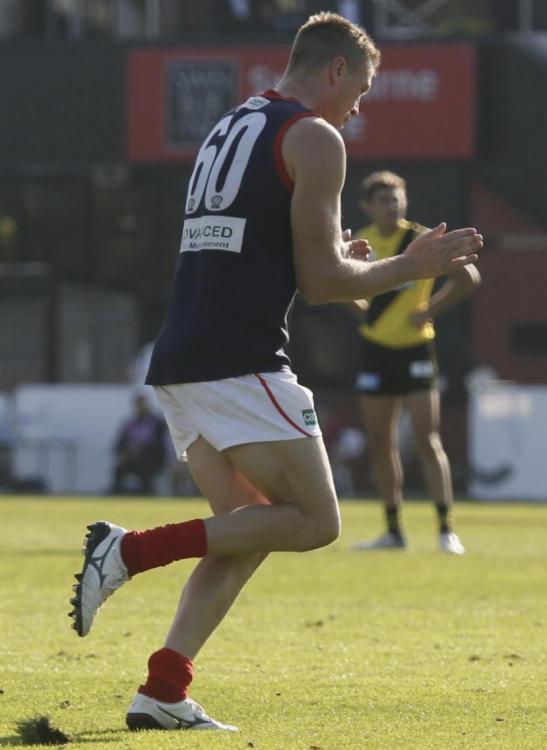
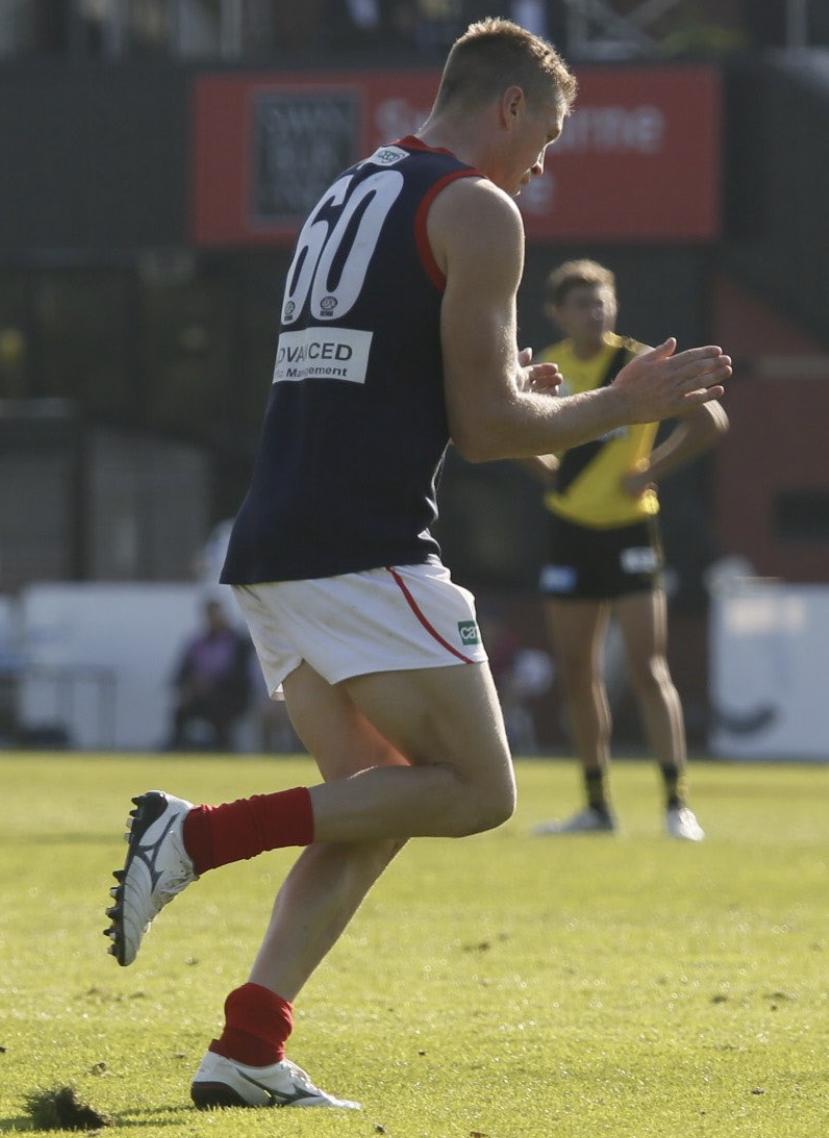
 I think he couldn’t tell the difference between Hunt and Langdon and then just gave both of them votes.The Casey Demons maintained their undefeated run and top spot on the VFL ladder after a bruising game against Richmond VFL at Punt Road yesterday but it wasn’t without its moments of doubt. The team was greeted by clear windless weather and sunny skies at Tigerland, a far cry from the prevailing conditions at their fortress in outer suburban Melbourne at Casey Fields. Things looked very bright in the early part of the game when Jimmy Munro got things under way with the opening goal from a free kick but things turned gloomy when the home team piled on six goals for the rest of the quarter, interrupted only by a couple of steadiers from Tom McDonald. The Tigers’ lead was stretched from 21 points to 26 by the 5 minute mark of the second term but from that point on, the Demon defence, led by Adam Tomlinson (till half time), Fraser Rosman, Deakyn Smith and Corey Ellison held them to just two goals for the remainder of the game (including a consolation goal late in time on at the very end). Tomlinson was unseen after collecting his 17 touches to half time, apparently taken off to be the emergency for the later game across the park at the MCG. Tomlinson’s presence might have been missed due to a few injury scares in the tough going later in the game but the classy Casey forwards ensured the win with two productive bursts - one in the second half of the second quarter and the other in the final term. Jake Melksham fired the team up with a goal of his own and was inspirational in the team’s revival. Goals from Munro and McDonald further narrowed the gap before Andy Moniz-Wakefield flew to mark and goal to give the Demons the half time lead. A dour third term followed in which both defences were on top and scores were level at the final break. Casey took the ascendancy early through a goal from dependable skipper Mitch White who was the best on ground and it was time for the visitors to run the Tigers ragged. Oskar Baker turned in an excellent four quarter performance and some late goals to promising youngsters in Bailey Laurie and Jacob Van Rooyen were very encouraging. The 23-point victory lifted the Demons to the status of the only team in the competition with full points from all matches after the Giants drew their match with Sandringham at Blacktown on Saturday and sets up an interesting encounter next week against the Box Hill Hawks at City Oval, Box Hill. Casey Coach Mark Corrigan would have come away happy at the way his charges overcame those early moments of doubt and turned the momentum their way and into a comfortable victory in the end. Casey Demons 3.0.18 7.6.48 8.7.55 13.9.87 Richmond VFL 6.3.39 7.4.46 8.7.55 9.10.64 Goals Casey Demons McDonald 3 Munro White 2 Brown Chandler Laurie Melksham Moniz-Wakefield Van Rooyen Richmond VFL Lefau 2 Aarts Clark Henderson Johnson Olden Stack Tucker Best Casey Demons White Rosman Melksham McDonald Tomlinson Baker Chandler Ellison Richmond VFL Street Aarts Ryan Sonsie Martyn Clarke Statistics Oskar Baker 17 kicks 7 handballs 24 disposals 7 marks 4 tackles 95 dream team points Riley Baldi 6 kicks 3 handballs 9 disposals 5 marks 6 tackles 63 dream team points Jake Bell 2 kicks 1 handballs 3 disposals 1 tackle 3 hit outs 11 dream team points Mitch Brown 1 goals 2 behinds 10 kicks 1 handballs 11 disposals 7 marks 59 dream team points Kade Chandler 1 goals 1 behind 9 kicks 8 handballs 17 disposals 6 marks 6 tackles 93 dream team points Majak Daw 6 kicks 5 handballs 11 disposals 2 marks 3 tackles 31 hit outs 79 dream team points Corey Ellison 9 kicks 3 handballs 12 disposals 8 marks 2 tackles 65 dream team points George Grey 9 kicks 4 handballs 13 disposals 1 mark 2 tackles 46 dream team points Ryan Koo 3 handballs 3 disposals 1 mark 2 tackles 17 dream team points [injured] Bailey Laurie 1 goal 1 behinds 7 kicks 7 handballs 14 disposals 1 mark 4 tackles 59 dream team points Tom McDonald 3 goals 1 behind 9 kicks 4 handballs 13 disposals 3 marks 1 tackle 6 hit outs 65 dream team points Judd McVee 1 kick 6 handballs 7 disposals 4 tackles 32 dream team points Jake Melksham 1 goal 15 kicks 4 handballs 19 disposals 8 marks 6 tackles 99 dream team points Andy Moniz-Wakefield 1 goal 5 kicks 6 handballs 11 disposals 4 marks 1 tackle 49 dream team points James Munro 2 goals 5 kicks 10 handballs 15 disposals 7 tackles 69 dream team points Fraser Rosman 17 kicks 4 handballs 21 disposals 5 marks 1 tackle 78 dream team points Miles Shepherd 6 kicks 5 handballs 11 disposals 5 marks 5 tackles 64 dream team points Deakyn Smith 5 kicks 8 handballs 13 disposals 5 marks 2 tackles 51 dream team points Roan Steele 10 kicks 2 handballs 12 disposals 5 marks 2 tackles 59 dream team points Adam Tomlinson 15 kicks 2 handballs 17 disposals 6 marks 1 tackle 68 dream team points Jacob Van Rooyen 1 goal 1 behinds 3 kicks 2 handballs 5 disposals 2 marks 2 tackles 34 dream team points Mitch White 2 goals 1 behind 15 kicks 11 handballs 26 disposals 3 marks 2 tackles 96 dream team points Taj Woewodin 7 kicks 2 handballs 9 disposals 4 marks 3 tackles 43 dream team points
 MOMENTS OF DOUBT by KC from Casey The Casey Demons maintained their undefeated run and top spot on the VFL ladder after a bruising game against Richmond VFL at Punt Road yesterday but it wasn’t without its moments of doubt. The team was greeted by clear windless weather and sunny skies at Tigerland, a far cry from the prevailing conditions at their fortress in outer suburban Melbourne at Casey Fields. Things looked very bright in the early part of the game when Jimmy Munro got things under way with the opening goal from a free kick but things turned gloomy when the home team piled on six goals for the rest of the quarter, interrupted only by a couple of steadiers from Tom McDonald. The Tigers’ lead was stretched from 21 points to 26 by the 5 minute mark of the second term but from that point on, the Demon defence, led by Adam Tomlinson (till half time), Fraser Rosman, Deakyn Smith and Corey Ellison held them to just two goals for the remainder of the game (including a consolation goal late in time on at the very end). Tomlinson was unseen after collecting his 17 touches to half time, apparently taken off to be the emergency for the later game across the park at the MCG. Tomlinson’s presence might have been missed due to a few injury scares in the tough going later in the game but the classy Casey forwards ensured the win with two productive bursts - one in the second half of the second quarter and the other in the final term. Jake Melksham fired the team up with a goal of his own and was inspirational in the team’s revival. Goals from Munro and McDonald further narrowed the gap before Andy Moniz-Wakefield flew to mark and goal to give the Demons the half time lead. A dour third term followed in which both defences were on top and scores were level at the final break. Casey took the ascendancy early through a goal from dependable skipper Mitch White who was the best on ground and it was time for the visitors to run the Tigers ragged. Oskar Baker turned in an excellent four quarter performance and some late goals to promising youngsters in Bailey Laurie and Jacob Van Rooyen were very encouraging. The 23-point victory lifted the Demons to the status of the only team in the competition with full points from all matches after the Giants drew their match with Sandringham at Blacktown on Saturday and sets up an interesting encounter next week against the Box Hill Hawks at City Oval, Box Hill. Casey Coach Mark Corrigan would have come away happy at the way his charges overcame those early moments of doubt and turned the momentum their way and into a comfortable victory in the end. Casey Demons 3.0.18 7.6.48 8.7.55 13.9.87 Richmond VFL 6.3.39 7.4.46 8.7.55 9.10.64 Goals Casey Demons McDonald 3 Munro White 2 Brown Chandler Laurie Melksham Moniz-Wakefield Van Rooyen Richmond VFL Lefau 2 Aarts Clark Henderson Johnson Olden Stack Tucker Best Casey Demons White Rosman Melksham McDonald Tomlinson Baker Chandler Ellison Richmond VFL Street Aarts Ryan Sonsie Martyn Clarke Statistics Oskar Baker 17 kicks 7 handballs 24 disposals 7 marks 4 tackles 95 dream team points Riley Baldi 6 kicks 3 handballs 9 disposals 5 marks 6 tackles 63 dream team points Jake Bell 2 kicks 1 handballs 3 disposals 1 tackle 3 hit outs 11 dream team points Mitch Brown 1 goals 2 behinds 10 kicks 1 handballs 11 disposals 7 marks 59 dream team points Kade Chandler 1 goals 1 behind 9 kicks 8 handballs 17 disposals 6 marks 6 tackles 93 dream team points Majak Daw 6 kicks 5 handballs 11 disposals 2 marks 3 tackles 31 hit outs 79 dream team points Corey Ellison 9 kicks 3 handballs 12 disposals 8 marks 2 tackles 65 dream team points George Grey 9 kicks 4 handballs 13 disposals 1 mark 2 tackles 46 dream team points Ryan Koo 3 handballs 3 disposals 1 mark 2 tackles 17 dream team points [injured] Bailey Laurie 1 goal 1 behinds 7 kicks 7 handballs 14 disposals 1 mark 4 tackles 59 dream team points Tom McDonald 3 goals 1 behind 9 kicks 4 handballs 13 disposals 3 marks 1 tackle 6 hit outs 65 dream team points Judd McVee 1 kick 6 handballs 7 disposals 4 tackles 32 dream team points Jake Melksham 1 goal 15 kicks 4 handballs 19 disposals 8 marks 6 tackles 99 dream team points Andy Moniz-Wakefield 1 goal 5 kicks 6 handballs 11 disposals 4 marks 1 tackle 49 dream team points James Munro 2 goals 5 kicks 10 handballs 15 disposals 7 tackles 69 dream team points Fraser Rosman 17 kicks 4 handballs 21 disposals 5 marks 1 tackle 78 dream team points Miles Shepherd 6 kicks 5 handballs 11 disposals 5 marks 5 tackles 64 dream team points Deakyn Smith 5 kicks 8 handballs 13 disposals 5 marks 2 tackles 51 dream team points Roan Steele 10 kicks 2 handballs 12 disposals 5 marks 2 tackles 59 dream team points Adam Tomlinson 15 kicks 2 handballs 17 disposals 6 marks 1 tackle 68 dream team points Jacob Van Rooyen 1 goal 1 behinds 3 kicks 2 handballs 5 disposals 2 marks 2 tackles 34 dream team points Mitch White 2 goals 1 behind 15 kicks 11 handballs 26 disposals 3 marks 2 tackles 96 dream team points Taj Woewodin 7 kicks 2 handballs 9 disposals 4 marks 3 tackles 43 dream team points
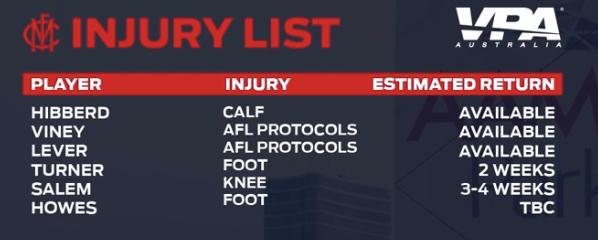
 How many of us were a bit concerned that we couldn’t beat Hawthorn in Round 18 last year? MELBOURNE B: J. Hunt 29 S. May 1 J. Lever 8 HB: M. Hibberd 14 H. Petty 35 C. Salem 3 C: J. Jordon 23 C. Petracca 5 E. Langdon 15 HF: K. Pickett 36 T. McDonald 25 A. Brayshaw 10 F: A. Neal-Bullen 30 B. Brown 50 B. Fritsch 31 Foll: M. Gawn 11 C. Oliver 13 J. Viney 7 I/C: L. Jackson 6 T. Rivers 24 C. Spargo 9 A. vandenBerg 22 Sub: T. Sparrow 32 Emerg: J. Melksham 18 J. Smith 44 S. Weideman 26 In: A. vandenBerg Out: J. Harmes (infected ear) HAWTHORN B: D. Grainger-Barras 38 K. Hartigan 28 D. Howe 17 HB: S. Burgoyne 9 S. Frost 8 L. Bramble 16 C: D. Moore 36 J. Worpel 5 T. Phillips 21 HF: E. Jeka 39 L. Breust 22 J. O'Meara 10 F: J. Koschitzke 34 T. O'Brien 23 M. Lewis 2 Foll: B. McEvoy 7 T. Mitchell 3 L. Shiels 26 I/C: T. Brockman 42 J. Cousins 24 D. Greaves 30 N. Reeves 37 Emerg: O. Hanrahan 13 M. Hartley 27 J. Newcombe 44 In: J. Cousins T.O'Brien M.Lewis N.Reeves Out: J.Ceglar (hip) C. Jiath (knee) C. Nash (covid exposure) J.Scrimshaw (concussion)Who comes in and who goes out?Only one goal more than Richmond?Post your votes folks 6,5,4,3,2,1 …Who puts on the ANZAC ceremony? The home team or the AFL?I don’t think the ANZAC ceremony is starting at 6:30pm. it’s currently 6:38pm and both teams are still on the ground.I believe it is 6:30pmI reckon we’re going to be mightily outnumbered tonight. Understandably given it’s their home game.






Account
Navigation
Search
Configure browser push notifications
Chrome (Android)
- Tap the lock icon next to the address bar.
- Tap Permissions → Notifications.
- Adjust your preference.
Chrome (Desktop)
- Click the padlock icon in the address bar.
- Select Site settings.
- Find Notifications and adjust your preference.
Safari (iOS 16.4+)
- Ensure the site is installed via Add to Home Screen.
- Open Settings App → Notifications.
- Find your app name and adjust your preference.
Safari (macOS)
- Go to Safari → Preferences.
- Click the Websites tab.
- Select Notifications in the sidebar.
- Find this website and adjust your preference.
Edge (Android)
- Tap the lock icon next to the address bar.
- Tap Permissions.
- Find Notifications and adjust your preference.
Edge (Desktop)
- Click the padlock icon in the address bar.
- Click Permissions for this site.
- Find Notifications and adjust your preference.
Firefox (Android)
- Go to Settings → Site permissions.
- Tap Notifications.
- Find this site in the list and adjust your preference.
Firefox (Desktop)
- Open Firefox Settings.
- Search for Notifications.
- Find this site in the list and adjust your preference.