Demonland
Primary Administrators
-
Joined
-
Last visited
-
Currently
Viewing Topic: 2026 Free Kick Differential
Everything posted by Demonland
-
* internally the team is incredibly united. there is no divide between players that played in the granny and those that didn't.
-
* Re: Does May need a booze ban? We'll work with Steven.
-
* re: Dees reporting the fight to the AFL. - as soon as we found out.
-
* join the dots about where it's all coming from re: leaks
-
* re: the new early 2021 leaks - he doesn't care about it. it's irrelevant.
-
* re: how to ensure this doesn't have adverse effect - we address it and that's how you build a good culture. incident doesn't mean the playing group doesn't love and care for each other. we don't tolerate violence but the incident doesn't define the playing group. we'll learn from it.
-
* jake's had two surgeries to wash out the wound for serious infection.
-
* re: penalty to Jake Melksham for one punch hit. - club still working on what the community service will look like
-
* steven made a mistake. and will learn from it. has respect and standing in the playing group but will regain that respect.
-
* details have been done to death. it's how you learn from it that matters now.
-
* on the incident and Jake standing up for a teammate - violence not the answer
-
* Disappointing week. Max summed it up well. * Cultures are never perfect but it's how you react and learn from them. Use it as a lesson to get better. Cultures never complete and you have to learn from it.
-
I'll post the full video once it is released. EDIT: Added Full Video
-
Who are you tipping this week?
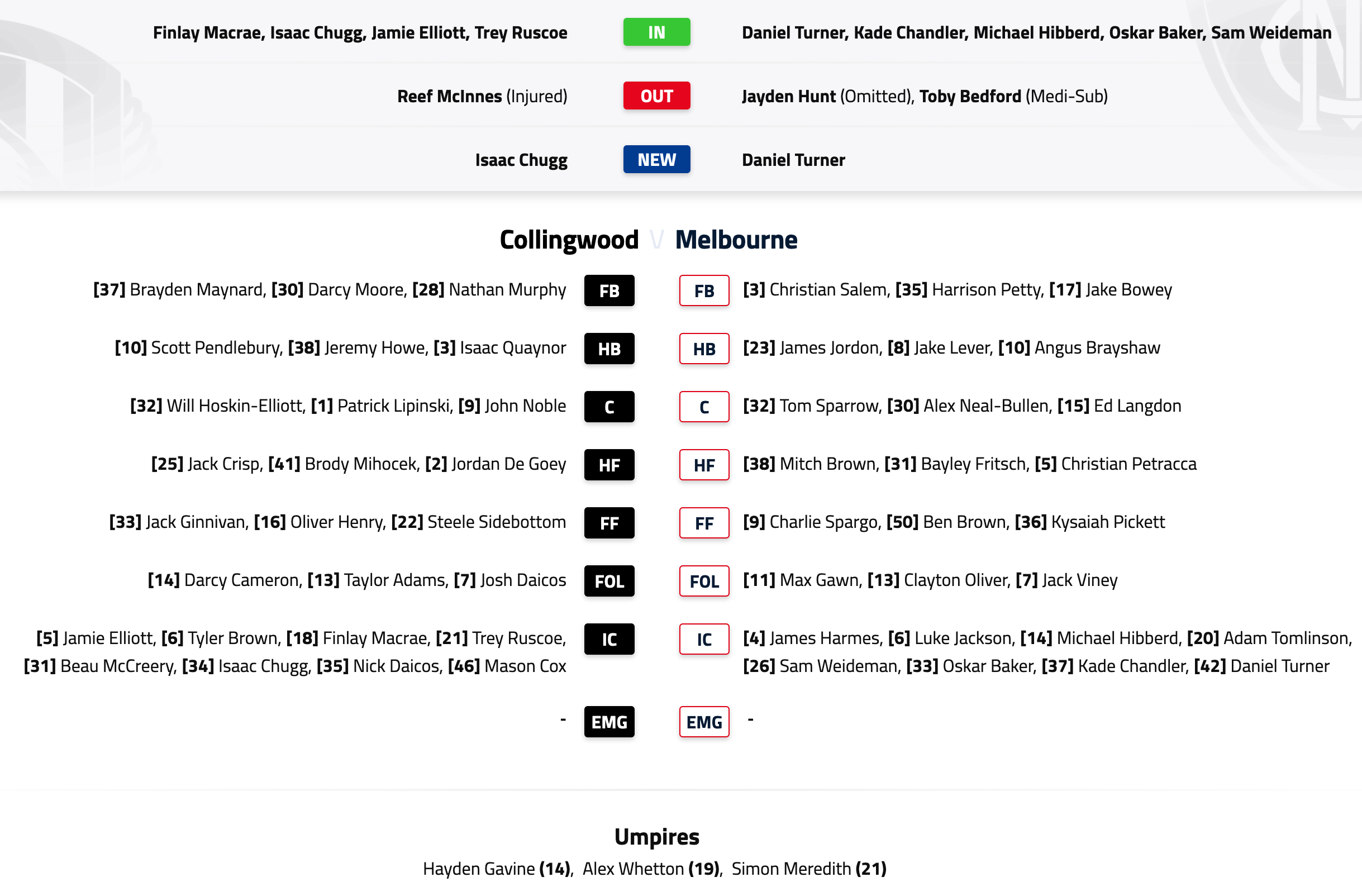
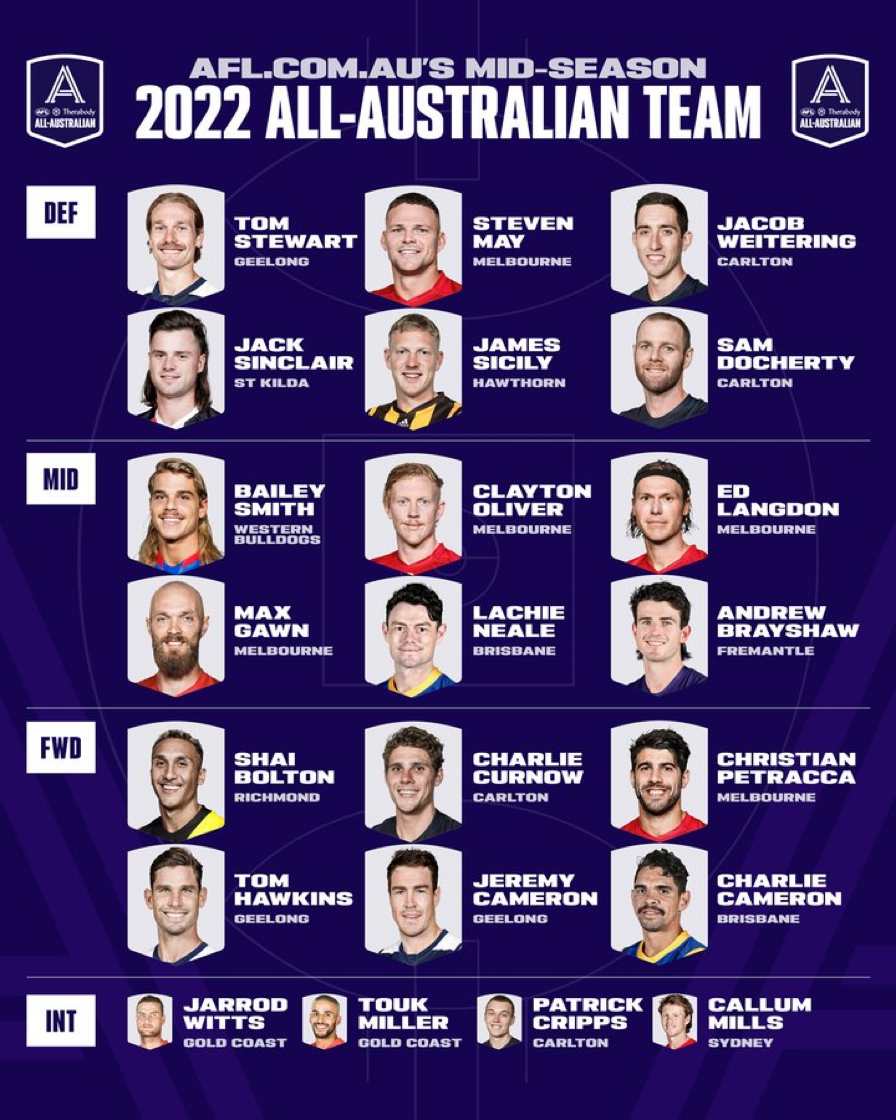
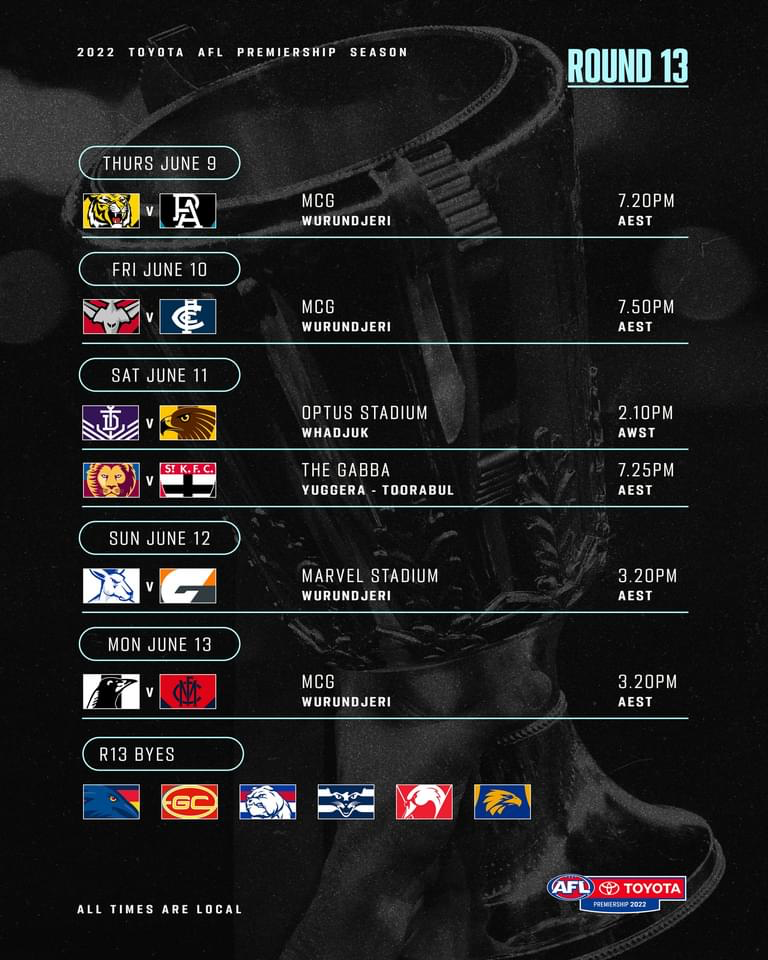
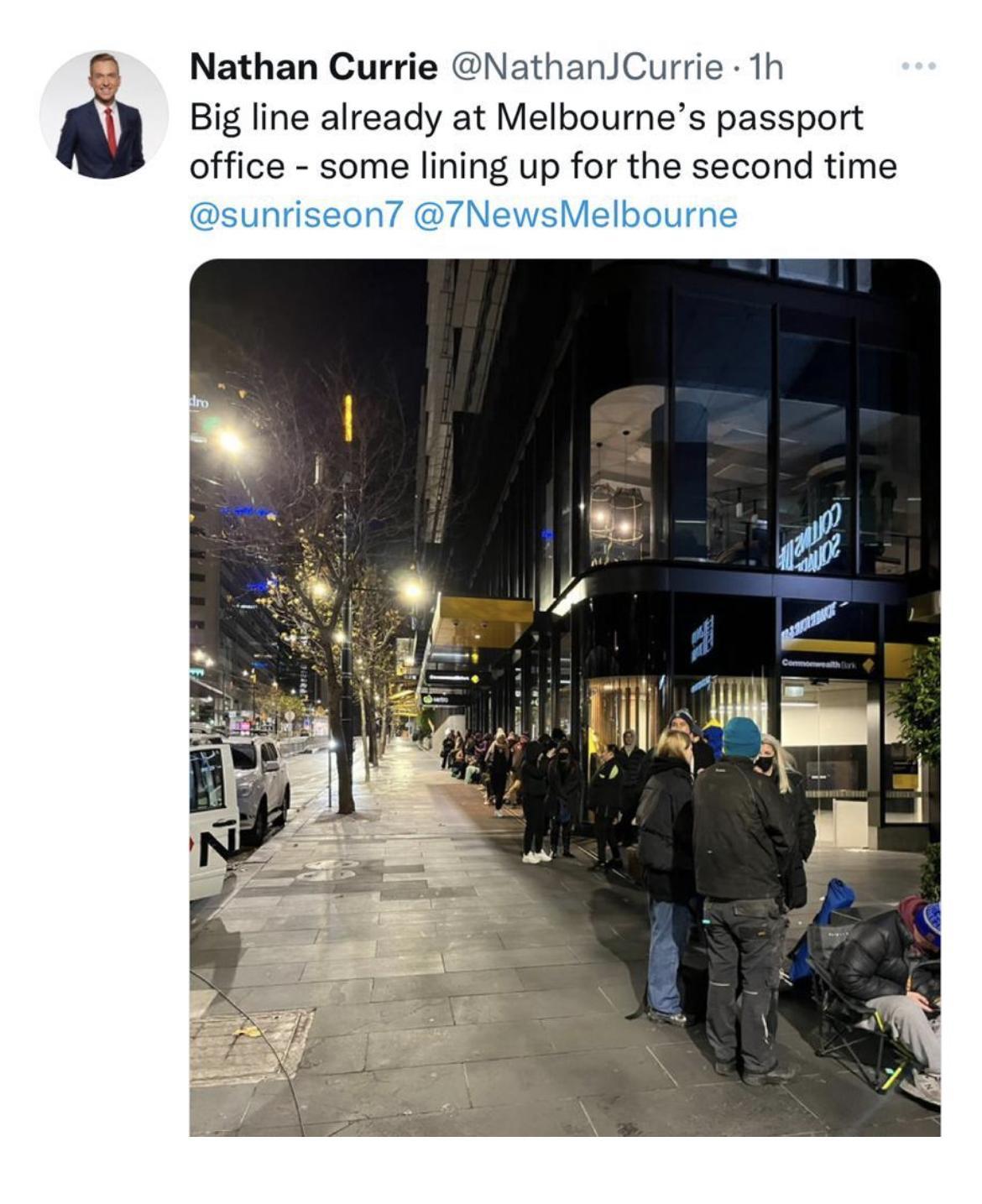
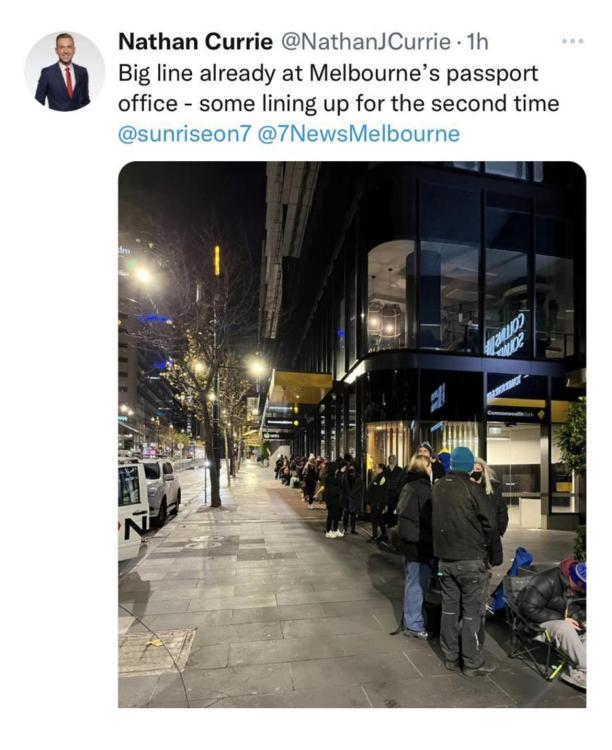
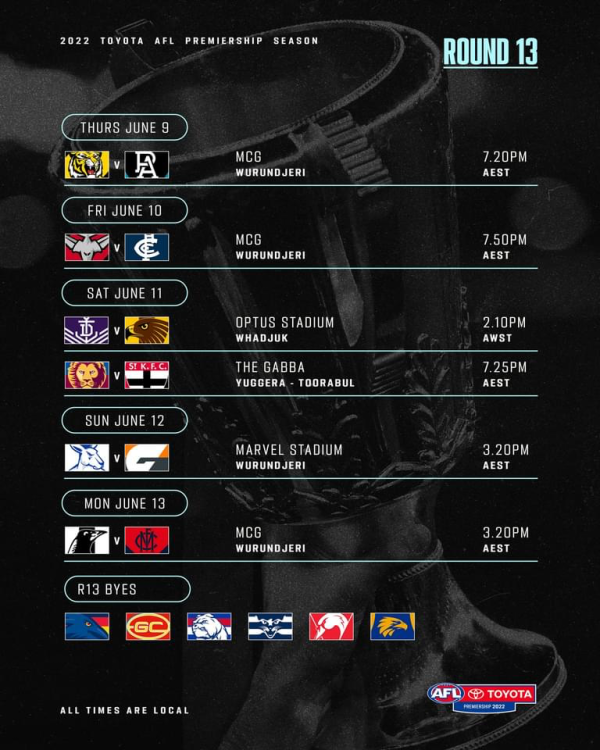 Melbourne’s fortunes took a dramatic turn for the worst on the day the Anthony Albanese was elected as Prime Minister. Since that fateful day, Steven May pinged his hamstring early in the match against the Dockers, Harry Petty came off the ground in consecutive games feeling the worse for wear, it was revealed that Tom McDonald’s foot was in messy shape, the Herald Sun exclusively reported that two years ago, Demon committee members exchanged emails critical of the team after it lost a game by 51 points coming off a four-day break, full forward Ben Brown hasn’t kicked a goal since marking his ballot paper, Christian Petracca was ripped for surmising that the weather kept fans away from a football match played at night during a cold snap and the said Steven May and teammate Jake Melksham engaged in fisticuffs, smashing up an upmarket restaurant where members of the team were eating dinner. Both are out this week for different reasons. Unsurprisingly then, the club lost both of its matches in the interim since the Federal Election and the Demons have collapsed from first place on the ladder to first place on the ladder. It’s shades of 1965 when the reigning premiers won their first eight games and fell into a screaming heap and failed to make the finals. That sort of thing happened in the days of Bob Menzies, but it’s now the 21st Century. Is history repeating? This week, the team faces the mortal enemy, former traditional rival and eighth placed Collingwood coming off a roll, ready to mercilessly demolish them and consign them to a place in Hell. After all, they did it last year when the Demons had May and McDonald and their coach was on the nose with their supporters. Now they have a clean skin coach and the shadowy figure of a seven foot tall behemoth in dark glasses looms over all, instilling fear into the hearts of Demon fans, unable to afford the cost of petrol to escape to the snowfields for Queens Birthday, and forced to queue up in droves to acquire passports to get themselves to safe places like Europe, Africa, the Middle East or just about any American city. When former PM, Scott Morrison was asked about how he would fix the Melbourne malaise, he responded, “It’s not my job! Things are so bad that we’re almost at the stage where people are wondering whether, in 56 or 57 year’s time, the topic for discussion will be how Anthony Albanese tripped them up. Or they blame the Simon Goodwin Curse given that according to the aspiring Pulitzer Prize winners at the little tabloid paper who claim to have ringside seats at the “Demons Fight Club”, it all started with a tipple and a $5.00 each way TAB ticket at Sorrento? Wait! Let’s all take a really deep breath and look at reality. The world isn’t coming to an end. Nor is the Melbourne dynasty if you want to call it that. By mid-week, sanity was starting to prevail when the skipper Max Gawn, who was in dominant form in the Demon’s loss against the Swans, stood up for his club and while he admitted that some recent events were somewhat embarrassing, the truth emerged. The club is upholding the standards required of a leading team. Contrast May’s treatment with that of Collingwood’s De Goey who didn’t miss a second of game time over his New York escapades. The Demons can regroup for this season-defining Queen's Birthday that honours former coach Neale Daniher and highlight the man’s integrity. You don’t win premierships without that ingredient! There is a view that the Demons are somewhat tired and off the mark as a result of loading but I’m not buying that entirely. There’s a lot of improvement to come this week in the form of players like Christian Salem, Ed Langdon, James Harmes, Adam Tomlinson and Christian Petracca who were flat last week coming back from injury, illness and/or a stint at Casey. There wasn’t enough in them to get them through an arm-wrestle against the Swans even though they still won the contested football. The fact that they will have had a nine-day break by the time game day arrives on Monday should see them refreshed and ready to take on the Pies who have just fallen over the line in their recent matches. Melbourne by 15 points and Maxy still won’t bounce the footy. He doesn’t have to! THE GAME Melbourne v Collingwood at the MCG Monday 13 June, 2022 at 3.20pm HEAD TO HEAD Overall Collingwood 151 wins, Melbourne 84 wins, 5 drawn At at the MCG Collingwood 83 wins, Melbourne 63 wins, 3 drawn Last five meetings Collingwood 4 wins, Melbourne 1 win, The Coaches McCrae 0 wins, Goodwin 0 wins MEDIA TV live and on demand on Kayo and live on Foxtel. Check your local guides. Radio - check your local guides. LAST TIME THEY MET Collingwood defeated Melbourne at the MCG in Round 13, 2021 Yet another Melbourne lockdown forced the game to be relocated to Sydney where a combination of emotion for Nathan Buckley’s last game as coach, a ground that suits the Pies and some lethargy on the part of the Demons saw them go down in an upset. THE TEAMS COLLINGWOOD B: B.Maynard 37 D.Moore 30 N.Murphy 28 HB: S.Pendlebury 10 J.Howe 38 I.Quaynor 3 C: W.Hoskin-Elliott 32 P.Lipinski 1 John Noble 9 HF: J.Crisp 25 B.Mihocek 41 J.De Goey 2 F: J.Ginnivan 33 J.Elliott 5 S.Sidebottom 22 Foll: D.Cameron 14 T.Adams 13 J.Daicos 7 I/C: M.Cox 46 N.Daicos 35 O.Henry B. McCreery 31 Sub: T.Brown 6 Emerg: I.Chugg F.Macrae 18 T.Ruscoe 21 In: J.Elliott Out: R.McInnes (shoulder) MELBOURNE B: C.Salem 3 H.Petty 35 J.Bowey 17 HB: J.Jordon 23 J.Lever 8 A.Brayshaw 10 C: T.Sparrow 32 A.Neal-Bullen 30 E.Langdon 15 HF: M.Brown 38 B.Fritsch 31 C.Petracca 5 F: C.Spargo 9 B.Brown 50 K.Pickett 36 Foll: M.Gawn11 C.Oliver 13 J.Viney 7 IC: J.Harmes 4 M.Hibberd 14 L.Jackson 6 D.Turner 42 Sub: K.Chandler 37 Emerg: O.Baker 33 A.Tomlinson 20 S.Weideman 26 In: K.Chandler M.Hibberd D.Turner Out: T.Bedford (omitted) J.Hunt (omitted) A.Tomlinson (omitted) Injury and Suspension List: Round 13 Harry Petty - Shoulder | Test Steven May - Club Discipline | 1 Week Jake Melksham - Hand | 1 Week Fraser Rosman - Hamstring | 1 Week Joel Smith - Ankle | 4-6 Weeks Blake Howes - Foot | 5-7 Weeks Tom McDonald Foot | TBC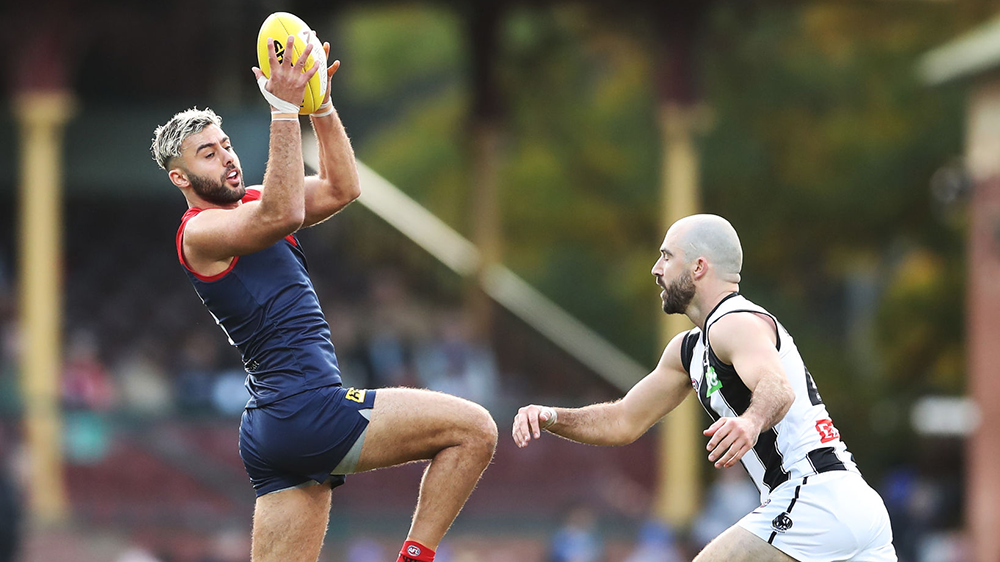
Account
Navigation
Search
Configure browser push notifications
Chrome (Android)
- Tap the lock icon next to the address bar.
- Tap Permissions → Notifications.
- Adjust your preference.
Chrome (Desktop)
- Click the padlock icon in the address bar.
- Select Site settings.
- Find Notifications and adjust your preference.
Safari (iOS 16.4+)
- Ensure the site is installed via Add to Home Screen.
- Open Settings App → Notifications.
- Find your app name and adjust your preference.
Safari (macOS)
- Go to Safari → Preferences.
- Click the Websites tab.
- Select Notifications in the sidebar.
- Find this website and adjust your preference.
Edge (Android)
- Tap the lock icon next to the address bar.
- Tap Permissions.
- Find Notifications and adjust your preference.
Edge (Desktop)
- Click the padlock icon in the address bar.
- Click Permissions for this site.
- Find Notifications and adjust your preference.
Firefox (Android)
- Go to Settings → Site permissions.
- Tap Notifications.
- Find this site in the list and adjust your preference.
Firefox (Desktop)
- Open Firefox Settings.
- Search for Notifications.
- Find this site in the list and adjust your preference.