Demonland
Primary Administrators
-
Joined
-
Last visited
Everything posted by Demonland
-
Community & Pre-Season Camp: Day 01 GALLERY: DAY 01
-
Placing Player Votes 1 Kate Hore 175 2 Tyla Hanks 160 3 Elizabeth McNamara 111 4 Maeve Chaplin 89 5 Megan Fitzsimon 66 6 Tayla Harris 61 7 Shelley Heath 60 8 Tahlia Gillard 57 9 Eden Zanker 52 10 Ryleigh Wotherspoon 27 11 Sinéad Goldrick 19 12 Paxy Paxman 18 13 Olivia Purcell 15 14 Saraid Taylor 14 15 Lauren Pearce 5 16 Blaithin Mackin 3 16 Maggie Mahony 3 16 Molly O’Hehir 3 19 Alyssa Bannan 2 20 Gabrielle Colvin 1 20 Laela Ebert 1 20 Jemma Rigoni 1
-
And congratulations to Kate Hore … Final Placings 175. Kate Hore 160. Tyla Hanks 111. Elizabeth McNamara 89. Maeve Chaplin 66. Megan Fitzsimon 61. Tayla Harris 60. Shelley Heath 57. Tahlia Gillard 52. Eden Zanker 27. Ryleigh Wotherspoon 19. Sinéad Goldrick 18. Paxy Paxman 15. Olivia Purcell 14. Saraid Taylor 5. Lauren Pearce 3. Blaithin Mackin Maggie Mahony Molly O’Hehir 2. Alyssa Bannan 1. Gabrielle Colvin Laela Ebert Jemma Rigoni
-
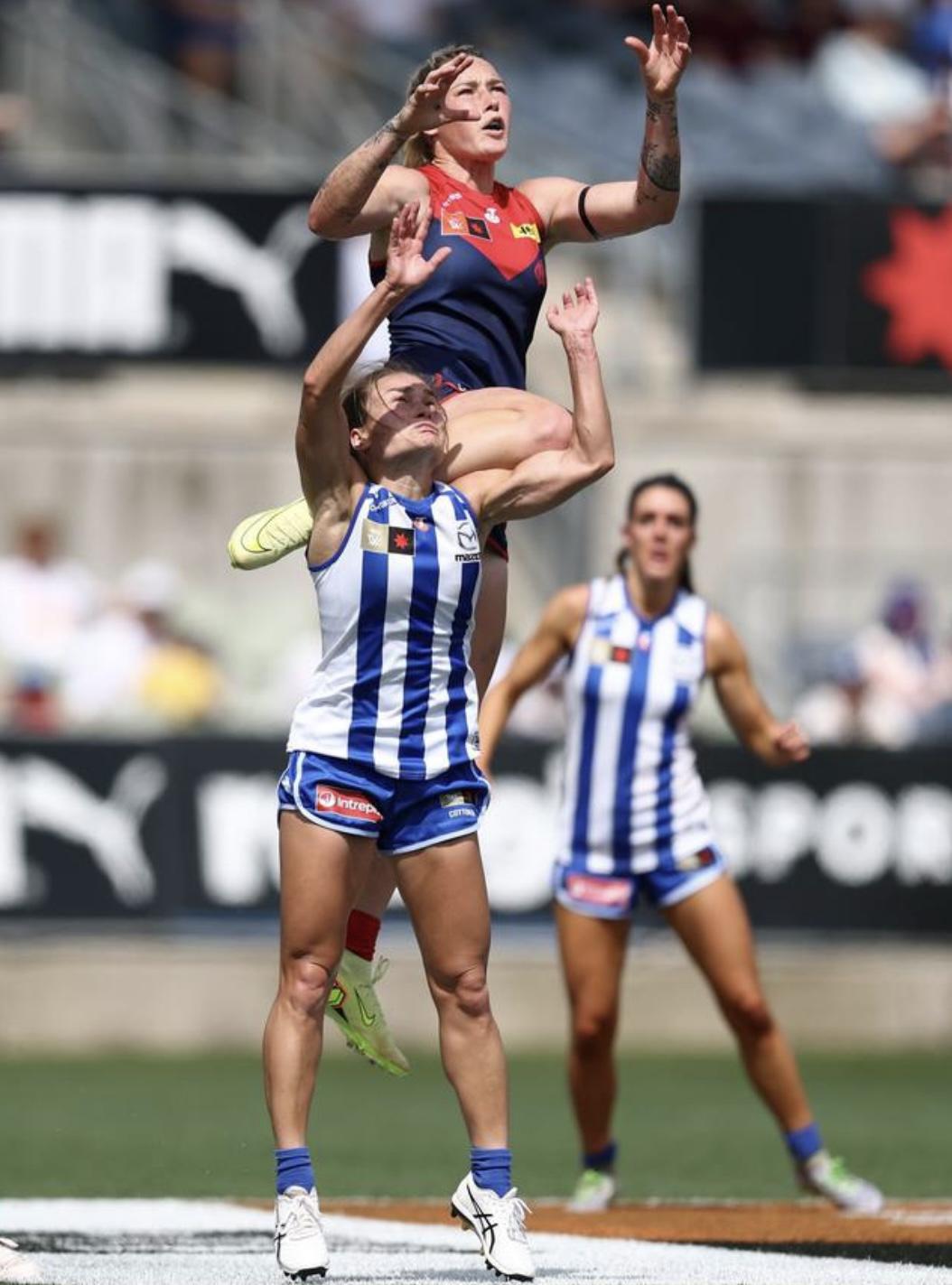
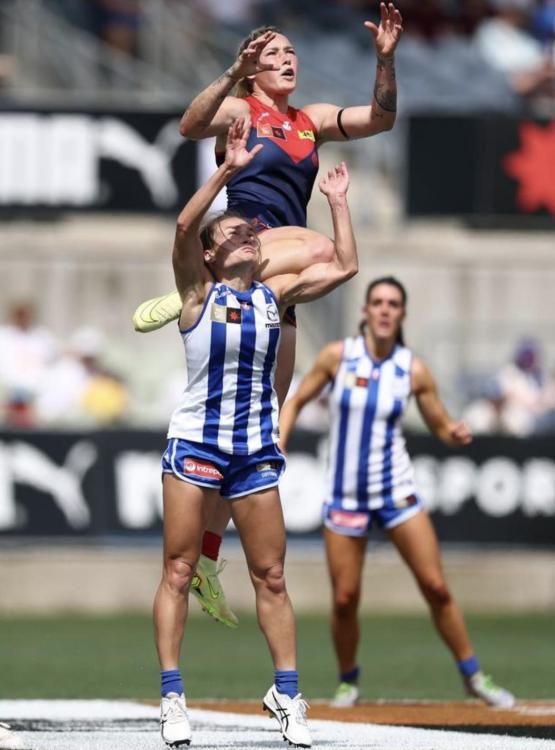
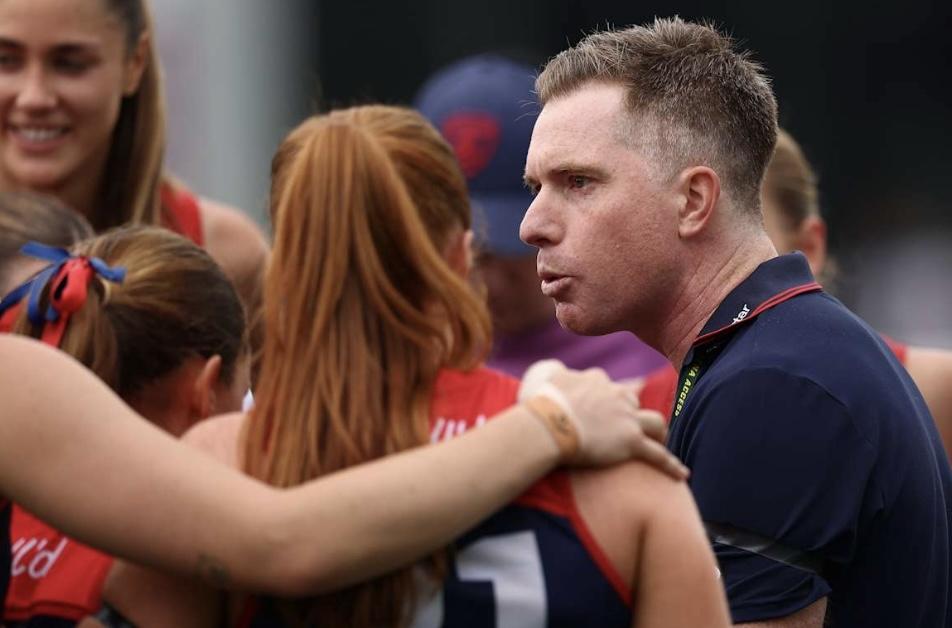
Dees Fall Short in a Classic No team had come close to cracking North Melbourne all season, and Melbourne — up by six at the final change — nearly broke that trend in a pulsating preliminary final at IKON Park. Under perfect finals conditions — 24 degrees, sunny, and dry — a crowd of 7,057 packed Princes Park for a high-class showcase of AFLW football. The occasion was marked with black armbands following the passing of Tahlia Gillard’s grandfather, a stirring Welcome to Country by Colin Hunter Jnr, and a live rendition of the national anthem before the bounce. A strong contingent of Demon men — led by Max Gawn, Jack Viney, Jake Melksham, and Steven May — were on hand to support their AFLW sisters. One Club, one dream, #demonspirit. The Match Melbourne came out breathing fire. Paxy Paxman wound back the clock with the opener, then found Ry Wotherspoon for the second. Eliza McNamara was everywhere early, while Zanker and Lize missed chances before Captain Kate Hore roved and goaled for a sizzling 3-zip start. North hit back hard. Blaithin Bogue responded, her Irish speed worried the Dees, the important return of Sheerin who converted and Bogue outbodied Hore for her second. Suddenly, it was a one-point game. Tyla Hanks and Kate Hore combined to set up Tayla Harris, who drilled a trademark long bomb and pumped her fist — her 13th finals match, and played like the superstar she is. Quarter time: Melbourne 4.2 (26) to North 3.1 (19). The second term tightened. Riddell goaled, while technical 50m penalties frustrated fans and commentators alike. Randall missed hers; Hore nailed hers. Melbourne’s defence held firm, and at halftime the Dees clung to a slender lead: 5.2 (32) to 4.6 (30). The third quarter was a grind. Harris again started at centre bounce, Hore missed, Bannan rushed, Ry missed, Hanks missed. North failed to score anything at all, but Melbourne’s inaccuracy had hurt. Three-quarter time: 5.6 (36) to 4.6 (30). The last quarter was finals footy at its fiercest. After nine minutes of trench warfare, Bogue kicked her third to snatch the lead. A minute later, Jasmine Garner—best on ground—pounced with a classic Jazzy stealer. Melbourne threw everything at it, but fatigue told. North, fresher after a week off, finished stronger to win by 10 points and earn their chance of back-to-back premiership glory next week. Spent but Proud. Final Score: North Melbourne 6.10 (46) def Melbourne 5.6 (36). Match Moment Meggs loved Tayla Harris’s spectacular mark-of-the-year contender on Ash Riddell and Paxy’s crunching bump on Alice O’Loughlin — but the theatre belonged to Eden Zanker. After flattening Libby Birch in play, Eden mocked Birch’s complaints with a cheeky “cry-baby” gesture. Fiery finals footy! Meggs just laughed. Birch, once a Demon, may have burnt some bridges but she played her matchday role well and as they say winners are grinners. All the best next Saturday Libby. Meggs Musings Felt flat immediately after the game but gee haven’t the finals games been super entertaining. Footy thoughts: • Melbourne’s four key defenders — Gillard, Taylor, Chaplin, Goldrick — were magnificent. Radar’s best game in the Red and Blue. • Our skippers Hore and Hanks led from the front all day. • Tayla Harris had some spectacular moments. • Loz Pearce battled hard in the ruck, aiding clearances. • Shelley Heath had defensive duties this week and led with 9 game-high tackles. • Paxy Paxman turned back time today, at nearly 37 years old does she go again? • Melbourne’s missed chances in the third term; sliding doormoments. Bouncing back now. Melbourne has a highly promising crop of young players. Our future is bright. Coaches and Next Week Mick Stinear was proud and emotional post-game, praising his team’s effort but lamenting missed opportunities and late fatigue. Out of contract after 10 seasons and a premiership, Mick’s future is a hot topic. With Geelong’s Dan Lowther gone and Mick Anglesea-based, speculation swirls. Possible successors? Shae Sloane, Emma Kearney, Daisy Pearce. Watch this space. North coach Darren Crocker acknowledged the benefit of the week off and lauded his team’s ability to “stick fat” and surge late. Melbourne bows out of Season 10 with pride intact. North marches on to face Brisbane in next Saturday’s grand final at IKON Park. Congratulations to all our wonderful players, coaches and support staff on a very competitive 2025 season. Super proud of our women’s team and absolutely love supporting them. Carn you mighty Demons! Postscript Stay tuned in a couple of weeks for Meggs’ Season Review including some 2025 AFLW draft and trade period insights —coming soon! MELBOURNE 4.2.26 5.2.32 5.6.36 5.6.36 NORTH MELBOURNE 3.1.19 4.6.30 4.6.30 6.10.46 GOALS MELBOURNE Hore 2 Harris Paxman Wotherspoon North MELBOURNE Bogue 3 Garner Riddell Sheerin BEST MELBOURNE Gillard Chaplin Hore Hanks Goldrick McNamara NORTH MELBOURNE Garner Kearney O'Shea Riddell Smith Sheerin INJURIES MELBOURNE Nil NORTH MELBOURNE Nil REPORTS MELBOURNE Nil NORTH MELBOURNE Nil CROWD 7,057 at Ikon Park
-
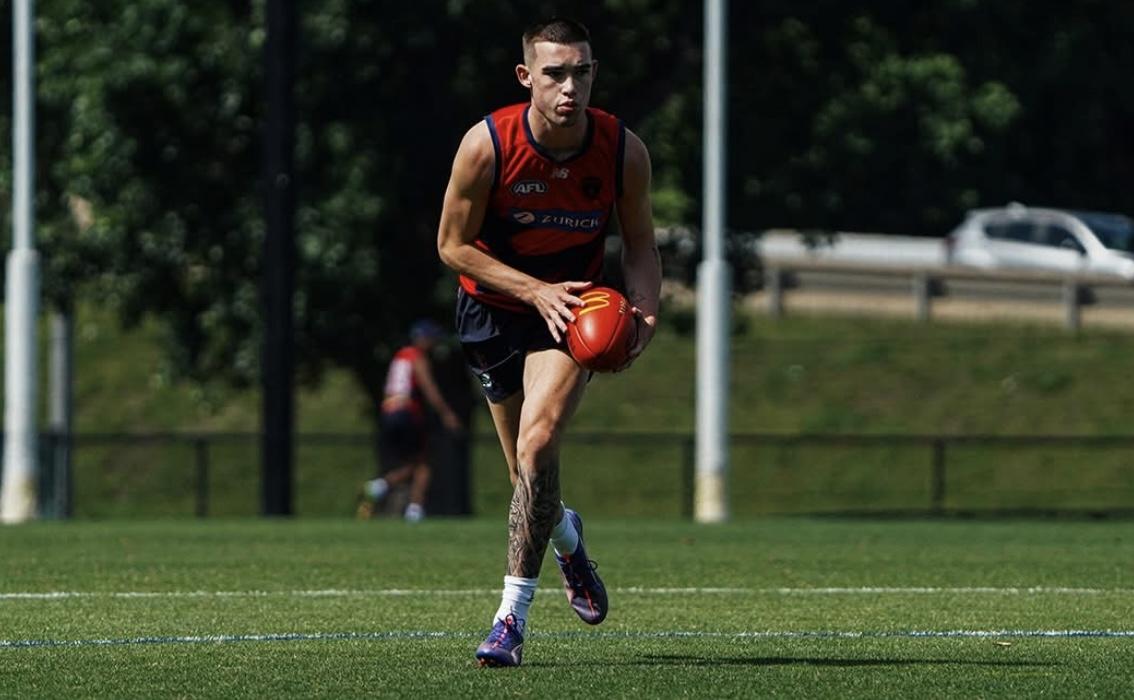
It was a beautiful morning out at Gosch's Paddock for the final session of Preseason Training before the whole squad reunites for the annual training camp in Bright. DEMONLAND'S PRESEASON TRAINING OBSERVATIONSXavier Taylor is wearing #19 whilst Brody Mihocek has donned the #5 guernsey. Player without any numbers on their back: Lindsay, Lever (has not worn the number 8 at all this preseason), Kolt, Heath, Berry. PLAYERS PRESENT:JVR, Langford, Windsor, Mihocek, Lever, CJ, Gawn, Kolt, Culley, Laurie, Bowey, Lindsay, Jefferson, Howes, Adams, Sharp, Sparrow, Petty, Kozzy, Chandler, Mentha, Campbell, Heath, Kentfield, Henderson, Berry, Taylor, Johnson PLAYERS ABSENT:May, Salem TMac, Melksham*, Langdon, Viney, Turner, McAdam, Rivers, Fritsch * POSTSCRIPT: Jake Melksham was a late arrival and joined in some drills after warming up. REHAB:Henderson, who in addition to his current injury is reported to have tight glutes. He was noticeably hampered whilst running laps. Not quite a limp but NQR. Definitely running something out as an athlete where most of us would have retired to the couch to watch the cricket. AMW is still in the final stages of his ACL Rehab and appears to be on track for a post Christmas return to the main group. Mihocek, CJ, Campbell & Johnson floated in and out of the main group depending on the drill as a result of any injuries that they are carrying most notably any drills with heavy contact or lateral movements. None look too far away from resuming full training. Warm up drill with player long kicking from half back to a player in the middle and then run past for the handball to kick to a player on half forward. New recruit Xavier Taylor looks composed marking and kicking well. Couple players peeling away from the main drill to train separately. Campbell, Mihocek, Taylor & AMW. Mihocek & Campbell have re-joined the main group. Taylor watching the drill from the sidelines and is being instructed by various assistants on what the drill entails. He then joined many of the drills once instructed from the side. Prepare for your houses to be trained down. Taylor just collected a ground ball sold some candy whilst moving laterally through traffic gave off a hand ball kept running and received it back before pin point kicking it long down field. Such fast ball movement on display. Lot of controlled chaos ball. Kozzy, Culley, Windsor & Langford all impressing through the middle of the ground. JVR looks to have trimmed down considerably and looks in excellent condition. Lever appears to be well and truly over the ankle injury that curtailed his season last year as well as the injuries that plagued his last preseason. The incredible Melk has arrived and working separately with a trainer doing some warmups. Not sure whether he will join the main group or do his own separate program. Broken up into 3 groups. A one on one marking drill (Chaplin & Atkins) A simulated ground ball get off half back to get it to the half forward line. 6 vs 3 (white bibs) - (King & Rivers) 4 on 4 confined space keeping’s off handball drill. (Whitford & Jones) Split into 2 groups on either wing. 4 (red) vs 4 (white) with 3 yellow bibs which seem to be on any team handballing in a congested area to eventually get it out of the area and then hit up a target leading out of full forward. Melksham has joined this drill. A couple of players who have been in and out of the “rehab” groups when it comes to to more contact or lateral movements are acting as the leading forwards. Mihocek with CJ acting as a defender. Campbell, Berry and Taylor at the other end. Match SIM Petty playing as a defender. WHISPERING JACK'S PRESEASON TRAINING OBSERVATIONSI couldn’t have selected a better day to return to Melbourne following a sojourn in the north, where sunshine prevailed in stark contrast to reports of icy winds and rain at home in early November. Today, I attended a training session at Gosch’s Paddock for my first Demons’ men’s preseason training session to a pleasant surprise in the form of new recruit Xavier Taylor from the Eastern Ranges. Taylor received the customary Demon Army hug of welcome and then proceeded to demonstrate all of the skills and talent expected of an early first round draft selection. This was the first time I had seen him in the flesh but I had followed the highlights of his stellar season through the winter in the Coates Talent League and at Victoria Metro Under 18 level. I watched him carve up the Sandringham Dragons forwards on screen in a CTL Grand Final best-on-ground performance in the Ranges’ 15-point premiership victory where he controlled the air and the ground with 25 disposals and 15 marks. He ran onto the ground today and looked and felt completely at home with some skillful manoevres that suggested he is headed for a long and successful career. Unfortunately, his fellow draftees in Latrelle Pickett and Thomas Matthews (reputedly excitement machines par excellence) weren’t yet available so I’ll have to come back for some more before the team breaks off for the end of the year. Taylor wasn’t the only player to impress. Kozzy Pickett was in everything , showcasing his innate ability to anticipate the exact point where the ball was about to arrive. The skipper appeared comfortable as he transitioned into training after his recent overseas trip and he had a good contest with a physically imposing trainee understudy ruckman in Max Heath from the Saints. New recruits Brody Mihocek and Changkuoth Jiath (CJ) were both in partial rehab, but demonstrated that they will bring new dimensions to the team's dynamic. I liked the look of Blake Howes who showed a fair bit of run and there’s a bit of competition among budding key forwards JvR, Matt Jefferson and Luker Kentfield. Jai Culley looks a likely improver and very impressive wearing the number 13. Bailey Laurie is working hard for one of the spots opening up in the midfield. As training finished for the men, the women came out for their final warm up session before tomorrow’s Preliminary Final against North Melbourne. They looked keen an bouyed for the task as they kicked off with a soccer friendly. It was time to get back to the office before watching Mitchell Starc destroy the Poms in their first innings in between the Rookie Draft where Melbourne welcomed a tall midfielder in Riley Onley along with the long-awaited arrival of Kalani White. It’s been a great day for Demonkind! KEV'S PRESEASON TRAINING OBSERVATIONSLovely morning down at the Paddock. A little windy but without gusts and a great temperature. The vibe stays strong as they turn-up to the pre-Bright run. Plenty of spectators to wish the Men well and to give the Women a welcome and supportive cheer on. The new one, Xavier Taylor in number 19 looks the goods. My first thought was, he has “the right stuff”. Someone mentioned he was a mate of Lindsay. I can see he has been trained well, as Lindsay was. Those development coaches in the Coates Talent League do a great job. He is ready to impact straight away. He participated in the sims for a short period, he was a ball magnet (the coaches passed it to him a couple of times). Has great hands, handles the ball with confidence. Gets others into the game with connection, creates runs and sets plays up. I like him, if all goes well, could be selected in the first game. Miochek also participated in a few sims. I like the movement he does. Beautiful timing that syncs with the ball carrier, shows a great change of direction (180°) and points where he wants it. Couldn't have made it easier for the hit up. He was paired with JVR as the two forward heads, with Miochek playing deeper at first and then swapping, as Miochek began leading up onto the wing. Great that he gets heavily involved with plays. Kossie is raring to go. Space and time move, he dances and accelerates when he gets the ball. Buried a couple of others in tackles as well. Mentha has his mate with him. AMW continues to gradually enter some drills. Nathan Jones had some angry pills and was getting animated when some players didn't live up to standards. Berry's doing well. Can tackle, reads the play, and he handles the ball well. I was quite surprised at his closing speed, which has a bit of explosive acceleration. Having only one oval to train on proved a problem this morning. The women had some confusion and couldn't get on immediately. They waited and waited, then were told the men had stopped only to make it on to the Paddock and wait again, since the men hadn't finished the sims (who also didn't get to have the normal goal kicking drills). They then walked the boundary and to the far goals to start some warm-ups. Ten to fifteen minutes of disruption. WAYNE WUSSELL'S PRESEASON TRAINING OBSERVATIONSThey are in the red flame kit. Henderson jogging with a noticeable limp, right ankle perhaps. Jiath moves impressively in end to end stuff. Just gave Culley a ‘don’t argue’ that put him on his back! Lever seems to be over his foot problems. Watching the 1 on 1 marking duels was interesting. Sparrow too strong for Sharp, Culley and Lever 50/50, Petty got the better of Kentfield, Jiath and Langford 50/50, AJ did well against taller Heath. Well, not wanting to be unkind, but at his first hit out, Taylor looks like a boy amongst men! He could still be hung over from draft night! Tholstrup sometimes holds on to the ball for too long. It is only pre-season training, but that was occasionally his downfall during the season. I would like to see him take the first option. Standouts for me today are Windsor, Sparrow, Jiath & Kossie Henderson more likely trying to run out a glute issue. CLANIKO'S PRESEASON TRAINING OBSERVATIONSBall in at the pocket ar one end then working it quickly to a couple key forwards at the other. Attacking team outnumbering defenders roughly 10 to 4. Very quick movement with the next play starting as soon as the deepest forward gets it, plenty of running in this one. The got players resting on the sidelines and swapping in every few plays but the seem absolutely buggered when they come off. Split into 3 groups rotating through some drills. One is a handball drill with roughly even teams working it from one side of a box to another. One is a 1v1 marking drill. The other is a kicking/handballing working it from one pocket out to coach at halfway. Mix of talls and smalls in each group, no obvious forward/defender split. Taylor sat out the handball drill while talking to a coach observing it, looked like getting some instruction but joined in the marking and kicking one fully. Currently doing a drill where a group on each with try to work it up to a 2 v 1 in the forward 50. One side has mentha and mihocek vs CJ and the other has Campbell, Taylor and a bloke I don't recognise. CJ always defender but the other trio are rotating the defender bib. Taylor getting plenty of leading/positioning instruction from Campbell. Groups are swapping which wing they're on after every play and the forwards/defenders have to sprint back to the goalpost before leading again. Seems like they've traded out endless laps for unnecessary running in their drills as the fitness component. Taylor sat out of the match Sim. Was standing in one of the pockets chatting to whichever key forward was subbed out at the time. Kind of like having a rotation of people babysitting the work experience kid but good to see all the boys welcoming him. His preferred standing posture is both hands holding the collar of his training top, which he has reverted to anytime he's not been in a drill (not that this matters to anything but I found it amusing). Henderson apparently had tight glutes and spent the whole training running laps. although his gait was a bit off he ran well, heard the trainer say he hit 7.5k before he finished up.
 MelbournePre-draft hand: 7, 8, 37, 63, 65 Selections: Xavier Taylor (11), Latrelle Pickett (12), Tom Matthews (30) The Demons waited patiently through the top 10 and were thrilled to see Xavier Taylor still on the board. As competitive and combative as they come, the Eastern Ranges premiership star can lock down on a variety of forwards and rebound out of the backline. Taylor was paired with one of the great stories from the draft, as Latrelle Pickett was presented his Demons jumper by cousin Kysaiah. He's a similarly dynamic small forward, evading all-comers to kick remarkable goals from impossible positions on the ground. Injuries didn't dissuade Melbourne from taking tough Gippsland forward/midfielder Tom Matthews in the second round, while ruck father-son Kalani White will wait for his opportunity in the rookie draft. Grade: C+ AdelaidePre-draft hand: 16, 48, 55, 61 Selections: Mitch Marsh (22), Archie Ludowyke (50) Adelaide's night started before they were on the clock. The Crows were keeping an eye on Dyson Sharp's slide, and offered up two first-rounders to snare the South Australian MVP at Essendon's pick 13. Unable to get up the board they were happy to find Mitch Marsh available at 22, whose engine and size (at 190cm) makes him a matchup nightmare with a beautiful left foot set shot. Rounding out their selections was slider Archie Ludowyke, also a left-footed key forward. The Dragons spearhead has a brilliant vertical leap and creates separation on the lead but missed a chunk of the year with a PCL injury. The Crows didn't add depth to their midfield as they enter their window of contention, but grabbed two quality talls for life after Taylor Walker. Grade: B+ BrisbanePre-draft hand: 17, 23, 44, 51, 57 Selections: Dan Annable (6), Koby Evans (38), Cody Curtin (43), Tai Hayes (44) The Lions stockpiled some points to match an early bid on Annable. The AFL Academy captain has put together a sensational two seasons, playing consistent football in the VFL that would have seen him push for AFL selection were he on the list in 2025. He's balanced as a midfielder, able to win the ball on the inside and create on the outside. They decided not to match a bid from Collingwood on midfielder Tyan Prindable. After passing on Prindable they bid on Eagles NGA Koby Evans which wasn't matched. The Lions landed a strong-bodied utility who can play roles outside of the centre square. They gave up a future 3rd to move up with Carlton and nab Evans. Fellow West Aussie Cody Curtin is the brother of Adelaide's Dan, but has an even bigger frame with strong hands in the air as a genuine key position player. Some clubs see Curtin as a defender at the next level. Brisbane finished the draft off with the nephew of Saints legend Lenny Hayes, in Tai Hayes. Playing for Southport he's impressed as a taller midfielder who can float forward and stretch defences in the air at 193cm. Grade: B CarltonPre-draft hand: 9, 11, 43, 54 Selections: Harry Dean (3), Talor Byrne (45), Jack Ison (47) The Blues set up trades with the Bombers and Roos for picks 9 and 11 respectively, and it helped them land father-son Harry Dean at pick 3. The earliest key defender taken in the draft since Jacob Weitering a decade ago, Dean is a masterful interceptor and reliable distributor down back set to form a starring combination with Weitering for the next decade. They moved further back on night two, first getting the Suns' future 2nd round pick, then adding Brisbane's future 3rd to North's future 2nd in the Cody Walker (2026) draft. At 45 they snared Talor Byrne, a diminutive midfielder-turned-forward with strength through the hips and underrated contested craft. Jack Ison was then bid on at 47; he brings power at the coalface with a strong 190cm frame. Grade: A- CollingwoodPre-draft hand: 39, 45, 56, 58, 67 Selections: Tyan Prindable (32), Sam Swadling (37), Zac McCarthy (55), Angus Anderson (57) The Pies entered the draft on night two after moving their first round pick last year for Dan Houston. They immediately made a bid on the Lions' Tyan Prindable, landing the midfielder who impressed in the VFL late. Ball magnet Sam Swadling followed five picks later with the WA midfielder a candidate to debut next season. Collingwood didn't wait around for a bid on NGA tall Zac McCarthy, grabbing the athletic ruck who may end up playing at either end with his coverage of the ground and leap a feature. Rounding out the night was former Swans Academy member Angus Anderson, who adds immediate midfield depth as a 22-year-old 193cm midfielder out of the SANFL. The Pies are deciding between Tom McGuane and Jai Saxena for their final rookie spot. Grade: B+ EssendonPre-draft hand: 5, 6, 21, 27, 30 Selections: Sullivan Robey (9), Jacob Farrow (10), Dyson Sharp (13), Max Kondogiannis (36), Hussien El Achkar (53) It was a big first night for the Dons, taking three players after a trade with the Blues to land pick 9 (which ended up at 13). They snared the bolter of the draft in Sullivan Robey, whose overwhelming power and strength as a midfielder is a point of difference. He will start up forward where he kicks goals from open play with clean hands and smarts. It was followed up by WA halfback Jacob Farrow, whose lethal left leg distributed the ball beautifully all season. Farrow has midfield ambitions but will start in defence. Dyson Sharp got through to 13 which was a coup for the Dons, with the Larke Medallist and SA MVP adding grunt to the midfield unit. He has been the best performed junior in the country across the past 24 months, and multiple clubs put forward offers for that pick with him in mind. The Bombers couldn't find the points to match a Fremantle bid on Adam Sweid, but on night two they went with aggressive interceptor Mac Kondogiannis. The Charger will take some time to grow into his 190cm frame but offers great acceleration and dare. Rounding out the draft was NGA graduate Hussien El Achkar who didn't sneak through to the rookie list. El Achkar is a prolific goal-kicking small forward, a position of need for Essendon. Grade: A- FremantlePre-draft hand: 20, 47, 64 Selections: Adam Sweid (25), Tobyn Murray (40) The Dockers clearly had their eye on fixing up their forward mix and did so with two selections. They had Sweid picked out from a long way back, rating his ability to roll up to stoppage as a forward and beat his opponent back to goal. Their bid on the Essendon NGA prospect was passed on by the Bombers with the final selection in the first round. 20-year-old Tobyn Murray has plied his trade for the Geelong VFL program as a small forward; he can work up and down the ground as that forward-half conduit and deliver the ball neatly inside 50. His selection came after a bid on cross-town rival West Coast's Tylah Williams. NGA prospects Toby Whan and Ryda Luke made it through to the rookie draft. Grade: B- GeelongPre-draft hand: 19, 40 Selections: Harley Barker (24), Hunter Holmes (33) Harley Barker would have gone higher in the draft were it not for his season-ending ACL, but the Cats are a club that can afford to wait on his level of talent. Barker is a fantastic wingman who offers speed off the line, overhead marking and kicking penetration into the forward 50. In night two it was always going to be Hunter Holmes, the brother of star Cat Max. Holmes has a similarly spectacular athletic profile off a wing, but needs to round out his game to make it at the next level. NGA forward Jesse Mellor is available to them in the rookie draft. Grade: B Gold CoastPre-draft hand: 15, 18, 24, 28, 29, 36, 52 Selections: Zeke Uwland (2), Dylan Patterson (5), Jai Murray (17), Beau Addinsall (18), Avery Thomas (28), Koby Coulson (46) What a draft for the Suns. They banked four first-round talents through their academy after making four trades on the night to accumulate points. Zeke Uwland landed at 2 after a dominant bottom-age campaign where his running, accumulation and ball use were all highlights off halfback. Next came Dylan Patterson whose dare and bravado out of defence is a feature, able to tuck the ball under his arm and burn off opponents. The Eagles launched an audacious bid on both Jai Murray and Beau Addinsall but came up short. Murray is a strong-running midfielder who missed a chunk of the year with a lis franc injury, while Addinsall is a ball-winner who can play a variety of roles and find the footy at will. On night two they traded a future 2nd for pick 28 and snapped up Avery Thomas, who looms as a lockdown small defender at the next level with his competitiveness and closing speed. Finally, academy graduate Koby Coulson is a courageous midfielder earning his main list spot through an unsuccessful North Melbourne bid. Grade: A GWSPre-draft hand: 12, 35 Selections: Oskar Taylor (15), Finn Davis (51), Jake Stringer (59) The Giants started their draft with a move up the order, paying up a future 2nd for a two-pick jump to the Hawks which resulted in an unsuccessful bid on Sydney's Harry Kyle. They fell back on Oskar Taylor, the quickest player in the draft who zigs and zags out of defence. He can also lock down on opponents and do a job. They traded up again on night two with a future 4th to Collingwood for Finn Davis, who similarly loves to go on dashing runs from the backline to link up play. They then re-drafted Jake Stringer to fill out their list. Grade: C- HawthornPre-draft hand: 10, 22, 59, 66 Selections: Cam Nairn (20), Aidan Schubert (23), Jack Dalton (34), Matt LeRay (56) The biggest wins out of the draft for Hawthorn may be their future stockpile of picks. Two trades on draft night netted them the Giants' and Saints' (via West Coast) second round picks in 2026 for a slide from 14 to 20. That was after a trade to move up their second pick with Brisbane. Cam Nairn was still on the board at that point, with the hard-running forward/wing admired by a host of clubs in the teens. He kicks goals and sets them up routinely, and was stoked to see best mate Aidan Schubert joining him on night one whose ground coverage and hands in the air are elite assets as a key forward. They moved 2026 and 2027 third round picks to select Jack Dalton at 34, who is the endurance king of the crop and offers a hard edge as a midfielder. Rounding out the Hawks' haul was Matt LeRay, a rangy wing/defender out of SA that can intercept in the air, win contests and get involved in transition. Grade: B+ North MelbournePre-draft hand: 25, 26, 46 Selections: Lachy Dovaston (16), Blake Thredgold (26), Hugo Mikunda (48) Given the Roos infamously moved their first round pick for Matt Whitlock last year, they have done a magnificent job in 2025. A trade of their second round selection and future second for Carlton's pick 11 (ending up at 16) landed them Lachy Dovaston, the best small forward in the draft and a position they desperately needed to address. Dovaston is a livewire with a healthy dose of arrogance who kicked 53 goals in all competitions this year. To see one of the best key defenders available with the first pick in the second round was a godsend for North Melbourne, and they wasted no time in snapping up Blake Thredgold. The lockdown specialist plays above his 194cm with a strong vertical leap and has the body to play AFL football next year. The Roos then settled on crafty half forward Hugo Mikunda with their last pick to round out a draft haul North supporters should be excited about. Grade: A+ Port AdelaidePre-draft hand: 49 Selections: N/A Port Adelaide chose to pass on the national draft, instead opting to elevate three rookies. Their draft plans now revolve around next-gen academy player Dougie Cochrane in 2026, and a group in 2027 headlined by NGA prospect Zemes Pilot and father-son Louis Salopek. Grade: N/A RichmondPre-draft hand: 3, 4, 38 Selections: Sam Cumming (7), Sam Grlj (8), Zane Puecker (31), Noah Roberts-Thomson (54) The direction of the draft was always going to hinge on the Tigers, who had kept everything in-house despite making their minds up over a week ago. After bids on Dylan Patterson and Dan Annable, Richmond landed on Sam Cumming and Sam Grlj. Cumming is the perfect modern midfielder, applying himself defensively with intent and getting forward to set up scoring opportunities with speed and aerial ability. Grlj is the best athlete in the pool, burning off opponents with ease and running all day either off halfback, a wing or through the middle. On night two they injected some excitement to the front half with Zane Puecker who plays above his 179cm height with marking exploits, and paired him with fellow SA prospect Noah Roberts-Thomson. A tall midfielder who can go forward, NRT is the cousin of Swans cult hero Lewis. Father-son Louis Kellaway got through to the rookie draft after a nervy wait. Grade: A- St KildaPre-draft hand: 50, 62 Selections: Charlie Banfield (41), Kye Fincher (52), Ryan Byrnes (58) The Saints were one of the last teams to enter the draft, and started with a bid on Eagles father-son Charlie Banfield that wasn't matched. An elite runner with a strong frame, Banfield was named best on ground in Claremont's Colts premiership and brings a hard edge to his contested work. St Kilda matched a bid on their exciting NGA Kye Fincher who was named best on ground in his VFL debut. The midfielder can play down back but may be seen as a forward option under Ross Lyon. They rounded out the draft by re-listing Ryan Byrnes. Grade: B SydneyPre-draft hand: 31, 32, 42, 60 Selections: Harry Kyle (14), Jevan Phillipou (35), Billy Cootee (42), Max King (49) The Swans were forced into tough decisions on night one. An early GWS bid on high-upside academy prospect Harry Kyle immediately forced a points squeeze on the club, but they matched with a view to what the utility could become as his skill catches up to his athletic traits. It meant making the tough decision of passing on Allies MVP Lachie Carmichael, who landed with the Dogs at pick 21. The upside came on night two with an early selection that snared Jevan Phillipou. The younger brother of St Kilda's Mattaes isn't short on confidence or athleticism, able to win his own ball and run all day off a forward flank or through the midfield. What followed was a brilliant story out of the draft with mature-ager Billy Cootee earning his opportunity. At 22 years of age the former Essendon VFL captain and Norwood best and fairest is a prolific goalkicking midfielder that will settle in the forward line. The Swans rounded out their draft by matching a bid on Max King. The uber athletic forward was a top five candidate for some clubs at the start of the season, but earned his shot with the Swans late on night two. Grade: C+ West CoastPre-draft hand: 1, 2, 13, 34, 41 Selections: Willem Duursma (1), Cooper Duff-Tytler (4), Josh Lindsay (19), Sam Allen (29), Tylah Williams (39) There were distinct stages of emotions for Eagles fans at the draft. Between bids on Zeke Uwland and Harry Dean, West Coast selected the two best open pool prospects in the crop. Willem Duursma is a freakish athlete with sky high upside as a midfielder, while Cooper Duff-Tytler has earned the unicorn label as a skilful tall who can play through the ruck or up forward. What followed was a bizarre combination of events. The Eagles traded St Kilda's future second rounder (via the Liam Ryan deal) to Hawthorn to move up a solitary spot late in the first round. They then bid twice on Gold Coast prospects Jai Murray and Beau Addinsall, but failed to land either as the Suns had traded in the points to match. It meant West Coast settled on Josh Lindsay who the Hawks were set to overlook and wasted a second round pick. Lindsay is a good choice in isolation; he immediately becomes the Eagles' best kick and his distribution out of defence will be vital in their rebuild. On night two West Coast only carried two picks in, relying on their club-tied talents to fall into the rookie draft. Before any bid came they took the opportunity to grab athletic wingman Sam Allen, who will take time to rehabilitate a torn ACL but looms as an exciting project to develop with his athletic traits and leadership. Then came the bids. With just one list spot open, the Eagles chose to pass on Brisbane's Koby Evans bid, allowing the strong and physical utility to get to the premiers. At the following pick they matched on a bid for creative half forward Tylah Williams, but could do nothing but allow the bid on father-son Charlie Banfield to pass through to the Saints. The AFL's draft assistance package to the Eagles involved additional rookie list spots for their club-tied talent. The only problem? Only one of them (Wes Walley) made it through the national draft to be of use to West Coast. It meant that the club not cutting deep enough into their list led to them missing out on the talents of Evans and Banfield. Grade: C- Western BulldogsPre-draft hand: 14, 33, 53 Selections: Lachie Carmichael, Louis Emmett, Will Darcy The Dogs had been eyeing off some class off halfback with their first selection, and with Oskar Taylor and Josh Lindsay off the board chose to bid on Sydney's Lachie Carmichael. The Swans' points crunch was of benefit to the Dogs, bringing in the Allies MVP who racks up the ball off halfback and uses it precisely. Louis Emmett is a high-upside swing in the second round, drafted with the intention of moving into defence where his elite endurance and vertical leap will allow him to attack the ball in the air as he chases his opponent around the field. And there's another Darcy on the list with Sam's brother Will finding his home at the Kennel. A stout defender at his best, Darcy will take time to add size to his frame but he can do some special things below his knees and reads the game well. Grade: C+MELBOURNE11. XAVIER TAYLOR 192cm, Def Eastern Ranges/East Ringwood 12. LATRELLE PICKETT 182cm, Fwd Glenelg/Mallee Park 30. THOMAS MATTHEWS 171cm Fwd Gippsland Power/Moe DAN BATTEN’S VERDICT: After losing a pair of midfield stars in the trade period, the Demons started shored up both ends of the ground at the top and reunited two cousins. The injured-hit Tom Matthews was plucked from nowhere, and interestingly he is great mates with Bailey Humphrey. Could it help them land Humphrey? ADELAIDE22. MITCH MARSH 192cm, Key Fwd, West Adelaide/Kangarilla 50. ARCHIE LUDOWYKE 197cm, Key Fwd, Sandringham Dragons/East Sandringham MATTHEW FORREST’S VERDICT: Life after Taylor Walker has become clearer, with the Crows taking two players – both key forwards. But Marsh and Ludowyke are very different, with Marsh a more mobile, between-the-arcs tall while Ludowyke can start in the goal square BRISBANE6. DANIEL ANNABLE 183cm, Mid Lions Academy/Redland-Victoria Point Sharks 38. KOBY EVANS 187cm, Mid-Fwd Perth/Kenwick Football Club 43. CODY CURTIN 200cm, Key Pos. Claremont/West Coast Junior Football Club 44. TAI HAYES 190cm, Mid Southport VFL/Palm Beach Currumbin Lions CALLUM DICK’S VERDICT: Brisbane decided you can never have enough depth in midfield by stacking a trio of on-ballers at the draft, headlined by Annable who could be in contention for Opening Round. Curtin will add to the premier’s key position stocks as a nice long-term prospect. CARLTON3. HARRY DEAN 194cm, Key Def, Murray Bushrangers/Lavington 45. TALOR BYRNE 174cm, Fwd, GWV Rebels/Koroit 47. JACK ISON 192cm, Mid-Fwd, Oakleigh Chargers/Parkside MATTHEW FORREST’S VERDICT: The Blues were over the moon to land both Dean and Ison as father-son and academy bids, with Dean a real chance to play in the first game of the season. Carlton also traded out of a night-two pick to bank points but still managed to draft Byrne, a creative small goal-kicker that will add to a new-look Blues forward 50. COLLINGWOOD32. TYAN PRINDABLE 182cm Mid Brisbane Lions Academy/Coorparoo Junior FC 37. SAMUEL SWADLING 189cm Mid West Perth/Whitford Junior FC 55. ZAC McCARTHY 199cm Ruck Oakleigh Chargers/Kew Comets Junior FC 57. ANGUS ANDERSON 193cm Mid Sturt/Sawtell Toormina Saints Juniors JOSH BARNES’ VERDICT: Nick Daicos needs midfield help and the Pies have provided with three ready-made ball magnets, while McCarthy is a raw prospect but could add athletic juice. The Pies went hard to get new legs into their ageing midfield. COLLINGWOOD32. TYAN PRINDABLE 182cm Mid Brisbane Lions Academy/Coorparoo Junior FC 37. SAMUEL SWADLING 189cm Mid West Perth/Whitford Junior FC 55. ZAC McCARTHY 199cm Ruck Oakleigh Chargers/Kew Comets Junior FC 57. ANGUS ANDERSON 193cm Mid Sturt/Sawtell Toormina Saints Juniors JOSH BARNES’ VERDICT: Nick Daicos needs midfield help and the Pies have provided with three ready-made ball magnets, while McCarthy is a raw prospect but could add athletic juice. The Pies went hard to get new legs into their ageing midfield. ESSENDON9. SULLIVAN ROBEY 192cm, Mid/fwd Eastern Ranges/Rowville 10. JACOB FARROW 187cm, Def/mid West Perth/Joondalup Kinross 13. DYSON SHARP 188cm, Mid Central District/Barossa District 36. MAX KONDOGIANNIS 190cm, Def Oakleigh Chargers/Kew Rovers 53. HUSSIEN EL ACHKAR 171cm, Fwd Calder Cannons/Pascoe Vale ED BOURKE’S VERDICT: The Bombers’ move to snag a third early pick from Carlton got them Dyson Sharp, who is capable of playing immediately and could end up as the best midfielder from this draft. Robey and Farrow have sky-high ceilings – now it’s over to the coaches. FREMANTLE25. ADAM SWEID 176cm, Mid/Fwd, Calder Cannons/Pascoe Vale 40. TOBYN MURRAY 180cm, Fwd, Geelong VFL/Colac MATTHEW FORREST’S VERDICT: The Dockers rated Essendon’s NGA product Sweid incredibly highly – certainly greater than the No.25 pick they used on him. Murray came as a bit of a surprise, but he is a quality small forward who has built an impressive local footy CV at Colac before getting his chance in Geelong’s VFL program. GEELONG24. HARLEY BARKER 188cm, Wing, Sturt/Mt Barker 33. HUNTER HOLMES 188cm, Mid Oakleigh Chargers/Glen Iris DAN BATTEN’S VERDICT: Geelong suffered a shattering grand final defeat, but Stephen Wells always looks long term, one of the foundations of their perennial success. Harley Barker, recovering from an ACL injury, and Max Holmes’ brother Hunter will both add to their relentless running game in the future. GOLD COAST2. ZEKE UWLAND 180cm, Mid Suns Academy/Burleigh Bombers 5. DYLAN PATTERSON 183cm, Defender Suns Academy/Palm Beach Currumbin Lions 17. JAI MURRAY 185cm, Mid Suns Academy/Burleigh Bombers 18. BEAU ADDINSALL 182cm, Mid Suns Academy/Burleigh Bombers 28. AVERY THOMAS 186CM, Def Tasmania Devils/Launceston Football Club 46. KOBY COULSON 180CM, Mid Suns Academy/Broadbeach Cats CALLUM DICK’S VERDICT: They said it would be impossible but the Suns proved everyone wrong. All five of their highly touted academy prospects signed, sealed and delivered over a historic two days that will have to force the AFL’s hand in changing the bid matching rules. GWS15. OSKAR TAYLOR 182cm, Def Eastern Ranges/Upwey Tecoma Junior FC 51. FINNEGAN DAVIS 188cm, Def, Western Jets/Williamstown Juniors FC 59. JAKE STRINGER 192cm, Fwd, GWS Giants/Glen Iris JFC LACHLAN McKIRDY’S VERDICT: A fairly quiet draft for the Giants, but they get two players perfect for the orange tsunami mould. Taylor and Davis add speed and solid distribution in the backline, plus they re-selected Stringer after he was delisted last month. HAWTHORN20. CAMERON NAIRN 188cm, Fwd Central District/Willaston 23. AIDAN SCHUBERT 196cm, Fwd/ruck Central District/Gawler Central 34. JACK DALTON 177cm, Mid Sandringham Dragons/East Malvern 56. MATTHEW LERAY 188cm, Mid Central District/Golden Grove ED BOURKE’S VERDICT: Tidy work from the Hawks arming themselves with three second-round picks next year and trading up on the second night to nab Jack Dalton. This quartet are likely to spend most of 2026 developing in the VFL. NORTH MELBOURNE16. LACHY DOVASTON, 178cm, Fwd, Eastern Ranges/Blackburn 26. BLAKE THREDGOLD, 195cm, Key Def, Sturt/Payneham Norwood Union 48. HUGO MIKUNDA, 180cm, Mid-Fwd, Geelong Falcons/Bell Park MATTHEW FORREST’S VERDICT: North Melbourne needed a key defender and got arguably the best lockdown in this draft class in Blake Thredgold. Dovaston and Mikunda will add speed, pressure and class to a forward line that was missing quality small talent. PORT ADELAIDENil Port Adelaide became the first team in AFL Draft history to leave the draft without taking a pick – the Power plan to upgrade three rookies onto the senior list. RICHMOND7. SAM CUMMING 184cm, Mid, North Adelaide/Wentworth District 8. SAM GRLJ 182cm Mid/Def, Oakleigh Chargers/Canterbury 31. ZANE PEUCKER 180cm, Fwd/Mid, Woodville-West Torrens/Port District 54. NOAH ROBERTS-THOMSON 181cm, Mid, Sturt/Unley Jets CHRIS CAVANAGH’S VERDICT: After targeting some talls last year, the Tigers had a need for speed in 2025. Cumming and Grlj will add some speed and power to the midfield mix or halfback line, while Peucker is another speedster who can kick goals when forward and also have an impact up the ground. ST KILDA41. CHARLIE BANFIELD 192cm Mid Claremont Junior club: Swanbourne Junior FC 52. KYE FINCHER 186cm Mid GWV Rebels Junior club: East Brighton Vampires Junior FC 58. RYAN BYRNES 182cm Def St Kilda Junior club: St Pauls McKinnon Junior FC JOSH BARNES’ VERDICT: St Kilda nabbed a rare father-son, even if Banfield is the son of a West Coast gun. He and Fincher add some midfield potential to a list needing it, while Byrnes will be chuffed to get a two-year contract as part of his re-listing. SYDNEY14. HARRY KYLE 188cm, Def/Mid, Swans Academy/East Sydney JAFC & Willoughby JAFC 35. JEVAN PHILLIPOU 183cm, Mid, Woodville-West Torrens/Phos Camden 42. BILLY COOTEE 179cm, Mid/Fwd, Norwood/Essendon Doutta Stars 49. MAX KING 192cm, Fwd, Swans Academy/Cardiff Hawks LACHLAN McKIRDY’s VERDICT: The Swans missed out on Lachie Carmichael, but they got their two Academy products in Kyle and King, who could play in year one. Phillipou is a massive bonus as a hard-bodied midfielder, while Cootee is a strong, mature addition. WEST COAST1. WILLEM DUURSMA 193cm, Mid/Fwd, Gippsland Power/Foster 4. COOPER DUFF-TYTLER 201cm, Ruck/Fwd, Calder Cannons/Woodend-Hesket 19. JOSH LINDSAY 183cm, Def, Geelong Falcons/Newtown & Chilwell 29. SAM ALLEN 184cm, Mid/Fwd, Oakleigh Chargers/Glen Iris 39. TYLAH WILLIAMS 176cm, Fwd, Swan Districts/Redcliff CHRIS CAVANAGH’S VERDICT: The Eagles needed another injection of talent and got that with four top-30 picks – who were all Victorians. Duursma and Duff-Tytler are versatile players with huge ceilings, while Lindsay and Allen bring outside run and class. Williams is an exciting forward from the club’s NGA program. WESTERN BULLDOGS21. LACHLAN CARMICHAEL 184cm, Def Sydney Swans Academy/North Shore 27. LOUIS EMMETT Ruck/Fwd Oakleigh Chargers/Glen Iris 60. WILL DARCY 196cm, Def/Fwd Oakleigh Chargers/Old Scotch DAN BATTEN’S VERDICT: The Dogs stole Lachlan Carmichael from Sydney’s grasp and then snared a draft steal in Louis Emmett, a number one pick contender at the beginning of the year before an injury-affected season. Father-son Will Darcy, with huge upside, was the icing on the cake of a promising haul.MELBOURNEPicks (at the start of the draft): 7, 8, 37, 63, 65Selections: Xavier Taylor (11), Latrelle Pickett (12), Thomas Matthews (30)The Demons would have been stoked to see Xavier Taylor fall to their no.11 slot, with the mid-sized Eastern Ranges interceptor filling an immediate need after Judd McVee departed during the trade period and Steven May and Jake Lever inch towards the end. Taylor’s one-on-one ability and defensive positioning are particularly eye-catching, while his offensive game is also potent. The backman’s reliability as a stopper has seen him compared to Richmond triple premiership champ Nathan Broad, while his counterattacking exploits have seen him likened to electrifying Hawk Josh Weddle. One pick later, Melbourne made the heartwarming call of the draft, pairing Kozzie Pickett with cousin Latrelle — a mature-age bolter — to bolster its forward half. The 20-year-old strut his stuff for Glenelg’s reserves this year, booting 32 goals from 18 games to turn heads, no doubt set to add a dynamic element to Steven King’s attacking unit. The Demons made only one selection on night two, scooping up Thomas Matthews in a second small-forward addition following Charlie Spargo’s departure and Kozzie Pickett’s likely increased midfield time. Grade: B-ADELAIDE CROWSPicks (at the start of the draft): 16, 48, 55, 61Selections: Mitchell Marsh (22), Archie Ludowyke (50)The Crows’ first bold play of the national draft actually came before their first pick, as they attempted to nab Essendon’s pick No. 13 in a bid to swoop on homegrown talent Dyson Sharp. Adelaide remarkably offered both this year’s and next year’s first-round picks for the selection, with a fair bit coming back in exchange for the enticing offer. But alas, the club’s first selection ended up being Mitchell Marsh — a medium-sized forward who also hails from South Australia. Fox Footy draft expert Ben Waterworth correctly predicted Marsh’s landing at West Lakes, who is touted as the club’s Taylor Walker replacement with the veteran’s impending retirement. Remarkably, the Crows were tossing up whether they’d take Marsh or Archie Ludowyke with their first pick — and despite a 28-pick gap between selections — and they still managed to get their hands on the latter after a failed bid on Sydney Academy player Max King. Could they have mixed it up a bit, though? Two highly touted forwards added to their list is obviously a win, but the club may still feel like it missed out on a world where it could’ve jagged a top-end midfielder. Grade: BBRISBANE LIONSPicks (at the start of the draft): 17, 23, 44, 51, 57Selections: Daniel Annable (6, Academy), Koby Evans (38), Cody Curtin (43), Tai Hayes (44)The reigning back-to-back premiers continue to get stronger and top up with elite young talent. Academy prospect Dan Annable arrived at the Lions with the No. 6 pick to bolster their young nucleus. Suddenly Brisbane, the favourite to win a third-straight flag in 2026, also has its future midfield set with the likes of Annable, the Ashcroft brothers, Jaspa Fletcher and Sam Marshall — all of whom arrived as Academy or father-son picks. Scary times for the rest of the competition. Followed that up with two West Australian prospects – midfielder-forward Koby Evans, who had NGA links to West Coast, and key forward Cody Curtin, younger brother of Dan. They also took Southport midfielder Tai Hayes, the nephew of Saints great Lenny. That trio are speculative picks but Brisbane has a great track record under list bosses Dom Ambrogio and Stephen Conole. In terms of their other Academy-linked prospects, they let Tyan Prindable go to Collingwood and but now have an opportunity to take Harrison Bridge and Isaac Waller as rookies if they want. Grade: BCARLTONPicks (at the start of the draft): 9, 11, 43, 54Selections: Harry Dean (3, father-son), Talor Byrne (45), Jack Ison (47)Getting Harry Dean through the door as a father-son pick was priority one, two and three for the Blues. Unfortunately for them, though, a bid came nice and early from West Coast at Pick 3, forcing Carlton to play a hefty price for the young gun defender. It also made the Blues complete a series of pre-draft pick swaps to increase their overall points total and effectively cost them another first-round player. But they’ve come away with the best key defender in the draft, so a big tick for that. And a player who can help anchor their defence long-term and form a potent pairing with Jacob Weitering in the next few years. Jack Ison slipping out to no.47 was a big win, and the Blues traded back three times in the process and gained three future picks to help set them up for a Cody Walker matched bid. They were thought to be eyeing a small forward in addition to Dean and Ison, and they came away with what they were looking for in Talor Byrne — a classic small forward type. Byrne kicked five goals in a game for Vic Country against Metro that hugely boosted his stocks. Carlton did the business it set out to. Grade: A-COLLINGWOODPicks (at the start of the draft): 39, 45, 56, 58, 67Selections: Tyan Prindable (32), Samuel Swadling (37), Zac McCarthy (55, NGA), Angus Anderson (59)They were never going to be big players, with a bunch of later picks, but still took four players. Hopefully for the sake of Pies fans, they’ve plucked some diamonds in the rough. It was very midfield focused as they look to replenish around Nick Daicos in that area of the ground. Began their draft on night two with Pick 32 bolter and Brisbane Academy prospect Tyan Prindable after the Lions opted not to match the bid. They followed that up with West Perth midfielder Sam Swadling five picks later. He’s a ball magnet who represented WA in the National Championships and can kick on both sides. Swadling racked up 47, 34 and 28 disposals respectively over a three-week stretch of Swans Districts Colts. The Pies would also be happy to come away with Academy tall Zac McCarthy, who could be anything but is extremely raw and the definition of a long-term investment, with one of the last picks of the draft. Grade: C-ESSENDONPicks (at the start of the draft): 5, 6, 21, 27, 30Selections: Sullivan Robey (9), Jacob Farrow (10), Dyson Sharp (13), Max Kondogiannis (36), Hussien El Achkar (53, NGA)Essendon was one of the bigger draft winners, benefitting hugely from Richmond taking Sam Grlj at no.8 and passing on Sullivan Robey, whom the Bombers took along with Jacob Farrow before pouncing on South Australian ball-getter Dyson Sharp. The biggest bolter since Clayton Oliver was drafted by the Demons, Robey has all the attributes required to be a difference-maker at the top level. The Rowville product is super competitive with a clear willingness to hunt the ball. He spreads well from congestion and uses the ball well. Farrow’s best attribute is his kicking, adding much-needed quality to Essendon’s half-backline, while Sharp gives the Bombers a larger presence at the contest that they arguably haven’t had since Jobe Watson. “The Bombers have been screaming for a big-bodied midfielder for a number of years, now ... they’ve got their man — huge night tonight for the Bombers,” Ablett said on the Fox Footy broadcast of the Sharp selection. “We spoke about that. Rob Forster-Knight (Essendon recruiting manager) has just gone bang, bang, bang and got some absolute class in a number of different roles for the Bombers.” Montagna added of the haul: “I think they’ve done an excellent job. They’ve just got three players that can all play through the midfield, but are all different types, with some poise and some power ... so, I think they’ve done a great job.” The Bombers were effectively forced to let Adam Sweid walk to Fremantle after the Dockers lobbed a bid at the NGA talent at no.25, with the club not blessed with options given it would’ve had to go into 2026 draft deficit to match — and Matt Rosa conceding the bid-matching discount change from 20 per cent to 10 this year made a crucial difference. Instead, his club nabbed defender Max Kondogiannis at the end of the second round and matched Richmond’s bid on its other NGA prospect, Hussien El Achkar, late in the third. Grade: AFREMANTLEPicks (at the start of the draft): 20, 47, 64Selections: Adam Sweid (25), Tobyn Murray (40)The Dockers were expected to be late first-round bidders. Not only did they launch on Adam Sweid, they officially landed him after the Bombers opted not to match for their NGA graduate. The Dockers had Sweid a lot higher on their draft board due to his natural ball-winning ability, cleanliness, class and composure at stoppages, but scouts also love his willingness to apply pressure at all levels. On night two, Freo pounced on mature-age small forward Tobyn Murray – a speedy, powerful player out of Geelong VFL who’s tough in the contest and covers the ground well with good endurance. The Dockers wanted speed and energy forward of centre, which seems an appropriate strategy considering their list position. Grade: B-GEELONG CATSPicks (at the start of the draft): 19Selections: Harley Barker (24), Hunter Holmes (33)More run at the Cats! The likes of Bailey Smith, Ollie Dempsey and Max Holmes have transformed Geelong in recent seasons. And across the 2025 national draft, the Cats have pounced on a couple of talented wingers. Barker has a lot of tools and top-10 talent, proving across multiple levels this year why he’s arguably the best natural winger in the class with his breakaway speed, ability to gain territory and keep his width. Unfortunately for Barker, he ruptured his ACL midway through 2025, but the Cats have the luxury of easing the SA gun into his AFL career. On night two, the Cats united the Holmes brothers at the top level, drafting Hunter Holmes. And he’s very similar to his brother with his elite running power. Two players that will suit the Cats’ style. Grade: C+GOLD COAST SUNSPicks (at the start of the draft): 15, 18, 24, 28, 29, 36, 52Selections: Zeke Uwland (2, Academy), Dylan Patterson (5, Academy), Jai Murray (17, Academy), Beau Addinsall (18, Academy), Avery Thomas (28), Koby Coulson (46, Academy)The Suns were one of the big winners of the draft, and they’ve got their Academy program to thank. The Suns began by matching a bid on Errol Gulden-clone Zeke Uwland, who could step straight into Damien Hardwick’s Opening Round side next year on a wing or at half-back. Dylan Patterson was added with pick 5, a dashing defender who breaks games open with his pace, dare and precise kicking. The Suns matched two more bids from rival clubs in the first round, adding talented midfielder Jai Murray and tough onballer Beau Addinsall to their ranks. That’s now seven first-round Academy draftees for the Suns in three years after bringing in Leo Lombard, Jed Walter, Ethan Read, Jake Rogers and Will Graham over the previous two drafts. For a side that made it all the way to a semi-final in 2025 and added Christian Petracca and Jamarra Ugle-Hagan during the trade period, Gold Coast’s off-season has been arguably the best of any AFL club. Beyond the opening round, the Suns on Thursday night got their hands on Tasmanian prodigy Avery Thomas earlier than other rivals expected. Fittingly, they finished their night with the matching of a bid on Academy product Koby Coulson in a selection they didn’t make to overpay for. It’s impossible to spin their national draft any other way — they have once again, absolutely knocked it out of the park. Grade: A+GWS GIANTSPicks (at the start of the draft): 12, 35Selections: Oskar Taylor (15), Finnegan Davis (51), Jake Stringer (65)The Giants got busy on Wednesday night, trading up to nab Oskar Taylor after first launching an early bid on Sydney-tied academy talent Harry Kyle. It was shrewd business, and Taylor — whom they’d been linked to pre-draft — projects as another low-key boom pick for the expansion club. Taylor is thought of as the quintessential modern-day attacking half-backer with speed, kicking ability, one-on-one strength and a defence-first mindset. Taylor just looks like a Giants player. After trading out of the second round to help the Suns match academy players, the Giants weren’t expected to pick again on Thursday night. Instead, they traded back in late in the night and pounced on Finnegan Davis – another speedy medium defender. Both Davis and Taylor have the attributes to enhance the Giant tsunami. Grade: C+HAWTHORNPicks (at the start of the draft): 10, 22, 59, 66Selections: Cameron Nairn (20), Aidan Schubert (23), Jack Dalton (34), Matthew LeRay (58)The Hawks were as agile as any on night one of the draft, trading selections multiple times inside the first round before landing slight slider Cameron Nairn from South Australia with their first pick. Nairn shapes as an asset who could step into Jack Gunston’s role once he eventually retires, while Schubert profiles as a slightly taller option. Although the duo are undoubtedly promising, it is somewhat perplexing that the club drafted both players given their already strong forward-half depth. The Hawks are well stocked for tall forwards, so don’t be surprised to see Nairn ply his trade further up the ground — potentially on a wing — to begin his AFL career. Sam Mitchell’s side also managed to bring in two future second-round picks during the process of sliding down the order, giving them more assets to play with next year as they pursue a big-name recruit. On night two of the event, the Hawks traded up the draft board with West Coast to secure Jack Dalton at pick No. 34 — a prolific ball-winner at junior level who could well break into the senior side inside his first 12 months. It’s admittedly harder to give them a grade than most other clubs, but ultimately it didn’t feel like they addressed their most glaring need: a breakout midfielder. The talent they acquired with each of their picks is certainly promising, but if they get through another trade period without landing a marquee on-baller, this draft may be scrutinised a little more harshly in a year’s time. Grade: BNORTH MELBOURNEPicks (at the start of the draft): 25, 26, 46Selections: Lachy Dovaston (16), Blake Thredgold (26), Hugo Mikunda (48)A ripping result for the Kangaroos with their first two picks. They might’ve gotten their hands on the next Nick Watson in Eastern Ranges dynamo Lachy Dovaston — a 177cm small forward with serious nous around the big sticks, kicking 38 majors in the Ranges’ premiership campaign to earn team of the year honours. He adds to a North Melbourne attack in need of some smaller-sized firepower alongside Paul Curtis, having also added Charlie Spargo during free agency. And the Roos got him at Pick 16, which was a few spots lower than some initially anticipated he might’ve gone. The Roos then ticked the key defender box at Pick 26, taking SA backman Blake Thredgold, who had fans in the first round. A strong, competitive and well-balanced defender, Thredgold soared up draft boards in the back-half of the season. The Roos had a chance to draft a key forward with their last pick but opted to overlooked Archie Ludowyke and instead pounce on Hugo Mikunda — a competitive, energetic half-forward with serious running power and confidence to take aggressive kicks. Only time will tell, but the Roos had a late golden opportunity to take a tall goalkicker who’d slid down the board to support Nick Larkey and Jack Darling. Grade: A-PORT ADELAIDEPicks (at the start of the draft): 49Selections: N/AA weird old draft for the Power — or lack thereof! For Port took, checks notes, no players in the draft! It was never going to be a busy night for the Power, who went in with just Pick 49 after pushing a bunch of selections into next year. There’s talk the Power were interested in some of the mature aged players in the draft, but clearly there was no one there they liked at Pick 61, passing on their only selection. It’s part of the club’s plan dating back 12 months ago, targeting the 2025 draft where it had three picks Joe Berry (15), Jack Whitlock (33) and Christian Moraes (38) — inside the first two rounds. The Power are also prioritising the 2026 and 2027 drafts, with academy and father-son ties to Dougie Cochrane (2026), Louis Salopek, Tevita Rodan and Zemes Pilot (all 2027). They’re reasonably well placed for 2026 and matching an early bid on Cochrane, who could be the No. 1 pick, for Port has the third-most total draft points total value of any club next year. But no incoming youngsters for now ahead of Josh Carr’s first season as coach. Grade: N/ARICHMONDPicks (at the start of the draft): 3, 4, 38Selections: Sam Cumming (7), Samuel Grlj (8), Zane Peucker (31), Noah Roberts-Thomson (54)It was hard for Richmond to go wrong with its opening pair of selections, having the choice of the open pool after Willem Duursma and Cooper Duff-Tytler were the first two non-club-tied players off the board. In a telling pre-draft move, the Tigers — who’d been strongly linked to Sam Cumming, Sullivan Robey, Xavier Taylor and Sam Grlj with their first two picks — visited Cumming and his family in the days prior to the draft in a clear indication of the club’s interest. And the Tigers got a good one in the North Adelaide product, who’s highly regarded for his class, power, speed, agility and competitiveness. Cumming has drawn Isaac Heeney comparisons due to his ability to go forward and hit the scoreboard. Then Richmond swung a surprise, opting to take Eastern Ranges line-breaker Grlj with the eighth overall pick after it seemed he was destined to fall out of the top 10. Could they have traded down from no.8 and still gotten Grlj? That’s a question worth asking. “Was surprised, we thought maybe Sullivan Robey might get taken, but they have gone for maybe more of the need,” dual All-Australian Leigh Montagna said on Fox Footy. “They have loaded up through the midfield and forward half of the ground, now they get the explosive half back that can set the game off on counter-attack.” Passing on Robey and Taylor in particular was notable, but it’s hard to pick a fault in the two top talents the Tigers came away with. Gieschen and company then took bolter Zane Peucker in the second round. The forward-midfielder averaged 25 disposals, 1.5 goals, and 5.5 score involvements this year for the Woodville West-Torrens under-18s. They capped their work by pouncing on Noah Roberts-Thomson — cousin of former Sydney Swans dual premiership player Lewis — in the late third round, but Louis Kellaway went undrafted, suggesting he’ll be a rookie pick come Friday. Grade: B-ST KILDAPicks (at the start of the draft): 50, 62Selections: Charlie Banfield (41), Kye Fincher (52), Ryan Byrnes (62)It took until Pick 41 for the Saints to enter the draft, but they made an immediate splash, bidding on Eagles father-son prospect Charlie Banfield – the son of dual premiership Eagle Drew Banfield – and landing him after West Coast opted not to match. The Saints have targeted strong runners in past drafts – think Tobie Travaglia and Hugh Boxshall last year and Darcy Wilson in 2023 – and didn’t hesitate to take Banfield, who ran the WA state combine 2km trial in 6:08. Kevin Sheehan said: “A versatile tall midfielder who can also go forward and have an impact, Banfield is strong and courageous overhead and can be damaging by foot.” But the big win for the Saints was the late bid on their NGA prospect Kye Fincher. Sources suggested pre-draft St Kilda would be less likely to match for Fincher if his name was called before Pick 35. Well, the bid came at Pick 52 for the 184cm Fincher, who has the appealing combination of strength and speed, as well as good kicking and marking ability, to break games open. After going so hard during the trade period, to add another two draftees in this manner is a solid result. Grade: B-SYDNEY SWANSPicks (at the start of the draft): 31, 32, 42, 60Selections: Harry Kyle (16, Academy), Jevan Phillipou (35), Billy Cootee (42), Max King (49, Academy)So much of the night revolved around managing bids on their Academy prospects. The Swans matched crosstown Giants’ bid on Kyle — which came earlier than they would have liked, at 14th overall — but chose to let Lachie Carmichael head to the Bulldogs in a decision they’ll hope doesn’t come back to haunt them. Kyle, a 188-centimetre defender-midfielder, has the potential to play in the midfield down the track, with his run and dash a big feature of his game — drawing comparisons to Giants star Finn Callaghan. But Sydney wasn’t going to let Max King walk, especially with a bid coming much later than expected at Pick 49 as one of the big steals of the draft at Pick 49. Also brought in Jevan Phillipou, younger brother of Saint Mattaes, and mature-aged SANFL bolter Billy Cootee, who was unranked on the Fox Sports Lab list. Grade: BWEST COAST EAGLESPicks (at the start of the draft): 1, 2, 13, 34, 41Selections: Willem Duursma (1), Cooper Duff-Tytler (4), Josh Lindsay (19), Sam Allen (29), Tylah Williams (39, NGA)West Coast’s moves at the top of the draft were widely expected, but it still had to make them. Willem Duursma and Cooper Duff-Tytler is a tantalising tandem to add to Andrew McQualter’s young brigade. Duursma was widely considered the draft’s number-one player, having this year exhibited his elite kick, great lateral movement and versatility to play in multiple positions on the field. He’ll join forces with Duff-Tytler — an athletic 200-centimetre ruck in the Luke Jackson mould — and Harley Reid in an Eagles midfield with delicious long-term potential. They then nabbed Josh Lindsay at Pick 19 after trading up a spot, with the Geelong Falcons product arguably the best pure kicker in this year’s class. But you sense their higher priority at that point of the draft was a pure midfielder, hence their bids on Suns academy prospects Jai Murray and Beau Addinsall. While the Murray match was expected, there was a good chance Addinsall got to them, only for the Suns to find the points to retain their midfielder. Addinsall would’ve been a great get for the Suns. The Eagles were able to get another open-pool player in (Sam Allen) before a Tylah Williams bid came. The small forward was clearly ranked the top-ranked Eagles-tied player for the club, so to get him at Pick 39 was a huge tick. They were hopeful Koby Evans (NGA) and Charlie Banfield (father-son) would fall to the rookie draft, but they both attracted bids close to where Williams was taken, so they let the duo slide to the Lions and Saints respectively. Fox Footy draft expert Mick Ablett said of the Eagles’ haul during Wednesday night’s broadcast: “This is a huge draft for them. This could really be defining for the next 10 years. They’ve started the rebuild in earnest now … We know they just need to get the best talent on the board and play them early. Let them play.” Grade: A-WESTERN BULLDOGSPicks (at the start of the draft): 14, 33, 53Selections: Lachlan Carmichael (21), Louis Emmett (27), Will Darcy (67, father-son)They clearly wanted a halfback and got one with Lachlan Carmichael after Sydney decided against matching a bid on its Academy-linked player. But you sense Josh Lindsay and Oskar Taylor might’ve been higher on their draft boards. Their second pick, Louis Emmett, is an exciting ruck-forward with great athleticism and running ability. But most clubs think Emmett can be a key defender at AFL level. Could he be the answer to their void in that position over the coming years? Capped off their draft - and the final pick of the draft - with Will Darcy, younger brother of Sam. It’s as much of a romantic pick as anything. Will, 198cm, isn’t quite as tall as Sam, 208cm, and clearly isn’t as highly touted. But the raw youngster is very much a long-term, high upside play as a potential unicorn. And fair to say the Dogs have had a good track record with Darcy’s. Grade: C+Hey Jason Taylor ...Both. Hard to accurately gauge it though as not all listed players are present and therefore the end to end drills and "match SIMs" are less structured than they will be in a week or two. He, as a few others like Kolt, Culley, Langford and Bowey seem to always be in positions to be used as the link man across half back or in the middle. As has also been noted there is a lot of quick ball movement and either long handballs to a guy running forward or hand balls amongst players running in waves that it can also be hard to gauge exact positions.One of a number of non-1st-4th years not present.He was noticeably hampered whilst running laps. Not quite a limp but NQR. Definitely running something out as an athlete where most of us would have retired to the couch to watch the cricket.“Rehab”: Mihocek, Berry, CJ, AMWMatch SIM Petty playing as a defender.Melksham has joined this drill. A couple of players who have been in and out of the “rehab” groups when it comes to to more contact or lateral movements are acting as the leading forwards. Mihocek with CJ acting as a defender. Campbell, Berry and Taylor at the other end.Split into 2 groups on either wing. 4 (red) vs 4 (white) with 3 yellow bibs which seem to be on any team handballing in a congested area to eventually get it out of the area and then hit up a target leading out of full forward.No numbers: Lindsay, Lever (has not worn the number 8 at all this preseason), Kolt, Heath, BerryBroken up into 3 groups. A one on one marking drill (Chaplin & Atkins) A simulated ground ball get off half back to get it to the half forward line. 6 vs 3 (white bibs) - (King & Rivers) 4 on 4 confined space keeping’s off handball drill. (Whitford & Jones)The incredible Melk has arrived and working separately with a trainer doing some warmups. Not sure whether he will join the man group or do his own separate program.Kozzy, Culley, Windsor & Langford all impressing through the middle of the ground.Such fast ball movement on display. Lot of controlled chaos ball.Prepare for your houses to be trained down. Taylor just collected a ground ball sold some candy whilst moving laterally through traffic gave off a hand ball kept running and received it back before pin point kicking it long down field.Taylor has joined the main drill.Mihocek & Campbell have joined the main group. Taylor watching the drill from the sidelines.