Jump to content
View in the app

A better way to browse. Learn more.

Demonland

A full-screen app on your home screen with push notifications, badges and more.

To install this app on iOS and iPadOS
  1. Tap the Share icon in Safari
  2. Scroll the menu and tap Add to Home Screen.
  3. Tap Add in the top-right corner.
To install this app on Android
  1. Tap the 3-dot menu (⋮) in the top-right corner of the browser.
  2. Tap Add to Home screen or Install app.
  3. Confirm by tapping Install.

Eelesie

Members
  • Joined

  • Last visited

Everything posted by Eelesie

  1. Least I have another "Proud to Belong" email to look forward to this week...
  2. Can’t seem to kick, take a contested mark, receive the ball, collect a ground ball, keep on our feet or aim a tackle below shoulder height. Glad we are fit though. bloody frustrating.
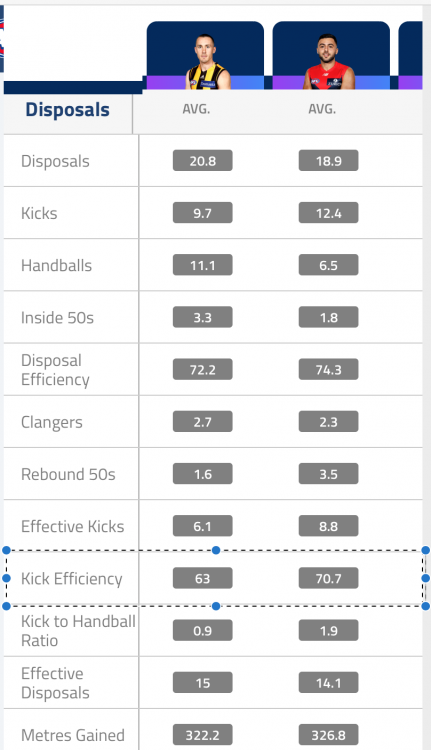
  3. For sure, there is a bit of a gap in the stats!
  4. Wow, lock it up now!!!
  5. Big night for the eagles and the umps tonight...
  6. Percentage booster
  7. I heard him start talking and rolled my eyes.
  8. Playing the same 3rd qtr style as the men, looking good.
  9. Announced just then - Heard via SEN. Will look to get back this year if we go deep, but looks to be then end after... Vince to retire at season's end

Configure browser push notifications

Chrome (Android)
  1. Tap the lock icon next to the address bar.
  2. Tap Permissions → Notifications.
  3. Adjust your preference.
Chrome (Desktop)
  1. Click the padlock icon in the address bar.
  2. Select Site settings.
  3. Find Notifications and adjust your preference.