





Demonland
Primary Administrators
-
Joined
-
Last visited
Everything posted by Demonland
-
Congratulations Lethal ...
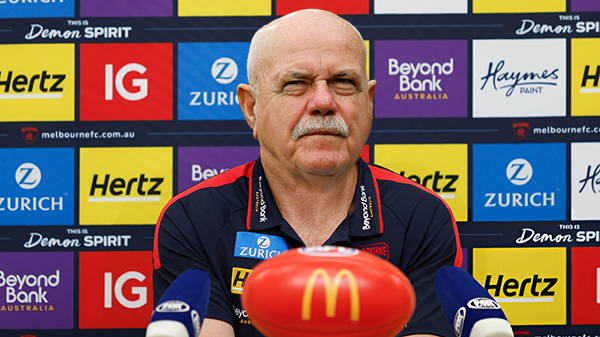
CouldtheSaintsangerNASbyoverpayingTDKdotheEaglesdeserveaprioritypickIOntheCouch-YouTube.thumb.png.5d8816252cb1c5eea7d664f17265b61c.png) Oh boyForget List Management. Username Management sorted.Interesting conversation between Gerard Whateley and Adam Simpson this morning on SEN from 3:05Maxy's Full Interview (Video):I believe that this is the tweet:Here is the full 360 segment with John Longmire & Adam Simpson.I was thinking of putting it in the Classifieds in the The Sun newspaper.Longmire was cagey in the interview over whether he would coach again or even whether he would contemplate taking a phone call from the Dees but this screenshot says different. not photoshopped. FROM:
Oh boyForget List Management. Username Management sorted.Interesting conversation between Gerard Whateley and Adam Simpson this morning on SEN from 3:05Maxy's Full Interview (Video):I believe that this is the tweet:Here is the full 360 segment with John Longmire & Adam Simpson.I was thinking of putting it in the Classifieds in the The Sun newspaper.Longmire was cagey in the interview over whether he would coach again or even whether he would contemplate taking a phone call from the Dees but this screenshot says different. not photoshopped. FROM: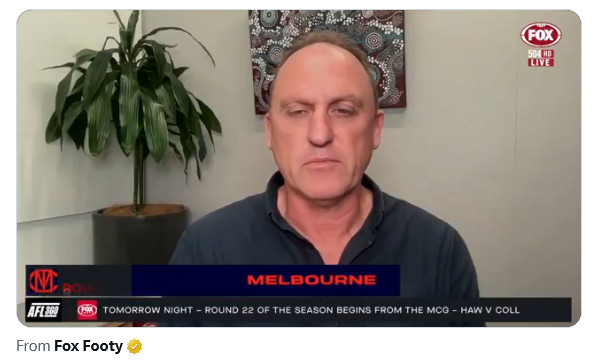 Not going anywhere apparently.Who are you tipping this week?Keep politics out of footy threads.Brendon Lade is out of contract at the Dogs and seen as a candidate for Melbourne’s senior gig.Well it is that time of the year.
Account
Navigation
Search
Configure browser push notifications
Chrome (Android)
- Tap the lock icon next to the address bar.
- Tap Permissions → Notifications.
- Adjust your preference.
Chrome (Desktop)
- Click the padlock icon in the address bar.
- Select Site settings.
- Find Notifications and adjust your preference.
Safari (iOS 16.4+)
- Ensure the site is installed via Add to Home Screen.
- Open Settings App → Notifications.
- Find your app name and adjust your preference.
Safari (macOS)
- Go to Safari → Preferences.
- Click the Websites tab.
- Select Notifications in the sidebar.
- Find this website and adjust your preference.
Edge (Android)
- Tap the lock icon next to the address bar.
- Tap Permissions.
- Find Notifications and adjust your preference.
Edge (Desktop)
- Click the padlock icon in the address bar.
- Click Permissions for this site.
- Find Notifications and adjust your preference.
Firefox (Android)
- Go to Settings → Site permissions.
- Tap Notifications.
- Find this site in the list and adjust your preference.
Firefox (Desktop)
- Open Firefox Settings.
- Search for Notifications.
- Find this site in the list and adjust your preference.



CouldtheSaintsangerNASbyoverpayingTDKdotheEaglesdeserveaprioritypickIOntheCouch-YouTube.png.874a3dc77c893ad3a4c603c6e2bd6289.png)


