





Demonland
Primary Administrators
-
Joined
-
Last visited
Everything posted by Demonland
-
WEEK THREE FINALS FIXTURE FRIDAY, SEPTEMBER 10 First preliminary final Melbourne v Geelong/GWS at Optus Stadium, 5.50pm AWST SATURDAY, SEPTEMBER 11 Second preliminary final Port Adelaide v Brisbane/Western Bulldogs at Adelaide Oval, 7.10pm ACST
-
Mainly so that Demons news isn't posted here.
-
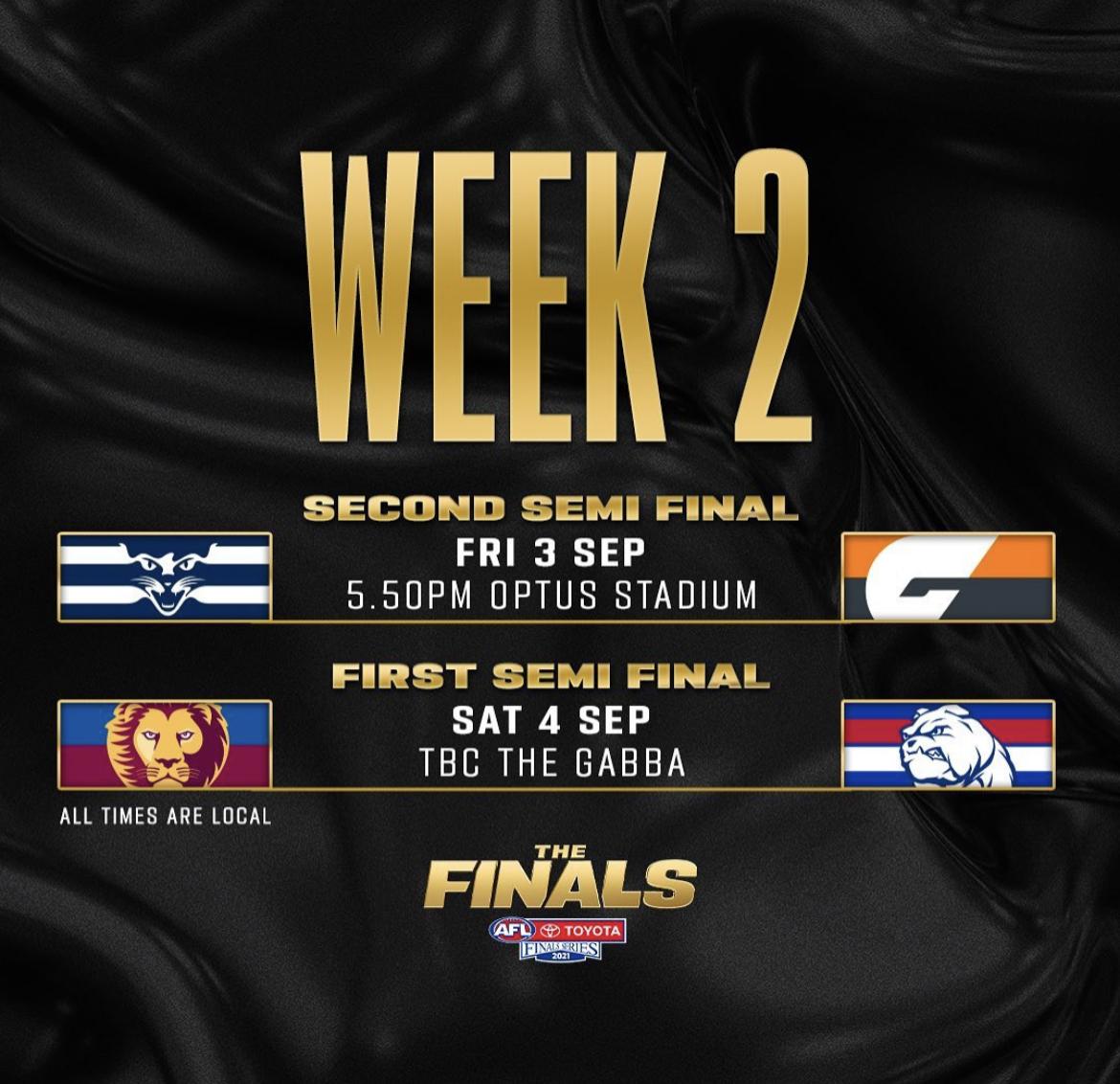
WEEK TWO FINALS FIXTURE FRIDAY, SEPTEMBER 3 Second semi-final Geelong v Greater Western Sydney at Optus Stadium, 5.50pm AWST SATURDAY, SEPTEMBER 4 First semi-final Brisbane v Western Bulldogs at the Gabba, start time TBC WEEK THREE FINALS FIXTURE FRIDAY, SEPTEMBER 10 First preliminary final Melbourne v Geelong/GWS at Optus Stadium, 5.50pm AWST SATURDAY, SEPTEMBER 11 Second preliminary final Port Adelaide v Brisbane/Western Bulldogs at Adelaide Oval, 7.10pm ACST@Jaded you love a stat where the Demons are involved.Dogs 22 frees to 12He would have been like this all week.Dogs 20 frees to 12So many free kicks in front of goal for the Bulldogs. 18 frees to 12 in favour of the Dogs.As much as I thank Hannan for that goal in the EF he would go missing for large chunks of matches.6 free kicks to Weightman.4th goal from a free kick.Weightman gets about 2 or 3 goals from frees a match. Has had 3 from frees today.Both teams whinging for deliberate every time the ball goes anywhere near the boundary.Clarrie has a stranglehold on this. 252. Clayton Oliver 213. Christian Petracca 138. Christian Salem 124. Max Gawn 114. Jake Lever 81. Luke Jackson 77. Steven May 71. Ed Langdon 66. Tom McDonald 62. Bayley Fritsch 42. James Harmes 34. Kysiah Pickett 27. James Jordon Alex Neal-Bullen 20. Jayden Hunt Jack Viney 18. Angus Brayshaw 16. Harry Petty 11. Charlie Spargo 10. Trent Rivers 9. Ben Brown 7. Michael Hibberd 2. Jake Bowey 1. Joel Smith Tom Sparrow Adam TomlinsonEssendon kicking themselves out of the game. Dees take note. It can cost you.Always ducks into tackles forcing a high tackle.Assume it's the paint from the forward 50 lines. Max had a blue spot on his head last night.Neither of these teams will beat Port in Port.Bulldogs are honestly the most blessed team when it comes to dodgy umpiring decisions their way. 3 goals from frees.On a side note I think that in lieu of making use of the Guaranteed Grand Final ticket the club should allow all holders of such tickets to get a photo with the premiership cup at some point. But I'm getting ahead of myself ...







Account
Navigation
Search
Configure browser push notifications
Chrome (Android)
- Tap the lock icon next to the address bar.
- Tap Permissions → Notifications.
- Adjust your preference.
Chrome (Desktop)
- Click the padlock icon in the address bar.
- Select Site settings.
- Find Notifications and adjust your preference.
Safari (iOS 16.4+)
- Ensure the site is installed via Add to Home Screen.
- Open Settings App → Notifications.
- Find your app name and adjust your preference.
Safari (macOS)
- Go to Safari → Preferences.
- Click the Websites tab.
- Select Notifications in the sidebar.
- Find this website and adjust your preference.
Edge (Android)
- Tap the lock icon next to the address bar.
- Tap Permissions.
- Find Notifications and adjust your preference.
Edge (Desktop)
- Click the padlock icon in the address bar.
- Click Permissions for this site.
- Find Notifications and adjust your preference.
Firefox (Android)
- Go to Settings → Site permissions.
- Tap Notifications.
- Find this site in the list and adjust your preference.
Firefox (Desktop)
- Open Firefox Settings.
- Search for Notifications.
- Find this site in the list and adjust your preference.