Demonland
Primary Administrators
-
Joined
-
Last visited
Everything posted by Demonland
-
Boolingwood
-
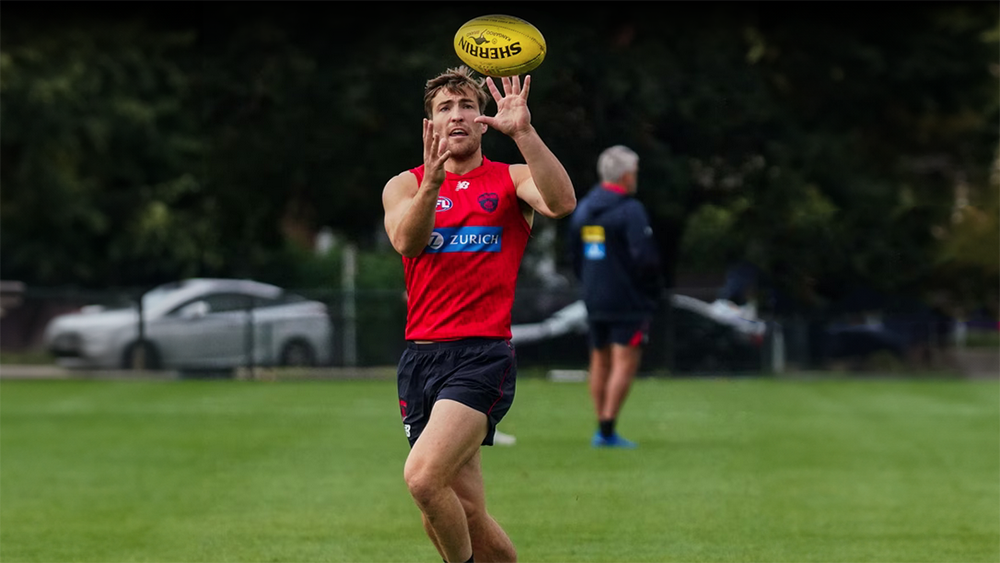
The only restful night was back in September 2021Some personal news. I wasn’t watching the game last night but was following along with the scores through the AFL app. I was barracking for the Crows to win all night until I checked my Footy Tipping app and realised that I was the only one in my mates competition that tipped the Bombers and a win would put me outright leader. I felt so dirty cheering the Bombers on in the last few minutes, even crediting the umpires for the play on call the gifted the Bombers the win, that I needed to take a shower before going to sleep lest I sully my bed linen.They are out for a run just as it starts raining. It didn't last long, ended up a reasonable session weather wise. Light duties, BBB, rehab Farris-White, Melky, Salem and Spargo, all with private trainers. They are all playing soccer, huge amount of noise. 36-40 (difficult to get a count) in the main squad, biggest I've seen it in ages. Choco is barking out the orders. Goody has intense body language as he observes. Bowey in a lime green cap (no contact), and in the sims. Oliver is ball handling, required some re-taping after the first drill. McVee, McAdam, and AMW step away from the main squad, and are now with the trainers (light duries, goal kicking and easy laps). Melky joins the main squad. They are now into full field drills. Precise kicking, hard calls, drive the ball through the centre, and run. They rotate through the whole area, goal to goal, and both wings. Structured sims now. 9 against 18. Woey in the backline. Sims finish, and McVee, McAdam, AMW, join the group again. Salem, Spargo do easy, repetitive 200 metres runs. McQualter has them in the middle, chatting away, Chaplin then does some demonstrations. May and Goody chip in. They appear to be getting into the nitty gritty. They break, some continue talking, some off to kick goals (16 of them), others leave the field, the low ball getters as well (Laurie, Vines, Rivers, Howes, Sestan, Woey, Hore). Goody one on one talk with Langdon. Choco with the goal kickers, mainly Fullarton. Then Tracc goes over for some tips but Choco stays with Tom. Oliver on the boundary by himself, sprinting. Now hard running laps. Choco now with Sparrow for some 45 metre goal kicking. Last out there is Petty and over walks Choco to help with his goal style kicking. Takes them from all the angles. Hits most of them. Just noticed Viney, still working with a trainer, as well as Melky and Salem. Oliver still lapping. Oliver after laps, he did some sprints, and more laps. Ended up on his haunches, gathering wind, a trainer comes over and they do a slap handshake. He finishes by picking up the equipment with the crew. It is nearly all packed up, except Salem still running laps. Had a chat to to one of the crew, reckons McVee is fine, just light duties, and they have a main session Sunday out at Casey. Salem and Oliver walk off together.
 2 - 2016 & 2019 YEAR PLAYER 2001 Adem Yze 2002 Adem Yze 2003 Clint Bizzell 2004 Jeff White 2005 Travis Johnstone 2006 Cameron Bruce 2007 Nathan Jones 2008 Brad Green 2009 Aaron Davey 2010 James Frawley 2011 Jack Trengove 2012 Nathan Jones 2013 Nathan Jones 2014 Nathan Jones 2015 Jack Viney 2016 Max Gawn 2017 Clayton Oliver 2018 Clayton Oliver 2019 Max Gawn 2020 Christian Petracca 2021 Clayton Oliver 2022 Clayton Oliver 2023 Christian PetraccaThe media’s focus this week should shift from Bevo to Lyon.Max Gawn is now the undisputed leader ~ 67. Max Gawn 55. Christian Petracca 35. Steven May 28. Jack Viney 27. Alex Neal-Bullen 22. Clayton Oliver 19. Bayley Fritsch 16. Trent Rivers 15. Judd McVee 14. Kade Chandler 12. Christian Salem 11. Blake Howes Ed Langdon 10. Jack Billings Jake Lever 9. Tom Sparrow 8. Tom McDonald 4. Kysaiah Pickett 2. Adam Tomlinson Caleb Windsor 1. Jake Bowey
Account
Navigation
Search
Configure browser push notifications
Chrome (Android)
- Tap the lock icon next to the address bar.
- Tap Permissions → Notifications.
- Adjust your preference.
Chrome (Desktop)
- Click the padlock icon in the address bar.
- Select Site settings.
- Find Notifications and adjust your preference.
Safari (iOS 16.4+)
- Ensure the site is installed via Add to Home Screen.
- Open Settings App → Notifications.
- Find your app name and adjust your preference.
Safari (macOS)
- Go to Safari → Preferences.
- Click the Websites tab.
- Select Notifications in the sidebar.
- Find this website and adjust your preference.
Edge (Android)
- Tap the lock icon next to the address bar.
- Tap Permissions.
- Find Notifications and adjust your preference.
Edge (Desktop)
- Click the padlock icon in the address bar.
- Click Permissions for this site.
- Find Notifications and adjust your preference.
Firefox (Android)
- Go to Settings → Site permissions.
- Tap Notifications.
- Find this site in the list and adjust your preference.
Firefox (Desktop)
- Open Firefox Settings.
- Search for Notifications.
- Find this site in the list and adjust your preference.