Demonland
Primary Administrators
-
Joined
-
Last visited
Everything posted by Demonland
-
-
-
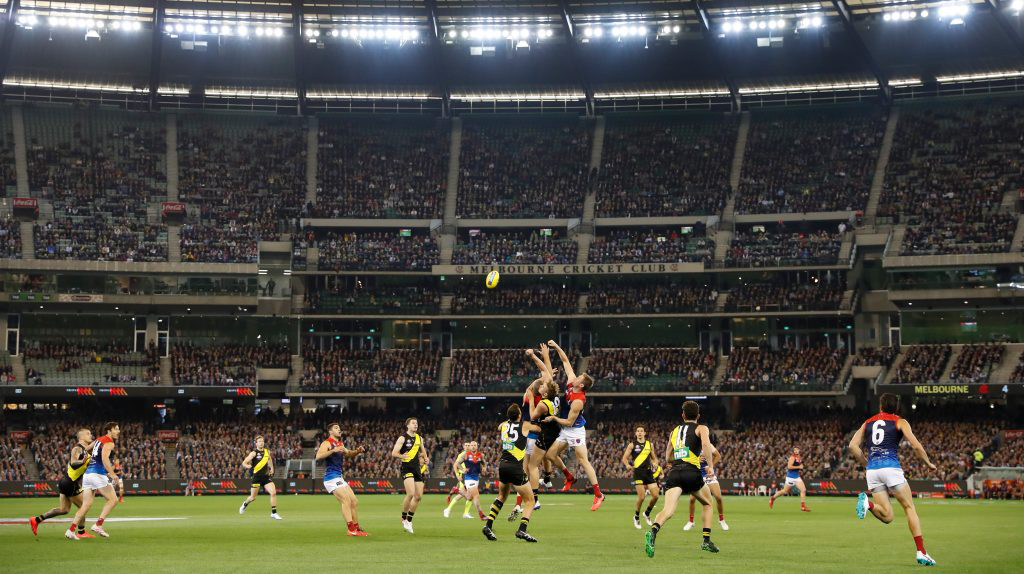
You might have added an extra 0 or 2.Let’s keep things on topic and please no personal attacks against other posters.We don’t really play Thursday games so I have no real reference but I hate losing on Friday nights. Ruins the whole weekend. Never liked a Saturday loss either. Ruined Saturday nights. Friday night wins are the best.Apparently Round 8 1952 was a national round where exhibition matches were played all over the country. Anyone know where the Dees played? @SupermercadoI agree that performance has a bearing on memberships too. No doubt COVID has cost St Kilda even more members.You do realise that there is a pandemic going on at the moment preventing people from attending games and hence a potential reason for not purchasing memberships.Would you prefer a Thursday loss and be [censored] off all weekend?ROUND SIX Thursday, July 9 Geelong v Brisbane, SCG, 7.40pm AEST Friday, Jul 10 Collingwood v Hawthorn, Giants Stadium, 7.50pm AEST Saturday, July 11 Fremantle v St Kilda, Metricon Stadium, 12.35pm AEST West Coast v Adelaide, Gabba, 3.05pm AEST Melbourne v Gold Coast, Giants Stadium, 6.05pm AEST Essendon v North Melbourne, Metricon Stadium, 7.40pm AEST Sunday, July 12 Port Adelaide v GWS, Metricon Stadium, 1.05pm AEST Richmond v Sydney, Gabba, 3.35pm AEST Carlton v Western Bulldogs, Metricon Stadium, 6.45pm AEST ROUND SEVEN Thursday, July 16 Geelong v Collingwood, Optus Stadium. 6.10pm AWST, 8.10 AEST Friday, July 17 Essendon v Western Bulldogs, Metricon Stadium, 7.50pm AEST Saturday, July 18 GWS v Brisbane, Giants Stadium, 1.45pm AEST Sydney v Gold Coast, SCG, 4.35pm AEST Richmond v North Melbourne, Metricon Stadium, 7.40pm AEST Sunday, July 19 Carlton v Port Adelaide, Gabba, 1.05pm AEST Hawthorn v Melbourne, Giants Stadium, 3.35pm AEST Fremantle v West Coast, Optus Stadium, 4.35pm AWST, 6.35pm AEST Monday, July 20 Adelaide v St Kilda, Adelaide Oval, 7.10pm ACST, 7.40pm AESTUnderstood that the above teams are for the rest of the season.Bring back Greeny?Sportsbet goes wack ...Take the discussion to the Team Selection thread: https://demonland.com/forums/topic/48366-teams-rd-05-vs-richmond/Thankfully they moved this week’s game from Sydney where the sun shines and the virus breeds ever so slowly and almost nobody returns a positive test. The change of fixture comes at precisely the right time to allow everyone in town to head to the MCG on Sunday at around 3:30pm, not to catch up with what’s going on inside the ground but rather, to do what’s fashionable for woke folk in 2020 — pulling down statues. It’s time for Kevin Bartlett and Leigh Matthews to go but you can’t touch Norm Smith, Ron Barassi or Jimmy Stynes. Of course, the same people showing interest in scrapping old statues are also looking at the name of the State which they reckon has to be changed because our old queen was somehow associated with colonialist types somewhere back in history. After this week, a possible name for the state is New Mexico because the people ruling the roost want to keep us all south of the border. So they shunted an out of form Tigers away from a northern sojourn on the Gold Coast where they had an assignment with the equally ailing Eagles to the home of football for a match up with the Demons. Richmond is playing like a club in trouble, without the intensity that marked its recent successful premiership campaigns. Their skipper is even suggesting that some of his teammates might opt against moving to an interstate hub if required to relocate. How very, very soft is that? St Kilda had them figured right out last week. The Saints applied persistent pressure on the Tigers and blunted their usually relentlessly quick movement by hand and by foot. There’s no reason why the Demons can’t do likewise against a Richmond defence that no longer contains the retired Alex Rance and with key defender David Astbury out with a knee injury. It’s about time that Melbourne’s forward line started firing and, this week, it’s their time. The Demons had a tough gig last week coming off their enforced bye which saw them struggling to score in the opening term. I anticipate some more changes to the line up especially given that the team is free from injury. Rotating players is what will get clubs through the season and Melbourne is well placed to do all of this. The team has Max Gawn building up after a slowish start and plenty of midfield talent to challenge the reigning premiers. I’m tipping the Demons by 25 points. THE GAME Melbourne v Richmond on Sunday 5 July, 2020 at 3.35pm at the MCG HEAD TO HEAD Overall Melbourne 75 wins Richmond 106 wins Drawn 2 At MCG Melbourne 63 wins Richmond 71 wins Drawn 1 Past five meetings Melbourne 1 win Richmond 4 wins The Coaches Hardwick 3 wins Goodwin 0 wins MEDIA TV - Channel 7, Fox Footy Channel Live at 3.30pm Radio - TBA THE LAST TIME THEY MET Richmond 12.13.85 defeated Melbourne 6.6.42 in Round 6, 2019 at the MCG Melbourne put in a competitive first half and even led at quarter time but after the main break the team looked incapable of scoring as it slumped to a 1-5 record on Anzac Eve. The writing was on the wall when Sydney Stack took out co-captain Jack Viney. THE TEAMS MELBOURNE FB Joel Smith Steven May Michael Hibberd HB James Harmes Jake Lever Christian Salem C Ed Langdon Clayton Oliver Adam Tomlinson HF Mitch Hannan Tom McDonald Angus Brayshaw FF Kysaiah Pickett Christian Petracca Bayley Fritsch FOL Max Gawn Jake Melksham Jack Viney I/C Jayden Hunt Jay Lockhart Trent Rivers Aaron vandenBerg EM Mitch Brown Luke Jackson Oscar McDonald Charlie Spargo NO CHANGE RICHMOND FB Nick Vlastuin Dylan Grimes Noah Balta HB Bachar Houli Nathan Broad Jayden Short C Kamdyn McIntosh Dion Prestia Josh Caddy HF Jack Higgins Shane Edwards Jason Castagna FF Dustin Martin Tom J Lynch Jack Riewoldt FOL Toby Nankervis Trent Cotchin Kane Lambert IC (from) Jake Aarts Liam Baker Mabior Chol Ryan Garthwaite Jack Graham Marlion Pickett Daniel Rioli IN Jake Aarts Noah Balta Mabior Chol Daniel Rioli OUT David Astbury (injured) Shai Bolton (omitted) Jack Ross (omitted) Sydney Stack (omitted) Injury List: Round 5 Marty Hore (toe and quad) – indefinite Harry Petty (groin) – indefinite Kade Kolodjashnij (head) – indefinite Aaron Nietschke (knee) – season
Account
Navigation
Search
Configure browser push notifications
Chrome (Android)
- Tap the lock icon next to the address bar.
- Tap Permissions → Notifications.
- Adjust your preference.
Chrome (Desktop)
- Click the padlock icon in the address bar.
- Select Site settings.
- Find Notifications and adjust your preference.
Safari (iOS 16.4+)
- Ensure the site is installed via Add to Home Screen.
- Open Settings App → Notifications.
- Find your app name and adjust your preference.
Safari (macOS)
- Go to Safari → Preferences.
- Click the Websites tab.
- Select Notifications in the sidebar.
- Find this website and adjust your preference.
Edge (Android)
- Tap the lock icon next to the address bar.
- Tap Permissions.
- Find Notifications and adjust your preference.
Edge (Desktop)
- Click the padlock icon in the address bar.
- Click Permissions for this site.
- Find Notifications and adjust your preference.
Firefox (Android)
- Go to Settings → Site permissions.
- Tap Notifications.
- Find this site in the list and adjust your preference.
Firefox (Desktop)
- Open Firefox Settings.
- Search for Notifications.
- Find this site in the list and adjust your preference.