Demonland
Primary Administrators
-
Joined
-
Last visited
Everything posted by Demonland
-
No crowds at the Footy for at least 2 weeks.The Demonland Podcast is LIVE Tonight 27/7 @ 8:30pm featuring @george_on_the_outer, @binman, & @Demonland Listen & Chat LIVE: https://demonland.com/podcast Call: 03 9016 3666 Skype: Demonland31We’re in the negative now
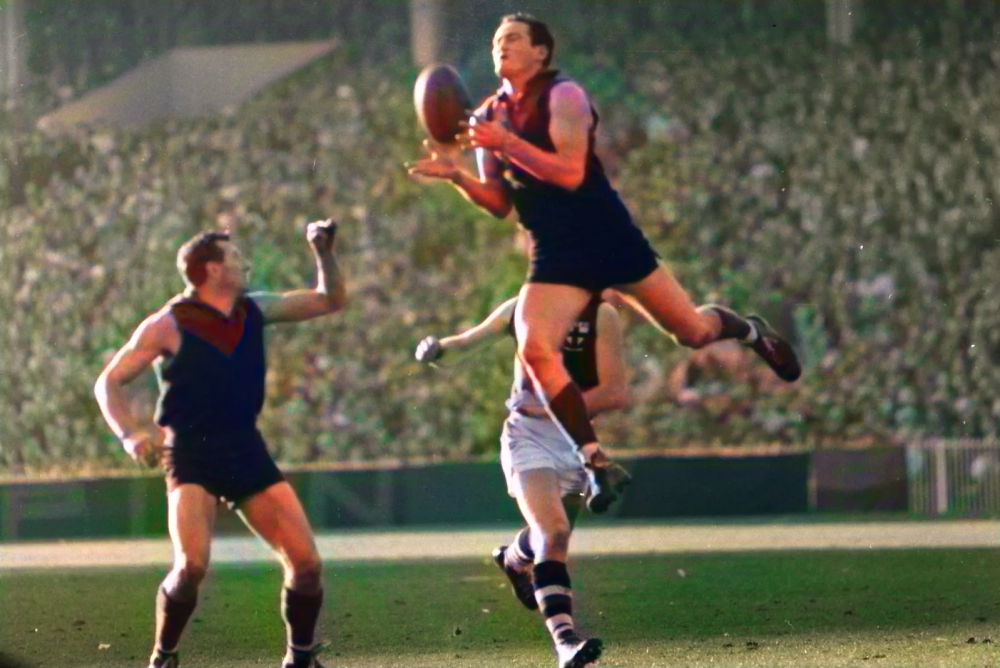
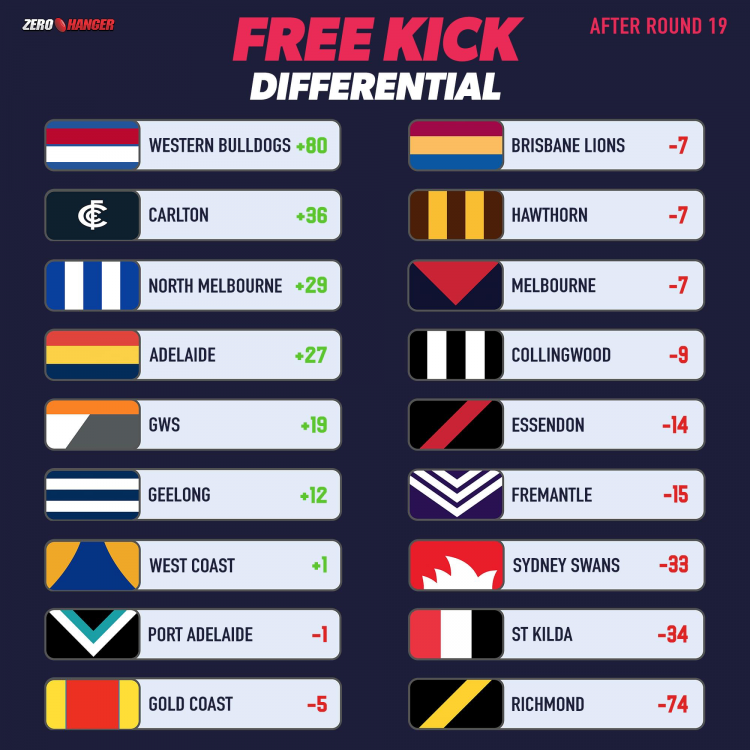 Not a chance Geelong drop a game like this. Us on the other hand …Not the worst idea. I doubt their CEO will go for that. He's been pretty vocal on saying that the MCG should not be hosting the GF. We'd probably have to promise our next 3 matches be played at Metricon.Definitely a mistake. Would be GC or Darwin (not very likely).Only two games can be locked in: Fremantle v Richmond in Perth and Western Bulldogs v Adelaide in Ballarat, though whether that game is Saturday or Sunday remains up in the air. Foxfooty.com.au understands the AFL is set to have Carlton and St Kilda shifted from Saturday to Friday night and Essendon v Sydney moved to Saturday. Both the Swans and Bombers have both already had five-day breaks, forcing the AFL to delay their match by a day. All of Gold Coast v Melbourne, Hawthorn v Brisbane and GWS v Port Adelaide require a sterile corridor for teams to fly up and back from Victoria to Queensland. If not, the league may need to look at shifting fixtures from Rounds 21, 22 or 23. As things stand, the Demons can’t fly to the Gold Coast without quarantining, the Lions can come to Melbourne but would then be unable to go back to Queensland, while Port Power would be required to quarantine before facing the Giants in the sunshine state. There is also uncertainty over whether North Melbourne can host Geelong in Hobart as originally planned. The Roos remain confident but have received no official word. If the AFL succeeds in establishing a sterile corridor across Bass Strait, the Roos and Cats could fly in and fly out on the same day and play in front of a crowd. If not, the game would be in Victoria. Collingwood has been told West Coast will fly to Melbourne ahead of Round 20. At this stage, the plan is for the game to proceed as scheduled on Saturday, which would force the Eagles into home quarantine for seven days when they return home to Perth ahead of Round 21. The league remains committed to pushing through the season and finding ways to get the remaining four rounds completed. It could use the week before finals to reset and does not want to pause the competition, despite suggestions from Sydney they should consider it for integrity and fairness reasons. The official word from the AFL is the Grand Final will be played at the MCG. But speaking on 3AW on Friday, Gillon McLachlan conceded the game would only go ahead at its traditional home if it could muster a “decent” crowd. FRIDAY St Kilda v Carlton (Marvel Stadium) – Likely SATURDAY North Melbourne v Geelong (Blundstone Arena) – Uncertain Essendon v Sydney (Queensland) – Likely Gold Coast v Melbourne (Gabba) – Uncertain Collingwood v West Coast (MCG) – Likely Hawthorn v Brisbane (Adelaide Oval) – Uncertain SUNDAY Western Bulldogs v Adelaide (Ballarat) – Likely GWS v Port Adelaide (TBA) – Uncertain Fremantle v Richmond (Optus Stadium) - LockedThe snow that fell on the slopes of Victoria’s mountain districts in the winter of 1965 was not considered good enough to satisfy the enthusiasts. The really heavy snow that season came in two waves further north in July and August. The first descended on the national capital where “Pig Iron Bob” still held sway. Snow flurries touched the landscape all the way across the Blue Mountains. The next big snow extended further north up to the hills around Mackay in Queensland. Snowflakes fell inside the Tropic of Capricorn. I am unashamed to admit it but at the time and back in my home state, I took a bus ride with a group of fellow teens to pay the only visit I ever made to the snow. The sun shone brightly at Lake Mountain, less than 5,000 feet above sea level, where we spent our time wading through cold, mushy puddles of whiteness searching for the non-existent lake — I discovered much later that the place was named after a surveyor called “Lake”. We ate hot dogs and went home. I was unaware at the time but I had just fulfilled the requirement that legend dictated would make me a fully fledged Demon fan. A few weeks later, it rained so hard on a Saturday morning that I passed on traveling to the north of town to witness the first and only Melbourne game against North Melbourne at City Oval Coburg. It was Saturday 24th July 1965. Ten months earlier, the Demons had won their 12th premiership, the sixth in a decade since 1955, all of them under the coaching of Norm Smith. Today, the team was to be coached by Frank “Checker” Hughes who replaced Smith for this game after the club committee sensationally sacked their legendary coach two days before the game. The Demons were fighting for a finals place but in normal circumstances would have been expected to win against the Kangaroos with 14 of their premiership 20 in the side. North had not beaten Melbourne since 9 May, 1953. The latter had won 20 games on end against them in a streak that began on 1 August, 1953. This is how the Melbourne team lined up:- B: N. Crompton R “Tas” Johnson R. Miller HB: P. McLean K. Rowe F. Davis C: B. Dixon D. Williams F. Vearing HF: H “Hassa” Mann G. Jacobs B. Vagg F: J. Lord R. Groom K. Emselle Foll: G. Wise B. Kenneally J. Townsend 19/20: S. Alves H.Bromell The Shinboners had only won twice in the season to date and were second last on the ladder ahead of Hawthorn on percentage only. But they sensed blood against a shocked and disheveled Demons in front of a crowd of 8,312. Revelling in the wet conditions, they took a 15 point lead at quarter time 3.3.21 to 1.0.6 which Melbourne reduced to 11 points at the main break. However, the Kangaroos took complete control with five goals to two in the third and were untroubled to win by 21 points in the end. It was their first ever win in their brief history at their new ground. Norm Smith was reinstated as coach during the following week but Melbourne missed the finals and would not compete in a finals series for a further two decades. On the morning after that ill-fated game at the Coburg City, I received a phone call from a friend. “They’ve had some decent falls on the snowfields. Would you want to go up there today?” I declined and I never went to the snow again. Melbourne 1.0.6 3.3.21 5.3.33 9.6.60 North Melbourne 3.3.21 4.8.32 9.12.66 11.15.81 Goals Bryan Kenneally John Townsend Barrie Vagg 2 Ken Emselle Graeme Jacobs John Lord Best Bob Miller Tas Johnson John Townsend Ken Rowe Barrie Vagg Frank Davis
 Clayton Oliver continues to push ahead … 185. Clayton Oliver 158. Christian Petracca 121. Christian Salem 106. Jake Lever 93. Max Gawn 72. Steven May 66. Tom McDonald 63. Ed Langdon 43. Luke Jackson 35. James Harmes 33. Bayley Fritsch 31. Kysiah Pickett 27. James Jordon 20. Jayden Hunt 15. Angus Brayshaw 14. Jack Viney 13. Harry Petty 11. Charlie Spargo 7. Michael Hibberd Trent Rivers 6. Alex Neal-Bullen 2. Ben Brown 1. Adam TomlinsonFirst place versus second on the ladder promised to be a precursor to what can be expected in the coming finals race. However, it was the Demons who faltered and gave the Bulldogs a bone to feed their hunger just weeks out from the end of the season. The win also sent the Dogs to the top of the ladder, a position they are unlikely to cede in the coming weeks, given their fixture. While Melbourne may now struggle to keep a spot in the top four with its draw and will likely depend on the results of other games, a familiar situation for the fans. The game itself was an enthralling battle starting in torrential rain, and it was the Dogs who quickly found their feet to open up a 10 point break at the first change. In what has become a familiar scenario to the fans, the Demons couldn’t kick straight with very gettable chances to Ben Brown and Kysiah Pickett going missing. The same continued in the subsequent quarters with the final result being decided ultimately by their ongoing problem with inaccuracy in front of goal. Once again more behinds kicked than goals, but it is the set shot kicking that continues to let the side down, and we now have a series of losses defined by a kick or two either way. And in this game the coach afterward summed it up with the phrase “we had our chances”. Never was a truer word spoken. Except it was all too familiar to the fans. Make no mistake, the Bulldogs changed their game-style in this contest. Normally, they depend on waves of half-backs sweeping past their mids to deliver to the big forwards. They adjusted this, partially because of the Melbourne defensive structures, but in this match they relied more on their midfield powerhouse to do the work. In a good example of statistical meaninglessness, Christian Petracca had 31 touches, Clayton Oliver 38, Jack Viney 19. But the opposition with Bontempelli 31 touches, Macrea 38, and Liberatore 27. Gawn had an incredible 52 hit-outs, but the Dogs won the clearances, particularly around the ground. It was a head to head battle, but these stats don’t show the outcome. That being the Melbourne mids could only produce 2 goals between them (after a single last week) while the Dogs mids doubled that with four. For Melbourne this was the same as last week when the Hawks mids scored 4 to 1 and is becoming a familiar story to the fans. Bringing Harmes into the middle as a tagger for Liberatore was an unmitigated disaster. Not only did he fail to quell Libba, he was relieved of duties on him in the second half with Viney forced to pick up the slack. Unfortunately, that took out another one of our skilled players, leaving Bontempelli to do his damage without the close checking that Viney had provided in the first half. Bontempelli kicking critical goals toward the end of a game. The Melbourne fans are familiar with that. Just as equally disappointing was the performance of the Melbourne half forwards. It is all well and good running around, corralling opposition players but this opposition are the best. If you don’t tackle they will deliver and with Caleb Daniel getting 34 touches, Bayley Dale 24 including 20 kicks and Duryea 17 it was a recipe for disaster. The blowtorch must now be applied to these players, and their value to the side, particularly when they bring limited football skills and live off their athletic abilities. The match continued in a slog of a battle, with the weather finally easing so that both sides could show their true wares. Nine goals in the 3rd quarter after Melbourne scored the first 2 only to see the Dogs reply similarly, presaged a ripper of a final quarter and it was to be. The 14 point differential at the ¾ time break was pulled back by the Demons with Brown and Fritsch kicking truly at last to reduce the margin to 4 points with seven minutes to play. All the momentum was with Melbourne and this was blown away with fundamental skill execution by those same players mentioned before. The Bulldogs responded quickly given these opportunities, and blew the final margin out to 20 points. There are plenty of actions the coach has to take in the few remaining games. One of which surely has to be resting players, particularly the younger ones who have hit the wall in terms of output. Luke Jackson has had 3 kicks in the past 2 weeks, and 66% game time. Trent Rivers only had 65% game time. James Jordon 64%. They just need a week away, and we have the players available to fill their spots. Old, tried and true, maybe not as skilled, but able to provide more than these kids can at this point of the season. Even Max Gawn needs a proper back-up. A mere 2 marks for the whole match, none of which was contested. Yet contested marks for him is an essential part of our plan to move the ball from defence at kick-outs. Majak Daw is the perfect replacement for Jackson and with Gold Coast having no true ruck available to them, this is the week to do it. Nathan Jones is the man to provide more mid-field grunt, while Tom Sparrow surely has had enough time observing the game from the bench. This game is what finals football is all about. The very best sides will match it with each other with their talented players, but while the side is populated with limited skill players, the whole match will come down to just a couple of episodes where those players concede the ball to the opposition. We have lost or drawn enough games this year to know how close the margin is between success or failure. If the coach has devised a game plan built for finals, he must concede that these players cannot be part of it. Or the result will be the same as this game, the one that the fans are becoming familiar with. MELBOURNE 1.4.10 2.7.19 7.9.51 9.11.65 WESTERN BULLDOGS 3.2.20 6.4.40 10.5.65 13.7.85 GOALS Melbourne Brown Fritsch Pickett 2 McDonald Petracca Viney Western Bulldogs Bontempelli Bruce Hannan Naughton 2 Daniel English Smith Ugle-Hagan Weightman BEST Melbourne Oliver Petracca Neal-Bullen Lever Gawn Hunt Western Bulldogs Bontempelli Daniel Macrae Smith Hunter Liberatore Schache INJURIES Melbourne Nil Western Bulldogs A. Keath (hamstring) E. Richards (concussion) REPORTS Melbourne Nil Western Bulldogs Nil SUBSTITUTES Melbourne T. Sparrow (unused) Western Bulldogs A. Scott (replaced A. Keath) UMPIRES: Chris Donlon Nathan Williamson Craig Fleer Official Crowd 0 at The MCG
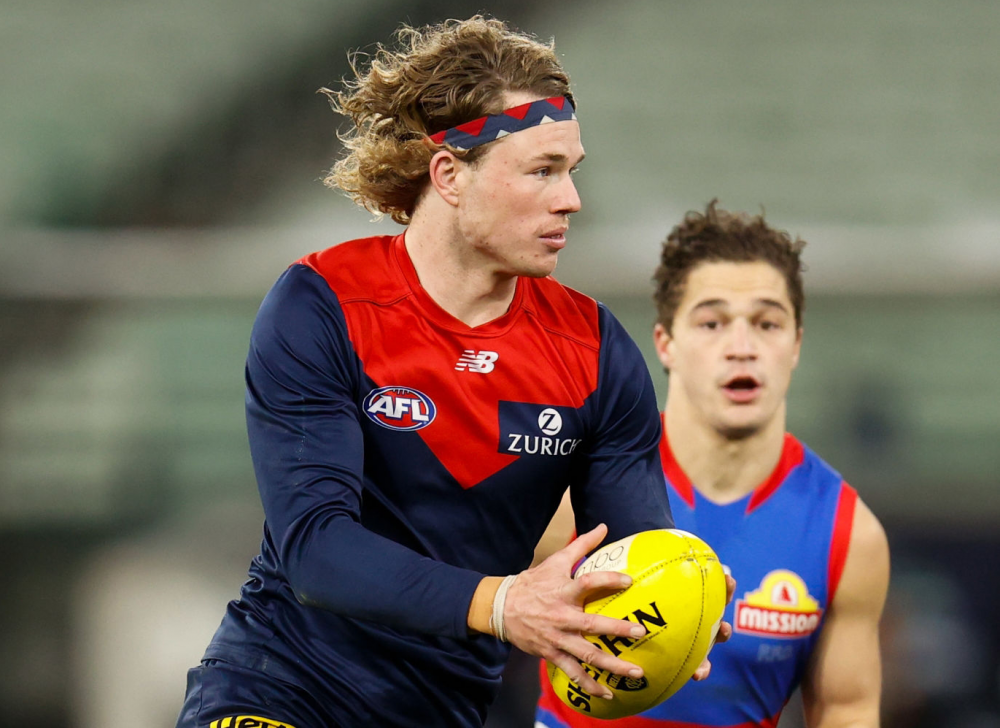 It was nice while it lasted.
Account
Navigation
Search
Configure browser push notifications
Chrome (Android)
- Tap the lock icon next to the address bar.
- Tap Permissions → Notifications.
- Adjust your preference.
Chrome (Desktop)
- Click the padlock icon in the address bar.
- Select Site settings.
- Find Notifications and adjust your preference.
Safari (iOS 16.4+)
- Ensure the site is installed via Add to Home Screen.
- Open Settings App → Notifications.
- Find your app name and adjust your preference.
Safari (macOS)
- Go to Safari → Preferences.
- Click the Websites tab.
- Select Notifications in the sidebar.
- Find this website and adjust your preference.
Edge (Android)
- Tap the lock icon next to the address bar.
- Tap Permissions.
- Find Notifications and adjust your preference.
Edge (Desktop)
- Click the padlock icon in the address bar.
- Click Permissions for this site.
- Find Notifications and adjust your preference.
Firefox (Android)
- Go to Settings → Site permissions.
- Tap Notifications.
- Find this site in the list and adjust your preference.
Firefox (Desktop)
- Open Firefox Settings.
- Search for Notifications.
- Find this site in the list and adjust your preference.