Demonland
Primary Administrators
-
Joined
-
Last visited
-
Currently
Viewing Topic: CASEY: Rd 05 vs Richmond VFL
Everything posted by Demonland
-
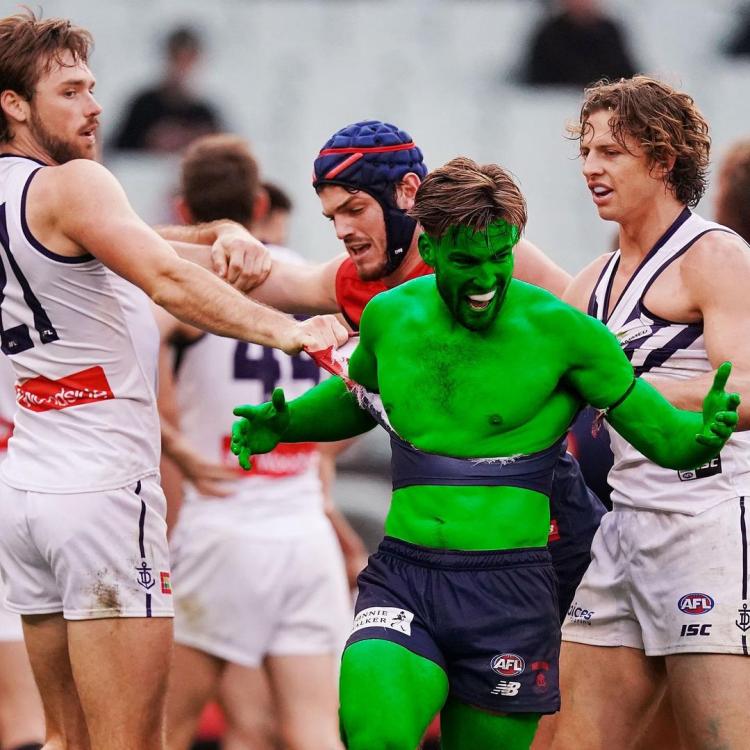
From watching LIVE last Wednesday and the photos and videos since he has been wearing number 24. Must have hulked out on the number 7.
-
Action Jefferson?
-
The Dees trained out at Casey Fields this morning and veteran Demonland Trackwatcher was there to bring you the following report.Looks like the next official open training session is on Wednesday at Gosch's Paddock. https://www.melbournefc.com.au/teams/training-times Date: Wednesday 1st February Time: 9:30am Location: Gosch's PaddockWas strapped on Wednesday too but I'm not surprised given the proximity to his surgery and other reported incidents involving his thumb/wrist.You must have read wrong. 😉If there are any training reports from today, the links will be posted right here ⬇️Nothing listed on the official site but there is a good chance it is out at Casey. The club has recently put a warning on the Training Times page that Casey sessions are closed. https://www.melbournefc.com.au/teams/training-times Casey Fields Training Sessions All Casey Field training sessions are currently closed to the public.Just as much at the footy too for a pie, chips and a coke, oops I mean pepsi now.Neither looked out of place in the squad. That is, they weren't raw recruits fumbling, nervous and making mistakes.Like he's a part of the furniture. Fits in well. Can take a good grab in a pack or intercepting. Reads the play well. Has clean disposal. Will also benefit from another pre-season in the gym in an elite program (if he gets a gig on our list).
Account
Navigation
Search
Configure browser push notifications
Chrome (Android)
- Tap the lock icon next to the address bar.
- Tap Permissions → Notifications.
- Adjust your preference.
Chrome (Desktop)
- Click the padlock icon in the address bar.
- Select Site settings.
- Find Notifications and adjust your preference.
Safari (iOS 16.4+)
- Ensure the site is installed via Add to Home Screen.
- Open Settings App → Notifications.
- Find your app name and adjust your preference.
Safari (macOS)
- Go to Safari → Preferences.
- Click the Websites tab.
- Select Notifications in the sidebar.
- Find this website and adjust your preference.
Edge (Android)
- Tap the lock icon next to the address bar.
- Tap Permissions.
- Find Notifications and adjust your preference.
Edge (Desktop)
- Click the padlock icon in the address bar.
- Click Permissions for this site.
- Find Notifications and adjust your preference.
Firefox (Android)
- Go to Settings → Site permissions.
- Tap Notifications.
- Find this site in the list and adjust your preference.
Firefox (Desktop)
- Open Firefox Settings.
- Search for Notifications.
- Find this site in the list and adjust your preference.