Demonland
Primary Administrators
-
Joined
-
Last visited
-
Currently
Viewing Topic: MATCH SIM: Friday 6th February 2026
Everything posted by Demonland
-
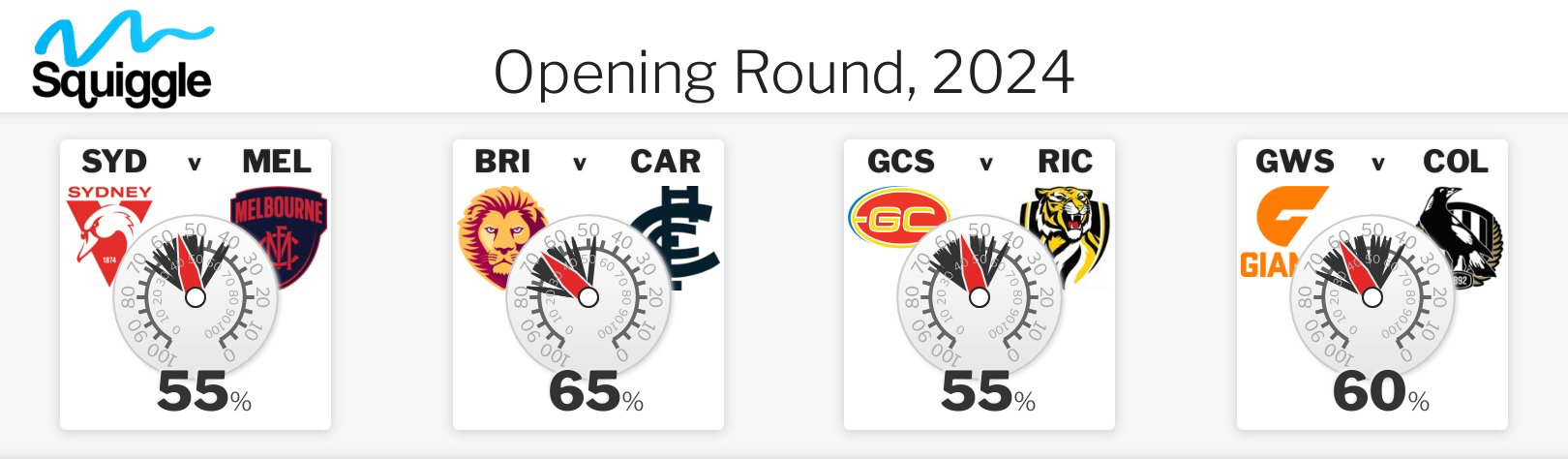
 Gerard Whateley Melbourne Brisbane Gold Coast Collingwood Tim Watson Melbourne Brisbane Gold Coast Collingwood Garry Lyon Melbourne Brisbane Richmond Collingwood Dwayne Russell Melbourne Brisbane Richmond Greater Western Sydney Andy Maher Melbourne Brisbane Gold Coast Greater Western Sydney Sam Edmund Melbourne Brisbane Gold Coast Greater Western Sydney Andrew Gaze Sydney Brisbane Gold Coast Collingwood
 -
Untrue.
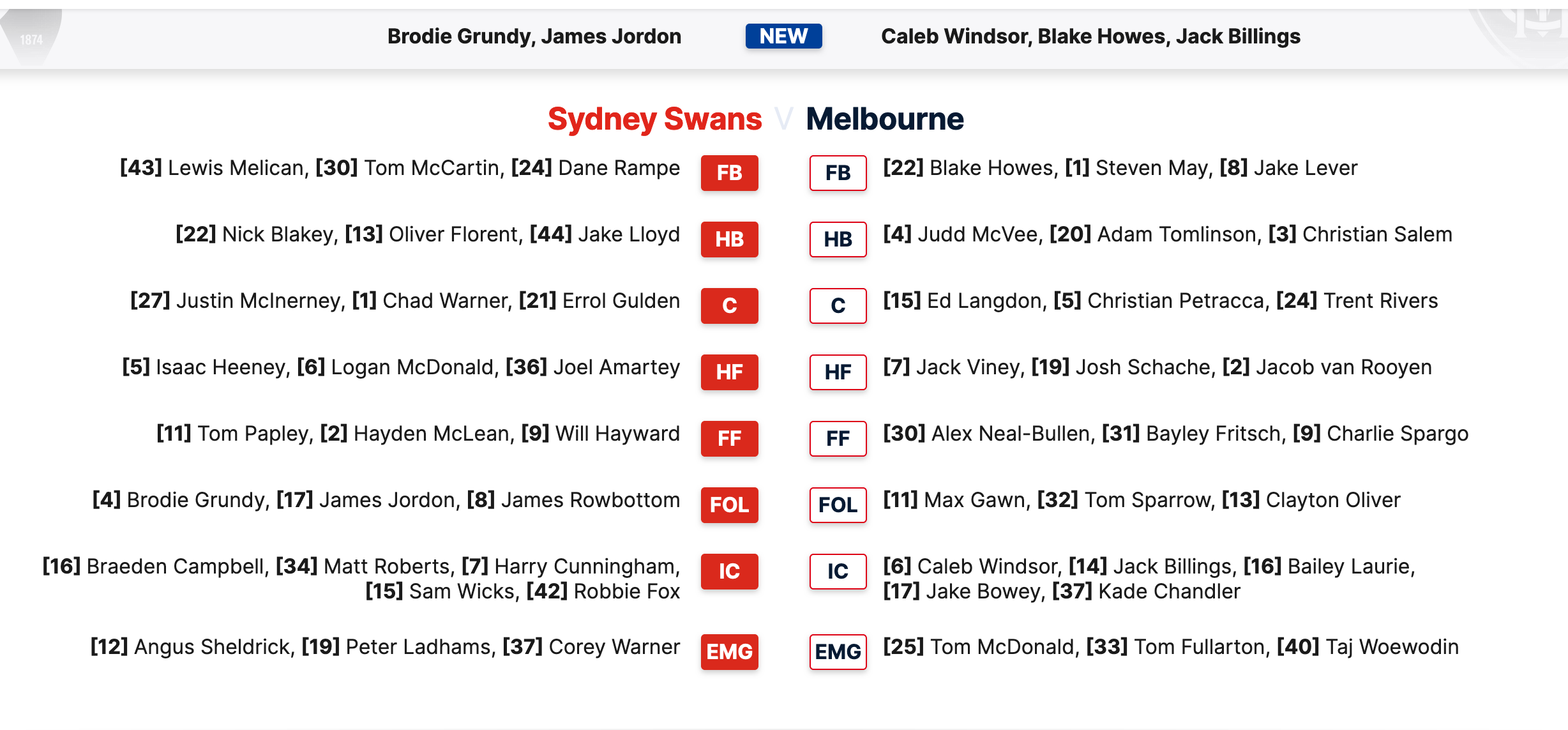
Also assume he went for Blake Howes as the Rising Star.
It's Game Day and today our 2024 Premiership Campaign begins. The Dees have traveled up to Sydney to take on the Swans to take their first step in their redemption arc to bury their consquecutive straight sets finals exits Demons and strive to reclaim the flag on the last Saturday of September.

Account
Navigation
Search
Configure browser push notifications
Chrome (Android)
- Tap the lock icon next to the address bar.
- Tap Permissions → Notifications.
- Adjust your preference.
Chrome (Desktop)
- Click the padlock icon in the address bar.
- Select Site settings.
- Find Notifications and adjust your preference.
Safari (iOS 16.4+)
- Ensure the site is installed via Add to Home Screen.
- Open Settings App → Notifications.
- Find your app name and adjust your preference.
Safari (macOS)
- Go to Safari → Preferences.
- Click the Websites tab.
- Select Notifications in the sidebar.
- Find this website and adjust your preference.
Edge (Android)
- Tap the lock icon next to the address bar.
- Tap Permissions.
- Find Notifications and adjust your preference.
Edge (Desktop)
- Click the padlock icon in the address bar.
- Click Permissions for this site.
- Find Notifications and adjust your preference.
Firefox (Android)
- Go to Settings → Site permissions.
- Tap Notifications.
- Find this site in the list and adjust your preference.
Firefox (Desktop)
- Open Firefox Settings.
- Search for Notifications.
- Find this site in the list and adjust your preference.