





Demonland
Primary Administrators
-
Joined
-
Last visited
Everything posted by Demonland
-
The club should have snapped up Caden years ago. At the very least after Ben Gibson left. Huge Dees fan and large following amongst the young demographic which the club needs to lock in.
-
Absolutely no version of the multiverse where this happens unless the multiverse is one where the team with the lowest score wins.
-
Spoiler Alert: We didn't make it. We had to turn back. https://demonland.com/forums/topic/60968-the-upgrade-failed/What are your qualifications? Send your resume & references through to @Nasher. We could need any help we can get.Trust me if what happened last night happened on my watch I would have actually done what Nasher posted in the 2nd post of this thread.The timing of that will be up to @Nasher. He is generously volunteering his time and effort to this. Unfortunately, server and database management are beyond my expertise. I have a basic understanding, but if I tried handling it alone, I'd probably do more harm than good.No, it's not a new software package. It's the same company, but they've released a significantly upgraded version of their existing software. This latest update represents a major advancement in functionality and usability, particularly in terms of the capabilities it offers businesses. However, many of the new features included in this version either aren't directly relevant to our specific requirements, haven't been implemented yet, or may be integrated gradually over time. From the perspective of Demonland users, the overall experience won't differ dramatically from the current setup. Interaction with the site, including posting and general navigation, will remain largely familiar. The most noticeable improvement will be a cleaner and smoother user interface, enhancing readability and ease of use, but without fundamentally changing how users engage with Demonland. Any confusion around whether this was an entirely new software package likely arose due to my mention of the updated login method. This change is strictly for enhanced security purposes and aligns with modern best practices. Additionally, due to the upgrade, several third-party applications, plugins, and extensions previously compatible with our older version will no longer function properly. To prevent potential conflicts and ensure a stable environment, it was necessary to remove these components during the upgrade process. Hopefully we learn from this unsuccessful attempt and the next attempt will be a lot smoother and ultimately successful.I removed almost all plugins and extensions prior to the upgrade. The test installation worked which makes it all the more frustrating and confusing.That's because in preparation for the upgrade I got rid of a lot of the superfluous 3rd part stuff that had been added on over a quarter of a century.Usually when a server crashes you need to restart it so ...That's now a corrupted version. Too soon?The new software update failed and crashed the server, so we've reverted to the version just before the update. Once we identify the cause of the failure, we'll give it another shot. Interestingly, our test version, which is essentially a clone of the main site, updated smoothly without any issues. Right now, I'm experimenting by communicating with you all on a week-old version of Demonland, but nobody's responding to anything I say. It's definitely less stressful, but also pretty lonely.Despite our Test Installation working perfectly our attempt to upgrade to the latest version of the the software failed. I hope this isn't a sign of things to come in 2025. We will attempt to do it again soon. In the meantime we can ask whether @Nasher is the right guy? Too soon? In all seriousness, huge shout out to @Nasher for taking time away from his family to help us out. Thanks mate.Just a reminder that the site will be unavailable from 8pm tonight. Perhaps earlier. Hopefully we'll see you tomorrow. If the upgrade breaks Demonland well it's been nice knowing you all. I don't have the energy to fix it. Go Dees.Twitter is having issues with their embeds at the moment so here is a screenshot.
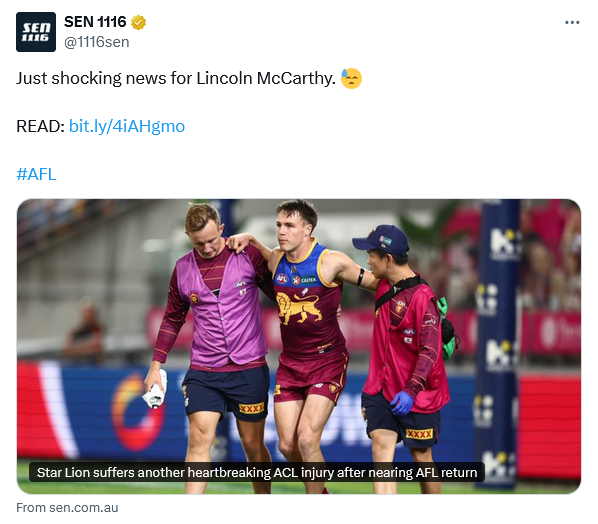 On the plus side he isn't following Port. 🤣





Account
Navigation
Search
Configure browser push notifications
Chrome (Android)
- Tap the lock icon next to the address bar.
- Tap Permissions → Notifications.
- Adjust your preference.
Chrome (Desktop)
- Click the padlock icon in the address bar.
- Select Site settings.
- Find Notifications and adjust your preference.
Safari (iOS 16.4+)
- Ensure the site is installed via Add to Home Screen.
- Open Settings App → Notifications.
- Find your app name and adjust your preference.
Safari (macOS)
- Go to Safari → Preferences.
- Click the Websites tab.
- Select Notifications in the sidebar.
- Find this website and adjust your preference.
Edge (Android)
- Tap the lock icon next to the address bar.
- Tap Permissions.
- Find Notifications and adjust your preference.
Edge (Desktop)
- Click the padlock icon in the address bar.
- Click Permissions for this site.
- Find Notifications and adjust your preference.
Firefox (Android)
- Go to Settings → Site permissions.
- Tap Notifications.
- Find this site in the list and adjust your preference.
Firefox (Desktop)
- Open Firefox Settings.
- Search for Notifications.
- Find this site in the list and adjust your preference.