





Demonland
Primary Administrators
-
Joined
-
Last visited
Everything posted by Demonland
-
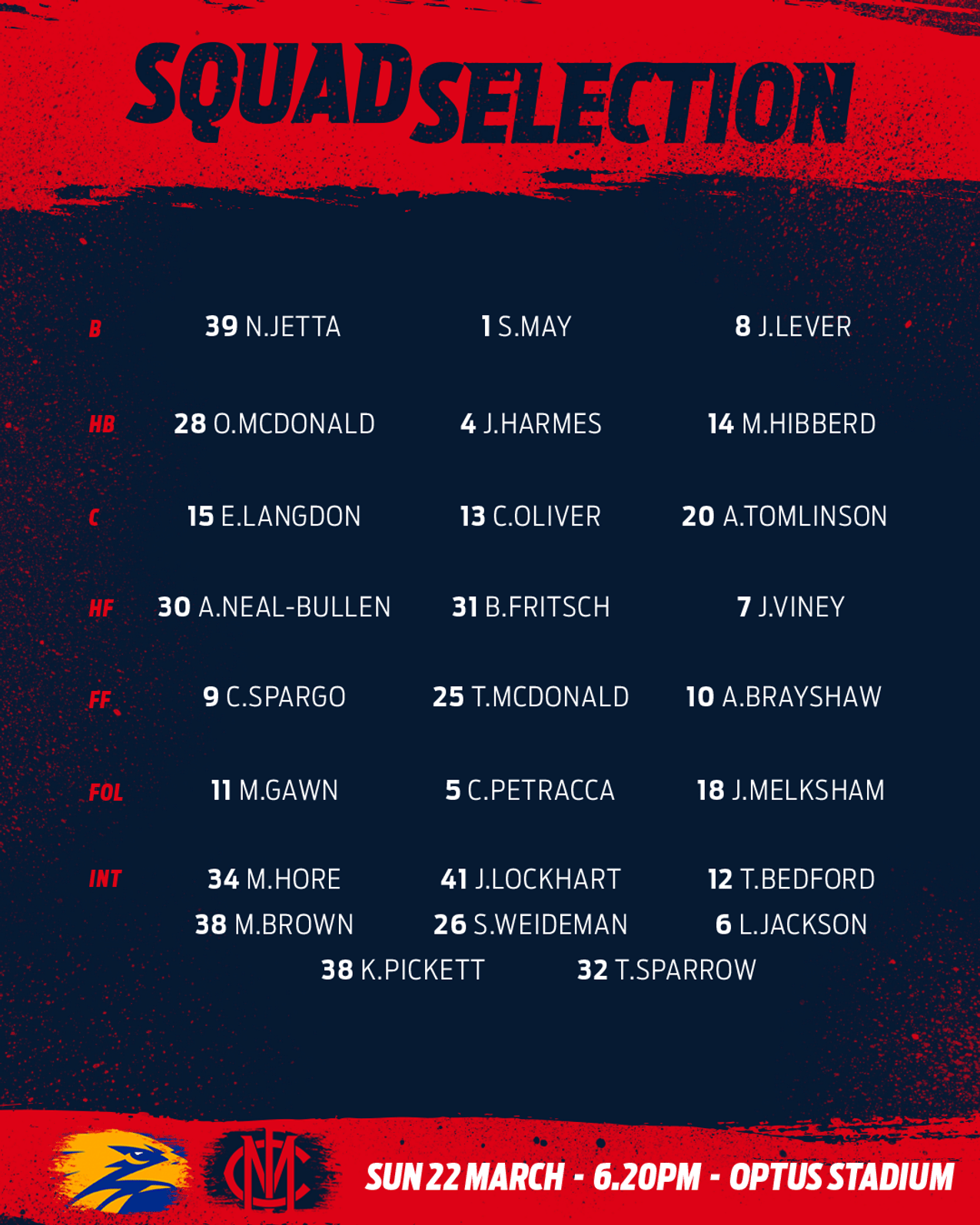
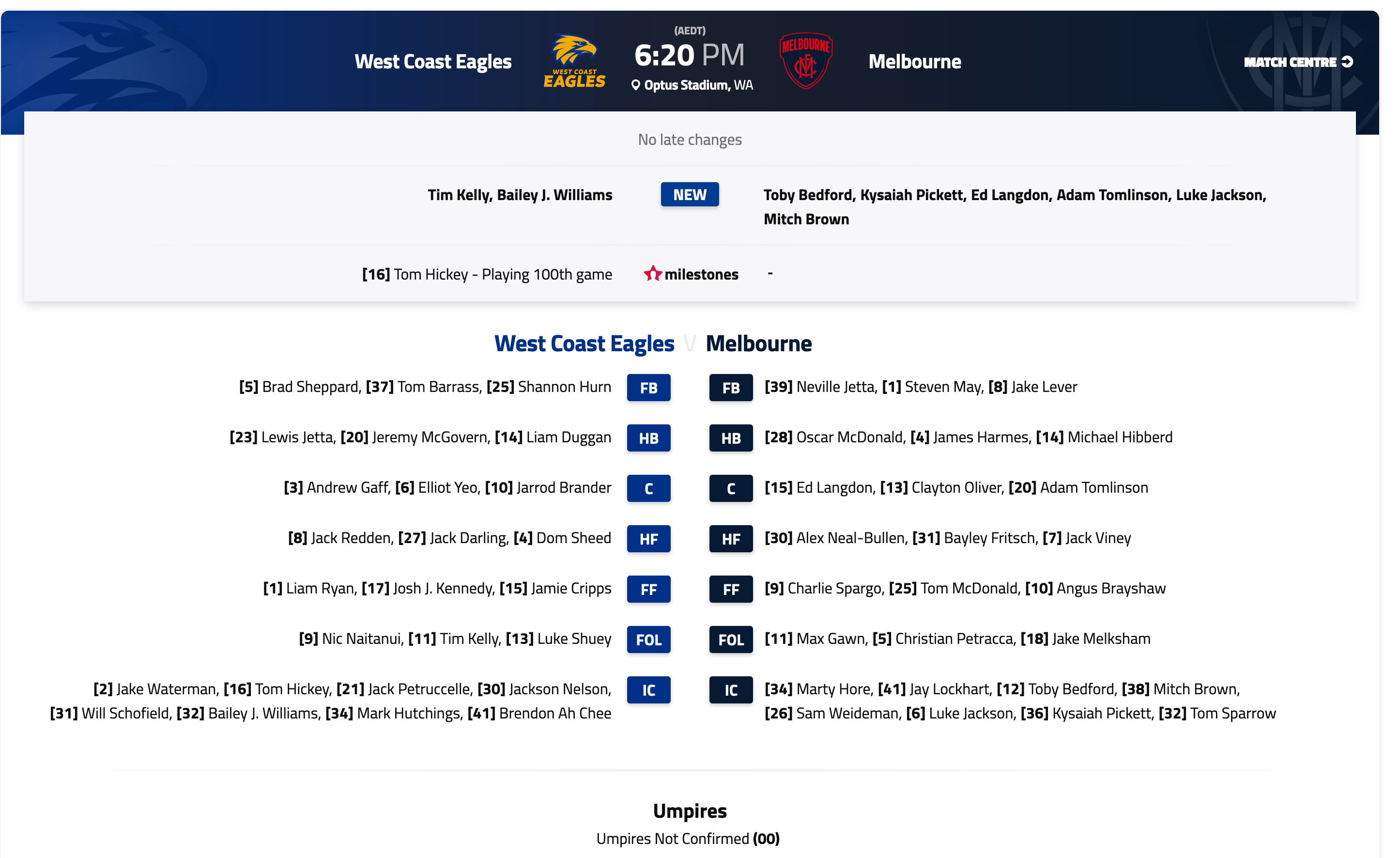
Not having a VFL is going to be hard for players coming in to replace injured players.Geez Nick Reiwolt isn't a fan of Clarry.They were doing it all night. Not good optics when we're trying to educate society and kids to distance.Not sure why they’re interviewing the players from a distance when they’ve been sniffing bums and arm pits all night.Commentators in love with Carlton.6 of 9 goals from frees.Blues have had a lot of frees in front of goal.He won't go anywhere but if he did it would be back to Perth.Basically in junk time as far as I'm concerned.All the high fiving and touching of the face and head is making me very uncomfortable. Contact sport aside.I thought it was a Nuffy suggestion during the week but surely the tech exists to superimpose crowd and noise for the TV audience. No crowds feels so sterile. Seems a no brainer to put advertising tarps on empty seats like the Richmond one behind the goals.My Carlton mates are praying there won't be a Round 2.Can't believe the captain's shook hands ... Oh wait it's a contact sport.This is so bizarre.Eagles team is very strong. Full compliment.CHARTER FLIGHTS, MASKS ON PLAYERS FOR COVID-19 AVOIDANCE Fremantle players have been spotted wearing masks at Perth Airport, one of the many measures AFL clubs are taking to avoid coronavirus while travelling this weekend. Six clubs are flying interstate - Fremantle, Geelong, Brisbane, Melbourne, Sydney and Port Adelaide - and all have taken or will take charter flights to avoid exposure. They’ll also be housed on dedicated floors at their hotels.Some late rule tweaks. Runners will be allowed on the ground after goals, as per the 2019 season, in order to share messages from coaches to players. However they’ll now also be allowed twice a quarter for a maximum of 90 seconds, during live play. They’re also not allowed to be on the ground during the final three minutes of any quarter, except after goals - so it’s just those two-a-quarter runner uses that aren’t permitted. The league has also confirmed a 17-game season for every club, with each match containing four quarters of 16 minutes plus time on. Quarter and three-quarter-time will last eight minutes, while half-time will last 20 minutes.I'm friends with a couple in New York who are reporting the same thing. Have had mix of fever, sore throat, body aches and headahces for over a week. They otherwise feel relatively fine (except for the guy who has a fever. his wife who just has some headaches and body aches is otherwise fine). Other Aussies and Americans they have been in contact with in the past week prior to the more "stringent" measures in place now report similar ailments. None of the them can be tested and they've tried very hard. They just don't fall into the category that can be tested. This is just the tip of the iceberg. Most likely they will be fine and recover but the numbers reported are probably not even in the same ballpark as what the infection rate actually is. We should be testing, testing, testing. To bring this back on topic and relating to the tale of my friends in NYC you can be relatively fine and still pass this thing on. We all should be being a lot more careful than what I am witnessing (myself included) in everyday life. I consider myself relatively fit, not elite professional sportsmen fit but fit nonetheless and I would warned against playing a contact sport. Not sure why it's ok for the AFL. I have to agree with Optics crowd. It send completely the wrong message to what we should be preaching to everyone in this society to stop or slow the spread. I love that we can watch footy. We've been dreaming about 2020 since about Round 9 last year (probably since 20 mins in the 4th quarter of Round 1). I just think they are making a big mistake in what this is telling the public. Stay safe Demonlanders.




Account
Navigation
Search
Configure browser push notifications
Chrome (Android)
- Tap the lock icon next to the address bar.
- Tap Permissions → Notifications.
- Adjust your preference.
Chrome (Desktop)
- Click the padlock icon in the address bar.
- Select Site settings.
- Find Notifications and adjust your preference.
Safari (iOS 16.4+)
- Ensure the site is installed via Add to Home Screen.
- Open Settings App → Notifications.
- Find your app name and adjust your preference.
Safari (macOS)
- Go to Safari → Preferences.
- Click the Websites tab.
- Select Notifications in the sidebar.
- Find this website and adjust your preference.
Edge (Android)
- Tap the lock icon next to the address bar.
- Tap Permissions.
- Find Notifications and adjust your preference.
Edge (Desktop)
- Click the padlock icon in the address bar.
- Click Permissions for this site.
- Find Notifications and adjust your preference.
Firefox (Android)
- Go to Settings → Site permissions.
- Tap Notifications.
- Find this site in the list and adjust your preference.
Firefox (Desktop)
- Open Firefox Settings.
- Search for Notifications.
- Find this site in the list and adjust your preference.