Demonland
Primary Administrators
-
Joined
-
Last visited
Everything posted by Demonland
-
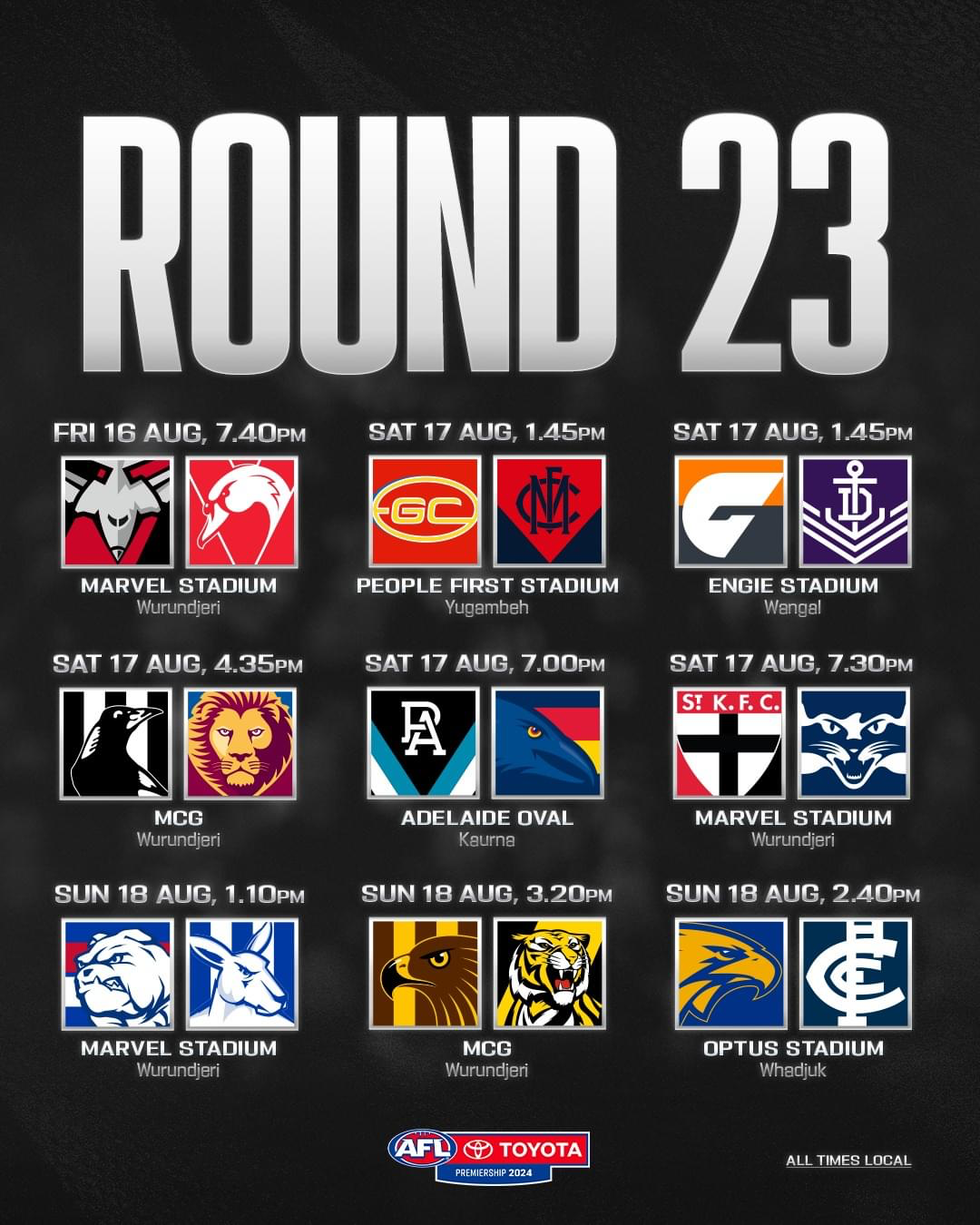
It's Game Day and whilst the Demons have been making the headlines for all the wrong reasons this week there are still two more games to go before we can officially say good night to this season from hell and our penultimate match up has us facing off against the Gold Coast Suns at their fortress at People First Stadium.
 https://demonland.com/forums/forum/38-trade-draft-free-agency/In a few hour’s time, the Demonland Trade, Draft & Free Agency Board 2024-5 will be open for business again. Please be respectful to others and help us maintain our high cultural standards throughout the coming months. https://demonland.com/forums/forum/38-trade-draft-free-agency/Stay with me now …. Hope I was able to provide you with a laugh in these challenging times. Things could always be worse. Not much worse. But worse.Who are you tipping this week and what are the best results for the Dees (draft pick wise or for those that want to go out on a high)?
 We welcome and encourage open discussions on all the topics mentioned, provided that they are conducted in a respectful and responsible manner. When discussing sensitive cultural issues, we kindly ask that you refrain from mentioning specific players, incidents, or any identifying details that could lead to harm or undue focus on individuals. Our goal is to ensure that conversations remain constructive and considerate. Please be aware that posts containing content we deem harmful to individuals or detrimental to the integrity of this platform may be removed, regardless of the context or content of the rest of the post. Additionally, as a precautionary measure, certain words or phrases may be automatically flagged by our moderation system. If your post is held for review, it doesn't necessarily mean you've done anything wrong; it simply means that further assessment is required to ensure the content aligns with our community standards. We encourage you to think carefully before posting. Remember, only share content that you would feel comfortable having associated with your real name in a public forum. Let's work together to create a space where meaningful and respectful dialogue can thrive.Trac must be worth 4 first rounders then …I'm locking this thread because I'm concerned about the direction it might take. It's important to ask ourselves: What is the intended outcome here? Are we trying to expose someone, put them on trial in the court of public opinion, or potentially ruin their career and reputation? And what if we’re wrong? It's disappointing to hear that there may be a leak within the club. However, we must also consider the possibility that the leak, if it exists, might not have been done with any malicious intent. We need to place our trust in the club's ability to investigate any potential leaks and take the necessary steps to address the situation. Starting a witch-hunt on Demonland is not only unproductive but could also have serious consequences for both the forum and its members. Let's avoid any actions that could lead to unnecessary harm or trouble.Bit of list and trade targets talks from Talking Footy
Account
Navigation
Search
Configure browser push notifications
Chrome (Android)
- Tap the lock icon next to the address bar.
- Tap Permissions → Notifications.
- Adjust your preference.
Chrome (Desktop)
- Click the padlock icon in the address bar.
- Select Site settings.
- Find Notifications and adjust your preference.
Safari (iOS 16.4+)
- Ensure the site is installed via Add to Home Screen.
- Open Settings App → Notifications.
- Find your app name and adjust your preference.
Safari (macOS)
- Go to Safari → Preferences.
- Click the Websites tab.
- Select Notifications in the sidebar.
- Find this website and adjust your preference.
Edge (Android)
- Tap the lock icon next to the address bar.
- Tap Permissions.
- Find Notifications and adjust your preference.
Edge (Desktop)
- Click the padlock icon in the address bar.
- Click Permissions for this site.
- Find Notifications and adjust your preference.
Firefox (Android)
- Go to Settings → Site permissions.
- Tap Notifications.
- Find this site in the list and adjust your preference.
Firefox (Desktop)
- Open Firefox Settings.
- Search for Notifications.
- Find this site in the list and adjust your preference.